

LifterLMS 9.0 is here, and it’s our biggest leap forward yet as the most secure WordPress LMS.
This release is all about:
- protecting your content and intellectual property
- stopping spam
- simplifying your workflow
- creating better learning experiences for your students
From advanced media protection to smarter spam prevention, streamlined course management, and a brand-new mobile dashboard navigation, these updates give course creators more control and learners a smoother, more engaging journey.
Let’s dive into what’s new and why it matters for your online education business.
Table of contents
Stronger Content Protection
Your content is your intellectual property.
Now you can protect your website media like never before. With “Protected Media Files,” images, videos, audio, and downloads can be restricted to currently enrolled students or members only.
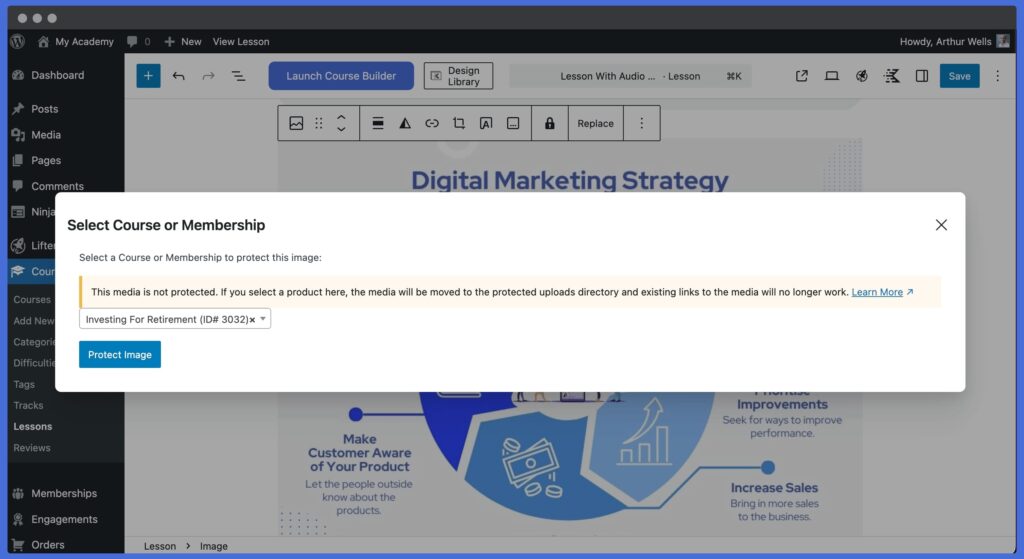
All other WordPress LMS plugins dump media files into the WordPress media library, which means the media can be easily found on the internet (all files in the WordPress media library have a publically accessible URL). Put bluntly, the media content is not secure or private with other WordPress LMSs.
As the most secure WordPress LMS, LifterLMS tackled this problem with revolutionary media protection technology that is customizable down to individual media files.
For example, you could add an image or PDF to a course that will only be viewable by students who are actively enrolled in that course.
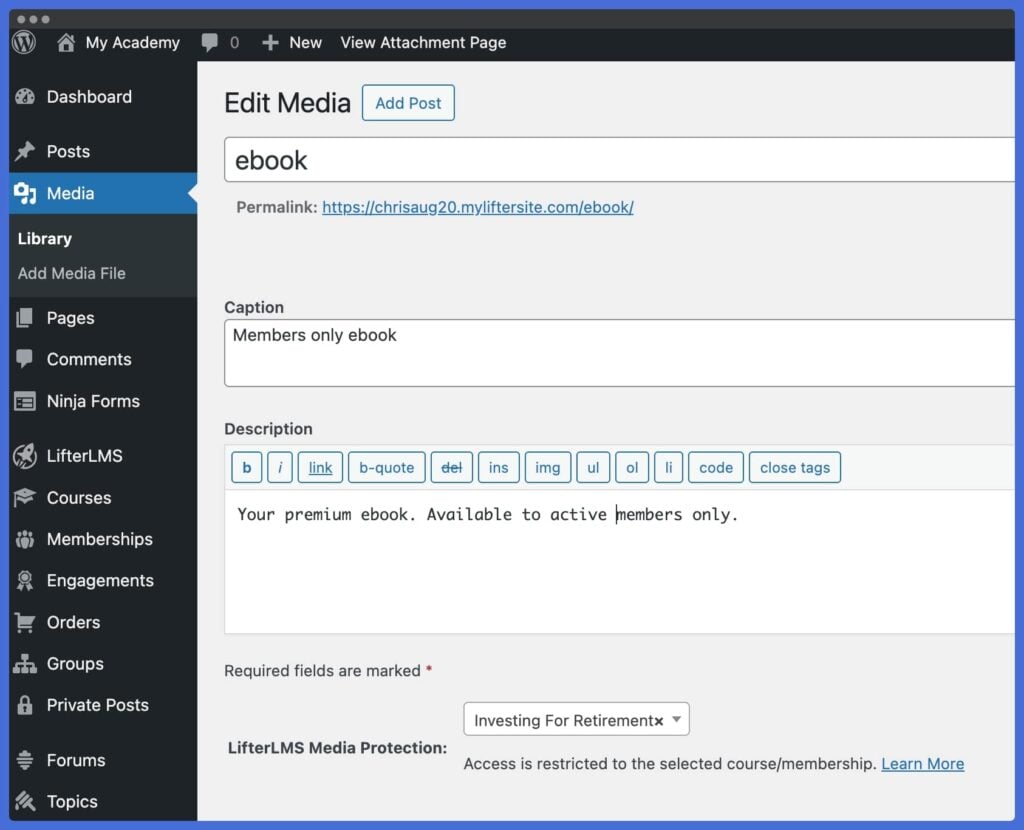
Advanced media protection means more value for your learners and more peace of mind for you that your intellectual property and your students’ content are safe.
Next-Level Spam and Fraud Prevention as Most Secure WordPress LMS
Say goodbye to fake signups, spammers, and fraudulent transactions.
LifterLMS 9.0 introduces automatic checkout and enrollment spam protection and expands support for Turnstile, reCAPTCHA v3, and Akismet.
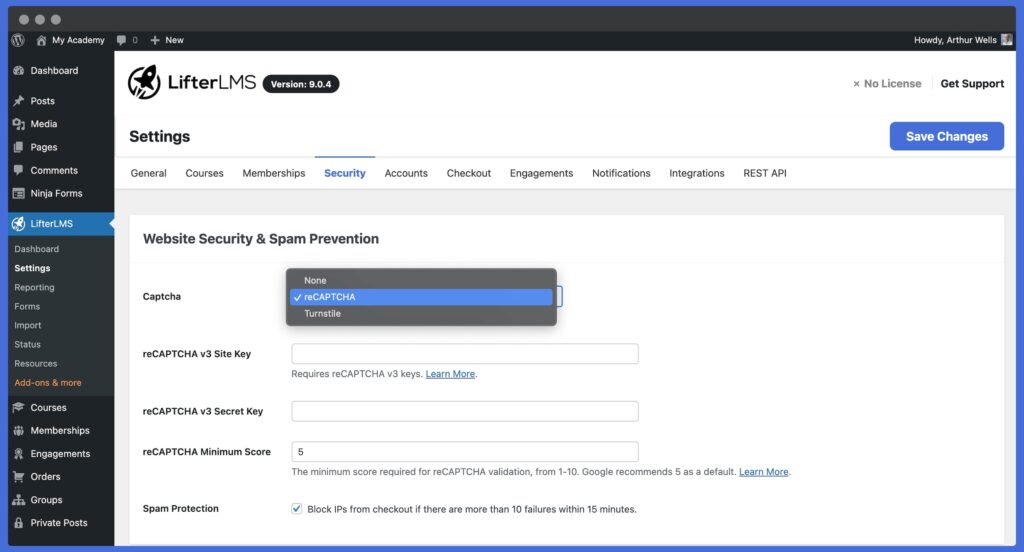
Also, LifterLMS will automatically block too many failed checkout attempts from the same location, which prevents hackers from trying to spam your website or test stolen credit cards.
Together, these native LifterLMS security features and free security integrations help ensure only real students make it through your checkout, log in, and registration forms.
Memberships That Stand Out
Memberships are more than just course bundles, protected members-only content with restricted access; they’re experiences.
With “Featured Video & Audio” for memberships, you can now showcase each membership with a welcome message, promotional video, or testimonial clip on the membership catalog item and at the top of the single membership page.
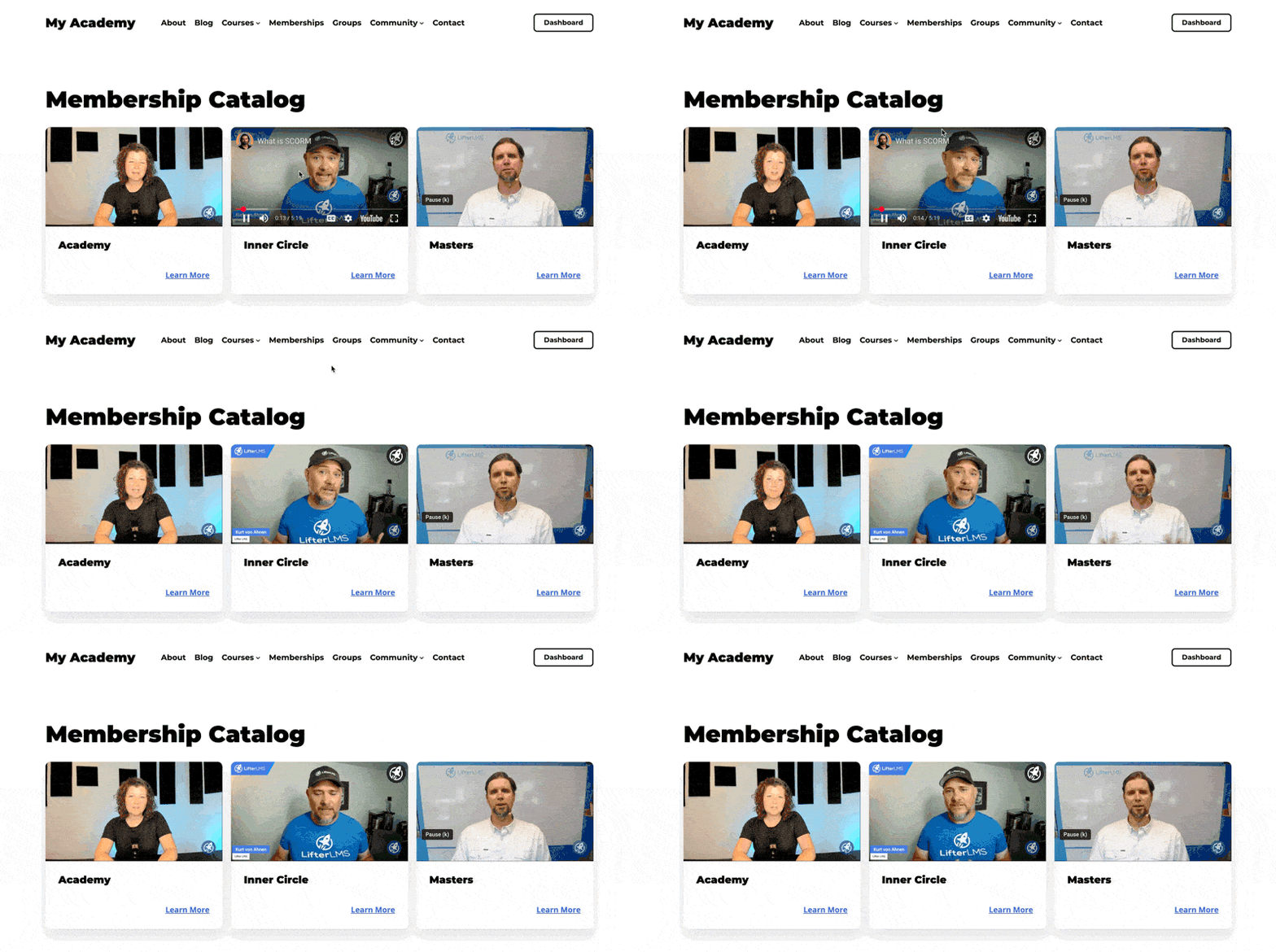
It’s a simple way to make your membership offerings more engaging and make money online through increased membership sales conversions.
A Better Student Experience
More students are learning on mobile devices than ever before.
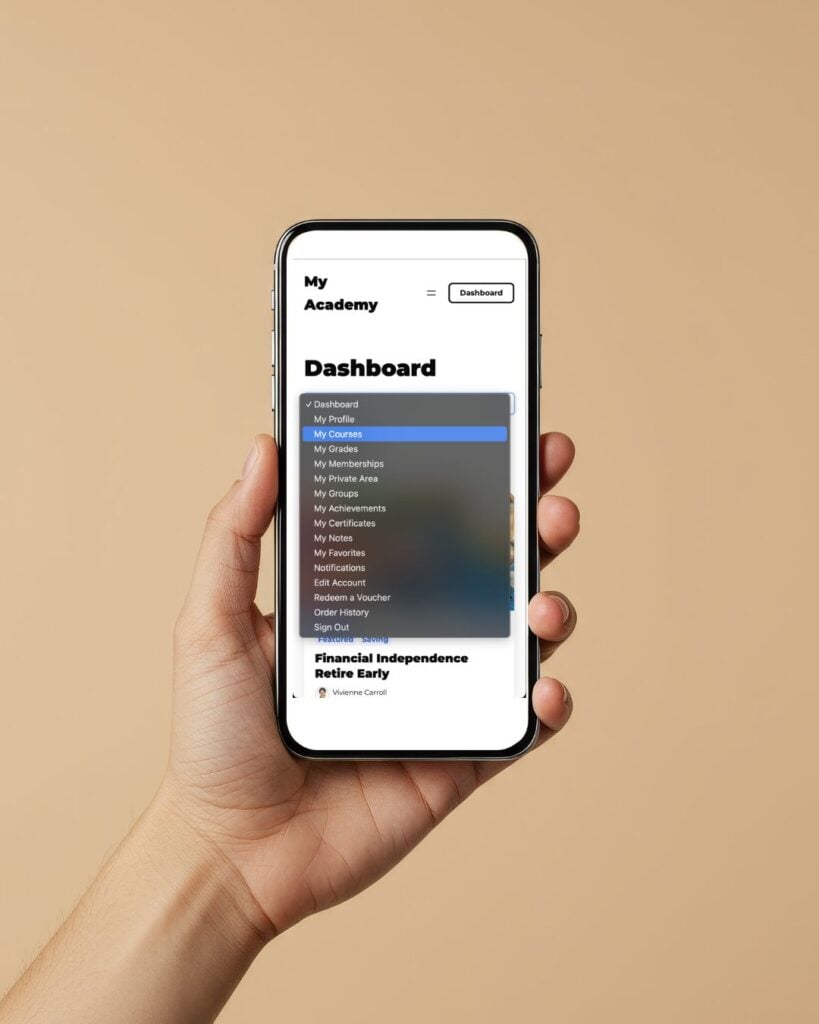
The new mobile student dashboard navigation ensures a smooth, intuitive experience for learners on-the-go, making it easier to check progress, access course content, and stay engaged anywhere.
Streamlined Course & Lesson Management
Running your LMS should be effortless.
With improved lesson management, you can quickly detach lessons from courses with a single click.
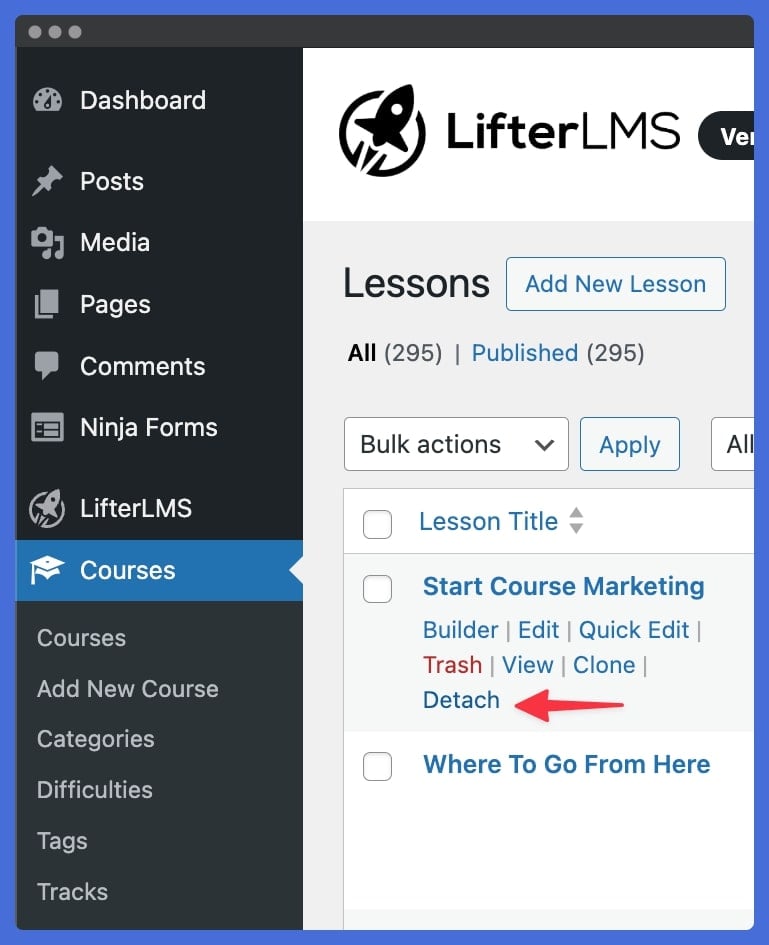
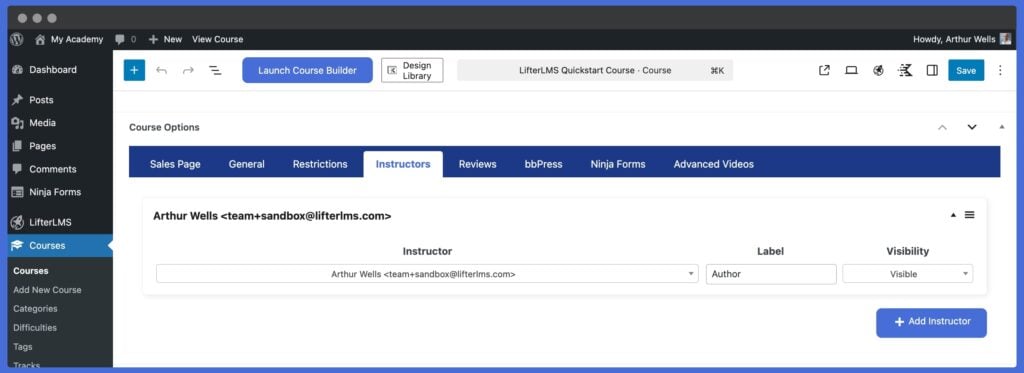
Plus, key options like instructor details and estimated course length are now in the main course editing area, making your workflow faster and more intuitive.
Compatibility & Global Reach
Build eLearning confidently, no matter your audience or tools. Updates to the native LifterLMS Elementor compatibility mean an even more seamless experience for Elementor users creating and designing courses with LifterLMS.
And refreshed country and region lists improve international support to help you reach learners worldwide and create eLearning with LifterLMS with ease from anywhere in the world.
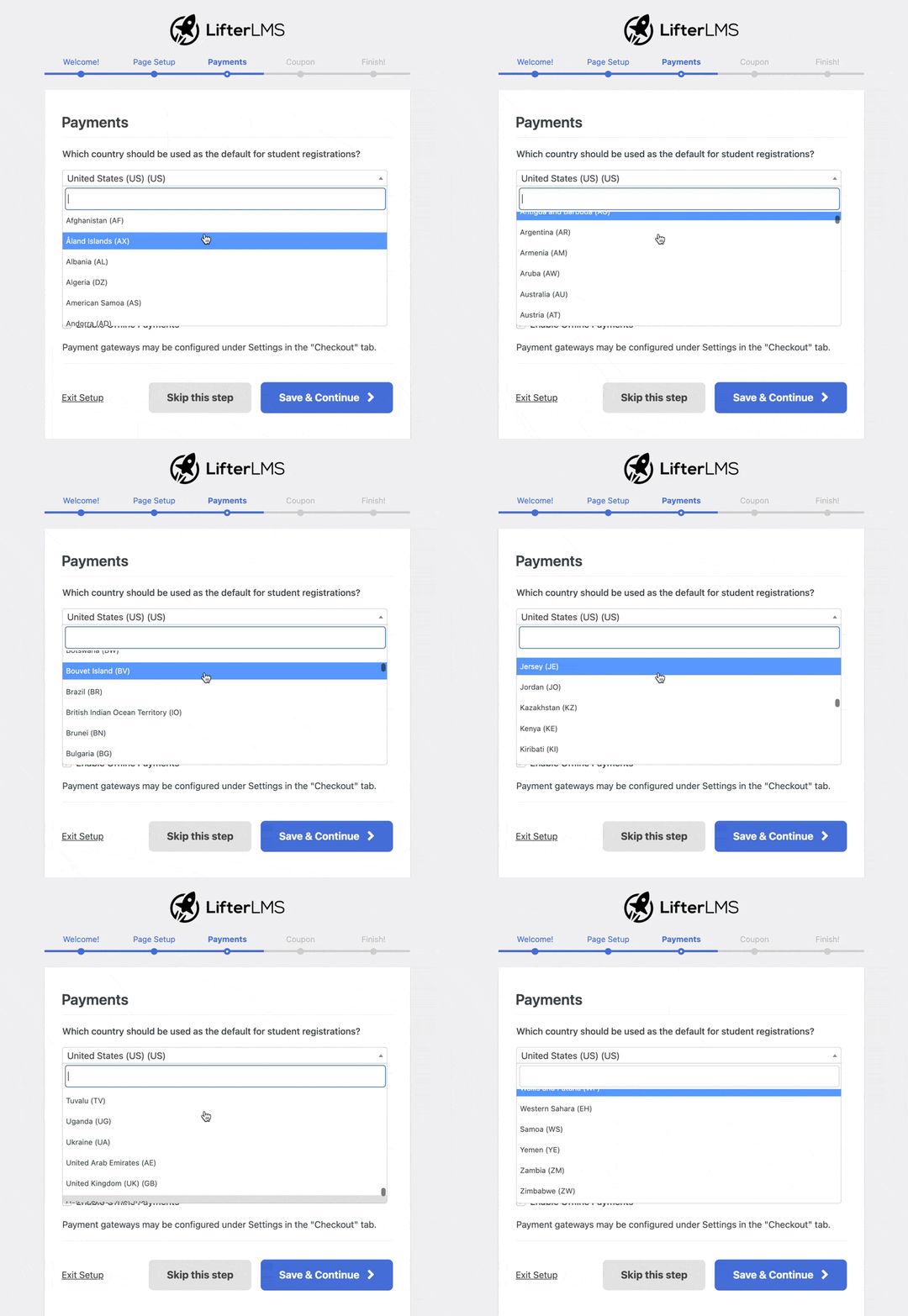
LifterLMS has always been commited to serving all the world’s people, wherever they are.
LifterLMS exists to democratize education in the digital classroom, worldwide.
Here’s What I’d Like You To Do Next…
With LifterLMS 9.0, we’ve doubled down on what matters most: security, simplicity, and student success.
These powerful new features make it easier than ever to run a professional online learning platform that delights students and protects your hard work.
If you’re already a LifterLMS user, update to version 9.0 or greater today to unlock these innovative new features and improvements.
And if you’re just starting your eLearning journey, now is the perfect time to download LifterLMS 9.0+ for free or choose a plan to build your dream learning platform on the most secure, customizable & affordable learning management system.
Together, we build the future of online education.
It’s great to be with you on the journey 🚀



