How to enable Cloudflare Turnstile verification
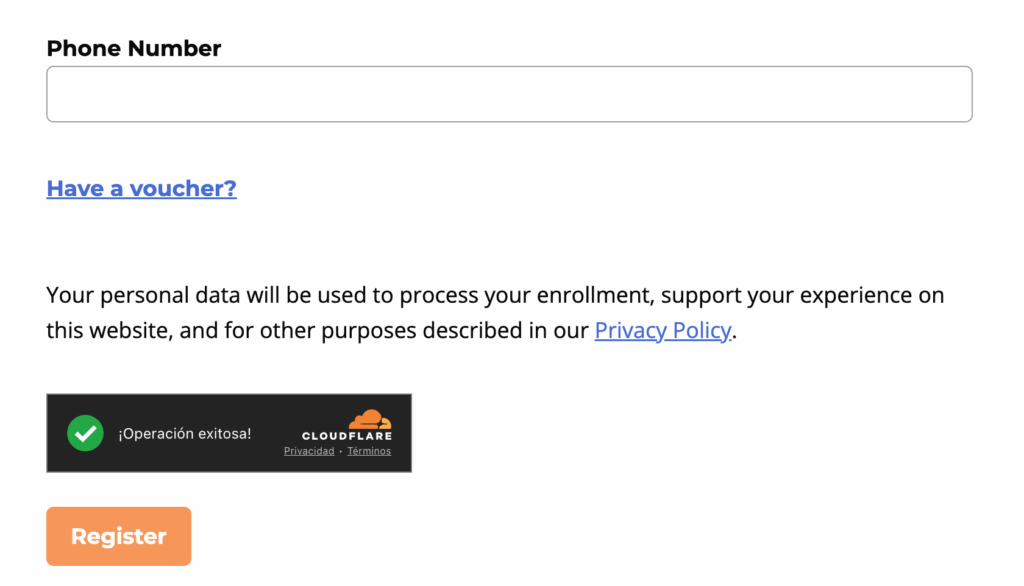
Cloudflare Turnstile is a verification tool that can be added to checkout and registration in LifterLMS. Once enabled, users will see a verification logo near the bottom of the form.
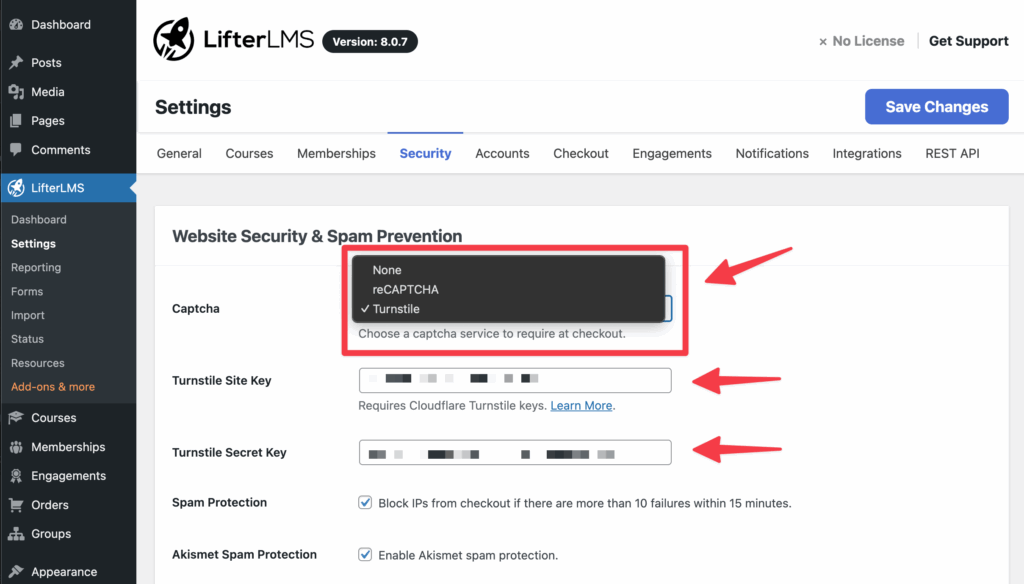
Step 1. In your WordPress admin, go to LifterLMS > Settings and click on the “Security” tab
Step 2. In the Captcha dropdown, select “Turnstile”
Step 3. Enter the Site Key and Secret Key after signing up for Cloudflare Turnstile
You can either start a checkout with a gateway like LifterLMS Stripe, or enable open registration and visit the Dashboard page. If you are already logged in you may need to logout or open a new private (incognito) browser window.
If Turnstile is working correctly, a small badge should display above the button of the form.