

MemberPress vs. LifterLMS
Which platform gives you the tools you need to run a full learning business?
When you compare MemberPress and LifterLMS, you’re looking at two very different platforms.
MemberPress helps you sell access to protected content.
LifterLMS helps you build learning experiences, guide students, award credentials, track progress, and grow structured training programs.
Both tools work inside WordPress.
Both serve real needs.
But if you want a complete learning system without piecing together multiple plugins, one option will take you much further.
This page shows how each platform works, what they do well, and what you can expect as your courses or training sites expand.
By the end, you’ll know which option supports your long-term plans.
The LifterLMS Approach
LifterLMS was built for creators, teachers, coaches, and teams who want a clear, reliable setup for online learning.
Before building the plugin, our team created custom LMS sites for schools, membership platforms, and training companies. We kept seeing the same issues:
- Too many plugins needed to achieve simple things
- Features missing in key places
- Challenges guiding learners through structured programs
- Confusing course layouts
- Hard-to-maintain systems as sites grew
LifterLMS brings everything together in one place.
You install it. You build your courses. You sell. You track progress. You support students.
You don’t need a separate LMS plugin, a separate membership plugin, or a stack of extensions to run a proper learning program. The whole system is ready from day one.
Where MemberPress Fits
MemberPress is a strong membership and paywall plugin. It’s ideal for:
- Locking content behind a subscription
- Gating access to pages, posts, and categories
- Running simple community or resource sites
- Delivering unguided learning material
If your goal is to share content behind a paywall, MemberPress does that well.
But it wasn’t designed to be a full LMS.
So when your plans include:
- Progress tracking
- Drip schedules
- Certificates
- Structured learning paths
- Quizzes or graded work
- Cohorts or seat-based access
- Instructor tools
- Detailed reporting
- Automated engagement
…you will run into limits that slow down your project or require extra plugins.
This is the point where many creators start looking for a true LMS.
LifterLMS vs MemberPress: Key Differences
Here are the main differences between the two platforms.
1. Learning tools built into the core
LifterLMS includes courses, modules, lessons, quizzes, assignments, certificates, achievements, prerequisites, and more in one system. No extra plugins needed.
2. Structured learning paths
You can guide students through clear course flows, track their progress, and build multi-step programs.
3. Better growth options
You can sell:
- Individual courses
- Bundles
- Memberships
- Groups and seat packages
- Corporate access
- Recurring programs
These setups work immediately inside LifterLMS.
4. Fewer moving parts
You don’t need to connect an LMS plugin to a membership plugin to a payment plugin just to launch. A simpler setup means fewer things go wrong later.
5. A clearer path for creators
You can start with the free core plugin, then add paid tools when you need them. This keeps costs predictable and your setup clean.
Comparing Features: LifterLMS vs. MemberPress
When you compare the two platforms side by side, the distinction becomes clear. MemberPress offers strong membership controls. LifterLMS offers a full learning environment for structured courses, assessments, certifications, and student management.
Use the table below to see how each platform handles the features most learning businesses rely on.
| Feature | LifterLMS | MemberPress |
|---|---|---|
| Unlimited Courses, Memberships, Quizzes | ✔ | ✔ |
| Free Version | ✔ | ✘ |
| Achievements Badge | ✔ | ✘ |
| Voucher | ✔ | ✘ |
| Group/seat sales | ✔ | ✘ |
| Question bank | ✔ | ✘ |
| Student’s Grade as PDF | ✔ | ✘ |
| $1 trial | ✔ | ✘ |
| Weekly Mastermind & Private Facebook Group (Universe bundle) | ✔ | ✘ |
| Premium features as add-ons (a la carte) | ✔ | ✘ |
| Live Getting Started Help | ✔ | ✘ |
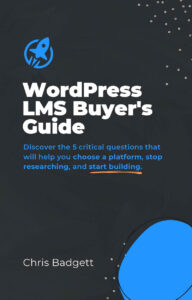
FREE: Get Access to the 2022 WordPress LMS Buyers Guide
Learn the 5 questions you need to ask to choose the best tools for your project.
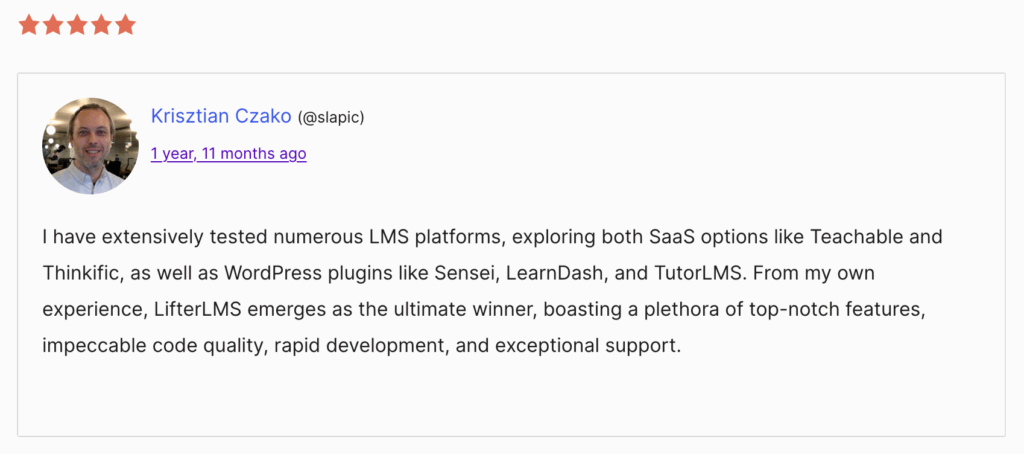
What People Say When They Move From MemberPress to LifterLMS
Creators who switch from MemberPress often highlight the same reasons:
- They needed proper progress tracking
- They wanted to award certificates or achievements
- They needed more than simple content protection
- They wanted a course builder that didn’t rely on extra plugins
- They needed group or seat-based access for teams
- They preferred keeping everything in one system instead of a long plugin stack
We also link to public reviews from people who have made the move and shared their experience on WordPress.org.
Try LifterLMS in a Live Demo
You can explore everything LifterLMS offers inside a fully loaded test site for $1.
This includes:
- All premium add-ons
- All design templates
- All course and membership tools
- Full access to the site so you can test real setups
- A clean reset when you’re finished
This is the fastest way to see how your courses or training programs would work in LifterLMS.
Connect With the Community
When you use LifterLMS, you’re not working alone. You have access to a community of creators, educators, and developers who help each other move faster.
You can get support and ideas through:
- A private Facebook group with thousands of active members
- Weekly live sessions where you can ask questions and see real builds
- Office hours for personalised guidance
- A developer Slack channel for technical discussions
- Direct email support from the LifterLMS team
Whether you’re planning your first course or running a large training site, you always have a place to ask questions and get practical help.
Move From MemberPress to LifterLMS
If your site uses MemberPress today, you can shift to LifterLMS in a straightforward way. Most people follow a simple process:
- Copy or export your lesson and course content
- Rebuild your structure using the LifterLMS course builder
- Set up memberships, bundles, or access plans
- Add your payment gateways
- Invite your students
- Check everything over and launch
If you want guidance along the way, the LifterLMS team can help you decide the best steps for your site. You can also use the $1 demo site to practise the full setup before going live.
Extra Learning Resources
You can explore the full range of LifterLMS learning materials designed to help you build, launch, and improve your course or training platform.
You have access to:
- The LifterLMS Academy
Self-paced lessons covering setup, design, and course building. - The QuickStart Course
A short, practical course that shows you how to get your first build live. - Tutorials
Step-by-step walkthroughs for common tasks and features. - Live training and webinars
Sessions that cover real examples and questions from users. - The YouTube channel
Short guides and longer deep dives into tools and workflows. - The podcast
Conversations with creators and educators about building learning businesses. - The blog
Articles on course design, selling, pricing, and platform updates.
These resources work together so you can move at your own pace and get help whenever you need it.
Still Deciding?
If you’re comparing tools, the WordPress LMS Buyer’s Guide provides a clear way to evaluate your options, understand the key differences, and find the setup that best fits your plans.
It’s free, and it’s a simple next step when you’re choosing a path for your learning platform.
FREE: Get Access to the 2022 WordPress LMS Buyers Guide
Learn the 5 questions you need to ask to choose the best tools for your project.


