

Tutor LMS vs. LifterLMS
Looking for a Tutor LMS Alternative?
Tutor LMS appeals to many first-time course creators because it’s easy to install, simple to explore, and offers a friendly drag-and-drop builder. If your plan is to publish lessons quickly and start with a lightweight setup, it does the job.
But as your courses grow, you may find yourself needing more than a polished builder. You may want structured learning paths, deeper assessments, student reports, a simpler way to sell access, or a setup that doesn’t rely on several extra plugins.
LifterLMS was built for creators who want all of that in one place. If you’re comparing the two, this page helps you understand where each tool fits — and what happens when your course site expands.
The LifterLMS Approach
We created LifterLMS for people who want to build real learning platforms — not just a course page, but a complete experience for students from enrolment to completion.
Before developing LifterLMS, our team spent years building custom LMS systems. We saw the same issues repeatedly:
- Tools scattered across several plugins
- Limited reporting when courses grew
- Complicated checkout flows
- Difficult setups for memberships or bundles
- Gaps in student engagement and progress tracking
LifterLMS brings these parts together:
- Courses
- Memberships
- Payments
- Student dashboards
- Certificates
- Assignments
- Engagement triggers
- Reports
- Groups and seats
Everything is inside one plugin. You don’t need to connect an LMS to a membership tool, then attach a payment plugin, then manage separate add-ons on top. This simplifies maintenance and keeps your platform stable as you grow.
Today, thousands of creators use LifterLMS to support millions of learners.
Where Tutor LMS Fits
Tutor LMS is a good match if you:
- want a quick visual builder
- prefer a simple setup for your first course
- use a page builder already
- only need basic quizzes and progress tracking
- don’t need memberships or bundles yet
It’s a friendly place to start, and the builder is one of the cleanest among WordPress LMS plugins.
But Tutor LMS follows a “course builder first” approach. This helps beginners launch quickly, but it also means some essential functions for long-term learning businesses sit outside the core plugin.
Examples include:
- Memberships and bundles
- Certificates
- Assignments
- Drip content
- Groups and seats
- Prerequisites
- Reporting
- Payment flows
- Automation
These often require:
- Tutor LMS Pro
- WooCommerce
- WooCommerce add-ons
- Extra extensions for sales or reporting
- Additional plugins for engagement
This creates a more complex setup when you move beyond simple course delivery.
LifterLMS vs Tutor LMS: Key Differences
The sections below highlight the differences that matter most when you’re building something long-term.
1. One system vs several add-ons
LifterLMS includes courses, memberships, bundles, payments, achievements, certificates, assignments, drip, prerequisites, and progress tracking.
Tutor LMS requires multiple extensions to match that range.
2. Deeper control of learning
LifterLMS includes prerequisites, structured paths, engagement triggers, certificates, badges, and assignments.
Tutor LMS keeps these tools in paid add-ons, and some are less flexible in practice.
3. Easier checkout
LifterLMS handles payments without any extra plugins.
Tutor LMS relies on WooCommerce, which adds steps and complexity to the checkout flow.
4. More selling options
LifterLMS supports:
- single courses
- bundles
- memberships
- cohorts
- seats
- team access
- recurring programs
Tutor LMS offers course sales, but most advanced selling models require additional extensions.
5. More stable at scale
LifterLMS is designed for larger training sites with multiple courses and more advanced learning paths.
Tutor LMS can become slower or more complex as the number of plugins increases.
Comparing Features: Tutor LMS vs LifterLMS
Tutor LMS gives you a solid foundation for basic course sites.
LifterLMS gives you the depth and flexibility to build full training programs, with memberships, analytics, payments, and advanced learning tools built in.
The table below shows how each plugin approaches the features creators rely on as their platforms grow.
Course Creation
| Feature | LifterLMS | TutorLMS |
|---|---|---|
| Drag-and-drop course builder | ✔ | ✔ |
| Visual lesson editor | ✔ | ✔ |
| Unlimited courses | ✔ | ✘ |
Assessments
| Feature | LifterLMS | TutorLMS |
|---|---|---|
| Assignments | ✔ | ✔ |
| Certificates | ✔ | ✔ |
| Quizzes | ✔ | ✔ |
| Question banks | ✔ | ✔ |
| Prerequisites | ✔ | ✔ |
| Conditional progression | ✔ | ✔ |
Selling & Payments
| Feature | LifterLMS | TutorLMS |
|---|---|---|
| Built-in payments | ✔ | ✘ |
| Memberships | ✔ | ✔ |
| Course bundles | ✔ | ✔ |
| Subscriptions | ✔ | ✔ |
| Seats / group access | ✔ | ✘ |
| Corporate training access | ✔ | ✘ |
Engagement & Experience
| Feature | LifterLMS | TutorLMS |
|---|---|---|
| Drip content | ✔ | ✔ |
| Engagement automation | ✔ | ✘ |
| Achievements | ✔ | ✔ |
| Certificates on completion | ✔ | ✔ |
| Student dashboard | ✔ | ✔ |
Reporting & Analytics
| Feature | LifterLMS | TutorLMS |
|---|---|---|
| Course reports | ✔ | ✔ |
| Student progress reports | ✔ | Limited |
| Detailed quiz analytics | ✔ | ✔ |
| Instructor activity reporting | ✔ | Limited |
Platform Structure
| Feature | LifterLMS | TutorLMS |
|---|---|---|
| Works without WooCommerce | ✔ | ✘ |
| LMS + memberships combined | ✔ | ✘ |
| Large program support | ✔ | ✔ |
| Add-on reliance | Low | High |
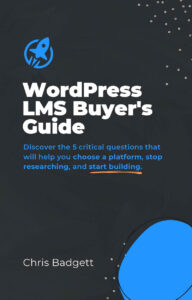
FREE: Get Access to the 2022 WordPress LMS Buyers Guide
Learn the 5 questions you need to ask to choose the best tools for your project.
Why Creators Switch From Tutor LMS to LifterLMS
Creators switching from Tutor LMS often mention:
- wanting fewer plugins managing core features
- needing a straightforward checkout without WooCommerce
- struggling with reporting once they added more courses
- needing proper memberships or bundles
- wanting certificates, assignments, and drip without extra complexity
- frustrations with managing several paid add-ons
- needing groups or seats for team training
- looking for deeper tools as their courses grew
Here are a few common scenarios:
“My first course worked well, but once I added two more, the plugin stack became hard to manage.”
Tutor LMS works well for a simple setup, but the add-on chain grows quickly.
“Selling memberships through WooCommerce became too complicated.”
Most Tutor users switching to LifterLMS mention checkout friction.
“I needed more than basic quizzes.”
As programs mature, question banks, assignments, and prerequisites matter.
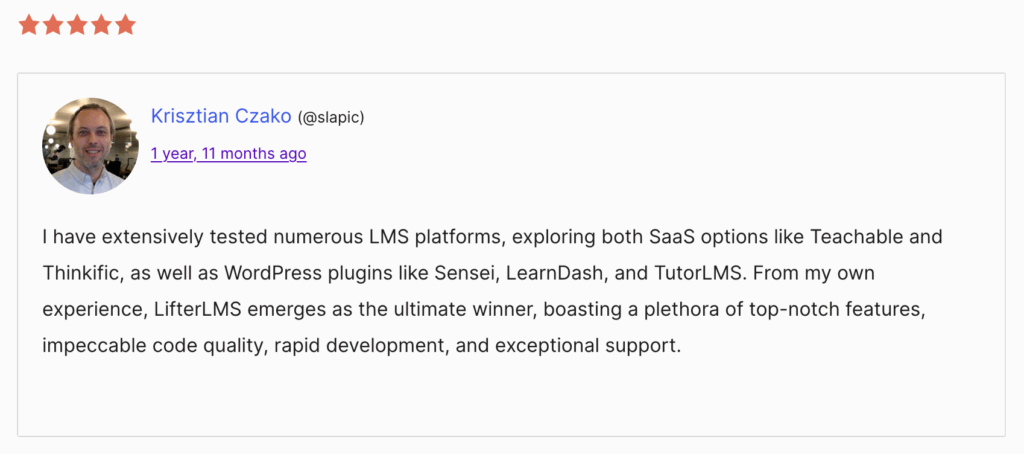
You can also find reviews from creators who moved from Tutor LMS to LifterLMS and shared their experiences publicly.
Try LifterLMS in a Live Demo
You can test everything inside a fully loaded demo site for $1.
This lets you:
- build courses and memberships
- try all premium tools
- explore templates
- preview checkout flows
- experiment with reporting
- reset the site when finished
It’s an easy way to compare both platforms side by side.
Connect With the Community
When you use LifterLMS, you join a strong community of creators, teachers, and developers.
You can get support and ideas through:
- A private Facebook group with thousands of active members
- Weekly live sessions where you can ask questions and see real builds
- Office hours for personalised guidance
- A developer Slack channel for technical discussions
- Direct email support from the LifterLMS team
Whether you’re building your first course or running a larger training site, you’ll always have support.
Move From Tutor LMS to LifterLMS
If your site uses Tutor LMS today, you can switch to LifterLMS step by step.
Most creators:
- rebuild their course structure with the LifterLMS builder
- add quizzes, certificates, or assignments as needed
- replace WooCommerce checkout flows with simpler native payments
- set up memberships or bundles
- invite students
- check everything and launch
You can practise your full build safely inside the $1 demo before updating your live site.
Extra Learning Resources
You can explore a full set of tools to help you build and grow your learning platform.
These include:
- The LifterLMS Academy
- The QuickStart Course
- Tutorials
- Live training and webinars
- The YouTube channel
- The podcast
- The blog
Each resource helps you build the skills you need as your platform expands.
FREE: Get Access to the 2022 WordPress LMS Buyers Guide
Learn the 5 questions you need to ask to choose the best tools for your project.
Still Deciding?
The WordPress LMS Buyer’s Guide gives you a clear set of questions to help you compare your options and choose the setup that fits your goals.
It’s free and a helpful next step if you’re comparing Tutor LMS with other LMS plugins.


