“I want to create an online community website” on your mind?
You’re not alone.
More and more course creators and education entrepreneurs are discovering that a social learning community is the missing piece of a thriving, engaging eLearning platform.
The challenge is choosing the right online community platform tool. Facebook groups can feel distracting and insecure. Standalone apps like Discord, Slack, or Circle require extra logins and create a disconnect between your courses and your community.
That’s why the smartest path is to build your online community directly into your LMS.
With WordPress, LifterLMS, and the LifterLMS Social Learning add-on, you get everything you need to create a branded, distraction-free space where learners connect, engage, and grow, right on your own website.
Table of contents
- Why Build an Online Community Website on WordPress
- What Makes the LifterLMS Social Learning Add-On Unique to Create An Online Community Website
- How to Create an Online Community Website with WordPress
- Advanced Tips for Scaling Your Social Learning Community
- Common Social LMS Mistakes to Avoid
- Ready to Build Your Social Learning Community & Create An Online Community Website?
- Frequently Asked Questions To Create An Online Community Website
Why Build an Online Community Website on WordPress
There are many online community software tools on the internet, but why choose WordPress to create an online learning community?
You’ve made the smart decision to add an online community to your eLearning platform to create a social LMS experience.
Selecting a platform tool to host your online community can be overwhelming.
When you look at popular online community platforms, you discover many options that come with serious tradeoffs.
You could do a private Facebook group, but Facebook is a very distracting, unfocused place. Some of your learners have left Facebook and have privacy concerns about Facebook. The thought emerges that it would be great if I could create a Facebook clone on my website… that I own and control.
You explore community messaging apps like Discord or Slack, only to discover that only a small number of your users are familiar with these tools.
You look at online community tools like Circle, only to realize that students will now have to maintain separate logins, and keeping the LMS and the community tool in sync will be a huge undertaking.
And then the simple, obvious solution emerges: an online community should be incorporated into my existing Learning Management System (LMS) as an extension of my existing platform (not some separate community app).
Smart education entrepreneurs find a WordPress LMS is the most affordable and customizable learning management system solution, offering full ownership and control.
Using the best WordPress LMS plugin, LifterLMS, and the LifterLMS Social Learning plugin, you get a powerful, customizable LMS and online community all-in-one.
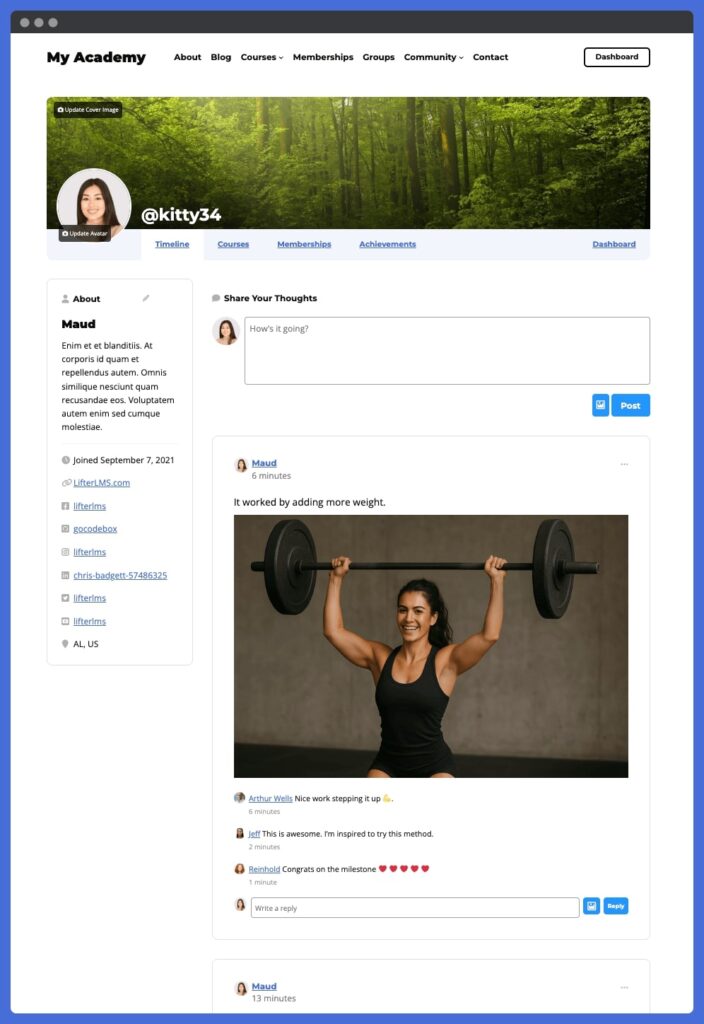
With WordPress as the foundation for your eLearning and online community, you get full freedom and control over your platform. You get to create an asset that you own and control.
In a WordPress-based platform, you get unlimited monetization and branding opportunities. You have full control over the payments and pricing that your students pay to join your online learning community. You can create a design and visual brand that matches your vision, instead of joining some expensive LMS or community platform where all the sites look the same.
WordPress is also different for LMS and community sites in that there are no limits on the number of students, instructors, courses, memberships, or community members. Put simply, unlike other platforms, LifterLMS does not charge you more as you get more enrollments and community members.
The strongest benefit of using WordPress to create an online community website is how integrated and customizable everything is in your one website. With LifterLMS you can easily integrate online community, courses, memberships, coaching… all in one place with one login for you and your members.
Not only can you create a Facebook clone with WordPress using LifterLMS and LifterLMS Social Learning, but you also get the most powerful, customizable learning management system on the planet.
What Makes the LifterLMS Social Learning Add-On Unique to Create An Online Community Website
When you bring learners together, you want the community experience to feel natural, engaging, and seamlessly connected to your courses.
The LifterLMS Social Learning add-on is designed to do exactly that by transforming your WordPress LMS into a full-featured social learning hub.
Real-Time Social LMS Activity Feeds
The activity feed functions like a private Facebook-style timeline built directly into your learning platform. Students can see updates from peers, interact with posts, and celebrate milestones in real time.
In addition to text-based comments, learners can even share images and videos alongside their posts, adding a richer, more visual layer to community interaction.
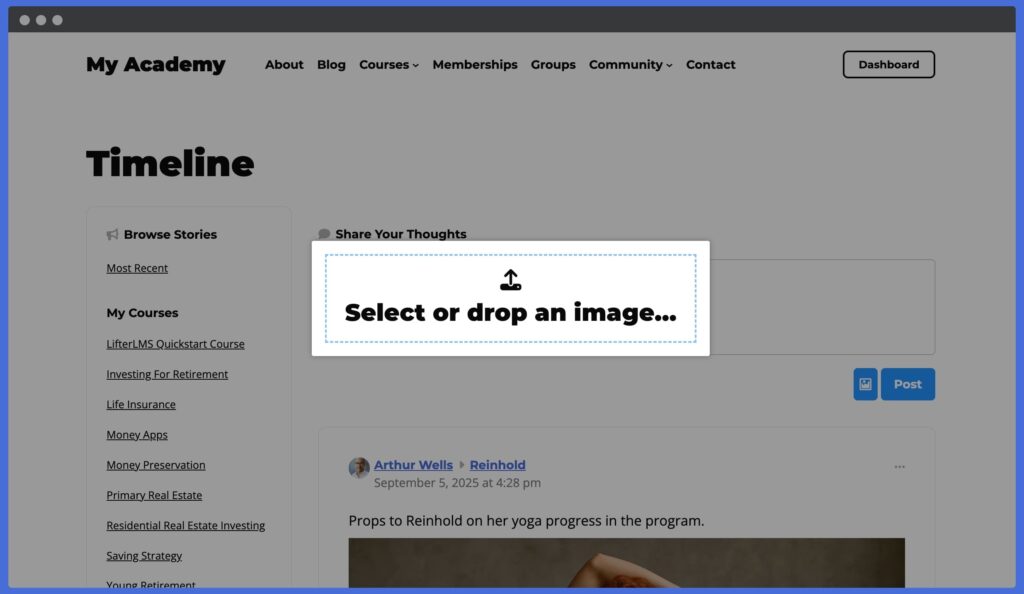
Unlike external platforms, you’re in full control of the environment with no distractions, no ads, just focused engagement.
Customizable Learner Profiles in Your Social Learning Management System
Every learner gets their own profile page, which can be customized with avatars, cover photos, bios, and social links.
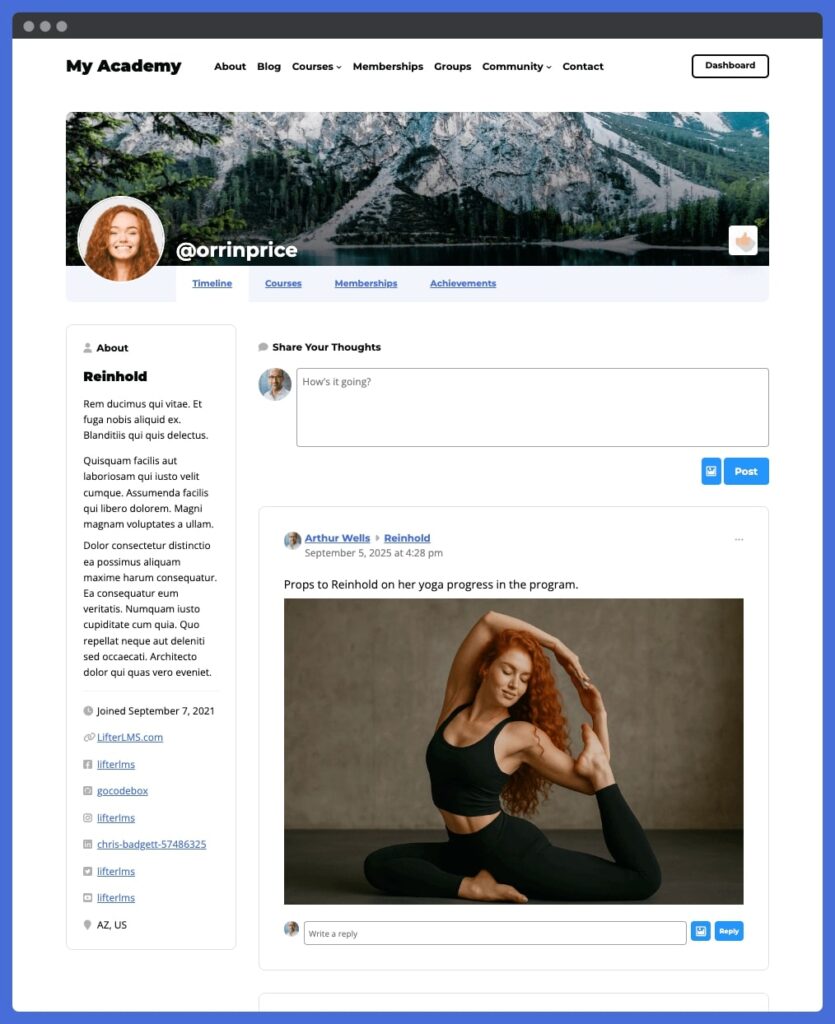
These profiles aren’t static. They evolve as students progress, displaying earned achievements and community activity.
Privacy settings let you decide whether profiles are public, private to registered users, or visible only to enrolled students, ensuring your community feels safe and secure.
Gamification and Engagement Tools
Keeping learners motivated is easier when their progress is recognized. With LifterLMS Social Learning, course completions and other key milestones automatically post to the activity feed.
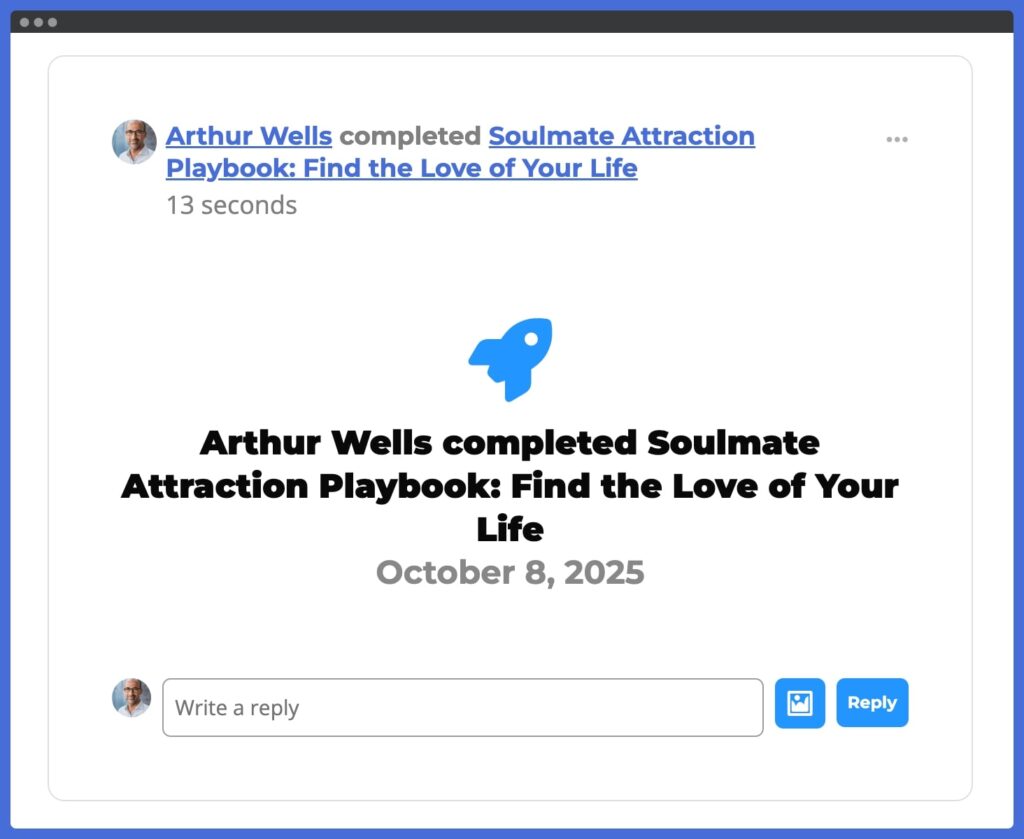
This creates a built-in recognition system that sparks conversation and keeps energy high. You can even fine-tune which events trigger posts, helping you design the exact engagement experience you want.
Community + Courses in One Platform
Most online learning communities are split across multiple tools… one for courses, another for discussions, another for events.
With LifterLMS Social Learning, everything lives under one roof. Your learners sign in once and immediately access courses, memberships, coaching programs, and community interaction, all on your uniquely branded WordPress site.
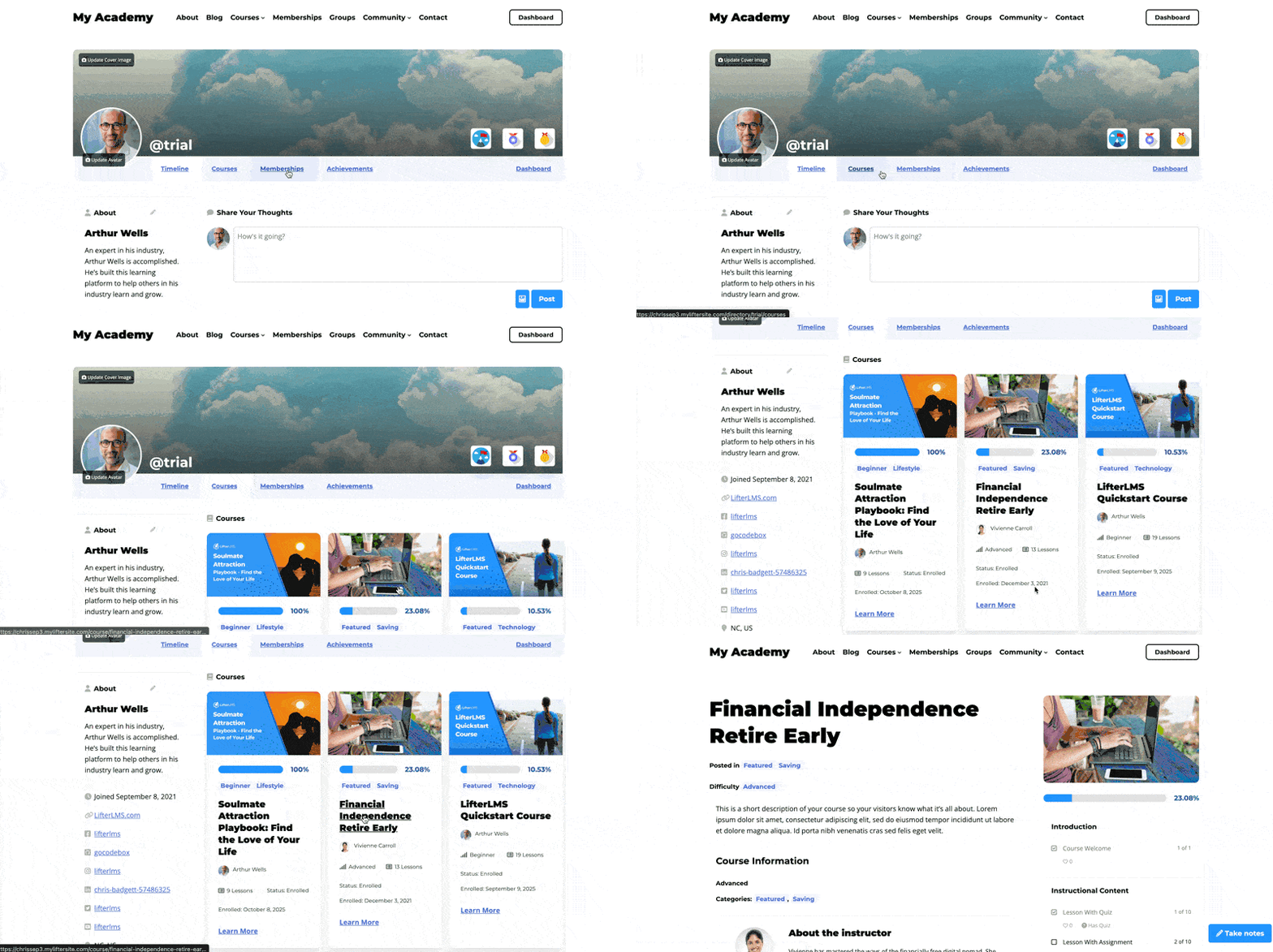
This tight integration not only simplifies the user experience but also gives you complete control over monetization, design, and long-term growth.
How to Create an Online Community Website with WordPress
Create an online community website with the best WordPress plugin to create a social networking site, following these steps:
Step 1 – Set Up Your WordPress Website
If you already have a WordPress website set up, you are ahead of the game.
If you don’t have a WordPress website yet, sign up for WordPress hosting from one of these recommended WordPress hosting companies that perform well for eLearning and online community websites.
Step 2 – Install LifterLMS and the Social Learning Add-On
Install and activate the free core LifterLMS plugin on your WordPress website.
Install and activate the LifterLMS Social Learning add-on. You can purchase the LifterLMS Social Learning add-on individually here or get it and 27 other premium add-ons via the LifterLMS Infinity Bundle plan.
Step 3 – Customize Your Community Experience
Once Social Learning is installed, the real fun begins, so you can make the online community your own. This is where you decide what kind of environment you want your learners to step into.
The first choice is about privacy. Do you want your community wide open, semi-closed, or for enrolled students only? Each option sets a different tone: open profiles can help attract new members, while private spaces create exclusivity and trust.
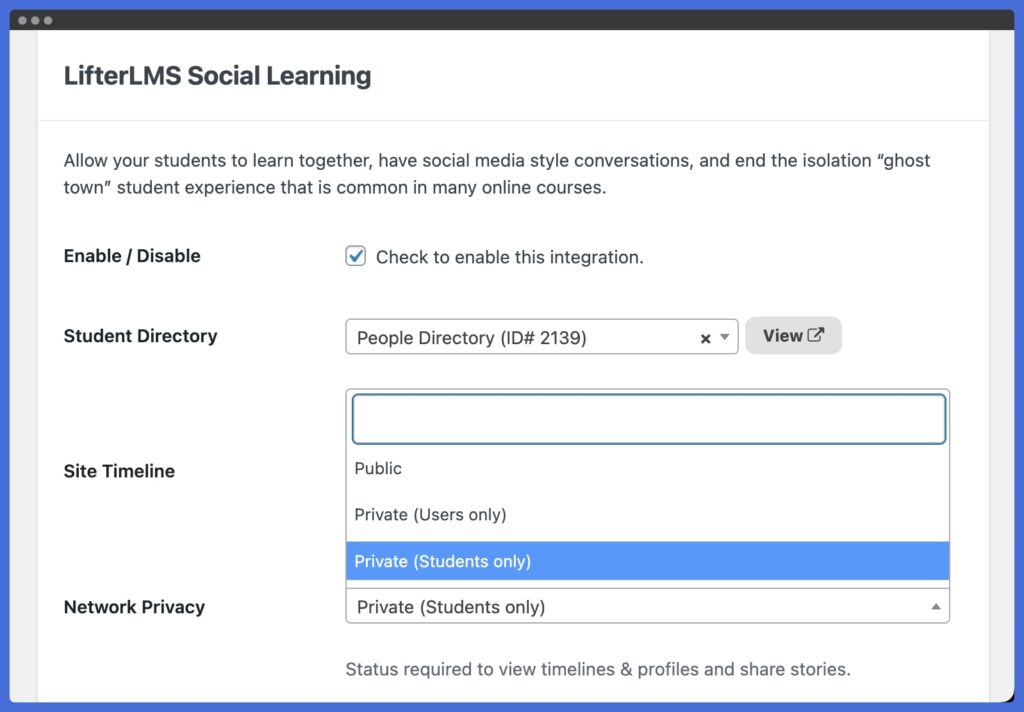
Next comes the learner profiles. Encourage your learners to upload an avatar, add a banner image, and share a little about themselves. When students put a face and story to their name, the community shifts from feeling like just a course site into a place where real, unique people gather.
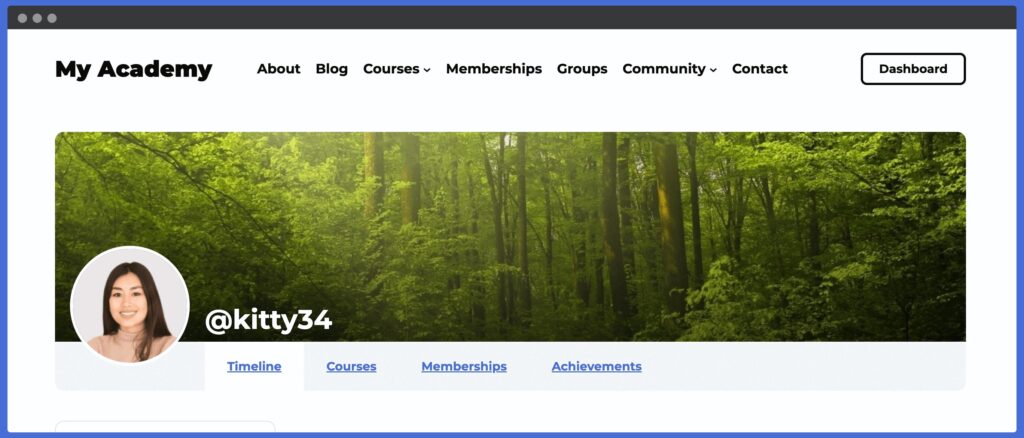
Navigation is another piece to think about. Adding direct links to the community directory and social learning timeline in your site’s menu makes it simple for members to jump straight into the action. You can even give each user a one-click path to their own profile. Frictionless navigation is one of those small touches that makes a big difference.
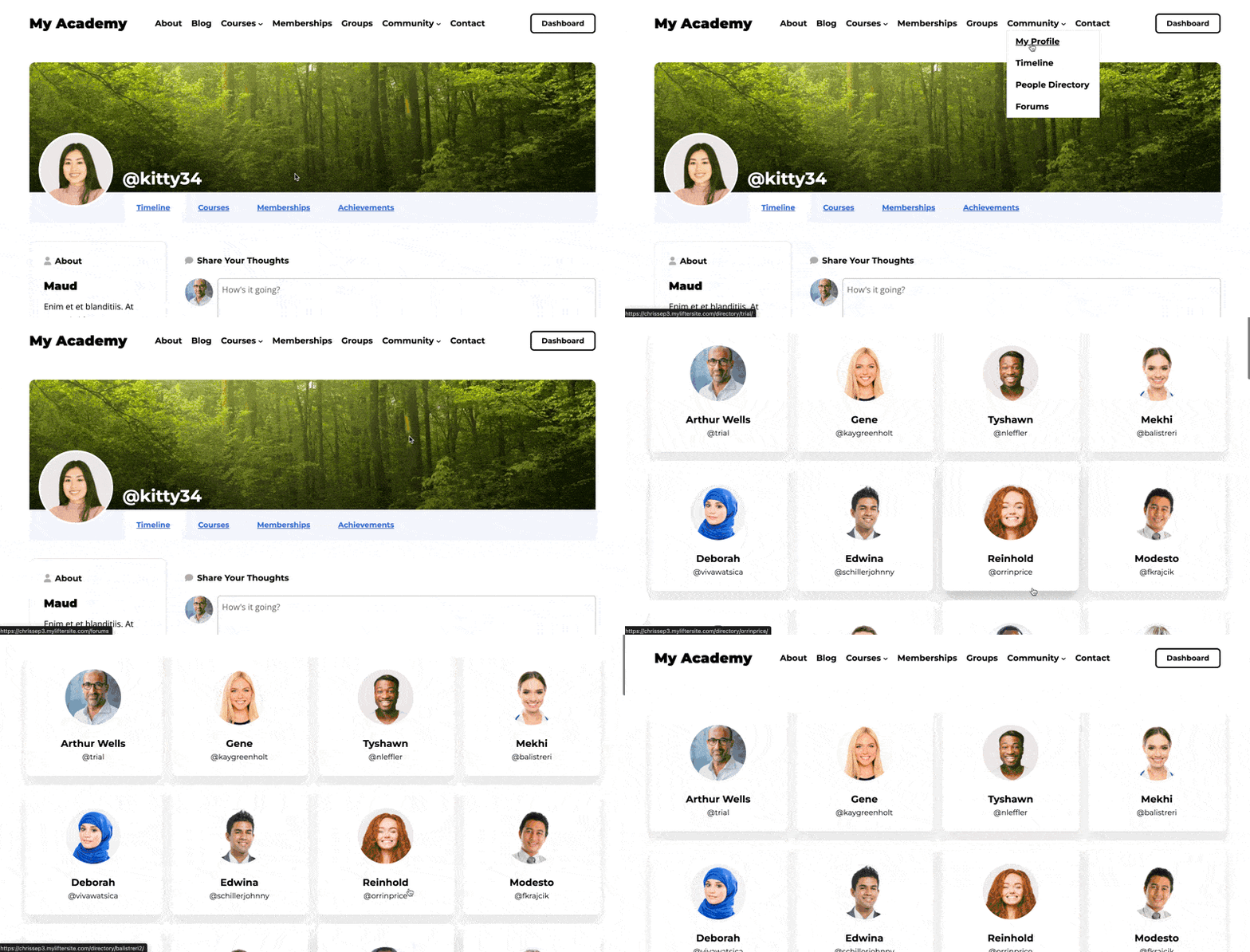
With the basics in place, it’s time to spark momentum. Post a welcome message, start a conversation, or celebrate a course milestone in the feed. The first few posts you create will model how you want your learners to engage. Energy is contagious. When you post, others follow.

Finally, if you’re ready to go further, there are advanced tweaks that polish the experience even more. Redirect learners to their profile as soon as they log in, or add custom profile tabs to showcase special content like projects, company name, or testimonials. These are optional, but they help make your community feel uniquely yours.
By taking a few intentional steps here, you’re not just flipping on an online community feature… you’re shaping the culture of your online community.
Check out the complete Getting Started With LifterLMS Social Learning documentation.
Key Takeaways: Customizing Your Community
- Privacy settings shape the culture: decide if your space is open, semi-private, or exclusive.
- Personalized learner profiles build belonging and connection.
- Simple navigation links reduce friction and keep students engaged.
- Your first posts model the kind of activity you want to see.
- Advanced tweaks (redirects, custom tabs) add polish and brand personality.
Step 4 – Launch and Engage Your Members
Hosting an online community is a commitment. Once the pieces are in place like privacy, profiles, navigation, and a fresh timeline… it is time to open the doors. But launching is more than flipping a switch. It is about setting the tone for how people show up and engage.
Start by welcoming your members personally. A kickoff message or video helps learners feel like they are joining something special, not just another forum. From there, create prompts or starter discussions. Ask a simple question like, “What motivated you to join this course?” or invite learners to introduce themselves in an introduction post. When people share early, they are more likely to keep showing up.
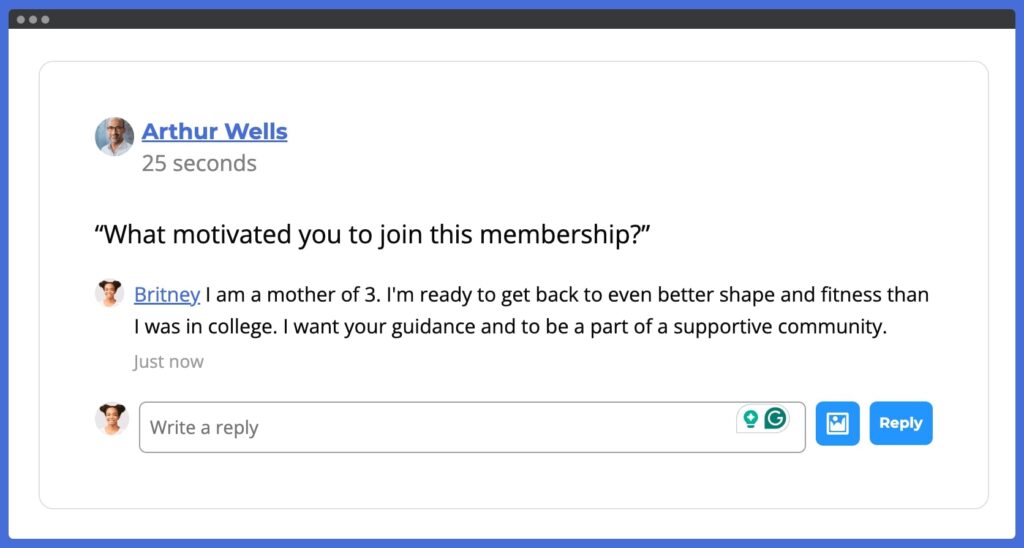
Engagement grows when you recognize milestones. Celebrate course completions, highlight learner wins, and use Social Learning’s automatic timeline posts to spotlight achievements. Recognition fuels motivation and shows that participation is valued.
Finally, remember that your online community needs consistent leadership. Log in regularly, reply to comments, and model the type of content and comments you want to see. A community that feels alive will keep members coming back, and the more they engage, the stronger the learning outcomes and community member motivation become.
By launching with intention and staying engaged, you transform your LMS from a learning content delivery system into a thriving and supportive community.
Advanced Tips for Scaling Your Social Learning Community
If Step 4 was about getting started, this final section is about growing smart. Here are 3 strategies to take your community from launch to lasting impact.
Automate Onboarding When You Create An Online Community Website
Let your courses do the heavy lifting. With LifterLMS, you can deliver onboarding training courses that teach your community how to get the most value out of the community.
One of the best lessons you can teach in your onboarding course is to teach people how to ask for help, but also teach them how to help other community members, so your community can become part of your support team.
This approach saves time while ensuring every new member gets the same polished introduction to the community, eLearning platform, and community culture.
Integrate Marketing & CRM Tools to Scale Your Social LMS.
When you create an online community website, scale smarter with email marketing and automation.
LifterLMS integrates natively with MailChimp and Kit. You can also integrate with 54 other popular CRM and email marketing platforms using WP Fusion. And the popular WordPress CRM solutions FluentCRM and Groundhogg also integrate directly with LifterLMS.
By integrating your WordPress LMS with CRMs, you can send broadcast emails to your community based on the courses and memberships they are in to encourage community interaction.
LifterLMS also has its own email engagement and notification email system you can use to trigger personalized emails designed to foster community activity.
This type of automation keeps your community engaged and your marketing on autopilot.
Add Advanced Features Like Live Events
Want engagement that leaps off the screen?
LifterLMS can also be used with online event tools like Zoom and JitsiMeet that let you embed live virtual meetings, webinars, or classroom sessions directly within courses or email engagements.
You can also use any online meeting software as a side tool to host virtual gatherings. Just post about upcoming or live virtual events to bring your online community into a real-time virtual event.
You can transform your social LMS community feed into a real-time gathering space.
Common Social LMS Mistakes to Avoid
Even with the right tools, building a social learning community can go off track. Here are three mistakes to steer clear of as you grow your social LMS online community platform:
Overcomplicating Your WordPress LMS Website with Too Many Plugins
It is tempting to stack plugin after plugin to add features. But too many tools can slow down your site, confuse learners, and create unnecessary maintenance work.
WordPress offers a lot of plugins made by different software companies that offer:
- Forum software
- Community applications
- Advanced commenting tools
- Chat widgets
- Profile plugins
- And many more.
Start with what you truly need. LifterLMS and the Social Learning add-on already cover the core of community interaction.
Add extras only when they directly serve your learners.
Ignoring Member Engagement And Feedback In Your Social LMS
Your members will tell you, often subtly, what is working and what is not.
If posts are going unanswered or activity is dropping, it is a signal to adjust.
The best online eLearning communites have a policy of “No social post is left unanswered.” It’s a tragedy when someone asks for help in an oline community, and the poster recieves no response from the community or website owner.
~ Chris Badgett, LifterLMS, CEO
Ask for feedback, run short surveys, and observe how people interact.
Responding to learner needs consistently keeps the community relevant and valuable.
Failing to Foster a Sense of Safety and Belonging
Communities thrive when members feel safe and welcome. Without clear guidelines and a culture of respect, engagement will fade.
Set expectations, moderate with care, and lead by example. Celebrate wins, encourage introductions, and make every learner feel like they belong.
If someone is out-of-line in their community interactions, you may need to remove them from your online learning community. Perhaps a warning is required before complete removal. But remember: you are holding space and moderating an online community of real people.
It’s your job at a minimum to create a “safe space.” Or better yet, it’s your job, when you create an online community website, to maintain and enforce your company’s values.
By avoiding these common mistakes, you keep your social LMS simple, responsive, and supportive. Create a place where learners want to spend time and engage.
Ready to Build Your Social Learning Community & Create An Online Community Website?
Bring your learners together in one powerful WordPress LMS plugin to create a social networking site.
Start today with LifterLMS + the Social Learning add-on and create a community you own and control.
Frequently Asked Questions To Create An Online Community Website
The best WordPress plugin for creating a social networking site for eLearning is LifterLMS with the Social Learning add-on. Unlike generic community plugins, it combines courses, memberships, and community features in one platform. This means you can build a Facebook-style community directly inside your WordPress site without forcing learners to juggle multiple logins or external apps.
The LifterLMS Social Learning add-on transforms your LMS into an interactive social learning hub. It adds Facebook-like timelines, customizable learner profiles, and automatic posting of course achievements to boost engagement. This helps students connect, stay motivated, and feel part of a real community, not just participate in a passive DIY course site.
Building a WordPress online community is affordable compared to hosted platforms. With LifterLMS (free core plugin) and the Social Learning add-on ($299 per year), you can create a full-featured social LMS community on your own branded website. Additional costs may also include WordPress website hosting and optional premium add-ons (Get them all with the LifterLMS Infinity Bundle), but unlike other platforms, there are no per-user fees as your community grows.
Keeping members engaged requires a mix of gamification, recognition, and consistent interaction. With LifterLMS Social Learning, learner milestones automatically appear in the activity feed, sparking conversation. You can also post prompts, celebrate wins, and host live events. The key is creating a safe, consistent, engaging space where learners feel motivated to return.
Yes. Using LifterLMS Social Learning, you can create a Facebook clone with WordPress with timelines, profiles, activity feeds. This approach eliminates the distractions, ads, or privacy issues of social media sites like Facebook. And because you create an online community website, everything is built into your WordPress LMS, running under your own brand and control.
No. With LifterLMS and the Social Learning add-on, your courses, memberships, coaching programs, and community all live in one place. Students log in once to access everything, creating a seamless online learning and community experience using only LifterLMS.
Yes. WordPress and LifterLMS give you full control over payments, pricing, and monetization models. With LifterLMS access plans, you can sell courses, memberships, and coaching while bundling access to your community. Unlike hosted platforms, you keep 100% control over revenue, pricing, branding, and growth.
Absolutely. The Social Learning add-on is designed with a mobile-optimized activity feed and profiles so learners can participate on any device. Everything in LifterLMS is designed to display visually on all screens, from giant monitors to any mobile device. This keeps engagement high even when students are on the go.
You can build any type of online learning community from professional training networks and university cohorts to coaching groups and membership communities. LifterLMS adapts to your goals, whether you’re running corporate training, a mastermind, niche courses, or a school community.
No coding is required. Installing the LifterLMS Social Learning add-on is as simple as activating a plugin. From there, you choose privacy settings, enable profiles, and customize navigation, all through the WordPress dashboard. Developers can extend it with custom code, but beginners can create an online community website without technical skills.