

Your training needs rarely change overnight.
A few onboarding lessons become a structured employee program. Customer education expands into a full onboarding academy. A one-off compliance course becomes a recurring certification and renewal.
Then one year, your LMS costs double.
Not because your training became dramatically more complex, but because your learner count grew, another department came on board, or a new client asked for company-based access.
This is usually the point where teams realize they are no longer choosing simple course software. They are choosing how training will scale across the business.
The best corporate learning management system is rarely the one with the longest feature list. It’s the one whose pricing, structure, and ownership model still fit your organization two years from now.
The Best Corporate LMS 2026: Per-User Pricing Is (Probably) Costing You $10,000+ a Year
Some teams need vendor-managed enterprise infrastructure and deep HR integrations. Others need:
- Predictable pricing
- Department-level reporting
- The freedom to control their own platform
This guide compares the four best corporate LMS platforms for 2026 and shows which model makes the most sense for different training environments.
TL;DR – The 4 Best Corporate LMS Platforms
| Platform | Best for | Pricing model | Ideal team size | Standout strength |
| LifterLMS | Internal teams, associations, customer onboarding, certification | Flat annual license | 1–2,000+ learners | Predictable scaling, ownership, WordPress flexibility |
| Docebo | Enterprise HR and L&D teams | MAU / enterprise SaaS | > 1,000 learners | Deep enterprise integrations and vendor-managed infrastructure |
| TalentLMS | Small to mid-sized internal teams | Tiered SaaS pricing | 50–500 learners | Fast setup and transparent pricing |
| Absorb LMS | Mid-to-large enterprise training operations | Enterprise SaaS + setup | 500+ learners | Managed infrastructure and advanced enterprise workflows |
The key difference usually isn’t the feature checklist. It’s what happens when more teams, departments, or customers start relying on the same system.
That becomes clearer once you define what your organization actually needs the LMS to do.
What Makes a Great Corporate LMS in 2026?
The phrase “corporate LMS” covers several very different use cases.
Training 200 internal employees is not the same as running continuing education for a professional association. Customer onboarding has very different structural demands from compliance refreshers. Partner enablement requires a different reporting model than departmental upskilling.
That’s why the right corporate LMS needs to match how your training actually runs, not just how lessons are delivered.
Internal team training and onboarding
For internal employee training, the real priority is accountability.
Managers need to know:
- Who completed onboarding
- Who missed the required training
- Where departments are falling behind
- Which learning paths are tied to role progression
A strong corporate LMS should support:
- Structured learning paths
- Manager-level reporting
- Department or team segmentation
- Cohort-based onboarding
- Automated reminders
- Recurring retraining cycles
The platform should reflect your organization’s actual structure, not force every learner into a single flat list.
Compliance and certification workflows
This is where many general-purpose LMS platforms begin to show limits.
Corporate compliance, professional certifications, and continuing education all require stronger control over:
- Quiz integrity
- Passing thresholds
- Expiration dates
- Audit-ready reporting
- Certificate issuing
- Credit or CEU tracking
If your organization needs to prove training completion during an audit, the LMS should make that a reporting task, not an admin project.
This is especially relevant for:
- Healthcare teams
- Finance
- Legal and compliance departments
- Associations
- Membership organizations
- Regulated customer onboarding
Customer onboarding and partner enablement
Many organizations now use LMS platforms for far more than just internal HR training.
Customer success teams use them to standardize onboarding. SaaS companies use them to reduce support burden. Agencies and franchises use them to roll out consistent processes.
In these scenarios, the best LMS needs to support:
- Company-based access groups
- Branded client portals
- Customer academies
- Partner enablement pathways
- Progress visibility by account
- Scalable repeatable onboarding
This is one of the biggest reasons WordPress-based LMS platforms can outperform traditional enterprise HR tools.
They are often better suited to external audiences, mixed access models, and branded learning environments.
Scalability without runaway licensing costs
This is the hidden issue behind many LMS migrations.
At first, most systems feel affordable. Then learner growth changes the economics.
The question is not simply: Can this platform support 2,000 learners?
The real question is: What happens to our software costs when we reach 2,000 learners?
Some platforms tie cost directly to monthly active users. Others separate learner growth from software licensing entirely.
This pricing behavior often becomes the deciding factor long before feature depth does.
How to Choose the Best Corporate LMS
The easiest way to narrow the field is to stop comparing feature lists and start asking operational questions.
How many active learners do you have today – and next year?
A platform that feels cost-effective at 100 learners may become difficult to justify at 1,000.
Model your:
- Current active learners
- Projected growth
- Seasonal spikes
- Customer expansion
- Partner rollouts
This is where pricing structure matters more than headline pricing.
Are you training employees, customers, members, or all three?
Many platforms are optimized almost entirely for internal HR use.
If you need:
- Customer education
- Certification programs
- Membership training
- Partner portals
- External branded academies
…you need a platform that can model external audiences cleanly.
Do you need certifications, CE credits, or compliance reporting?
This single requirement eliminates many lightweight LMS options.
Look for:
- Prerequisites
- Quiz pass thresholds
- Certificate automation
- Expiration dates
- Renewal workflows
- Exportable records
Do managers need department-level reporting?
A flat learner database quickly becomes difficult to manage.
The LMS should support:
- Teams
- Departments
- Branches
- Client companies
- Chapters
- Account-level managers
This is often where Groups, portals, and reporting permissions become central.
Do you want vendor-managed infrastructure or ownership?
This is often the decision that narrows the shortlist fastest.
Some teams want the LMS vendor to handle the platform itself: hosting, performance, updates, and the initial rollout. In practice, that usually also means a more formal implementation process, where the vendor helps configure the platform, define admin roles, connect enterprise systems, and guide internal rollout. Ongoing support is typically more structured too, with account teams, implementation specialists, service-level agreements, and defined escalation paths when issues affect large learner groups.
Other organizations prefer to keep that control in-house. A WordPress-based LMS is often the better fit when you want flat licensing, direct control over infrastructure, and the flexibility to connect learning with the rest of your WordPress ecosystem – memberships, ecommerce, gated resources, customer portals, or continuing education workflows. It also gives your team full ownership of learner data, backups, upgrade timing, and any custom integrations you want to build over time.
Neither approach is universally better. The better choice depends on whether your team wants to outsource platform responsibility or make the LMS part of a system you already control.
The 4 Best Corporate LMS Platforms for 2026
1. LifterLMS – Best for predictable scaling, certifications, and full ownership
LifterLMS is the strongest choice for organizations that want a corporate LMS without tying software cost directly to learner growth.
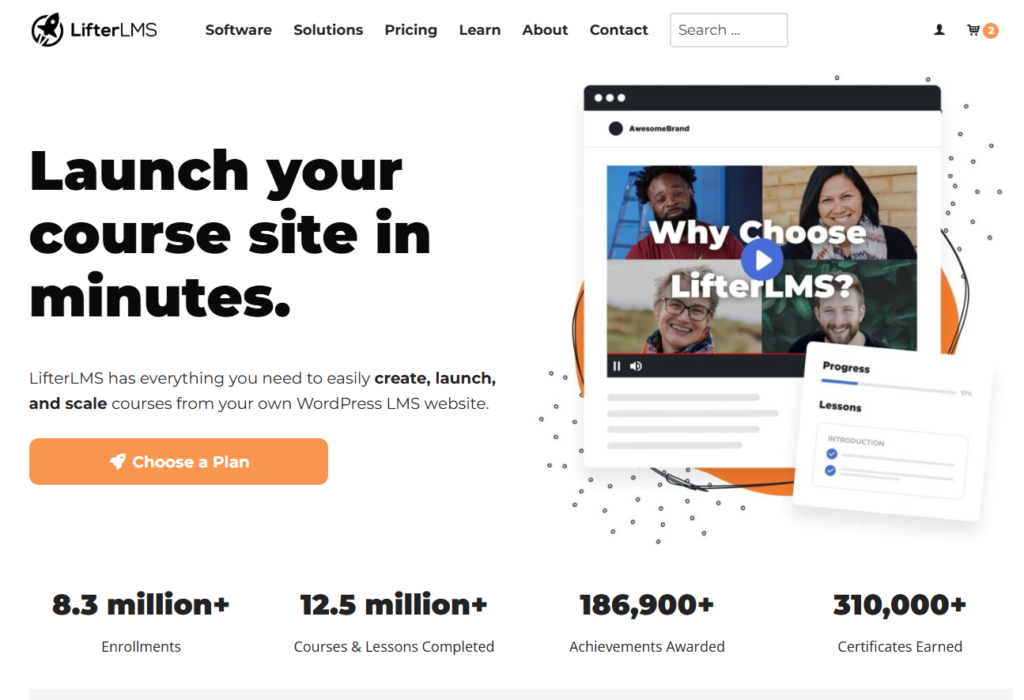
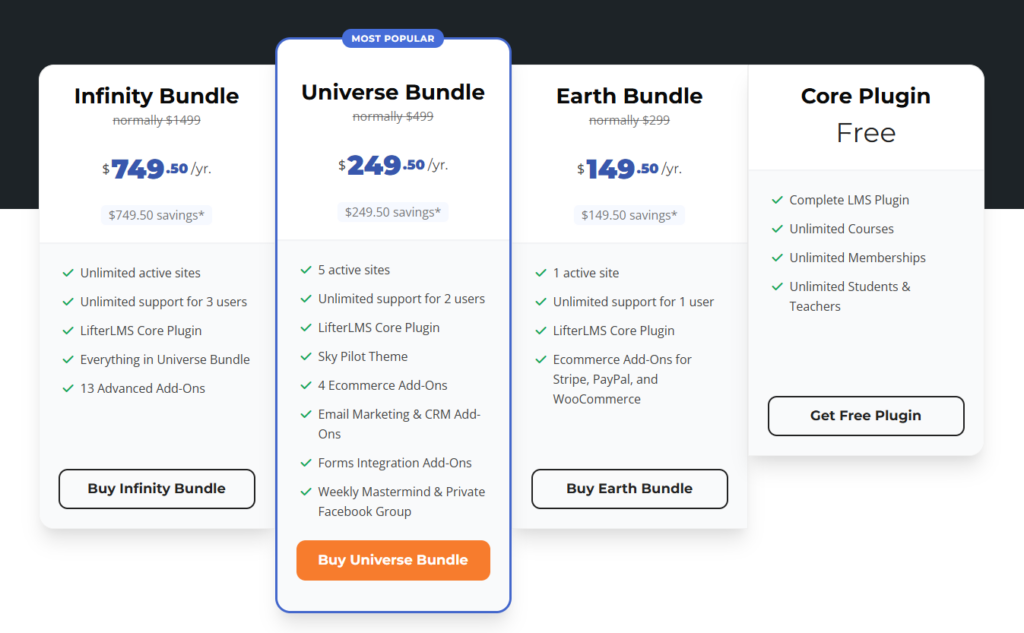
Unlike most SaaS LMS platforms, LifterLMS runs on WordPress and uses a flat annual licensing model. That means your software licensing cost stays the same whether you train 50 learners, 500 learners, or 2,000+ learners.
For many corporate training teams, that changes the budgeting conversation completely.
Instead of asking, “How much will this cost when another department joins?”, the better question becomes, “Can our hosting environment support the growth?”
That distinction matters for:
- Internal employee onboarding
- Associations and certification bodies
- Continuing education
- Customer onboarding academies
- Franchise and location-based training
- Partner enablement portals
Why teams often choose LifterLMS
For many teams, the real advantage lies in system-level flexibility. Because LifterLMS runs inside WordPress, it can support training environments that combine:
- Employee learning
- Customer education
- Member-only training
- Paid certifications
- External partner portals
- Department-based reporting
within one ecosystem.
This is difficult to replicate cleanly in many enterprise HR-focused LMS tools.
Groups and organizational structure
For corporate use cases, the Groups add-on is central.
It allows you to model real-world structures such as:
- Departments
- Branches
- Client companies
- Association chapters
- Partner organizations
- Franchise locations
Each group can have:
- Assigned managers
- Isolated reporting visibility
- Bulk enrollment
- Controlled learner access
- Group-level progress tracking
This mirrors how real companies actually run training.
A department head can view only their team. A client success manager can view only their customer’s academy. A certification coordinator can oversee only their chapter.
That flexibility becomes far more valuable once each department, client, or chapter needs its own reporting and management view.
Certification and continuing education
This is one of LifterLMS’s clearest advantages over many general-purpose SaaS LMS platforms.
For organizations running credential-based training, the real challenge is not simply delivering lessons – it’s controlling progression, assessment integrity, and proof of completion. The LifterLMS Continuing Education add-on handles this well by letting you require prerequisites before learners move forward, structure multi-step learning paths, enforce timed quizzes and pass thresholds, and automatically issue certificates once requirements are met.
That becomes especially useful in programs where learning needs to follow a defined sequence. A professional association might require members to complete an introductory course before unlocking an advanced certification. A healthcare team may need timed assessments and documented pass marks for compliance. Legal and financial training often needs clear evidence that the learner completed the correct material in the correct order.
Features like drip scheduling, progress-based unlocks, and continuing education workflows also make it easier to manage recertification cycles and CEU-style programs over time, rather than treating certification as a one-time event.
WordPress ownership and ecosystem flexibility
The other major advantage is ownership.
With LifterLMS, your organization keeps direct control over the parts of the system that often become strategic over time – hosting, backups, performance, upgrade timing, integrations, learner data, and access rules. That level of control matters once training becomes closely tied to other parts of the business, rather than living as a standalone course platform.
This is especially valuable when your LMS needs to work alongside membership systems, ecommerce, gated customer resources, content libraries, community areas, live events, or continuing education programs. Instead of forcing teams into a separate vendor ecosystem, LifterLMS lets learning sit inside the same WordPress environment as the rest of your customer or member experience.
In practice, that often means cleaner workflows, fewer disconnected systems, and much more flexibility when your training model changes over time.
Best fit for
LifterLMS tends to make the most sense when you need:
- 50–2,000+ learners
- Certifications or CE workflows
- Customer onboarding
- Association learning
- Department-level reporting
- Flat and predictable licensing
- Ownership of data and infrastructure
Main tradeoff
The tradeoff is operational ownership.
Unlike SaaS tools, you are responsible for:
- Hosting
- Performance
- Update workflows
- WordPress ecosystem maintenance
For many organizations, this is a strength. For others, vendor-managed infrastructure may still be preferable.
2. Docebo – Best for enterprise HR and L&D environments
Docebo is one of the strongest enterprise SaaS LMS platforms for large organizations with formal L&D teams.
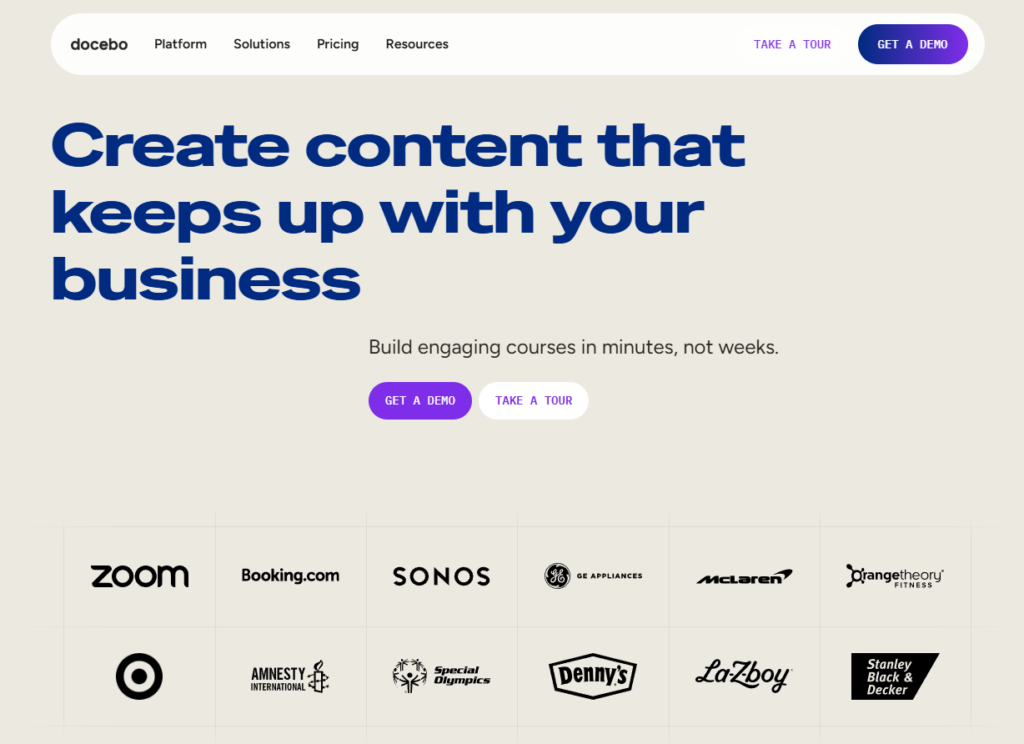
It is particularly well-suited to enterprise HR environments where learning is closely tied to workforce development, internal mobility, and long-term talent pathways. That usually includes multinational employee training, role-based development programs, leadership tracks, and executive reporting requirements across regions.
Its biggest strengths are the areas large organizations typically struggle to manage internally – deep HRIS integrations, vendor-managed infrastructure, enterprise onboarding support, advanced role hierarchies, AI-driven recommendations, and reporting layers that can roll up data from departments, divisions, or geographic regions.
That makes Docebo a strong fit for companies with 1,000+ employees, regional compliance requirements, complex internal reporting chains, dedicated learning and development teams, and formal procurement processes.
Where the tradeoff becomes more visible is in learner growth. Because pricing is generally tied to monthly active users or enterprise user bands, costs usually rise as adoption increases. For enterprise HR teams, that is often a rational tradeoff for managed infrastructure and deep integrations. For associations, customer education, or partner enablement use cases, the same cost model can become harder to justify over time.
Best fit for
- Enterprise HR
- Large internal workforces
- Formal L&D teams
- Deep enterprise integrations
Main tradeoff
- Cost scales with user growth
- Annual contracts
- Greater vendor lock-in
3. TalentLMS – Best for small to mid-sized internal teams
TalentLMS is a strong mid-market SaaS option for internal employee training teams seeking fast deployment and transparent pricing.
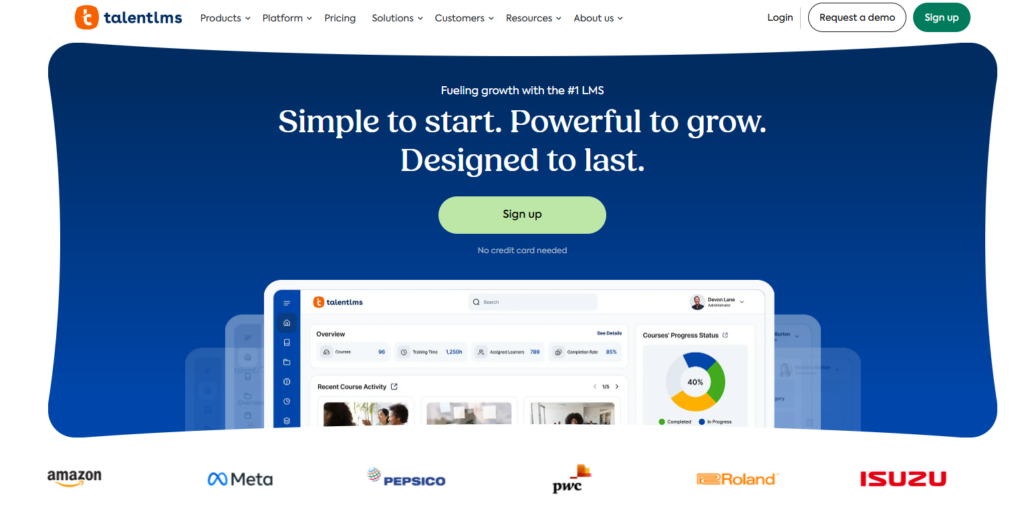
Its strengths are usually most visible during rollout. TalentLMS is easy to set up, has a lower entry cost than most enterprise SaaS platforms, and keeps administration relatively simple for teams that need fast internal deployment. The clear tiered pricing model and accessible reporting also make it easy for HR or operations teams to understand what they are paying for at a smaller scale.
That makes it a good fit for internal employee training, HR onboarding, smaller compliance workflows, and organizations managing roughly 50–500 learners. It is especially appealing for companies that want SaaS simplicity without needing deep infrastructure decisions or custom ecosystem work.
The main limitation tends to show up over time rather than during the initial rollout. Because pricing scales in user bands, costs remain predictable at modest scale but can rise quickly as departments, locations, or client-facing training programs are added.
In practice, it tends to make the most sense for smaller internal teams, organizations with moderate growth expectations, SaaS-first companies, and teams that want as little platform ownership as possible.
Best fit for
- SMB employee training
- Internal HR onboarding
- Quick rollout teams
Main tradeoff
- Costs rise with learner tiers
- Less flexible for mixed internal and external audiences
4. Absorb LMS – Best for managed enterprise training operations
Absorb LMS is another strong enterprise SaaS option for organizations that prioritize managed infrastructure and formal enterprise support.
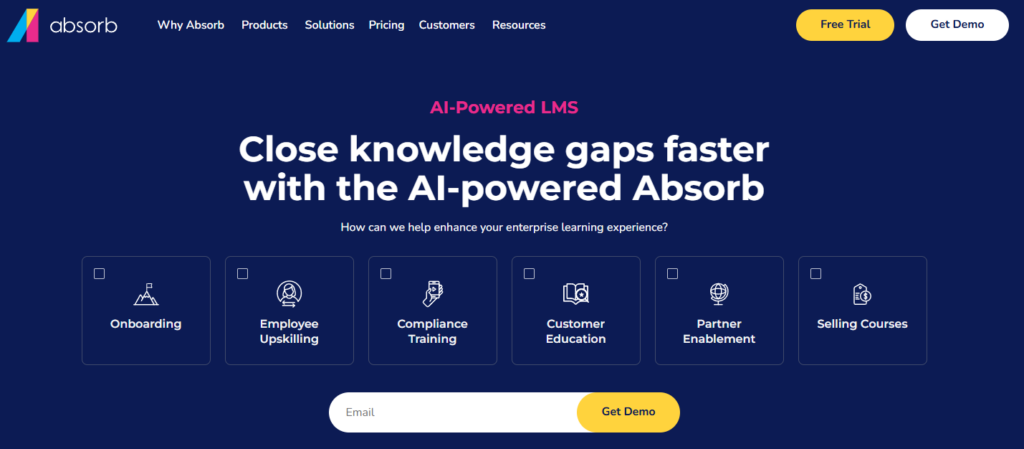
Absorb LMS is usually strongest in organizations where reporting, compliance, and administrative control sit at the center of the LMS decision. That often includes structured onboarding, internal workforce learning, certification management, and governance requirements that require clearly defined admin permissions across different teams.
It is often well-suited to mid-to-large enterprises, regulated industries, formal internal certification programs, HR-led learning operations, and organizations that prefer fully vendor-managed deployments.
Its reporting and compliance capabilities are often a major strength for teams that need reliable audit trails, certificate renewals, completion exports, department-level oversight, and layered admin permissions across multiple business units or regions.
The tradeoff is the usual enterprise SaaS model: implementation fees, annual contracts, user-linked scaling, and more migration friction later if the learning ecosystem expands beyond the original use case.
Best fit for
- Regulated enterprise teams
- Compliance-heavy internal training
- Organizations wanting managed infrastructure
Main tradeoff
- Higher total cost of ownership
- Setup costs
- Contract commitments
How LMS Pricing Changes as You Scale
At first, most corporate LMS platforms look similarly priced.
A few hundred dollars per month feels reasonable. A published “Pro” plan looks manageable. Even enterprise pricing can feel abstract during vendor demos.
The real difference only becomes visible when your learner count grows.
That is where pricing behavior matters more than headline pricing.
A platform that feels cost-effective at 100 learners may become one of your fastest-growing software costs at 1,000. A platform with a slightly higher starting point may become the more predictable long-term choice.
This is why the best corporate LMS is often the one whose pricing model still makes sense two years from now.
To make that practical, let’s compare three realistic growth scenarios.
Scenario A – 100 active learners
At this stage, most platforms still feel accessible.
This is common for:
- A growing HR onboarding program
- A single department rollout
- A certification pilot
- An early customer education academy
| Platform | Pricing behavior at 100 learners | Estimated annual cost |
| LifterLMS | Flat annual license | $149.50-1,499 + hosting |
| TalentLMS | Pro tier (1–100 users) | $5,388 |
| Docebo | MAU-based estimate | ~$9,600 |
| Absorb LMS | Base + setup model | ~$9,600 + setup |
At this size, the pricing difference is already visible, but not always decisive.
Organizations often still focus on:
- speed of deployment
- ease of admin
- stakeholder buy-in
- reporting workflows
The cost model usually becomes more important in the next phase.
Scenario B – 500 active learners
This is where pricing behavior starts to influence strategy.
Typical scenarios include:
- Multiple departments
- Several office locations
- A growing customer academy
- Partner enablement
- Association chapter expansion
| Platform | Pricing behavior at 500 learners | Estimated annual cost |
| LifterLMS | Flat annual license | $199-1,499 + hosting |
| TalentLMS | Upper tier/enterprise discussion | Higher SaaS tier |
| Docebo | MAU-based estimate | ~$48,000 |
| Absorb LMS | Enterprise scaling | $25,000+ typical range |
This is the point where many teams begin re-evaluating their LMS choice.
Not because the system lacks features. Because the cost structure changes the business case.
Every new learner, department, or client company directly increases recurring software cost in most SaaS models.
With a WordPress-based LMS, the licensing cost remains unchanged. Growth becomes an infrastructure decision instead, which is a fundamentally different budgeting conversation.
Scenario C – 2,000 active learners
This is where the pricing model often becomes the deciding factor.
Common examples:
- enterprise-wide internal onboarding
- customer education at scale
- professional certification ecosystems
- multi-client training portals
- franchise or location-based rollouts
| Platform | Pricing behavior at 2,000 learners | Estimated annual cost |
| LifterLMS | Flat annual license | $149.50-1,499 + hosting |
| TalentLMS | Enterprise SaaS | Custom quote |
| Docebo | MAU-based estimate | ~$192,000 |
| Absorb LMS | Enterprise tier | High custom pricing |
At this scale, the conversation usually shifts from: “Which LMS has the nicest dashboard?” to “Which cost model do we want attached to our growth?”
That is the real strategic decision.
What these pricing models reveal
One practical detail many teams miss during LMS evaluations is budget ownership.
In many organizations, HR, customer success, compliance, and operations may all rely on the same learning platform. A pricing model tied directly to active users can make internal cost allocation harder as more teams adopt the system.
A flat annual license keeps those conversations simpler. Growth affects hosting and support planning, but it doesn’t force every new department into a new pricing conversation.
Once you look at learner growth over 12–24 months, the distinction becomes very clear.
Per-user SaaS models:
- Cost scales with adoption
- New departments increase spending
- Customer onboarding growth increases software cost
- Partner portals expand recurring billing
- Renewals often require new pricing discussions
Flat-license WordPress model:
- Software licensing remains fixed
- Learner growth affects hosting, not licensing
- Budgeting stays predictable
- Departmental expansion does not trigger vendor renegotiation
- Customer growth does not automatically increase LMS software cost
This is why the right LMS decision is often less about features and more about how your organization expects training to grow.
Before choosing any corporate LMS, ask this:
“What happens to our total LMS cost if our learner count doubles next year?”
That single question often eliminates half the shortlist.
If your roadmap includes customer onboarding expansion, multiple department rollouts, certification programs, continuing education, external partner learning, or growth through new hires, new locations, or acquired teams, the pricing structure starts to matter just as much as feature depth.
This is often the point where LifterLMS starts to make more financial sense over the long term. Predictable licensing, ownership of infrastructure, no per-seat surprises, easier long-range forecasting, and cleaner departmental scaling all become much more valuable once training is expected to grow across different teams and audiences.
When LifterLMS Is the Best Corporate LMS
By this point, the pattern is usually clear.
LifterLMS is rarely the best fit because it has “more features”. It becomes the best corporate LMS when your training model benefits from:
- Flat licensing
- Flexible organizational structure
- Certifications or continuing education
- External audience access
- Ownership of data and infrastructure
- Deep WordPress ecosystem control
In practice, the better fit usually depends more on how training is delivered than on company size alone.
SMB internal teams that need structure without enterprise overhead
Many growing companies need far more than a basic onboarding tool, but still have no reason to take on enterprise HR contracts or per-seat pricing.
A typical fit here is a company with 50–500 employees, multiple departments, recurring role-based onboarding, compliance refreshers, manager-level progress visibility, and structured skills development pathways.
In these environments, LifterLMS gives teams the structure they usually need – learning paths, team segmentation with Groups, department reporting, certificates, quizzes, and clear pass thresholds – while keeping software costs flat as headcount grows.
That keeps the LMS aligned with organizational growth without turning every new hire into a new licensing conversation.
Associations, certification bodies, and continuing education providers
This is one of the clearest use cases where LifterLMS often outperforms traditional enterprise LMS tools.
Associations and credentialing organizations usually need much more than lesson delivery. They need prerequisites, reliable exam workflows, certificate issuance, chapter-level access, continuing education credits, annual renewal cycles, and long-term learner records that stand the test of time.
Just as importantly, these organizations usually don’t need enterprise HRIS integrations, complex vendor procurement cycles, or multinational employee hierarchies. What they need is a system that treats certification credibility and learner progression as core workflows rather than secondary features.
LifterLMS is particularly strong here because its WordPress foundation makes it easy to connect certification with memberships, gated resources, member communities, paid renewals, event access, and continuing education libraries.
That combination is often difficult for SaaS LMS platforms to cleanly match, especially when learning needs to sit within the wider member experience.
Customer onboarding academies and partner portals
Many of the best corporate LMS articles focus almost entirely on employee HR training.
That misses one of the fastest-growing use cases: external education.
LifterLMS is often the stronger fit when the LMS is being used for customer onboarding, client enablement, agency training, franchise rollouts, reseller certification, partner success portals, or implementation academies.
This is where the combination of Groups, branded WordPress portals, flexible access control, content libraries, memberships, ecommerce, and customer-specific reporting becomes especially valuable. A SaaS company can create separate onboarding academies for enterprise clients, a franchise brand can segment learning by location, and an agency can build client-specific training hubs without forcing every audience into the same learning environment.
Because the software cost remains fixed, customer growth does not automatically increase LMS licensing. Over time, that can materially improve margin predictability for customer success, onboarding, and partner enablement teams.
Organizations that need long-term platform ownership
Some teams are less concerned with deployment speed and far more focused on long-term control.
LifterLMS is usually the stronger strategic choice when ownership needs to extend across infrastructure, reporting exports, learner records, custom workflows, integrations, upgrade timing, and the platform’s long-term direction.
This becomes especially important when training is deeply tied to membership systems, WordPress content operations, community areas, private knowledge bases, customer support hubs, or continuing education ecosystems.
In these scenarios, owning the platform often matters more than vendor convenience because learning is no longer a separate tool. It has become part of the wider digital experience your team already manages.
The common thread
Across all of these scenarios, the pattern is usually the same: training is closely tied to other parts of the business.
When the LMS needs to connect cleanly with memberships, ecommerce, customer education, certification, gated resources, communities, association renewals, or continuing education, a WordPress-based LMS often becomes the stronger operational fit.
That is where LifterLMS consistently separates itself from HR-first SaaS tools.
The real deciding question
A useful final test is this: is your LMS just a training tool, or is it part of a larger digital ecosystem?
If learning needs to become part of your WordPress site, membership experience, client onboarding journey, association certification pathway, or customer success workflow, then the LMS is no longer a standalone product decision. It is part of the wider system your team already manages.
For teams already running core parts of their business on WordPress, LifterLMS is often the more natural long-term fit.
LifterLMS is a strong corporate LMS when flexibility, ownership, and predictable licensing matter most. But there are plenty of situations where an enterprise SaaS LMS is simply the more practical choice.
The deciding factor is usually not feature depth, but operational responsibility. If your organization needs the LMS vendor to own infrastructure, implementation, enterprise integrations, and long-term support pathways, a SaaS platform is often the more rational model.
This becomes especially clear once training expands across thousands of employees in multiple regions. At that scale, requirements such as region-specific compliance, local admin permissions, language variations, department hierarchies, global reporting rollups, and geography-based learning paths often outweigh the benefits of flat licensing. That is where platforms like Docebo and Absorb LMS often become stronger fits.
The same applies to organizations with formal L&D teams, enterprise procurement reviews, security questionnaires, implementation sign-off, vendor success teams, and executive reporting requirements. In these environments, the managed service layer – implementation specialists, SLA-backed support, account management, and enterprise security documentation – can matter just as much as the learning features themselves.
Deep HRIS and enterprise system integrations are another clear dividing line. If the LMS must connect directly with payroll, performance management, identity providers, internal data warehouses, or broader talent management suites, enterprise SaaS often creates less operational burden for the internal team.
The trade-off is that learner growth and vendor roadmap decisions remain outside your control. But when your biggest challenge is operational complexity rather than cost predictability, that trade-off is often worth making.
A useful rule of thumb is simple:
Choose enterprise SaaS when your biggest problem is complexity at scale. Choose a WordPress-based LMS when your top priorities are flexibility, ownership, and predictable scaling.
The best corporate LMS is not always the one with the lowest cost or the most flexibility. For large organizations, paying more for managed infrastructure, formal support, enterprise integrations, and reduced internal ownership can be the most efficient long-term decision.
Other Corporate LMS Platforms Worth Evaluating
The four platforms above offer the clearest comparisons of operating models for most buyers.
That said, most real LMS evaluations include more than one shortlist like this.
Depending on your training environment, procurement process, and internal systems, there are several other strong platforms worth reviewing during your evaluation.
LearnUpon – strong for customer education and partner enablement
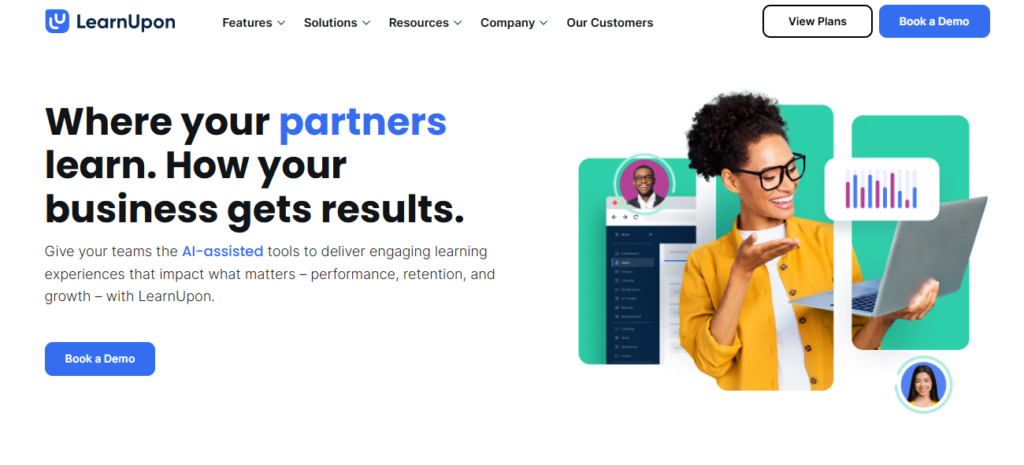
LearnUpon is often a strong fit for organizations focused on customer onboarding, client education, reseller enablement, partner certification, and other external learning portal use cases.
It is especially well regarded when the LMS supports customer success, implementation services, client retention, or channel training, where the goal is to help external audiences adopt products, processes, or service standards more consistently.
If your primary audience is external rather than internal HR teams, LearnUpon can be a very strong shortlist candidate.
360Learning – strong for collaborative internal learning
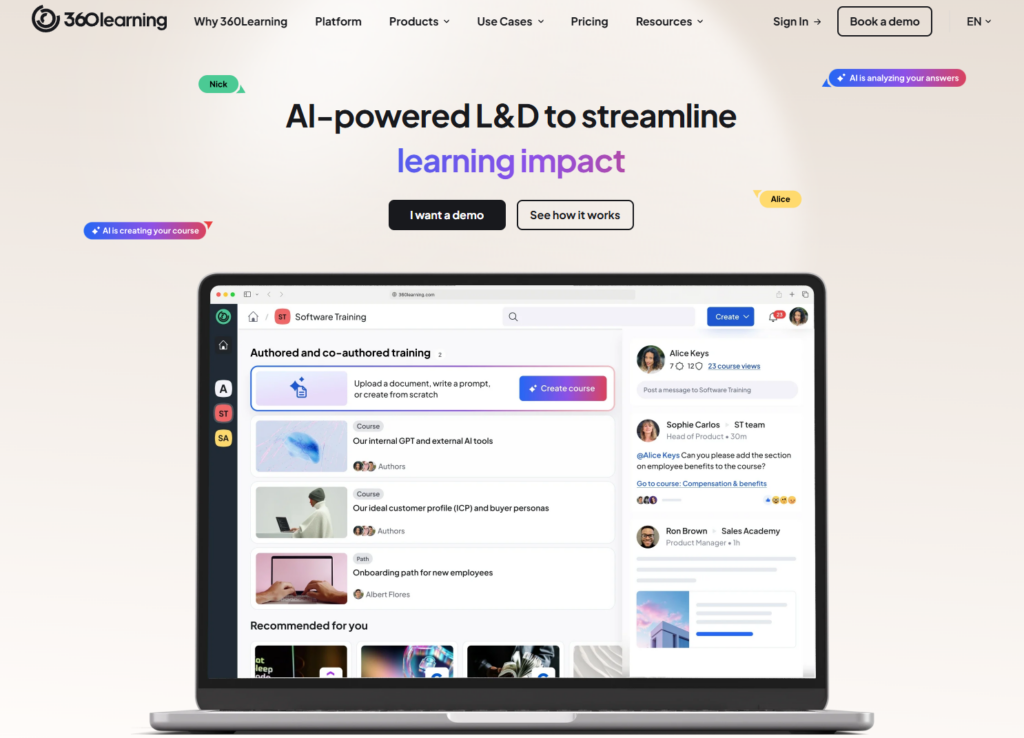
360Learning is frequently chosen by organizations that want learning creation to happen within teams rather than only inside L&D.
It tends to work best in environments built around peer-led learning, manager-created enablement, SME-driven content, collaborative upskilling, and fast internal knowledge transfer. That makes it especially useful for fast-moving product teams, sales enablement, internal process rollouts, and organizations with strong knowledge-sharing cultures.
It is often less about formal certification and more about helping teams capture and spread expertise quickly.
Cornerstone OnDemand – strong for enterprise talent ecosystems
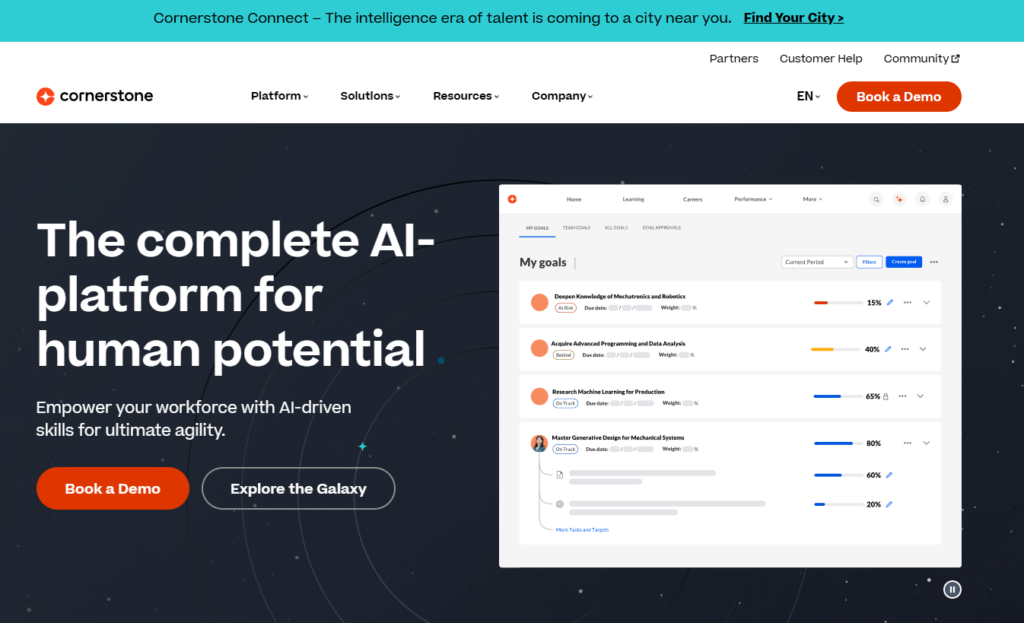
Cornerstone OnDemand is often evaluated by large enterprises where learning is closely tied to talent management, employee development, performance reviews, internal mobility, leadership pathways, and succession planning.
In these environments, the LMS is not operating alone. It sits inside a much larger HR and people-operations ecosystem, which makes it especially relevant for enterprise HR departments, formal talent pathways, multinational organizations, and workforce development programs.
Moodle Workplace – strong for open architecture and enterprise control
Moodle Workplace is worth considering for organizations that want open-source foundations, enterprise customization, internal ownership, departmental hierarchies, compliance workflows, and deep technical extensibility.
It can be particularly relevant for universities with staff training arms, healthcare systems, public sector organizations, and enterprise IT-led learning teams.
Its appeal is usually strongest where open architecture and internal control matter more than polished SaaS simplicity.
Litmos – strong for compliance-heavy internal training
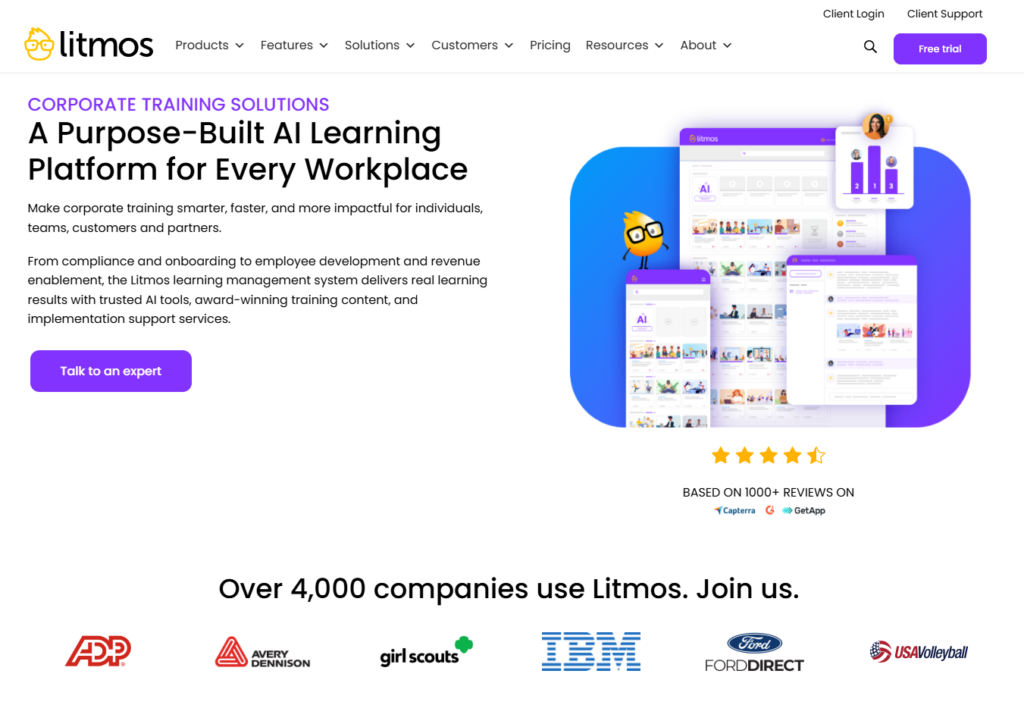
Litmos often appears in shortlists for compliance-heavy industries, regulated internal training, safety programs, recurring certifications, and workforce readiness.
It is usually strongest in environments where repeatable compliance assignments, certification renewal, audit exports, and enterprise oversight are the main priorities.
FAQs About Choosing the Best Corporate LMS
The best corporate LMS depends on your training model. For large enterprise HR and L&D teams, platforms like Docebo or Absorb LMS are often strong fits because they offer managed infrastructure, enterprise integrations, and formal support. For organizations that need predictable licensing, customer training, certifications, or WordPress-based ownership, LifterLMS is often the better fit. The real question is not which platform is “best”, but which pricing and infrastructure model best matches your growth plans.
For employee onboarding, the best LMS should support:
– Role-based learning paths
– Manager visibility
– Team reporting
– Recurring refreshers
– Completion tracking
For small to mid-sized teams, TalentLMS and LifterLMS are often strong options.
For global enterprise onboarding across regions, Docebo and Absorb LMS may be better suited.
Yes, especially for organizations that need compliance workflows without enterprise SaaS contracts.
LifterLMS supports the kinds of controls compliance teams usually need: prerequisites, timed quizzes, pass thresholds, certificates, drip scheduling, recurring training paths, and exportable reporting. That makes it a strong fit for healthcare, legal, finance, associations, continuing education, and recurring internal compliance programs where documented completion matters.
For continuing education, credential pathways, and structured certification programs, LifterLMS is often one of the strongest options because it combines:
– Prerequisites
– Quiz integrity
– Certificates
– Progress-based unlocking
– Membership workflows
– Continuing education ecosystems inside WordPress
For very large enterprise workforce certifications, platforms like Absorb LMS and Litmos are also worth considering.
For customer onboarding, the best LMS should support company-based portals, branded academies, client-specific progress visibility, and scalable, repeatable learning paths so each customer account can follow the same proven onboarding journey without losing visibility at the account level.
LearnUpon and LifterLMS are both particularly strong here.
LifterLMS becomes especially compelling when customer onboarding is closely tied to:
– Your WordPress site
– Gated documentation
– Customer communities
– Implementation services
– Paid customer education
Yes, depending on what “enterprise” means in your environment.
For enterprise HR ecosystems with thousands of employees and deep HRIS integrations, SaaS platforms may still be the better fit.
But for enterprise teams focused on customer education, certification, partner portals, association learning, continuing education, or controlled departmental reporting, a WordPress LMS like LifterLMS can be highly effective, especially when learning needs to sit inside a broader WordPress-driven customer or member experience.
The deciding factor is usually whether you want vendor-managed infrastructure or full ownership and extensibility.
Final Recommendation – Which Corporate LMS Model Fits You?
After comparing the strongest platforms and the wider market, one thing becomes clear: there is no single best corporate LMS for every organization.
The better question is: Which LMS model best supports how your organization trains people?
Choose enterprise SaaS when your priority is:
- Global internal workforces
- Formal L&D teams
- HRIS integrations
- Procurement-ready contracts
- Managed infrastructure
- Reduced internal technical ownership
In these cases, platforms like Docebo, Absorb LMS, and Cornerstone OnDemand often make the most sense.
Choose a WordPress-based LMS when your priority is:
- Predictable licensing
- Customer education
- Certification
- Continuing education
- Association learning
- Franchise or client portals
- Ownership of infrastructure and learner data
- Integration with a broader WordPress ecosystem
This is where LifterLMS is often the strongest long-term fit.
A practical decision framework
Before making a final choice, ask what happens if your learner count doubles, who needs reporting visibility, whether you are training employees, customers, members, or partners, whether certifications or continuing education are required, whether the LMS needs to live inside your broader digital ecosystem, and who should own the infrastructure.
Clear answers to those questions usually narrow the field faster than any feature matrix.
If your answers consistently point toward flexibility, flat licensing, certifications, customer education, association learning, and WordPress ecosystem control, the most useful next step is a small practical pilot.
Install the free core LifterLMS plugin on a staging WordPress site. A practical pilot usually tells you more than any demo call.
Start with a short onboarding course, then recreate two real departments or client accounts using Groups. Once that structure feels right, test reporting exports, certificates, and what a 24-month growth scenario would look like against SaaS per-user pricing.



