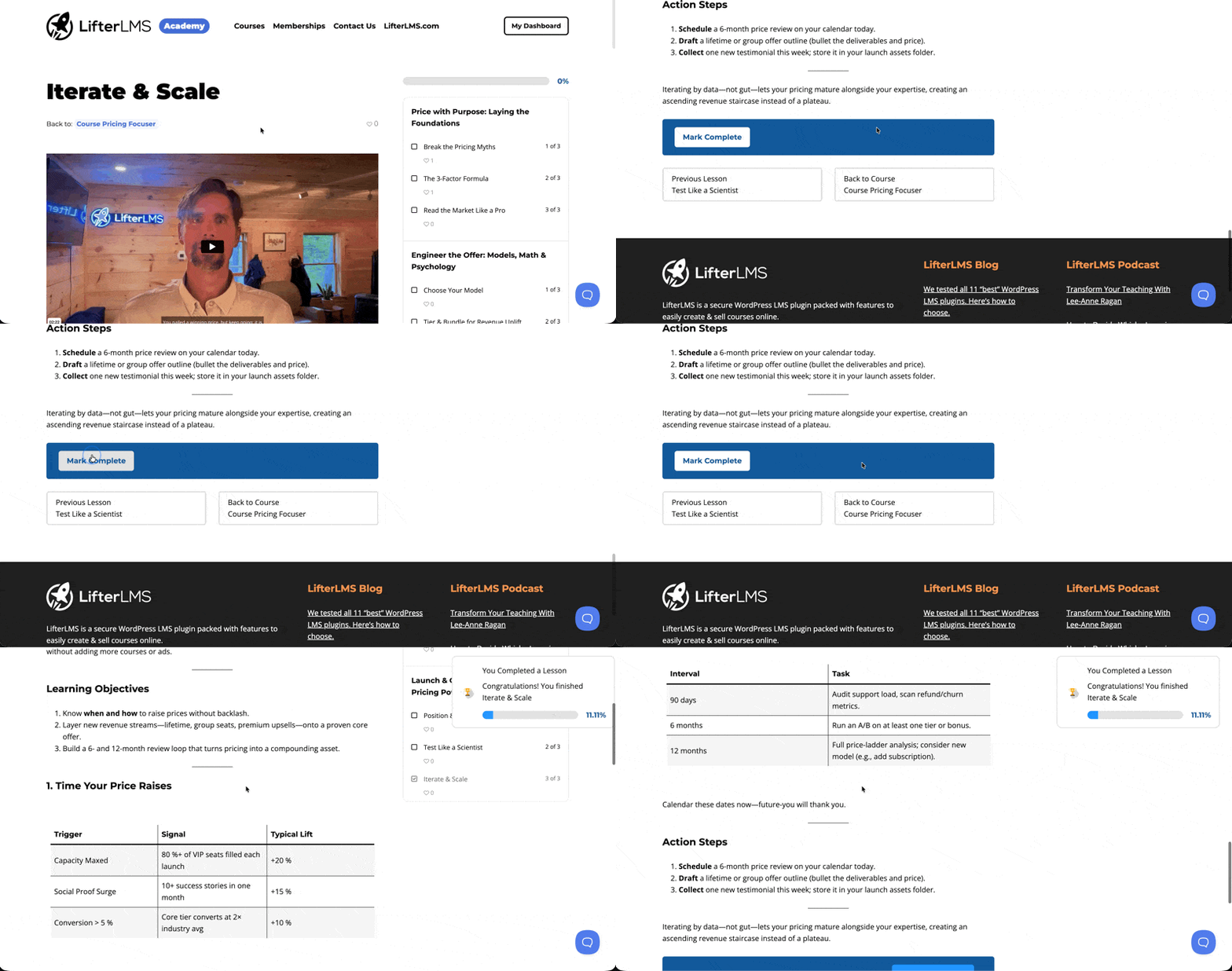
Most online courses end the same way: the learner clicks through the final lesson, a pop-up notification appears, and then… nothing.
They’re left sitting on the last lesson with nowhere to go.
But that moment, right after someone finishes your course, is actually one of the highest-intent moments in your learner’s entire journey.
- They’ve just achieved something.
- They’re paying attention.
- And they’re far more likely to take another meaningful action than they would be a day later.
If you’re not intentionally shaping that moment, Course Completion Pages in LifterLMS give you a simple way to do it.
Instead of showing the default completion pop-up, you can redirect learners to a dedicated page when they finish the final lesson.
This guide walks you through exactly how to set this up and, more importantly, how to use course completion pages well across five high-value scenarios.
How to Set Up Course Completion Pages in LifterLMS
Prefer to watch?
Enjoy our course completion pages tutorial here:
There are two ways to configure completion pages in LifterLMS:
- A global default for all courses
- A course-level override for individual courses
Option 1: Set a Global Default Completion Page
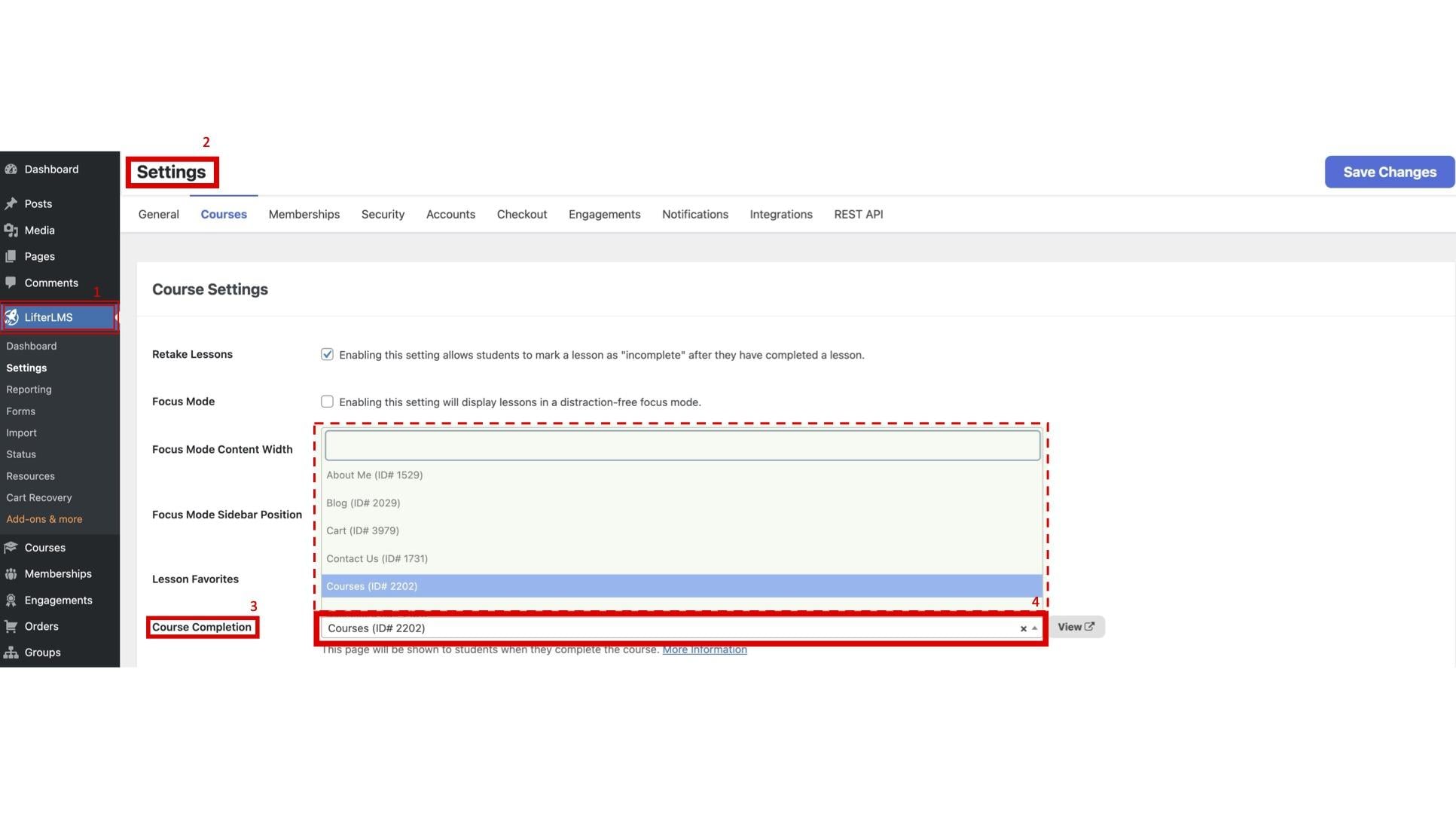
If you want all courses to redirect to the same page after completion, set a global default. To do this:
- In your WordPress dashboard, go to LifterLMS > Settings
- Click the Courses tab
- In the “Course Settings” section, locate the “Course Completion Page” setting
- Select the page you want learners redirected to, then Save
Option 2: Set a Course-Level Completion Page
If a specific course should send learners somewhere different from your global default, you can override it at the course level. Here’s how:
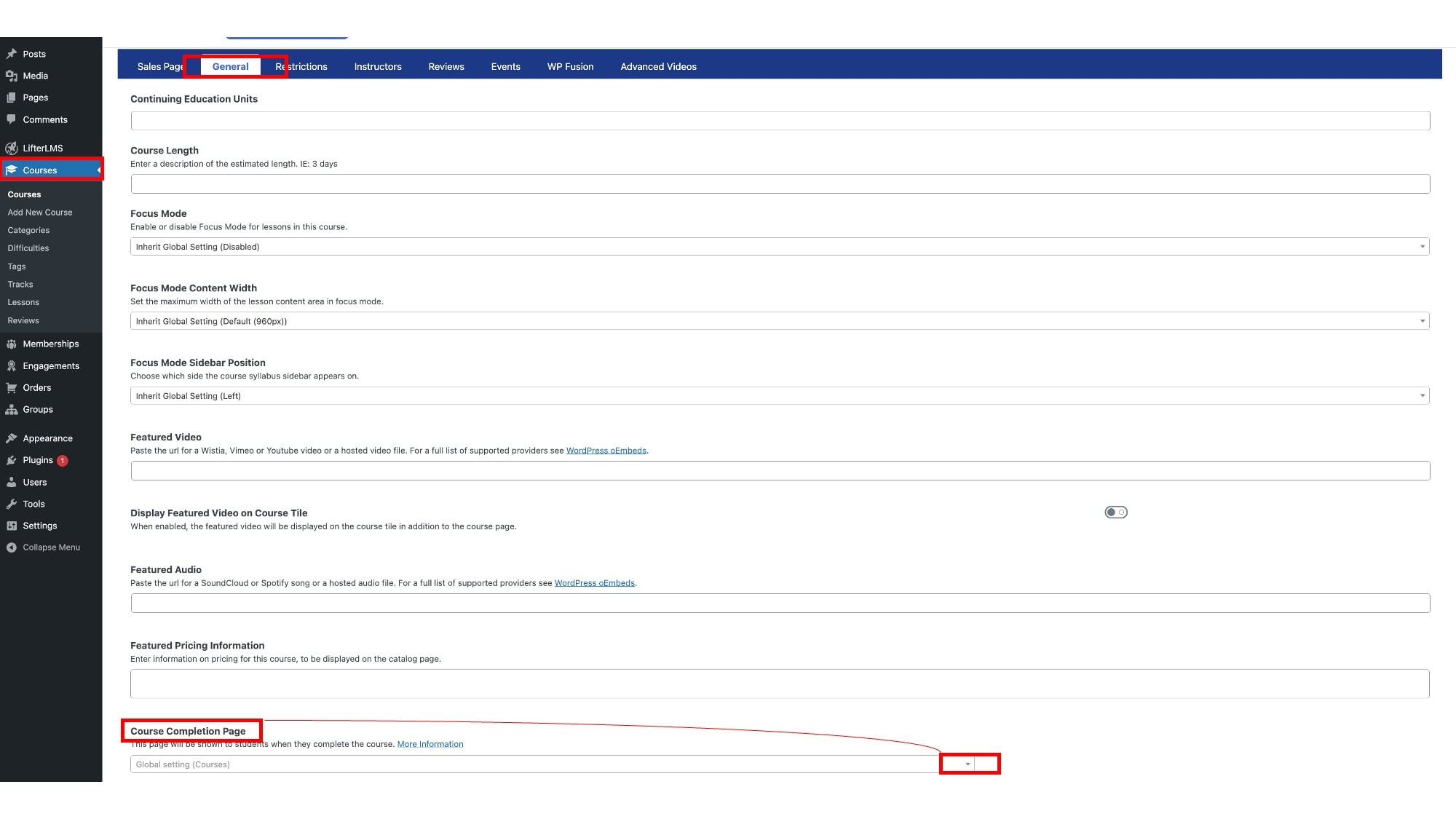
- In your WordPress dashboard, go to Courses
- Select the course you want to edit
- Scroll down to “Course Options”
- Click the General tab
- Find the “Completion Page” field and select your page
- Save your changes
How the Two Settings Work Together
The logic is straightforward: the global setting is your fallback default, and the course-level setting takes priority for any course where you’ve set one.
- If a course has its own completion page defined, learners will be directed to it.
- If it doesn’t, they’ll be redirected to your global default.
This lets you create a consistent default experience across your course catalog while customizing specific courses where needed.
How to Truly Take Advantage of Course Completion Pages
#1 – Capture Reviews
Course completion is the single best moment to ask for a review. The learner has just finished. Their experience is fresh, their sense of accomplishment is high, and they haven’t yet moved on to the next thing.
Ask too late and the moment is gone.
Ask here, and you catch them at peak engagement.
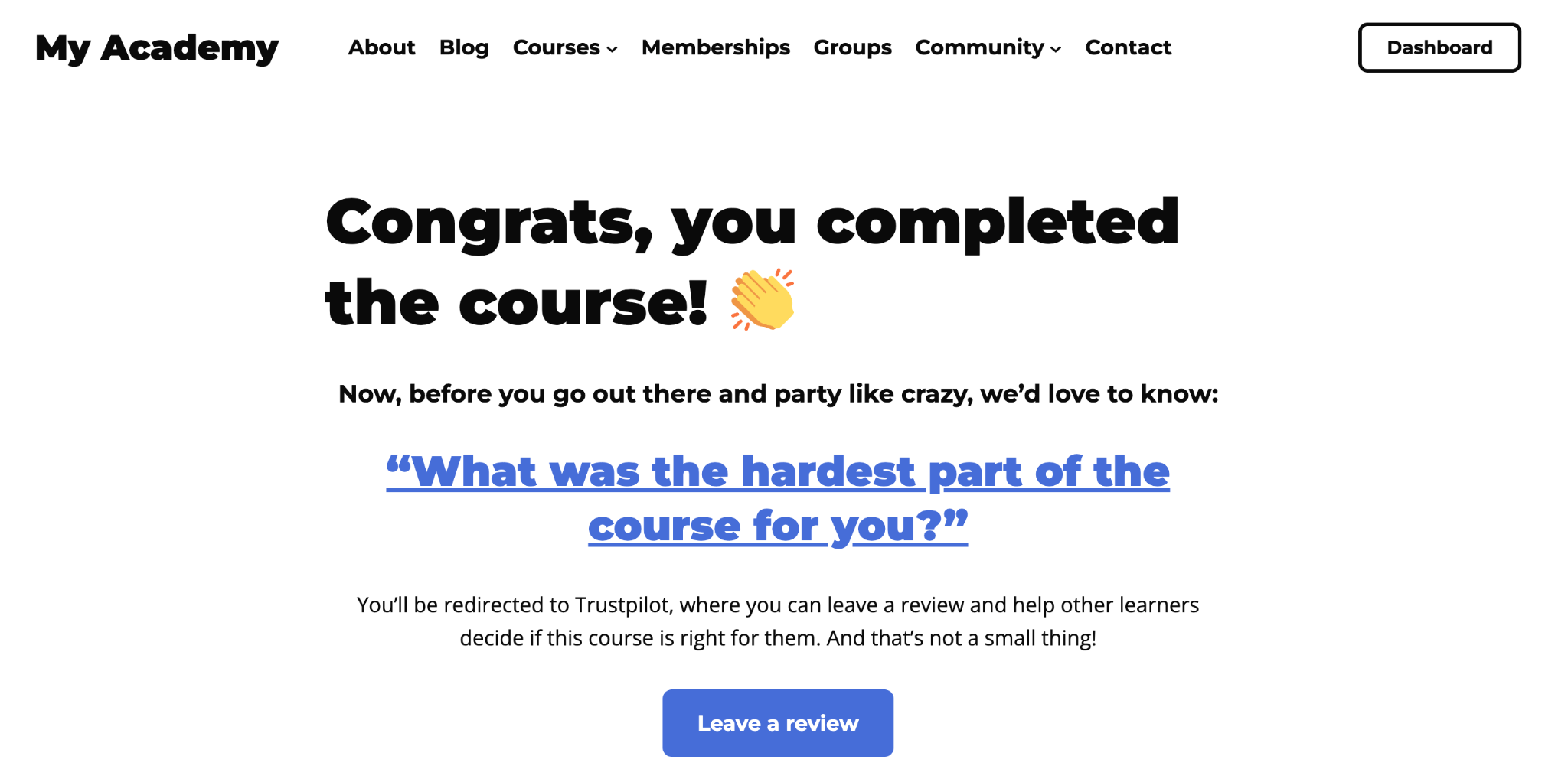
What to include on the Ask for a review page:
- A short congratulations message (keep it genuine, not templated).
- A direct, low-friction ask: “We’d love to hear what you thought of the course! Would you mind leaving a quick review?”
- A prominent, clearly labeled button linking to your review platform of choice (e.g., a Google Business Profile, a Trustpilot page, a form on a page on your website, or a LifterLMS reviews section).
- Optionally: a brief note on why reviews matter to you (“Your feedback helps us improve the course and helps other learners decide if it’s right for them”).
Tips for higher conversion:
Don’t bury the ask. If reviews are the goal, make the review action the focal point. Whether it’s a button or a text link, it should be at the top of the page. You can include other content below it, but the primary action should be visible without scrolling.
You can also prompt specific questions (“What was the most useful part of the course?”) to make the review feel less daunting.
#2 – Invite People to Refer a Friend
Word of mouth is one of the most effective growth channels for course creators, and the moment after course completion is an ideal time to activate it. If someone has just finished your course and found it useful, they’re far more likely to recommend it.
What to include on this page:
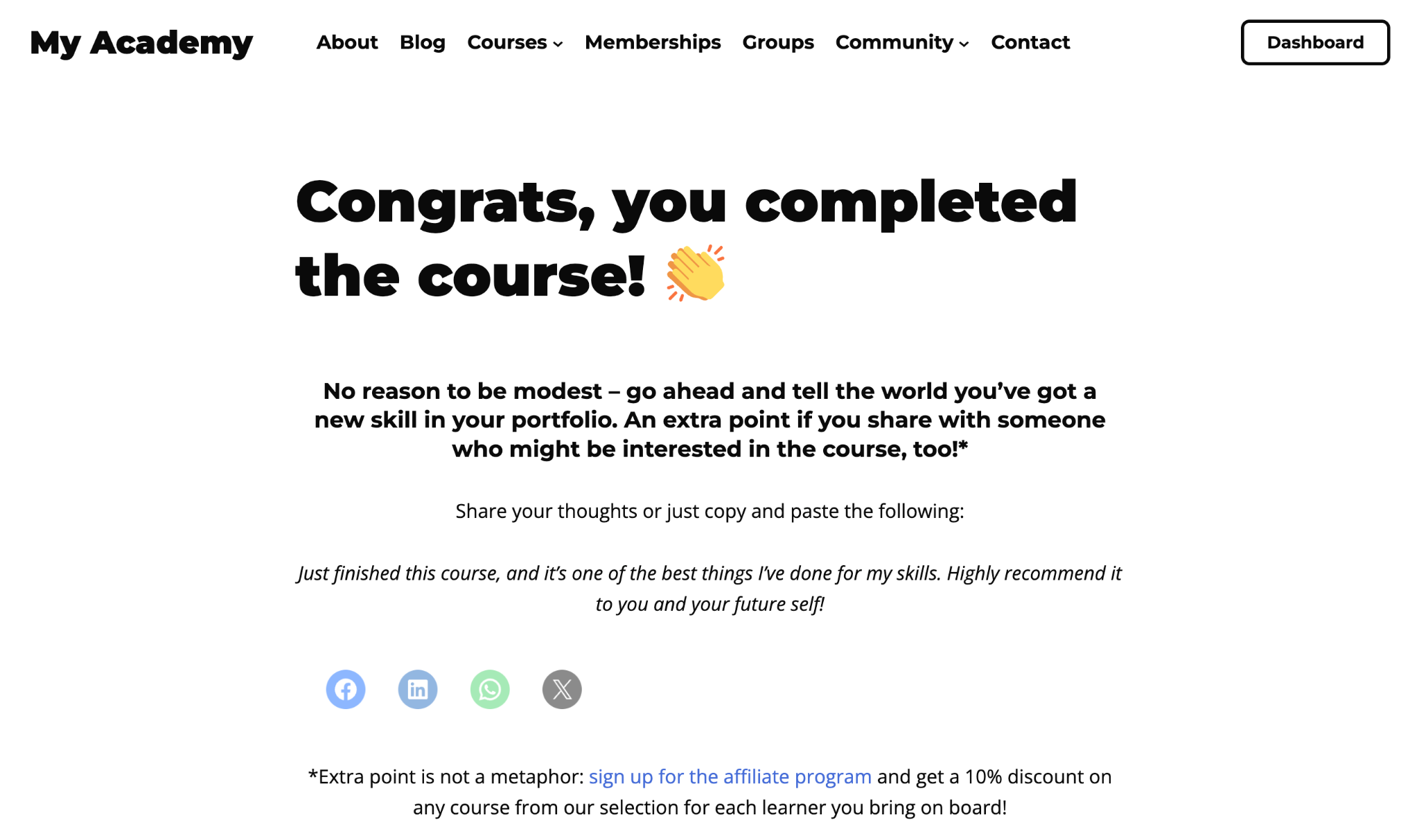
- A headline that acknowledges their completion and pivots to sharing: “Now that you’ve finished, know someone who’d benefit?”
- A brief description of who the course is for (helps them picture the right person to share it with).
- Pre-written social share text or email they can copy and send (reduce as much friction as possible).
- If you have an affiliate program, a link to sign up, and earn a commission for every referral.
Optional incentive angle:
Some course creators offer a small reward for referrals, such as a discount code for a future course, access to a bonus lesson, or a credit toward coaching time. If you run an affiliate or referral program, this is a strong place to introduce it.
#3 – Share Your Appreciation
Sometimes the goal isn’t conversion. And it certainly doesn’t have to be.
A well-crafted “thank you” page creates a memorable, human moment at the end of the course experience and can leave a lasting impression on learners’ feelings about your brand.
What to include on this page:
- A personal message from the course creator. A short video often works particularly well here (a 60–90-second video of the instructor saying thank you feels far more genuine than a text block).
- Acknowledgment of the effort the learner put in, not just the fact that they finished.
- A link to download or view their certificate, if the course awards one.
- An invitation to join a community, alumni group, or private forum, if one exists.
Why this matters more than it might seem:
Online course completion rates are often far lower than course creators expect. When a learner finishes your course, they’ve already done more than many enrolled students ever will. Acknowledging that (genuinely, not just with a generic pop-up) builds goodwill, strengthens the student-instructor relationship, and increases the likelihood they’ll enroll in your next course.
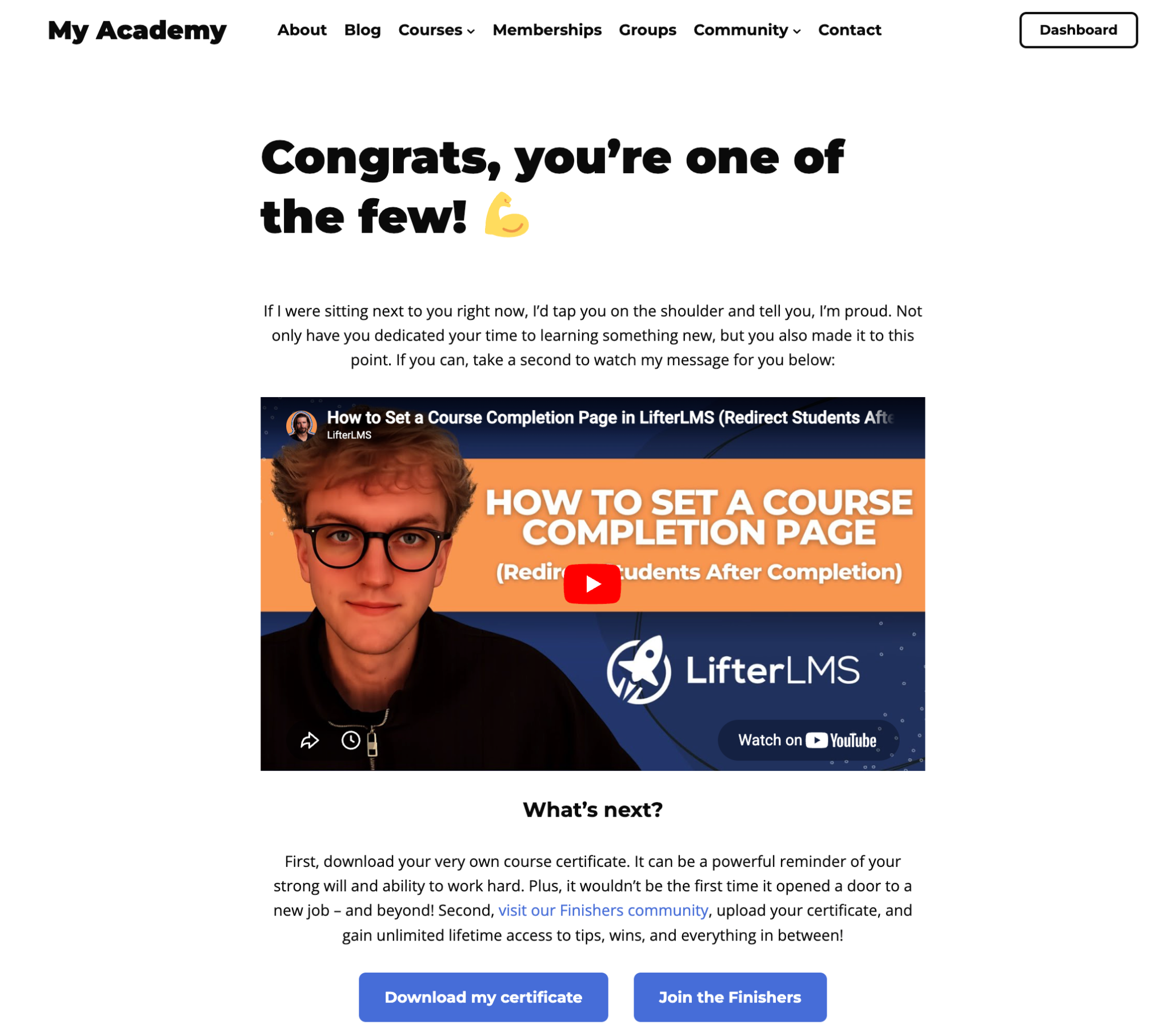
While a heartfelt written message goes a long way, the real magic lies in recording and embedding a video in which you speak directly to your learners. If you have an active community of graduates, mention it in both.
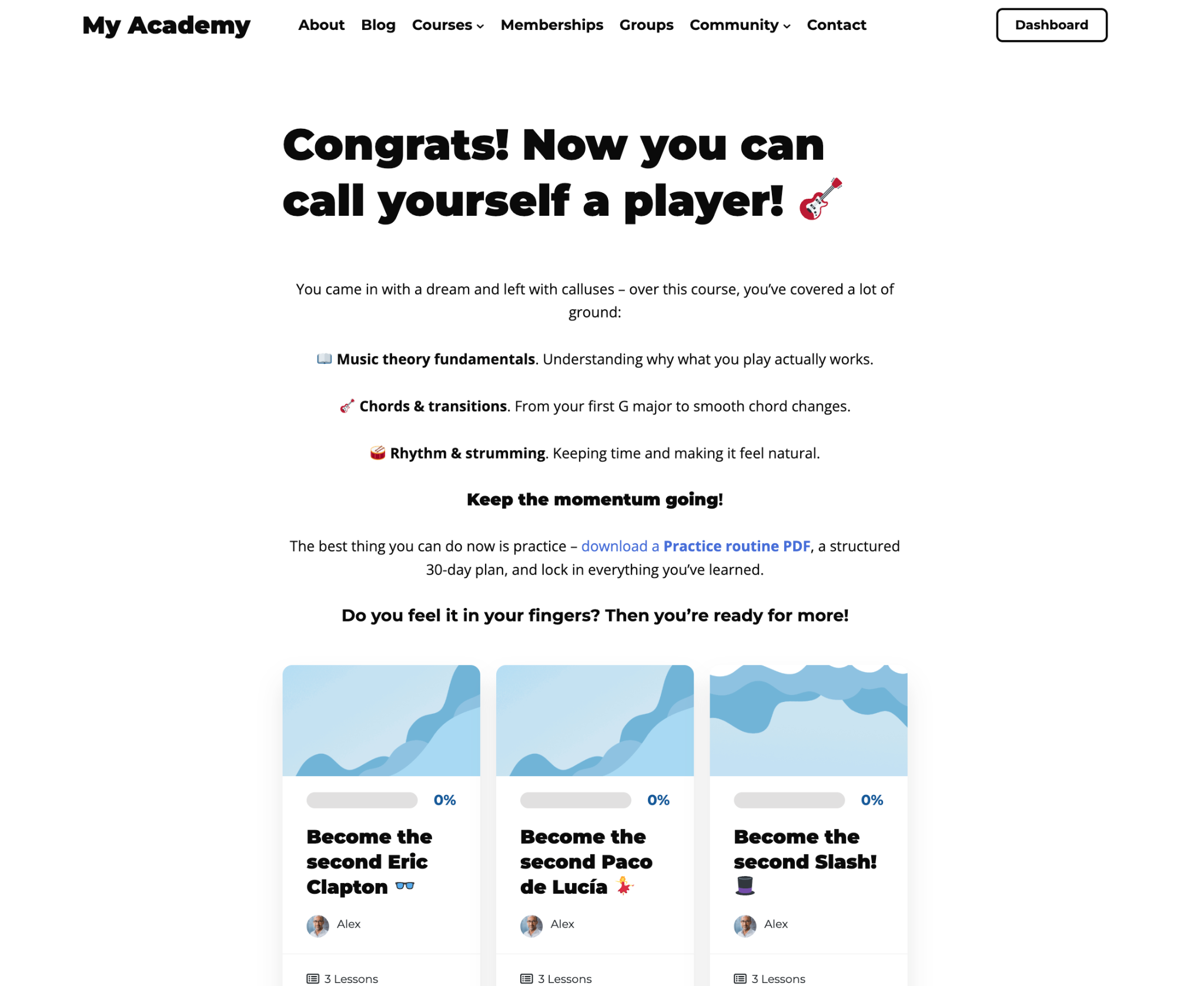
#4 – Recap and Next Steps
For courses that are part of a larger learning journey or curriculum, a completion page can serve a more practical purpose: orienting learners to what they’ve accomplished and pointing them clearly to what comes next.
What to include on this page:
- A brief recap of the key skills or outcomes from the course (this reinforces what they’ve learned and helps them recognize their progress).
- A clear recommendation for the next course in the sequence, with a short explanation of why it follows logically from this one.
- Links to additional resources: bonus materials, supplementary reading, or tools related to the course topic.
- A link to their student dashboard or course catalog so they can easily explore what else is available.
Good for:
This approach works especially well when you teach structured skills progressions. For example, a beginner course that naturally feeds into an intermediate one, or a standalone module that’s part of a certification pathway. Showing learners where this course fits into a wider learning path makes progression feel more intentional.
#5 – Upsell Another Course (with a Limited Time Offer)
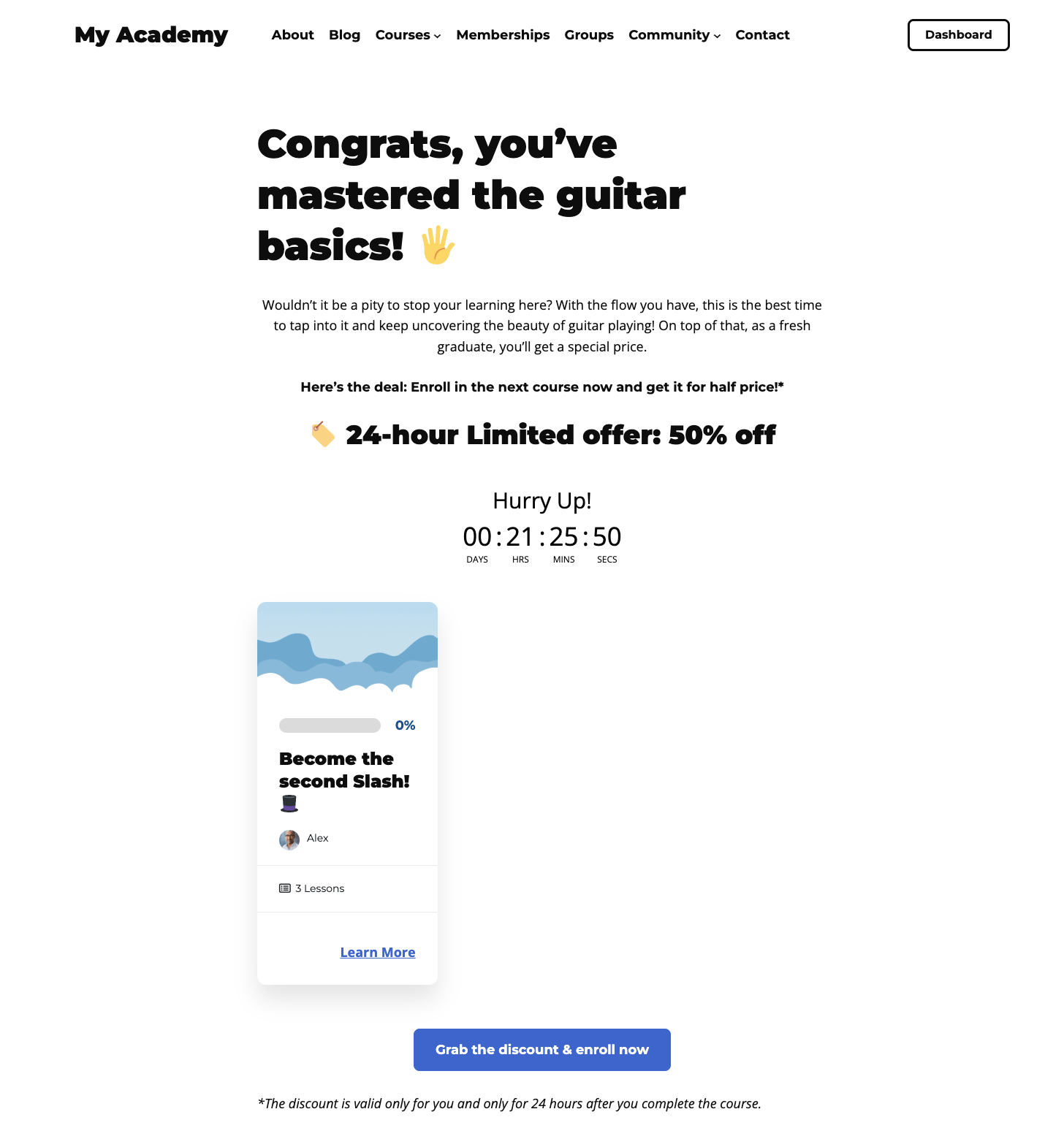
For course creators who sell their catalog, course completion is one of the best moments to present an upsell. The learner has just proven they follow through, and if the course delivered value, they’re open to more. A carefully positioned follow-up offer can work particularly well at this stage.
What to include on this page:
- A congratulations message that transitions naturally into the offer (“You’ve completed the foundations – here’s where to go deeper”).
- A clear description of the next course: what it covers, who it’s for, and what the learner’ll be able to do afterward.
- A discount or exclusive offer available only via this page, framed as a reward for completing the course.
- If appropriate, a clearly explained limited-time offer or expiry date.
- A direct enrolment or checkout link (make it as few clicks as possible).
On the limited-time framing:
The key is to make the offer feel like a genuine reward, not a manufactured pressure tactic. Framing it as “a special rate available only to people who’ve completed this course” is more compelling (and more honest) than a generic countdown.
Tips for Building Effective Completion Pages
Keep these principles in mind regardless of which scenario you’re building for.
- One primary action per page.
Completion pages with too many competing actions are less likely to perform well. Choose what you most want the learner to do and design the page around that one outcome. - Match the page to the course.
A free introductory course may be a good place to make a referral, ask a question, or make a follow-up course recommendation. A premium flagship course might warrant a more personal appreciation page. Think about what makes sense given where the learner is in their journey with you. - Build the page with your existing page builder.
Completion pages are standard WordPress pages. You can build them with whatever page builder you already use (your preferred page builder, the native block editor, etc.). No additional setup is required in LifterLMS beyond selecting the page you want to use. - Consider gating the page.
If your completion page contains a sensitive offer or exclusive content, you may want to restrict access so it’s available only via the redirect, not directly via the URL. LifterLMS membership or content restriction features can help here.
After Action Report – Turn Course Completion Into a Starting Point
The end of a course doesn’t have to be the end of the conversation.
With Course Completion Pages in LifterLMS, you can turn that final moment into a launchpad for:
- A review
- A referral
- A stronger learner relationship
…or the next enrollment.
The technical setup only takes a few minutes. A thoughtful completion page can help guide learners toward the next logical step in their journey, whether that’s joining your community, continuing into another course, booking coaching, or purchasing a premium offer.
Start with a single goal, build a completion page around it, and refine the experience over time.
Getting Started with LifterLMS
The LifterLMS core plugin is free and gives you everything you need to create and launch online courses, including unlimited courses, unlimited memberships, and unlimited students and teachers. Download the free core plugin to get started.
When you’re ready to take things further, LifterLMS paid plans unlock additional capabilities:
- Sell paid courses and memberships with built-in ecommerce support for Stripe, PayPal, and WooCommerce.
- Recover lost revenue with smart, unobtrusive follow-up emails using our Cart Abandonment Recovery add-on.
- Issue certificates to recognize and reward course completion.
- Automate emails and engagement triggers so learners get the right message at the right time.
- Run quizzes with advanced question types, including timed quizzes, image matching, and essay grading.
- Create group-based learning for teams, cohorts, and corporate training.
- Deliver live, instructor-led training with LifterLMS Events alongside self-paced course content, all in one place.
- Connect your favorite tools with integrations, including Mailchimp, ConvertKit, Gravity Forms, WPForms, and more.
- Customize the learning experience with the Sky Pilot theme.
- And much, much more…