

Using Manual Recurring Payments with PayPal
The most common reason to use manual recurring payments with PayPal (instead of having the PayPal payments recur automatically) is that you are unable to enable reference transactions on your PayPal account.
Manual recurring payments with PayPal means that at the end of the recurring payment cycle, the customer’s order will be put on hold, they will be temporarily removed from the course or membership, and they can make another payment from their account to be let back in.
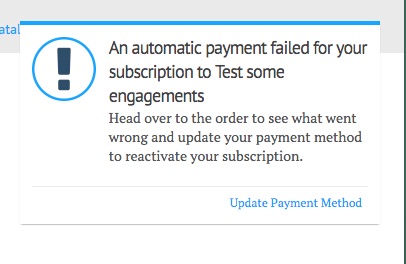
When their recurring payment is due, they can receive an on-screen “Basic” pop up notification and/or an email notification.
This is the basic notification:
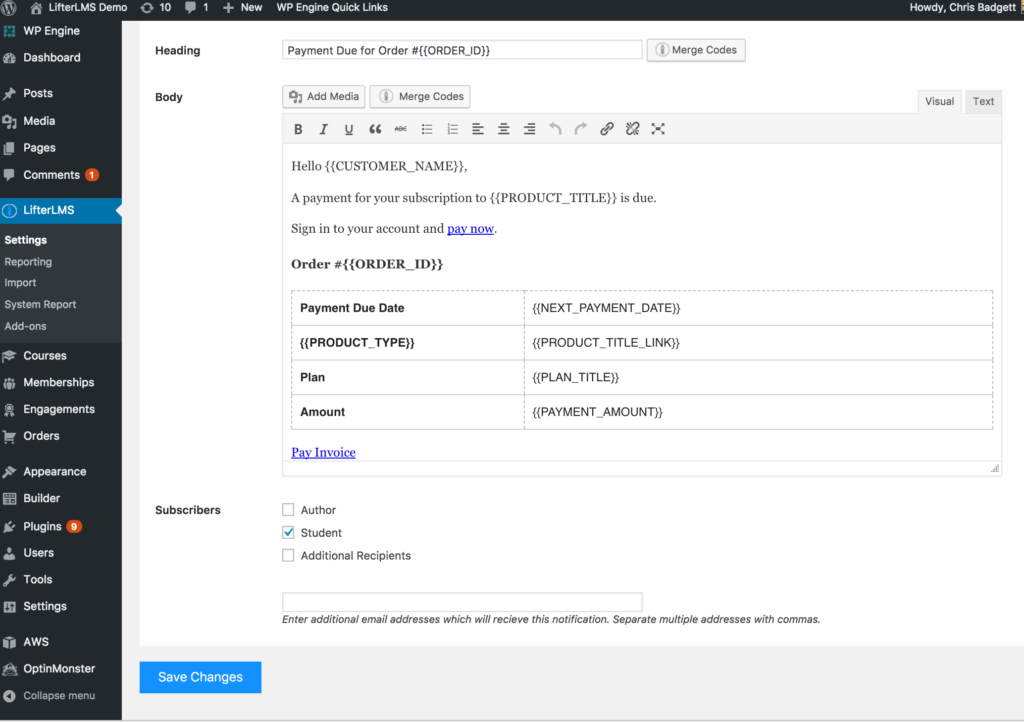
This is the “Gateway: Manual – Payment Due (Email)” they will receive:
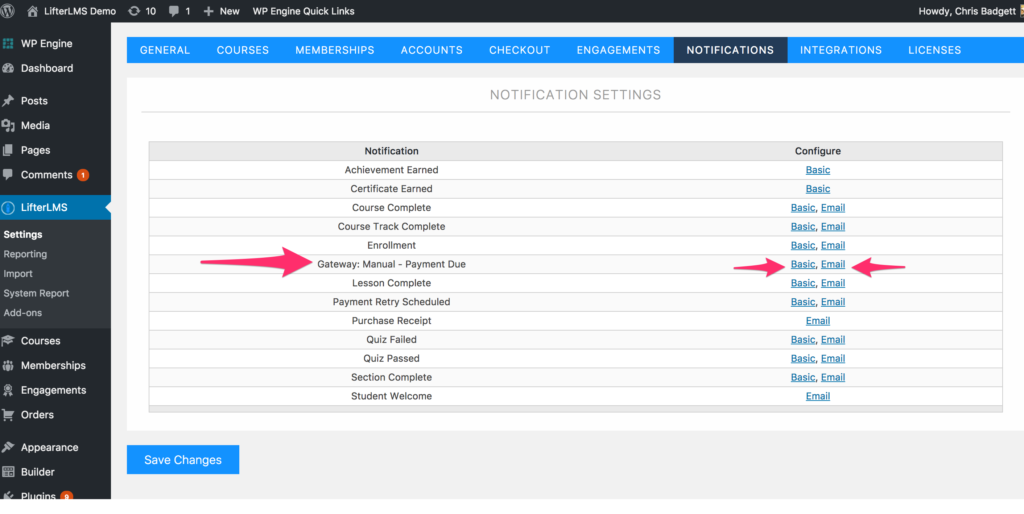
To edit either the basic or email notification, navigate to LifterLMS > Settings > Notifications > Gateway: Manual – Payment Due (Email) as shown in the image below:
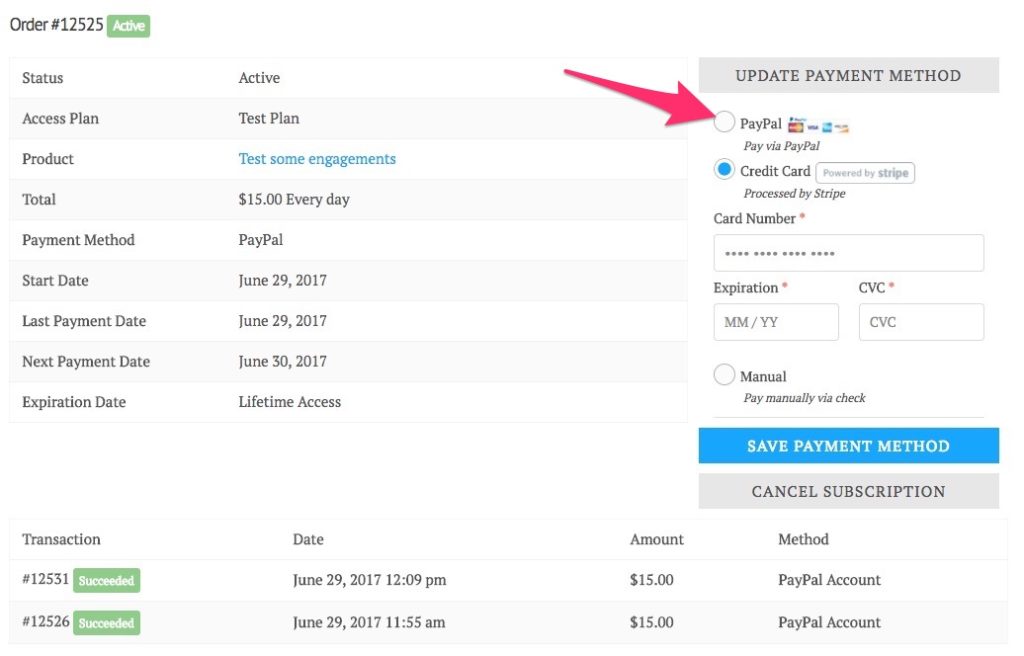
To complete the PayPal payment, the student logs into their account on your website and can initiate the next PayPal payment as shown in the image below:
To offer Manual Recurring Payments with PayPal for a course or membership, enable PayPal payments and set up one or more recurring access plans for your course or membership.


