

How to Enable Course or Membership Gifting in LifterLMS
LifterLMS Gifts lets you sell access to a course as a voucher. A buyer purchases the voucher, and someone else redeems it for course access.
This guide shows you how to create a gift access plan, how buyers purchase vouchers, and how students view and redeem them.
- LifterLMS core 9.1.2 or later
- LifterLMS Gifts add-on
- A course with at least one access plan
You can enable gifting by adding a ‘Gift Purchases’ access plan to a course or membership.
Step 1. Go to Courses or Memberships.
Step 2. Select a course or membership to edit.
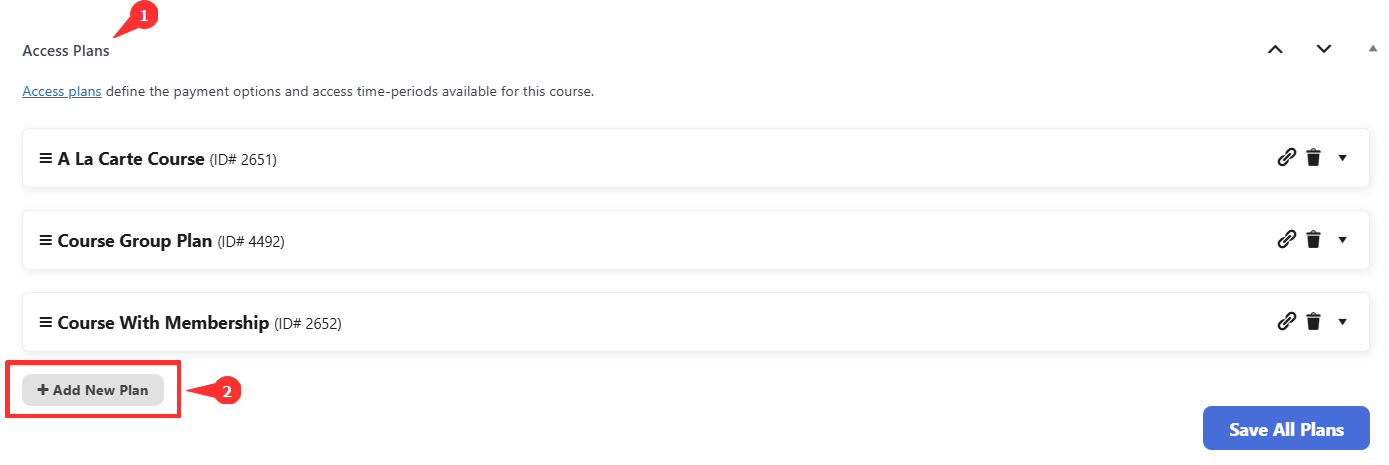
Step 3. In the “Access Plans” section, click Add New Plan.
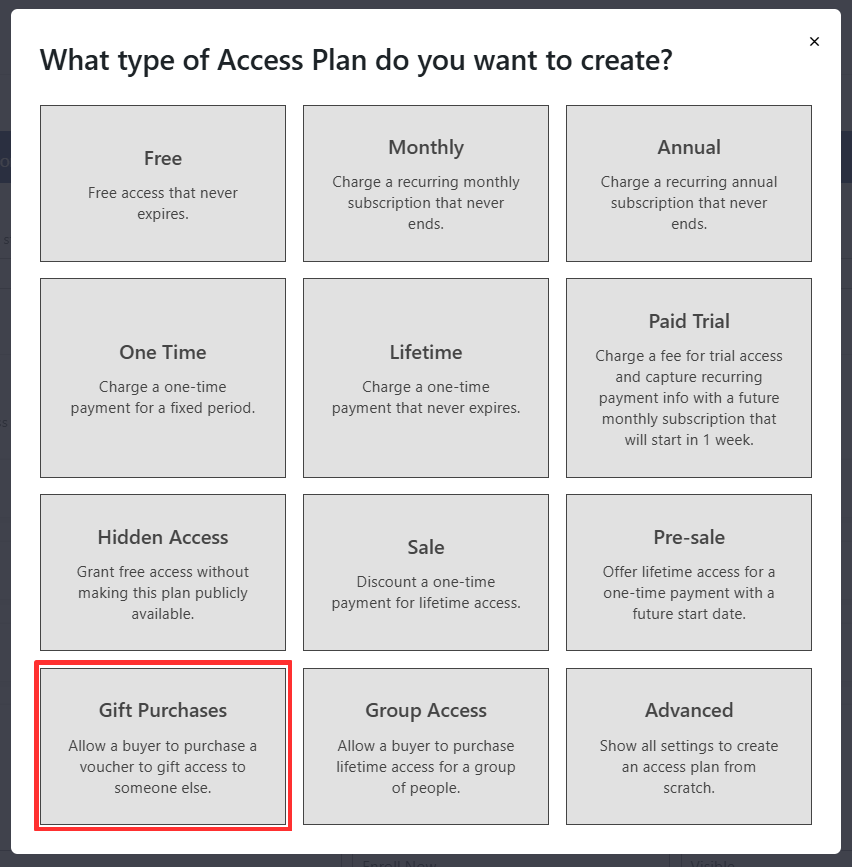
Step 4. Choose “Gift Purchases”.
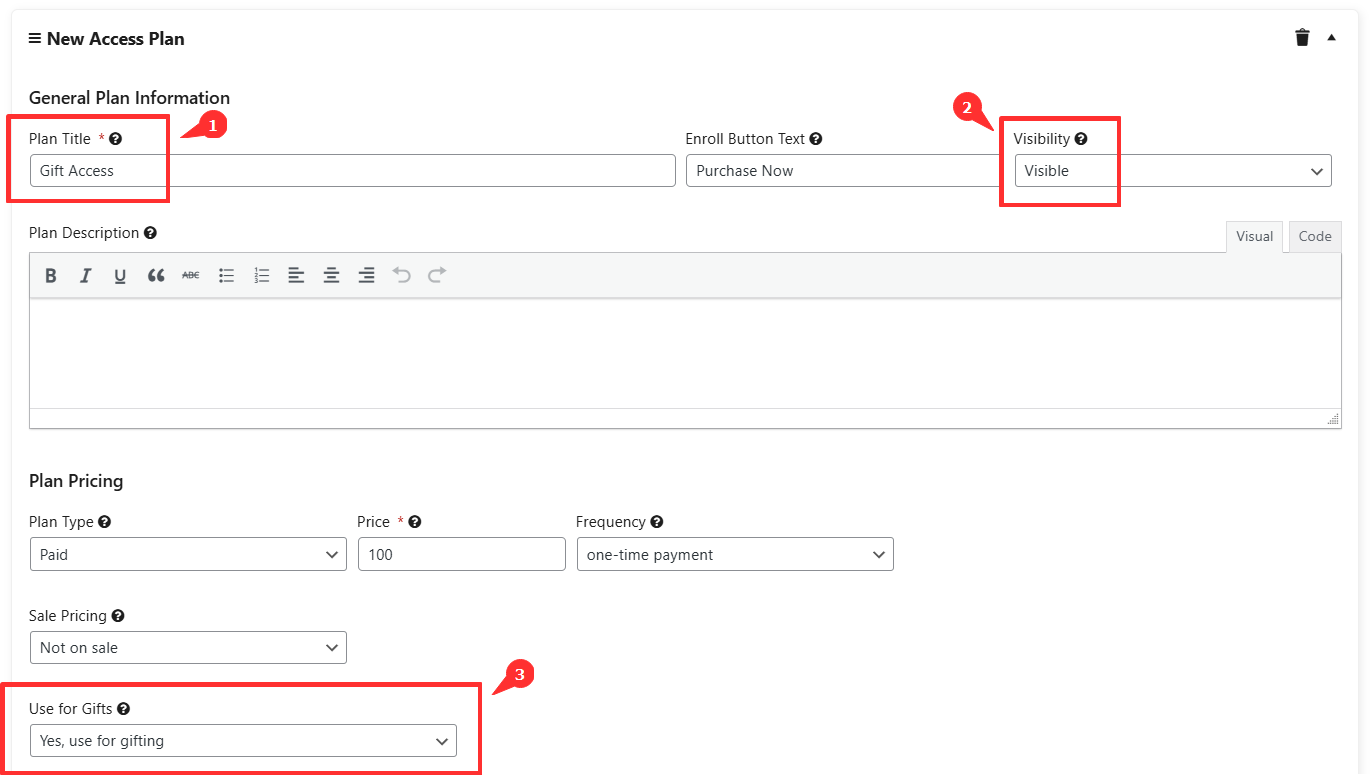
You now see the standard access plan editor with extra settings for gifting.
Please note that LifterLMS gifts are different from coupons.
Configure the plan as you would any other one-time purchase. Key fields include:
- “Plan Title”
Title shown on the course sales page. - “Price”
The amount the buyer pays for the voucher. - “Gift Settings”
Fields for the message and details sent to the recipient.
Select Save All Plans to publish your changes.
When someone purchases one or more gift vouchers:
- The buyer receives a single purchase receipt, but a unique voucher code is generated for each gift purchased.
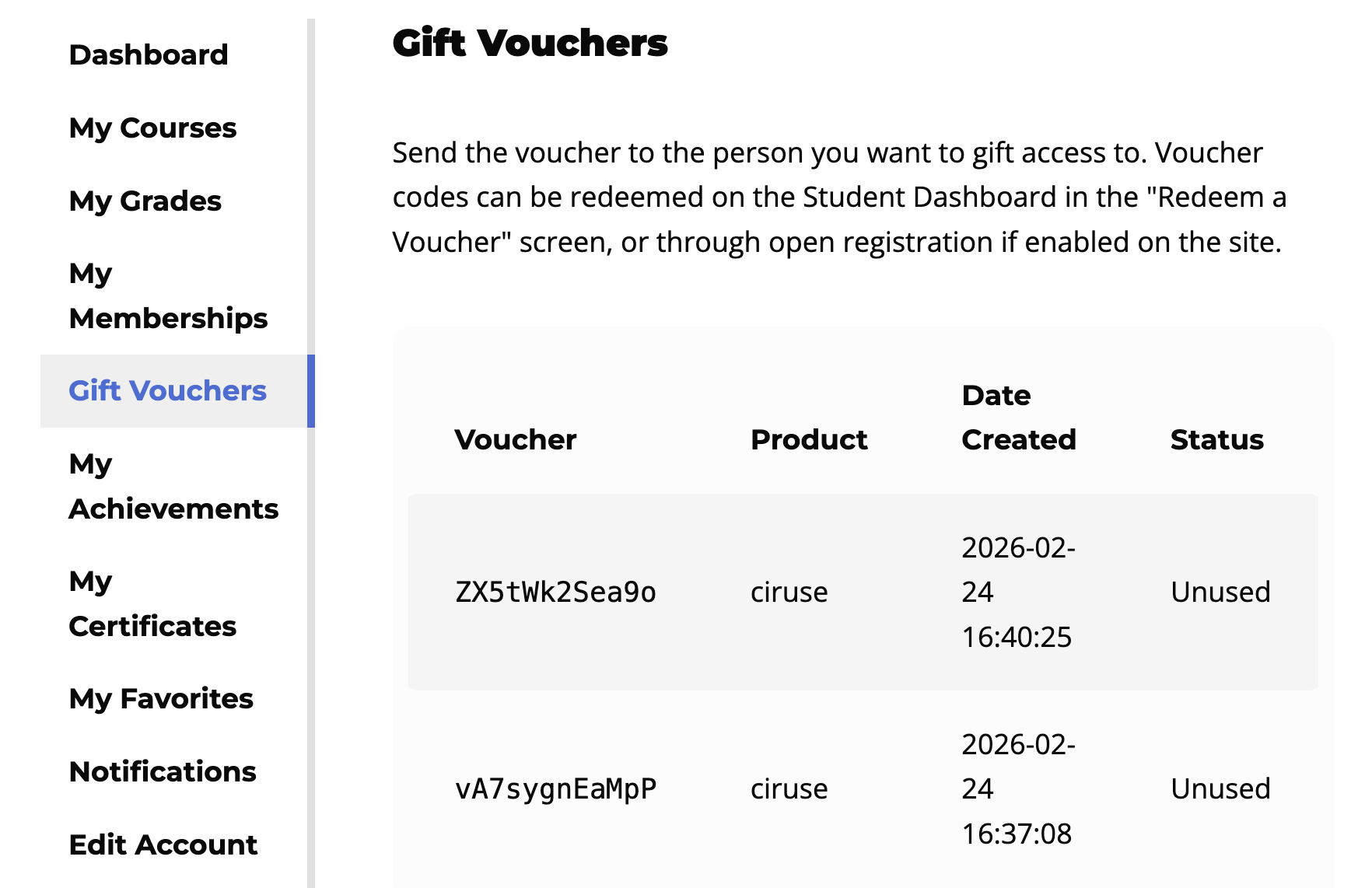
- The buyer can view all the vouchers under the “Gift Vouchers” tab in the dashboard and distribute the specific voucher codes to the intended recipients.
- Each voucher gives the recipient access to the course or membership after redemption.
Recipients can redeem vouchers during checkout or from the “Student Dashboard”.
- Add the gifted course to the cart.
- Enter the voucher code in the field provided.
- Complete checkout at no cost.
After redemption, the student is enrolled in the course.
A new “Gift Vouchers” area appears in the Student Dashboard for users who have purchased vouchers.
Users can:
- View active vouchers
- Copy voucher codes
- Check redemption status
When a buyer completes a purchase using a “Gift Purchases” access plan, LifterLMS sends a receipt email to the buyer that includes the voucher code and instructions for redeeming it.
The buyer can share this code with the recipient, who can redeem it during checkout or from the “Student Dashboard”.
Can I limit gift usage?
Voucher codes are one-time use only and cannot be reused.
Can I combine gift vouchers with memberships?
Yes. You can add a “Gift Purchases” access plan to a membership or a course. When someone redeems the voucher, they receive access to whichever item the plan is attached to.


