
Besides making it incredibly easy to build and maintain websites, WordPress has opened up a whole new world of opportunities for those looking to create, sell, and manage online courses. In this post, we’ll help you choose the best WordPress LMS plugin for your course (or online learning platform).
Now, as is self-evident based on the site you’re reading this comparison on, we are the creators of LifterLMS. LifterLMS is one of the options we compare in this guide. In fact, we believe (as do many others) that it is the best WordPress LMS plugin in this detailed comparison. However, that is not the point of this comparison.
Our evaluation combines hands-on use with each plugin in this comparison with official documentation and recent independent reviews. Our only goals here are to:
- Give you a clear picture of the available options without needing to test everything yourself.
- Help you make the right decision to launch your course (or migrate an existing course).
Table of contents
- What to Look For in a WordPress LMS Plugin
- TL;DR – An Overview of The Best WordPress LMS Plugins
- LifterLMS
- LearnDash
- Sensei LMS
- Tutor LMS
- MemberPress Courses
- Thrive Apprentice
- LearnPress
- MasterStudy LMS
- WP Courseware
- AccessAlly
- Namaste! LMS
- Performance and Hosting Considerations
- After Action Report – Final Thoughts & Next Steps
What to Look For in a WordPress LMS Plugin
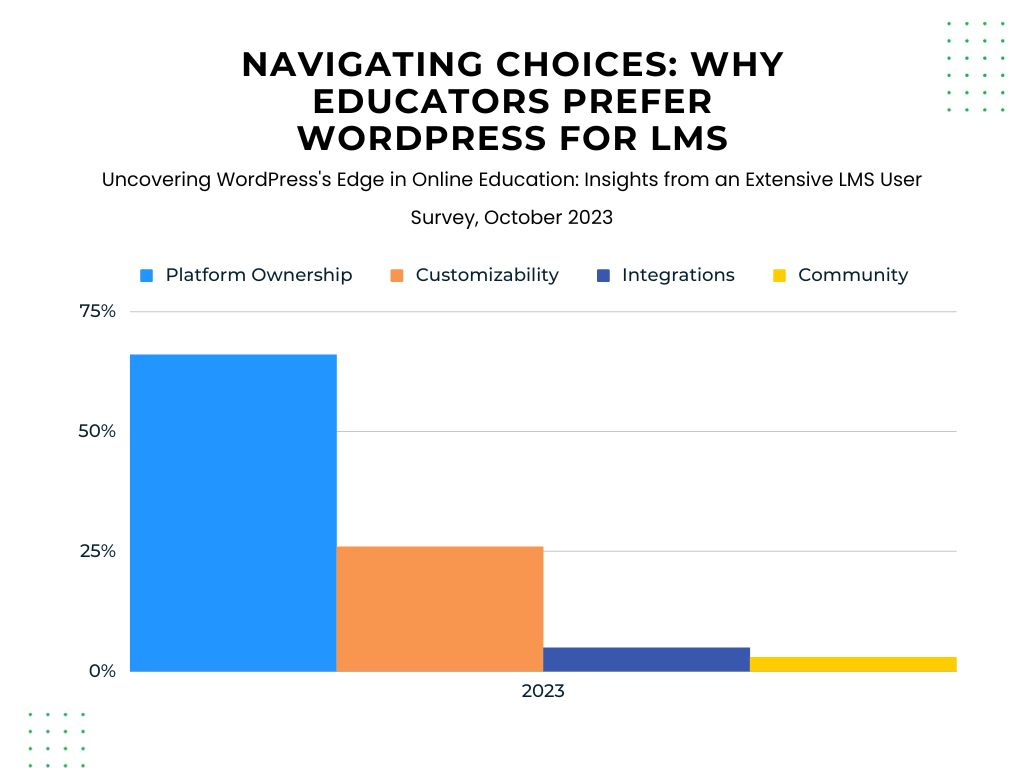
Before choosing a tool, think about how it will support the way you want to teach. A strong LMS should help you build courses, support learners, and scale as your needs grow. Here are the core areas to focus on.
1 – Building the course itself
The course builder should help you create lessons quickly, organise material logically, and adapt layouts when your courses grow. Tools like prerequisites, drip schedules, and student previews help you shape a clear learning path rather than just uploading content.
2 – Teaching and assessment
Look at how students learn inside your course, not just how lessons are presented. Question types, attempts, timers, assignments, and certificates influence how you assess progress and maintain engagement. Some plugins take assessment very seriously, while others treat it as optional.
3 – Access, memberships, and payments
Selling courses isn’t the same as running a full learning business. Some plugins include memberships and recurring payments from day one; others expect you to assemble these parts from separate tools. Think about whether you want a single system or a collection of add-ons.
4 – Reporting and learner progress
Good reporting shows real progress, not just completion percentages. If you train teams, run cohorts, or sell B2B programmes, reporting becomes much more important than it might seem at first.
5 – Cost over time
Price doesn’t end with the initial plugin. Add-ons, payment gateways, and integrations all affect long-term cost. A plugin that looks inexpensive now can become costly later, while a more complete plugin may replace several tools you would otherwise pay for.
TL;DR – An Overview of The Best WordPress LMS Plugins
| Plugin | Best For | Starting Price | Key Strength |
| LifterLMS | All‑in‑one LMS needs | Free core | Strong feature depth |
| LearnDash | Formal training | Paid only | Advanced assessments |
| Sensei LMS | WooCommerce users | Free core | WooCommerce integration |
| Tutor LMS | Beginners | Free core | Visual builder |
| MemberPress Courses | Membership sites | Part of MemberPress | Strong access control |
| Thrive Apprentice | Marketing‑focused creators | Thrive Suite | Design flexibility |
| LearnPress | Budget users | Free core | Low cost |
| MasterStudy LMS | Education teams | Free core | Classroom‑style tools |
| WP Courseware | Coaches and teachers | Paid only | Simple structure |
| AccessAlly | Automation‑heavy sites | Paid only | CRM integration |
| Namaste! LMS | Simple setups | Free core | Lightweight |
LifterLMS
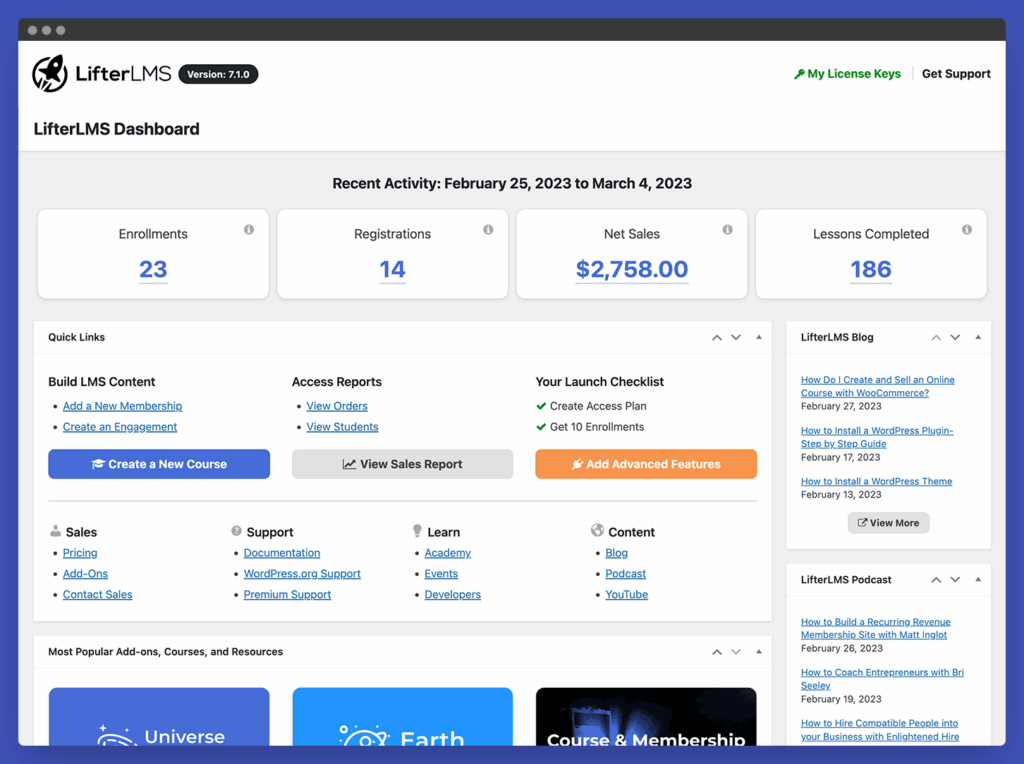
LifterLMS is a complete learning management system built for creators, coaches, schools, and training teams. It supports:
- Courses
- Memberships
- Quizzes
- Certificates
- Assignments
- Reporting
- Private coaching, groups
- Payment tools (through official gateways or manual payments)
The free core plugin gives you space to start building without committing to paid tools straightaway. When you’re ready to grow, you can extend the system through add-ons or bundles without changing your LMS setup.
LifterLMS focuses on helping you build a complete learning experience on WordPress without relying on multiple plugins, which keeps your setup simple and reduces long-term maintenance.
Course Builder
Add sections, lessons, and prerequisites with a few clicks, and rearrange everything with drag-and-drop to keep structure changes quick.
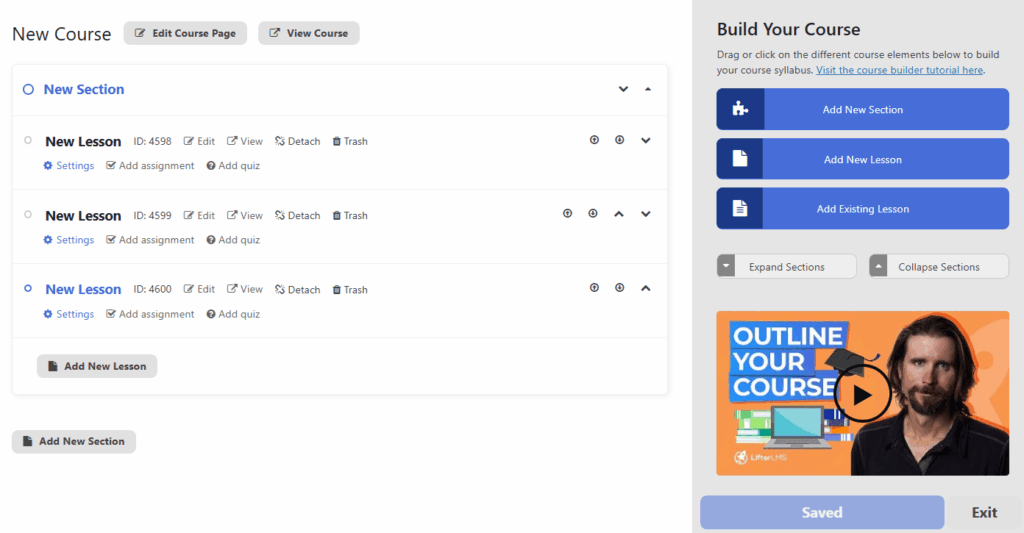
You can unlock lessons over time or after earlier material is complete, and preview lessons in the student view so you always know how the experience feels before publishing.
The builder works well for both small and large courses. If you run multi-module programmes, you can group lessons into sections and enforce progress rules. This suits schools and training teams that want more control over how learners progress.
Quizzes and Assessments
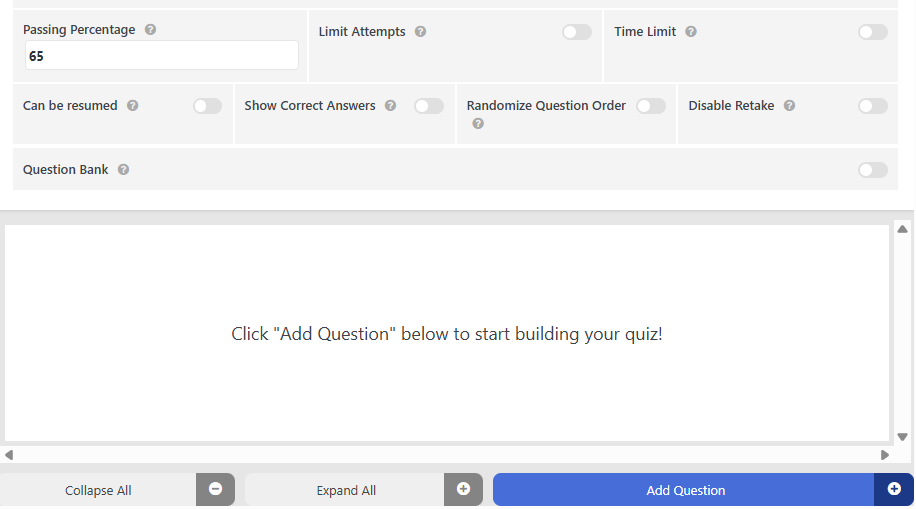
LifterLMS supports multiple question types, attempts, timers, pass marks, and randomised questions, allowing you to mix question formats to match your teaching style. Assignments allow students to upload written work or files, and instructors can grade everything inside WordPress.
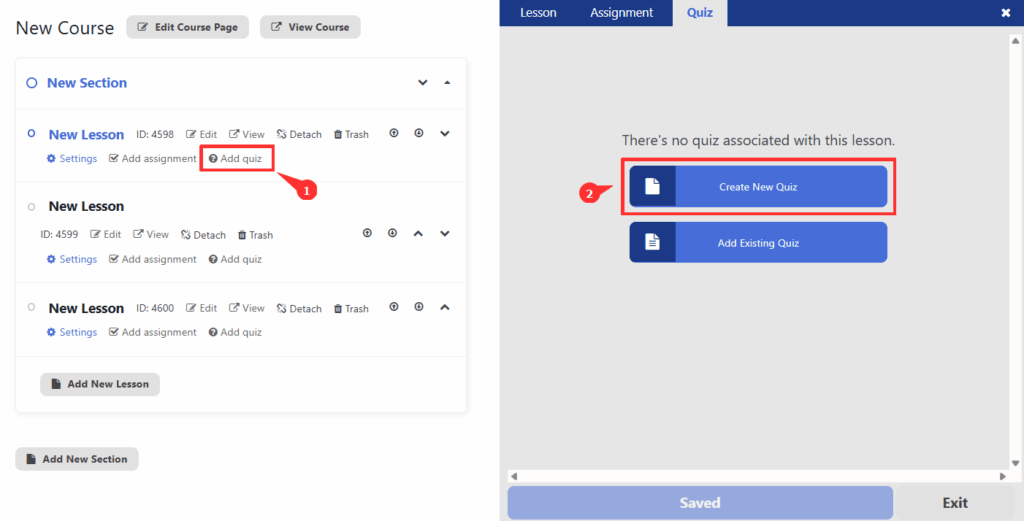
Certificates can be awarded automatically after course completion or specific milestones, giving students a clear sense of achievement.
Memberships and Access Control
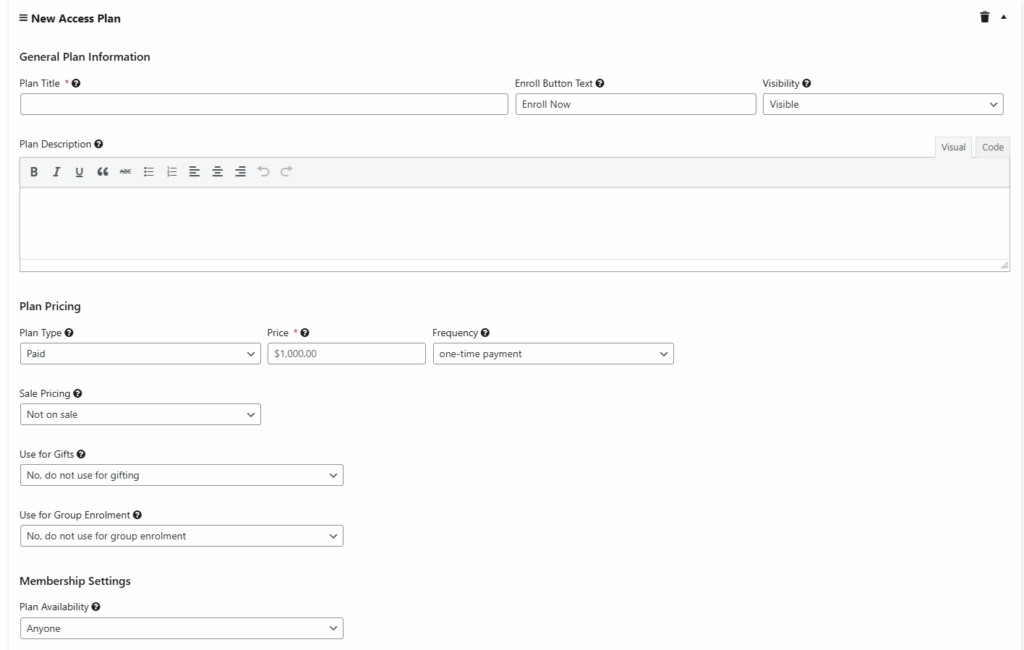
Membership tools sit at the core of the plugin. You can build free or paid memberships, create bundles, restrict content, and set multiple tiers. Access plans allow recurring payments or one-time fees. This helps you build steady revenue and offer different enrollment options as your courses expand.
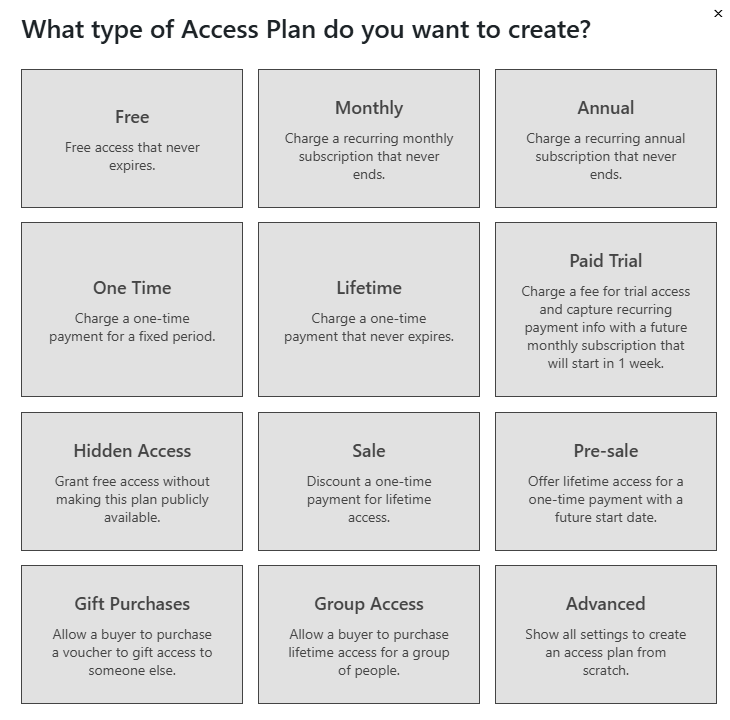
Content protection rules ensure students see only what they’ve paid for. You can offer bonuses, add exclusive modules, or create private coaching areas that give different learners different paths.
Payments and Checkout
LifterLMS supports Stripe, PayPal, and Authorize.net through official payment gateway add-ons. These integrate directly with checkout and allow one-time or recurring payments. If you prefer WooCommerce, you can integrate it later. The system handles one-time purchases, recurring payments, and access plans, so you can choose what fits your pricing model.
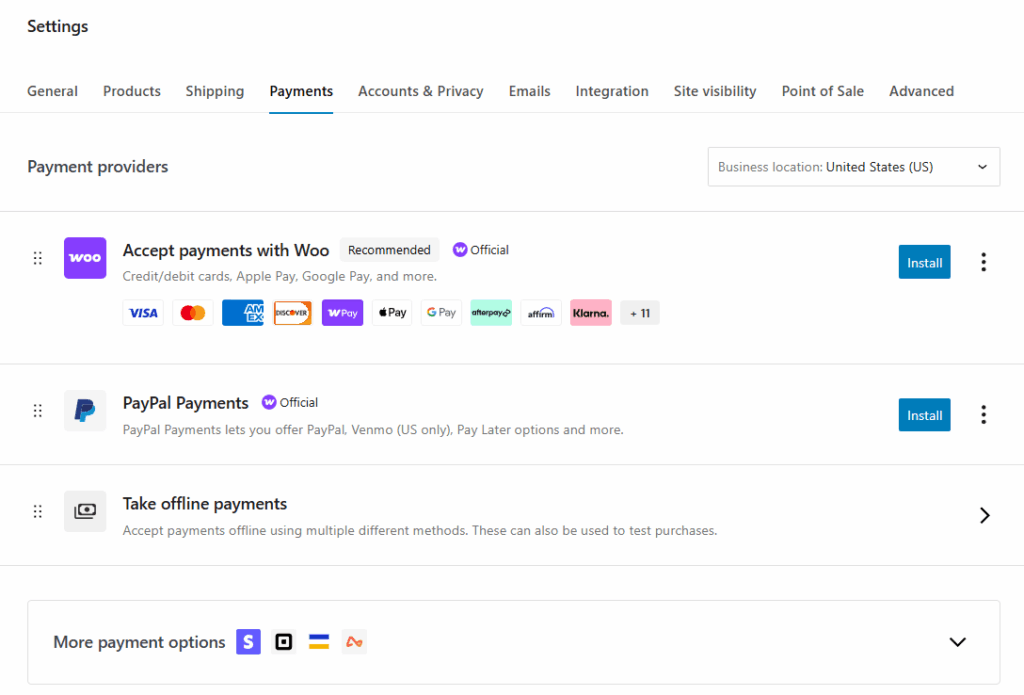
If you offer discounts or promotions, you can use built-in coupons. Refunds can be managed from your payment provider.
Reporting and Progress Tracking
Reporting covers:
- Course progress
- Quiz attempts and results
- Assignment submissions
- Student completion
- Group performance
All of which lets you see how learners move through your material.
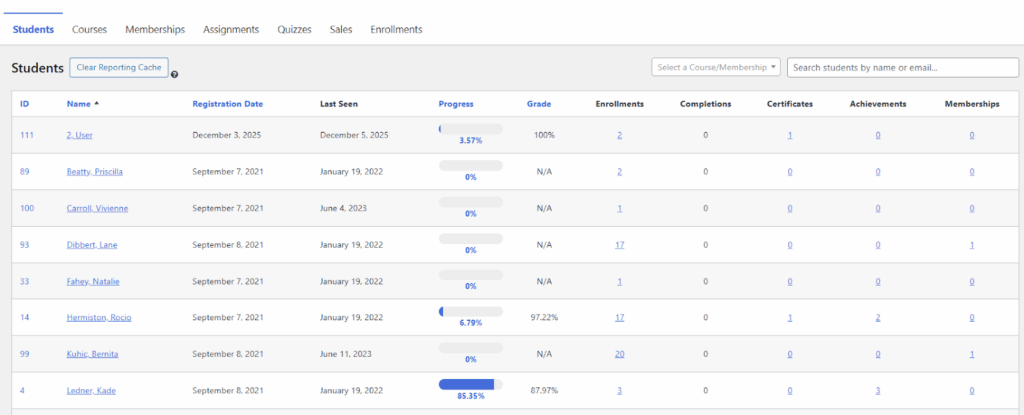
Group reporting helps you monitor cohorts when you’re running team or company training. Instructors can see overviews or look at individual student records.
Groups and Team Training
The LifterLMS Groups add-on lets you sell courses and memberships to teams rather than individual learners. Each organisation gets its own group, and group leaders have a dashboard where they can enrol people, track progress, and manage seat usage. This works well for businesses, schools, or internal training programs that need to manage multiple learners simultaneously.
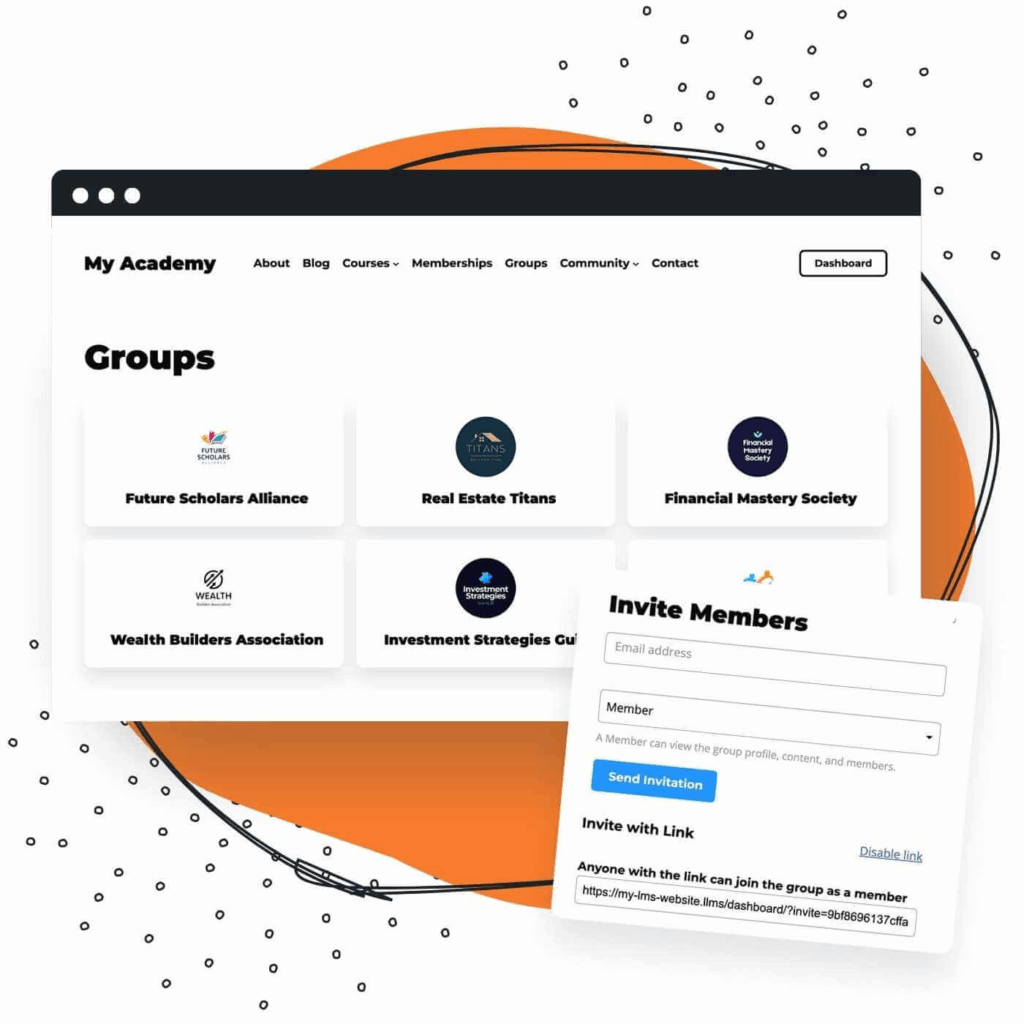
Group leaders can see learner data, customize their group’s view, and handle enrolments without needing full site admin access, which helps larger teams manage learners without relying on you.
Learn more about LifterLMS Groups here.
Coaching and Private Student Workflows
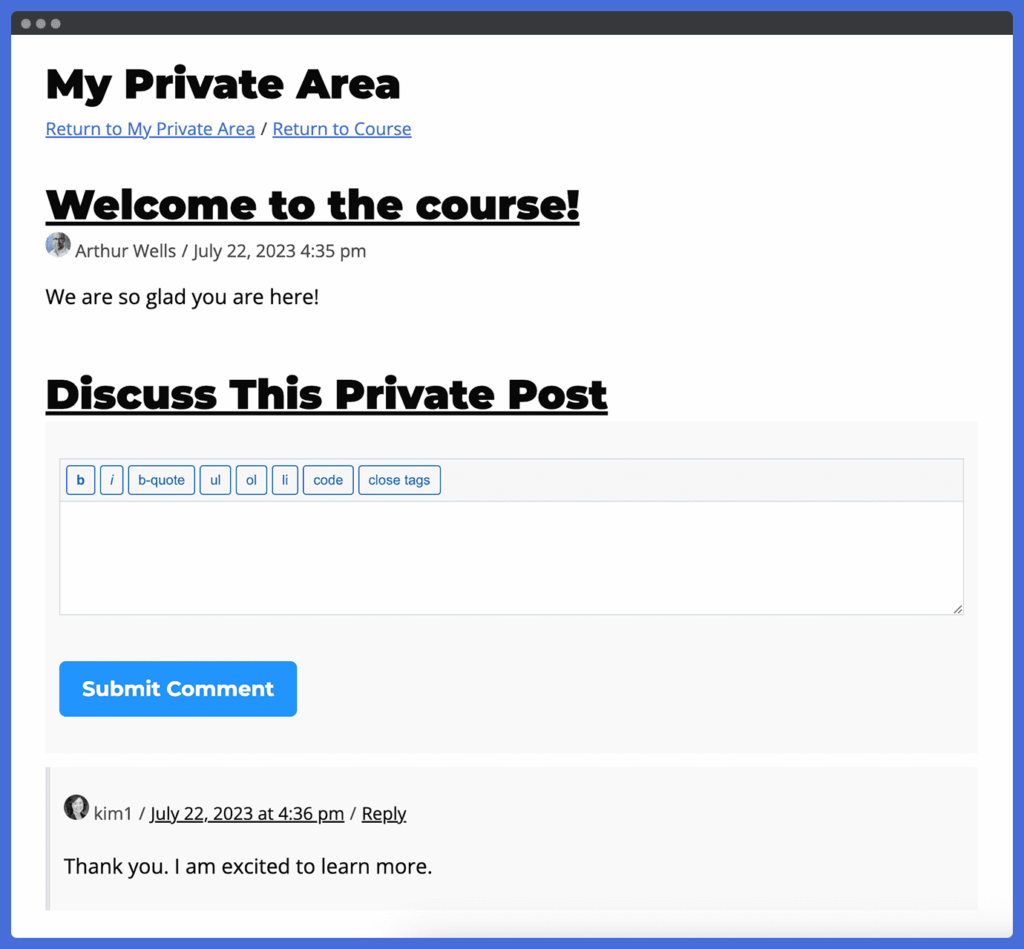
The private coaching add-on supports individual message threads, assignment reviews, progress feedback, and direct support. This is helpful for high-touch programmes that rely on personal interaction and direct feedback.
Performance and Stability
LifterLMS is designed to run efficiently and perform well on capable hosting. Large sites with many students benefit from strong hosting, and the plugin remains efficient even as your courses and user numbers grow.
Integrations
LifterLMS integrates with:
- Stripe
- PayPal
- WooCommerce
- Mailchimp
- ConvertKit
- ActiveCampaign
- Zapier
- Many video hosts
This helps you connect the LMS to tools you already depend on, without changing how everything else works.
Total Cost of Ownership
The free core plugin helps new creators start with no upfront cost. You can sell courses using manual/offline payments in the core plugin. Card payments such as Stripe, PayPal, or Authorize.net are available through official paid gateways. Bundles reduce cost if you need features like groups, automation, or private coaching.
For most users, the total cost remains competitive because many tools are already included, which keeps long-term expenses lower than stacking multiple separate plugins.
Pros
- Strong free core plugin
- Clear course builder
- Built-in memberships and payments
- Strong reporting tools
- Scales well
- Useful add-ons
Cons
- Advanced tools require bundles
- Large sites benefit from planning
Best For
Creators, schools, and teams that want full control and a single LMS system that grows with them.
LearnDash
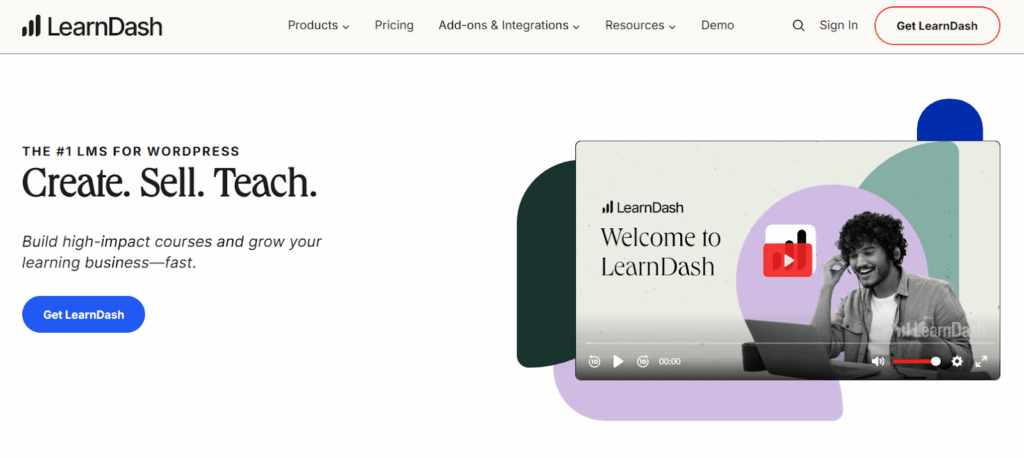
LearnDash is one of the longest-standing commercial LMS plugins for WordPress.
It is widely used by universities, training companies, professional educators, and large organisations. Its reputation comes from its structured learning paths, strong assessment features, and reliable reporting tools.
LearnDash suits users who need a formal LMS model with gradebooks, assignments, and strict progression rules. It also supports large-scale cohort training through group management.
Course Builder
The LearnDash course builder follows a block-based interface. You create courses, lessons, and topics, then arrange them into a hierarchy. This makes it easy to build structured, multi-level courses without needing extra tools.
Focus Mode provides a distraction-free environment for students. The layout is clean, which helps when delivering academic or professional material.
LearnDash enables you to lock progression using prerequisites and drip schedules. This supports both self-paced and timed programmes.
Quizzes and Assessments
LearnDash excels at quizzes. It offers:
- Many question types
- Timers
- Attempts
- Question banks
- Randomisation
- Essay questions
- Categorised questions
- Graded assignments
The platform allows you to build complex assessments that test knowledge in depth, which is one of the reasons LearnDash is used by training companies and schools.
These assignments can help add flexibility, with students able to upload files, written work, or long-form responses, and instructors able to review submissions directly.
Certificates are generated after completing quizzes or courses, and templates can include custom student fields.
Memberships and Access Rules
LearnDash includes basic enrollment and access controls, but it isn’t a dedicated membership system. For complex membership sites, you’ll usually pair it with a tool such as MemberPress or Restrict Content Pro.
This makes the plugin flexible but increases cost and complexity if you need tiered access.
Payments and Checkout
LearnDash includes support for PayPal and Stripe, and can also connect to WooCommerce for additional gateways.
The checkout experience depends on the tools you pair with LearnDash. WooCommerce offers greater flexibility but adds more moving parts.
Reporting and Analytics
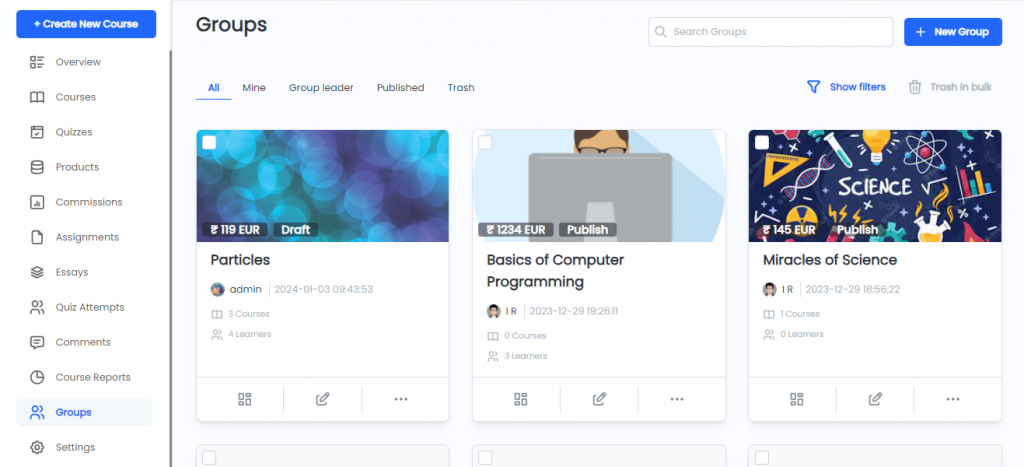
Reporting is one of LearnDash’s strengths. You can track:
- Student progress
- Course completion
- Quiz performance
- Group results
- Assignment submissions
The Group Leader role allows organisations to assign managers who track cohorts, and reports can be exported for audits or compliance training.
Groups and Corporate Training
Group management is a key feature. You can:
- Sell group access
- Enrol many users at once
- Assign group leaders
- Track cohort progress
This makes LearnDash suitable for enterprise and B2B training.
Performance and Stability
LearnDash is powerful but can feel heavy. Large sites need strong hosting, caching, and a lean plugin stack. Many high-traffic LearnDash sites use dedicated hosting.
The plugin stays stable with good hosting and regular maintenance. Performance depends more on hosting quality than on LearnDash itself.
Integrations
LearnDash connects with:
- WooCommerce
- Stripe / PayPal
- Zapier
- MemberPress
- BuddyBoss
- bbPress
- GamiPress
- Mailchimp, ConvertKit, ActiveCampaign
Integrations expand what the LMS can do, but may increase complexity.
Total Cost of Ownership
LearnDash is paid-only. Many useful features rely on paid add-ons, which increases the cost. If you need memberships, advanced payments, gamification, or extensive marketing tools, expect to use third-party plugins.
This can be a strength if you want modular control, but it can also raise the annual cost.
Pros
- Best-in-class quizzes and assessments
- Strong reporting and group tools
- Good for formal training
- Large integration ecosystem
Cons
- No free version
- Dependence on add-ons
- Can feel heavy on busy sites
Best For
Schools, organisations, and training teams that need strong assessments and detailed reporting.
Sensei LMS
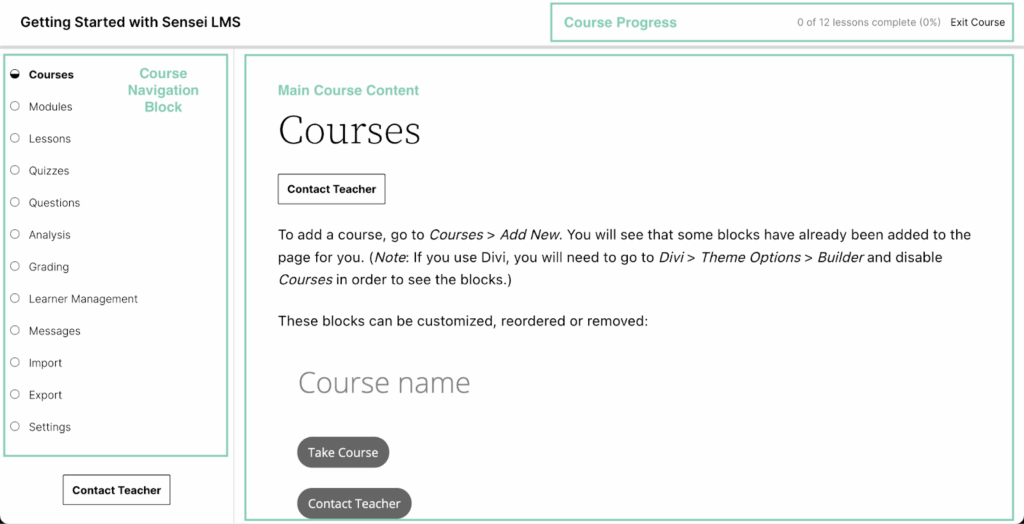
Sensei LMS is developed by Automattic, the company behind WordPress.com and WooCommerce. Its strongest appeal is its tight connection to WooCommerce, making it a natural choice for store owners who want to sell courses without adding a complex LMS system. Sensei LMS focuses on simplicity and familiarity. It uses the native WordPress block editor, so the learning curve is low for anyone already comfortable with WordPress.
Sensei LMS works best for straightforward course delivery rather than complex training programmes. If you want to offer paid lessons, simple quizzes, or content upgrades inside a WooCommerce-driven site, Sensei LMS keeps things smooth.
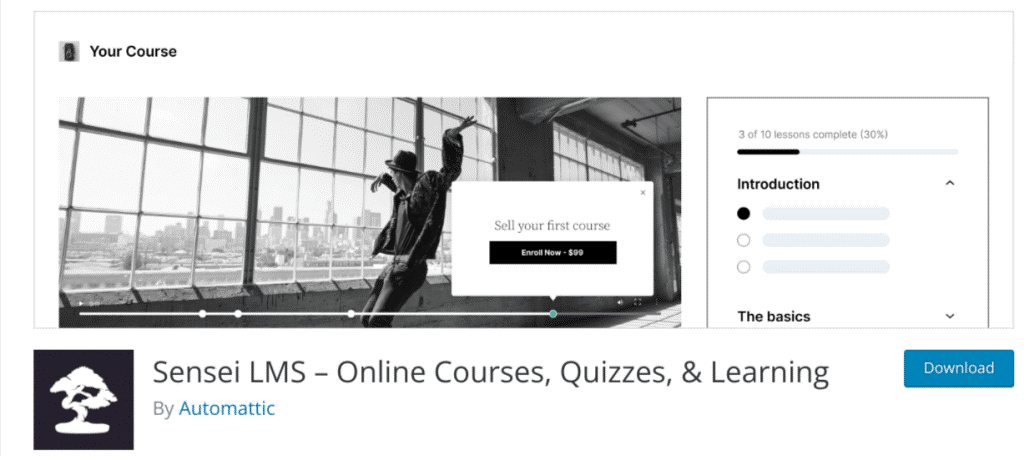
The builder uses the standard WordPress block editor. Lessons and modules are created the same way you build pages or posts, which is a strong advantage for users who dislike learning new interfaces.
You can group lessons into courses, add videos, and embed external media. Lesson templates help you maintain consistent layouts.
Drip content and advanced course structures require paid extensions. Core tooling is intentionally lightweight.
Quizzes and Assessments
Quizzes in Sensei LMS are straightforward in the free version. Sensei Pro adds more question types, question banks, timers, and randomisation, giving you more control over assessments.
For simple course sites, this usually covers what you need. For formal training, certification programmes, or skill-based assessments, the quiz system may feel limited.
Memberships and Access Control
Sensei LMS doesn’t include a full membership system. Instead, WooCommerce manages payments and access.
This has both benefits and drawbacks. You gain WooCommerce’s wide gateway support, coupons, tax handling, and product workflows. But you need several paid extensions to match the flexibility of plugins that include native membership controls.
Managing multiple tiers or selling bundles often requires more configuration.
Payments and Checkout
This is one of Sensei’s strengths. Payments are handled entirely by WooCommerce.
You can use:
- Stripe
- PayPal
- Apple Pay / Google Pay
- Local gateways
- Subscription plugins
- Coupons and discounts
If your business already depends on WooCommerce, Sensei LMS aligns with your existing checkout system.
Reporting and Analytics
Reporting in the free version covers essential progress and completion data. More advanced analytics are available when using Sensei Pro and WooCommerce extensions.
For businesses that need in-depth analytics, Sensei LMS may not offer enough without extensions.
Extensions and Add-ons
The Sensei ecosystem includes extensions for:
- Certificates
- Content dripping
- Interactive videos
- Course expiration
- Advanced quiz features
Extensions improve the system, but do increase the total cost.
Performance and Stability
Sensei LMS is lightweight. It runs smoothly on most hosting plans. Since it uses core WordPress systems, it avoids heavy scripts.
Performance mainly depends on your WooCommerce setup. If your store has many plugins or products, your LMS performance may reflect that.
Integrations
Sensei LMS integrates with:
- WooCommerce
- WordPress blocks
- Jetpack (for analytics)
- Video hosts
- Third-party extensions through WooCommerce
This keeps the plugin simple but limits built-in LMS-specific integrations.
Total Cost of Ownership
The core plugin is free. Most advanced functionality comes through paid extensions.
If you need certificates, drip content, or interactive videos, your annual cost increases quickly. WooCommerce may require further paid extensions.
For simple courses, costs stay low. For full LMS needs, the total can exceed plugins with built-in features.
Pros
- Deep WooCommerce integration
- Familiar WordPress editor
- Lightweight and fast
- Free core version
Cons
- Limited reporting
- Many advanced LMS features require extensions
- Basic quizzes
Best For
WooCommerce stores that want simple course delivery without adopting a full LMS system.
Tutor LMS
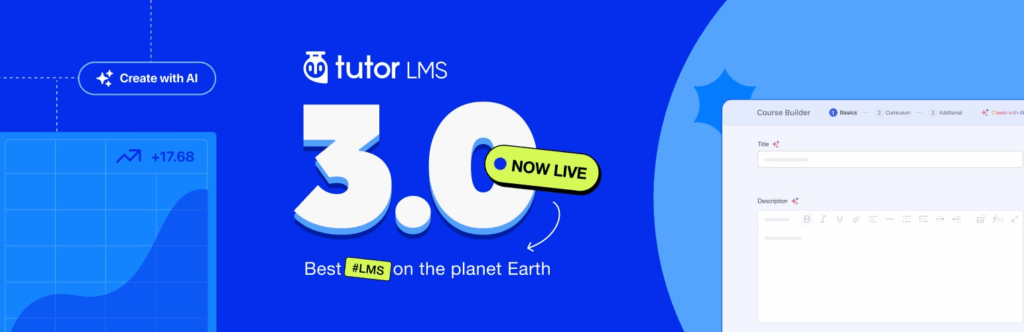
Tutor LMS is a popular choice for beginners, tutors, and small education teams. It focuses on ease of use, with a generous free version and a clean visual builder. Its interface is one of the most beginner‑friendly in the LMS category, making it a common starting point for first‑time course creators.
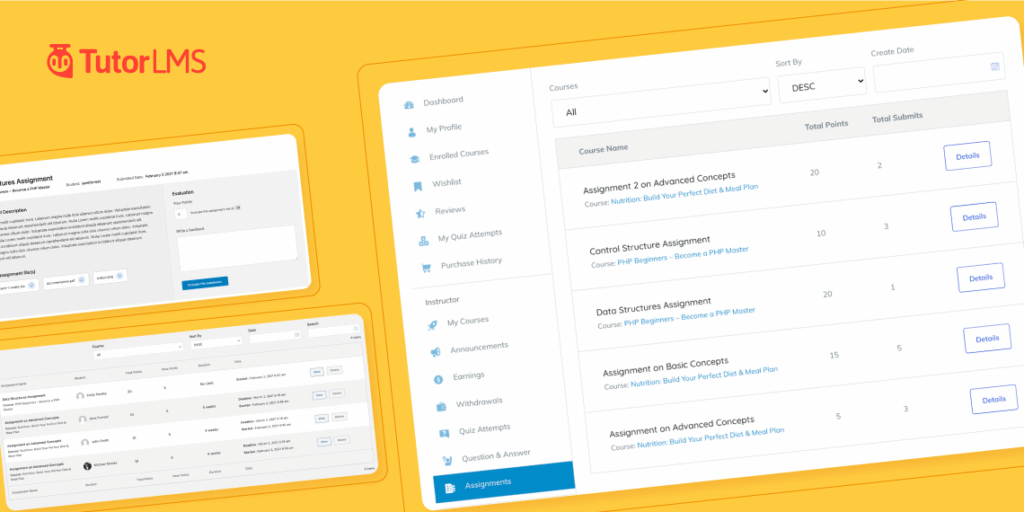
Tutor LMS supports lessons, quizzes, certificates, assignments, and instructor management. A marketplace feature allows multi‑instructor sites with revenue‑sharing. This makes it appealing to teachers who want to onboard guest instructors or build a small teaching platform.
Course Builder
The Tutor LMS builder is visual and intuitive. You can add lessons, rearrange modules, control access, and attach materials quickly. Front‑end course building is also possible, which helps instructors who prefer working outside the WordPress admin area.
The builder is lighter than those in more advanced systems. It covers common needs well, but instructors building large or complex programmes may want more structural depth.
Quizzes and Assessments
Tutor LMS includes useful quiz tools covering:
- Multiple choice
- True–false
- Fill‑in‑the‑blank
- Short answers
- Matching questions
- Timers
- Attempts
The free version covers basic quizzes. Tutor LMS Pro adds:
- More question types
- Advanced settings
- Detailed quiz reports
- Automation triggers
Assignments support file uploads and manual grading, and certificate templates add a professional touch for course completion.
Memberships and Access Control
Tutor LMS doesn’t include a native membership system. You can lock lessons and courses, but tiered memberships, recurring subscriptions, or bundled access require WooCommerce or another membership plugin.
This keeps the core simple but increases the total cost if you need advanced access rules.
Payments and Checkout
Payments rely on WooCommerce or other e‑commerce plugins. This provides access to many gateways but adds more configuration.
The workflow suits instructors who already use WooCommerce or want maximum payment flexibility.
Reporting and Analytics
The free version offers basic reporting. Tutor LMS Pro unlocks better analytics, including:
- Quiz performance
- Student progress
- Course completion data
- Earnings reports for marketplaces
Reports are clear but not as detailed as those in more enterprise‑focused LMS systems.
Marketplace and Multi‑Instructor Tools
One of Tutor LMS’s most distinctive features is its multi‑instructor marketplace setup. Instructors can apply, create profiles, upload courses, and earn revenue based on commission rates.
This suits small education businesses or teaching‑focused platforms. For larger platforms, more advanced moderation tools may be needed.
Performance and Stability
Tutor LMS performs well for small and mid‑sized sites. It avoids heavy scripts and runs smoothly with common caching plugins.
Large marketplace sites with many instructors may need stronger hosting and careful optimisation.
Integrations
Tutor LMS integrates with:
- WooCommerce
- Easy Digital Downloads
- Mailchimp
- Stripe and PayPal (via WooCommerce)
- Multilingual plugins
- Elementor and other builders
These integrations expand the plugin’s reach without overwhelming new users.
Total Cost of Ownership
The free core is generous. Tutor LMS Pro unlocks features many creators eventually need: advanced quizzes, assignments, certificates, and better reporting.
WooCommerce extensions may add further costs if you want subscriptions or complex checkout flows.
For simple sites, the total cost is low. For more complex platforms, the annual cost rises but stays competitive.
Pros
- Very beginner‑friendly
- Strong free version
- Visual builder
- Marketplace features
Cons
- Advanced tools are locked behind Pro
- Memberships require extra plugins
- Reporting is basic in the free version
Best For
Beginners, tutors, and small teaching teams that want a friendly and affordable LMS with room to grow.
MemberPress Courses
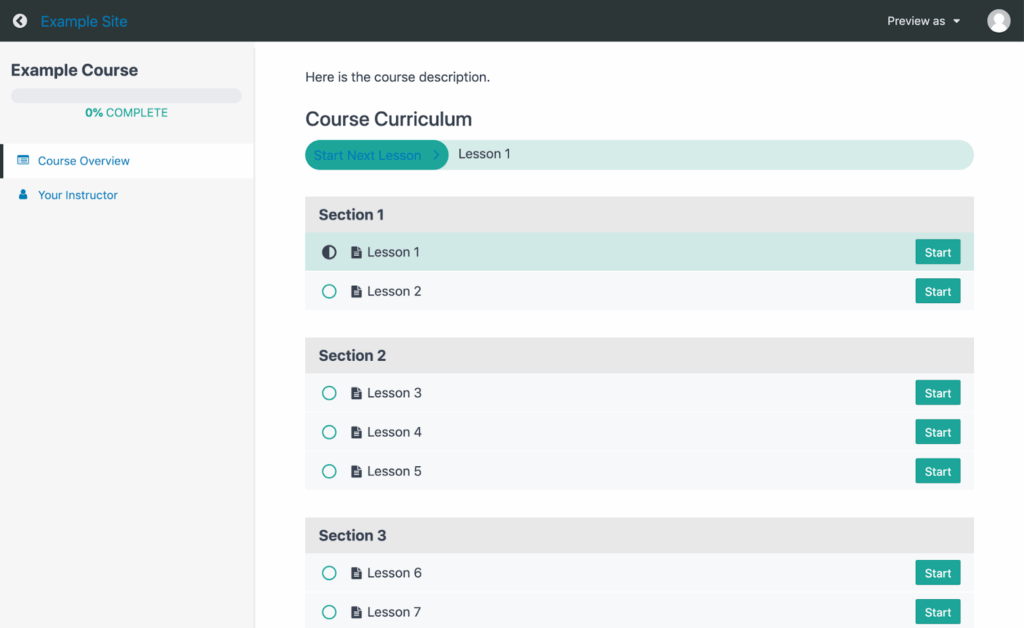
MemberPress Courses is an extension of the MemberPress membership and access-control ecosystem. Rather than functioning as a standalone LMS, it adds course-building capabilities to a membership-first framework. This makes it ideal for creators and businesses whose primary focus is running a subscription or community site, with courses offered as part of the overall content library.
MemberPress Courses is designed to stay simple. It emphasises ease of use and clean presentation over deep LMS functionality. For sites that need complex assessments, advanced reporting, or detailed instructor workflows, it may feel limited. But for membership-focused creators who want to publish structured learning content without managing multiple plugins, it offers a dependable experience.
Course Builder
The builder is based on a visual, straightforward layout. You can add modules and lessons, attach media, and set up a course outline quickly. The system focuses on clarity rather than depth, making it well-suited to creators who want to publish content fast.
You can protect lessons using MemberPress access rules, keeping your course structure aligned with your membership tiers.
The builder does lack some advanced features found in dedicated LMS tools, such as prerequisites, advanced lesson settings, or detailed quiz logic.
Quizzes and Assessments
MemberPress Courses includes simple quizzes suitable for basic assessments. For more advanced testing, you may wish to pair it with a dedicated quiz plugin.
If you need formal assessments, assignments, or advanced question structures, MemberPress Courses will feel light, tending to focus on course delivery rather than controlled testing.
Memberships and Access Control
This is where MemberPress excels. You can:
- Create multiple membership tiers
- Restrict lessons and modules
- Offer bundles
- Drip or schedule content
- Build recurring revenue streams
- Gate content based on rules
MemberPress’s access rules are detailed and reliable. This makes MemberPress Courses a strong choice if your business model centres around recurring subscriptions or paid communities.
Payments and Checkout
MemberPress integrates with:
- Stripe
- PayPal
- Authorize.net
You can set up one-time purchases, recurring subscriptions, upgrades, downgrades, and coupons.
The checkout experience is smoother and more consistent than in many LMS plugins that rely heavily on WooCommerce.
Reporting and Analytics
Reporting covers membership metrics first and course progress second. You can track:
- Member activity
- Sales and renewals
- Failed payments
- Course completion
The system isn’t designed for detailed learner analytics, as it lacks deep quiz data, assignment tracking, or group performance reports.
Communities and Added Features
MemberPress integrates with forum plugins, community tools, and content dripping workflows. This supports membership-focused learning environments.
For structured education or compliance training, however, dedicated LMS systems are more capable.
Performance and Stability
MemberPress is efficient and avoids heavy overhead. Performance remains stable even on medium-tier hosting.
Since the LMS portion is lighter, MemberPress Courses often loads faster during lessons than more complex LMS platforms.
Integrations
MemberPress Courses integrates with:
- Stripe / PayPal / Authorize.net
- Email marketing platforms
- Zapier
- Affiliate tools
- Forum and community plugins
These integrations support subscription-based learning models.
Total Cost of Ownership
MemberPress Courses is included in MemberPress packages. Pricing is not tied to courses, but to the membership system.
This can be efficient if you already run MemberPress. If you adopt MemberPress purely for courses, the cost may be higher than using a dedicated LMS with native membership tools.
Pros
- Excellent membership tools
- Simple course builder
- Smooth checkout experience
- Reliable content protection
Cons
- Limited LMS depth
- Basic quizzes
- Minimal reporting for learning data
Best For
Websites that focus on memberships first and courses second. Ideal for creators, communities, and subscription-based learning platforms.
Thrive Apprentice
Thrive Apprentice is built for creators who prioritise design control, branded experiences, and well-structured content flows. It forms part of the wider Thrive Suite ecosystem, which includes Thrive Architect, Thrive Theme Builder, Thrive Leads, and other marketing-focused tools. This tight integration makes Thrive Apprentice a strong choice for sites where marketing, conversions, and landing page quality matter as much as the course material itself.
Thrive Apprentice covers lessons, modules, drip schedules, access rules, and basic assessments. It doesn’t aim to be a full LMS for enterprise or academic training. Instead, it sits between an LMS and a digital product delivery system.
Course Builder
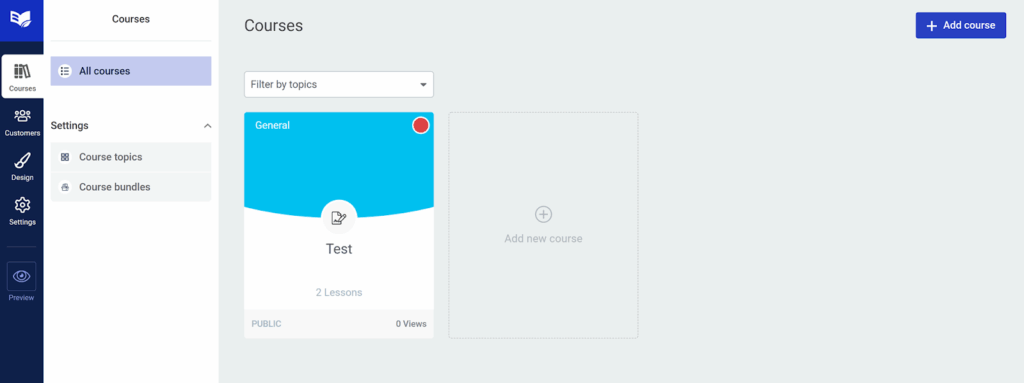
The course builder uses the same visual editing experience found across Thrive products. You can customise:
- Lesson templates
- Course menus
- Typography
- Layouts
- Progress elements
- Navigation
This helps you maintain a consistent brand across all learning materials. For creators who care about presentation, Thrive Apprentice offers more control than most LMS tools.
Lessons can be organized into modules and chapters, add videos, attach downloads, and structure content clearly. The builder is responsive and easy to adapt.
Quizzes and Assessments
To add quizzes to your courses, you need to pair Thrive Apprentice with Thrive Quiz Builder. Quiz Builder handles all assessments, from simple knowledge checks to advanced branching quizzes, which you can embed directly into lessons.
Quiz Builder integrates seamlessly with Apprentice, letting you create assessments with branching logic, scoring, and visual reports.
Memberships and Access Control
Access control in Thrive Apprentice is detailed and flexible. You can create:
- Product-level access
- Course bundles
- Protected content areas
- Drip schedules
- Locked lessons
Access rules integrate with Thrive’s ecommerce tools or WooCommerce. Thrive’s system allows you to create products that combine courses, downloads, and other digital materials. This flexibility helps creators build unique content structures without relying on extra plugins.
Payments and Checkout
Thrive Apprentice includes a native Stripe integration for selling courses, or you can pair it with WooCommerce, ThriveCart, or SendOwl.
This gives creators control over how they structure their sales funnels. Upsells, order bumps, and landing pages can all be built with Thrive Architect.
Reporting and Analytics
Reporting focuses more on user access than on detailed learning analytics. You can see:
- Enrolled users
- Course completion
- Lesson progression
If you require deep quiz analytics or instructor-level reporting, you’ll need Thrive Quiz Builder or additional tools.
Marketing and Design Features
This is where Thrive Apprentice stands out. You can design:
- Custom course layouts
- Branded dashboards
- Conversion-focused landing pages
- Onboarding flows
- Opt-in forms
- Sales funnels
Thrive Suite’s unified approach helps creators control every part of the experience from the first landing page to course completion.
Performance and Stability
Thrive’s tools are generally well-optimised, though the visual builder can add load depending on your hosting. On modern hosting, performance remains solid.
Since Thrive Apprentice avoids heavy LMS logic, lesson pages tend to load quickly.
Integrations
Thrive Apprentice connects with:
- Thrive Suite tools
- WooCommerce
- Email platforms via API or integrations
- Zapier
- LMS-specific add-ons (limited but growing)
It isn’t built to integrate with enterprise LMS systems or certification tools.
Total Cost of Ownership
Thrive Apprentice is included in Thrive Suite. While this increases initial cost, you gain access to many marketing and design tools. For creators who plan to build funnels or landing pages, this can replace several plugins.
For users who only want an LMS, Thrive Apprentice may feel expensive.
Pros
- Excellent design control
- Tight integration with Thrive Suite
- Flexible access rules
- Good for marketing-focused creators
Cons
- Works best within Thrive Suite
- Limited LMS depth without extra tools
- Basic built-in quizzes
Best For
Creators who care about design, branding, and marketing workflows. Ideal for selling digital products, coaching programmes, or visually rich courses.
LearnPress
LearnPress is a long-standing free LMS plugin with a large user base, and it focuses on delivering essential LMS features without forcing users into paid plans. Its modular add-on system makes it flexible, though the experience can vary depending on which extensions you install. LearnPress suits beginners, hobbyists, budget-conscious creators, and anyone who wants a simple LMS with some room to grow.
LearnPress is often paired with themes specifically designed for it, with many popular education themes on ThemeForest, including LearnPress out of the box. This gives you a polished student experience without needing design skills.

Course Builder
The LearnPress course builder is simple and functional, supporting the ability to add lessons, quizzes, sections, and downloadable materials. The interface feels familiar if you’ve used WordPress for a while.
The builder doesn’t have the drag-and-drop polish seen in newer tools, but it gets the job done. For straightforward course structures, LearnPress works well, but if you want advanced progression rules or complex course flows, you may need paid add-ons.
Quizzes and Assessments
LearnPress supports multiple question types and basic quiz logic, as well as the setting up of passing grades, randomised questions, and timers.
For simple tests, this is enough. For advanced assessments or compliance-style training, the quiz system may feel limited. It is possible to enhance quizzes with add-ons, but this does increase the cost.
Memberships and Access Control
LearnPress doesn’t include built-in membership features. It is possible to restrict lessons and courses, but recurring revenue models or multi-tier memberships require integrations with membership plugins.
This setup works best for creators who want to sell courses individually rather than running a full membership site.
Payments and Checkout
LearnPress supports:
- Stripe (add-on)
- PayPal
- WooCommerce
- 2Checkout (now Verifone)
WooCommerce integration gives you more gateway options. Without WooCommerce, the native PayPal workflow is enough for simple sites.
Reporting and Analytics
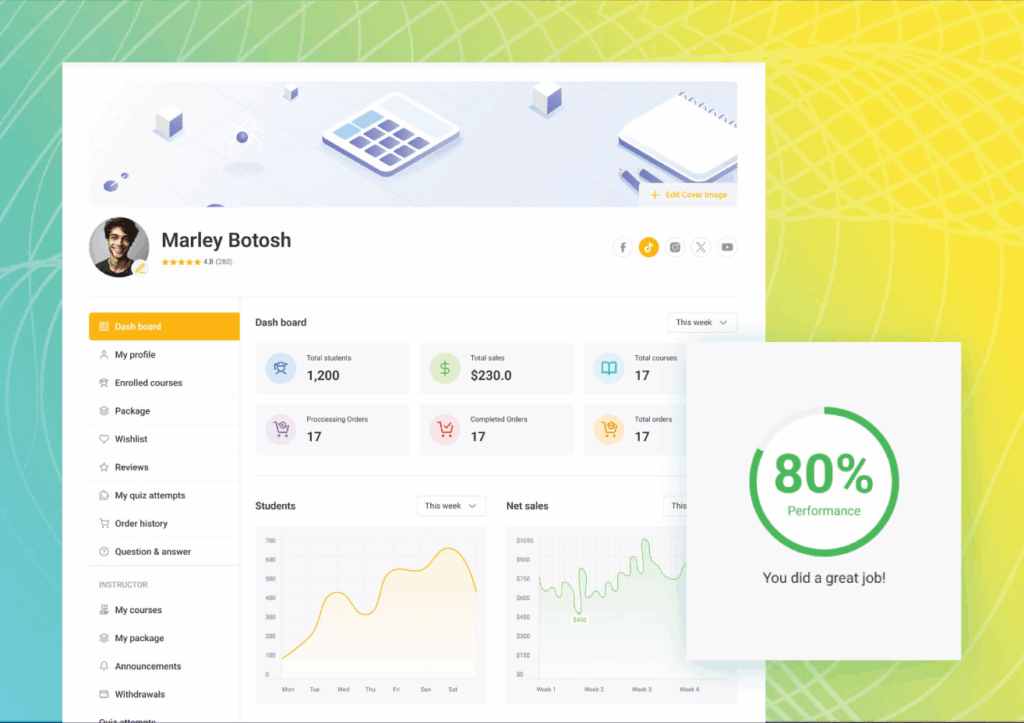
Reporting covers:
- Student progress
- Course completion
- Quiz results
It’s functional, but not as detailed as dedicated LMS systems, and data export is limited.
Add-ons and Marketplace
This is where LearnPress gains flexibility. You can extend it with:
- Certificates
- Gradebooks
- Sorting options
- Author tools
- Content drip
- Course wishlist
- Offline payment handling
Add-on quality does vary, with some being excellent and others less polished. Managing a large number of add-ons can also increase maintenance work.
Performance and Stability
LearnPress is lightweight at its core, with its performance largely depending on your theme and add-ons. With too many extensions active, load times are likely to increase.
For small and medium-sized sites, performance is usually stable, but larger sites may need stronger hosting.
Integrations
LearnPress integrates with:
- WooCommerce
- Paid Memberships Pro
- Elementor
- Various payment gateways
Integrations increase flexibility but also increase configuration time.
Total Cost of Ownership
The core plugin is free, but many useful features come through paid add-ons. The cost stays low if you only need basic tools. If your LMS needs grow, your expenses rise as you add more extensions.
However, LearnPress can still be more affordable than many paid-only LMS plugins.
Pros
- Free core plugin
- Large theme ecosystem
- Many add-ons
- Simple to start
Cons
- Add-on quality varies
- Limited reporting
- Not ideal for large or complex training sites
Best For
Budget-conscious users, simple course sites, and creators using LearnPress-ready themes who want flexibility at a low cost.
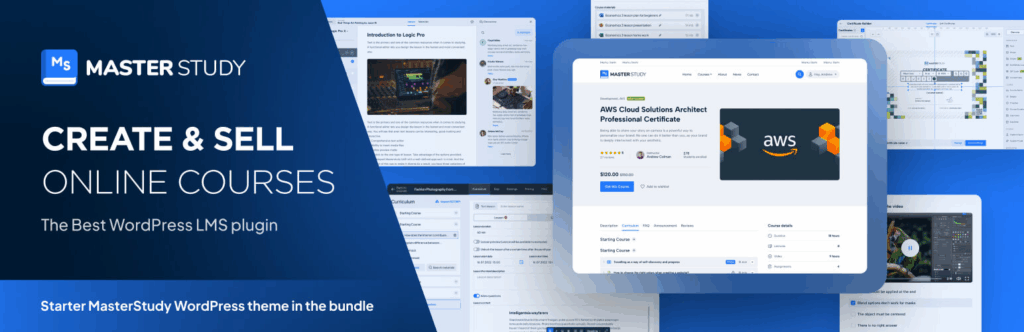
MasterStudy LMS
MasterStudy LMS is designed for schools, training centres, and education teams that need classroom-style organisation. It offers a mix of free and premium features and provides tools for both self-paced learning and instructor-led programmes. The plugin includes a front-end course builder, assignments, quizzes, certificates, live-stream support, and student management tools.
MasterStudy LMS focuses on creating a structured learning environment, giving instructors clear tools to manage lessons, track progress, and run interactive sessions. For teams running regular classes, webinars, or multi-instructor sites, MasterStudy LMS offers many features that replicate a traditional classroom.
Course Builder
The front-end course builder helps instructors create courses without working inside the WordPress admin area. This is useful for teams that have multiple teachers who may not be familiar with WordPress.
The builder supports:
- Lessons
- Quizzes
- Assignments
- Sections and topics
- Video content
- Downloads
You can also set difficulty levels, durations, and related courses.
The editing workflow is clean and makes it easy for non-technical instructors to contribute, which is one of the plugin’s biggest strengths.
Quizzes and Assessments
MasterStudy LMS supports many question types and offers structured quiz settings:
- Multiple choice
- True–false
- Single choice
- Matching
- Fill-in-the-blank
It’s also easy to randomise questions, set timers, limit attempts, and define passing marks.
Assignments allow students to upload files or written submissions, and instructors can review, grade, and return feedback.
Certificates can be generated using built-in templates or custom designs.
Live Lessons and Webinars
MasterStudy LMS includes integration with Zoom, which allows instructors to:
- Host live lessons
- Run webinars
- Connect course modules to scheduled events
This feature supports hybrid and real-time teaching models.
Memberships and Access Control
MasterStudy LMS includes content restriction, bundles, and paid course access. It doesn’t include full membership tools, but does integrate well with WooCommerce and Paid Memberships Pro when needed.
Access rules cover free courses, paid courses, bundles, and recurring subscriptions.
Payments and Checkout
Courses can be sold using:
- WooCommerce
- Stripe
- PayPal
- Paid Memberships Pro
WooCommerce gives you maximum flexibility with gateways and tax handling.
Reporting and Analytics
Reporting tools cover:
- Quiz performance
- Course completion
- Assignment submissions
- Student progress
- Revenue data (Pro)
The reporting interface is clear. For education teams, the ability to track multiple students across programmes is helpful.
Instructor and Student Management
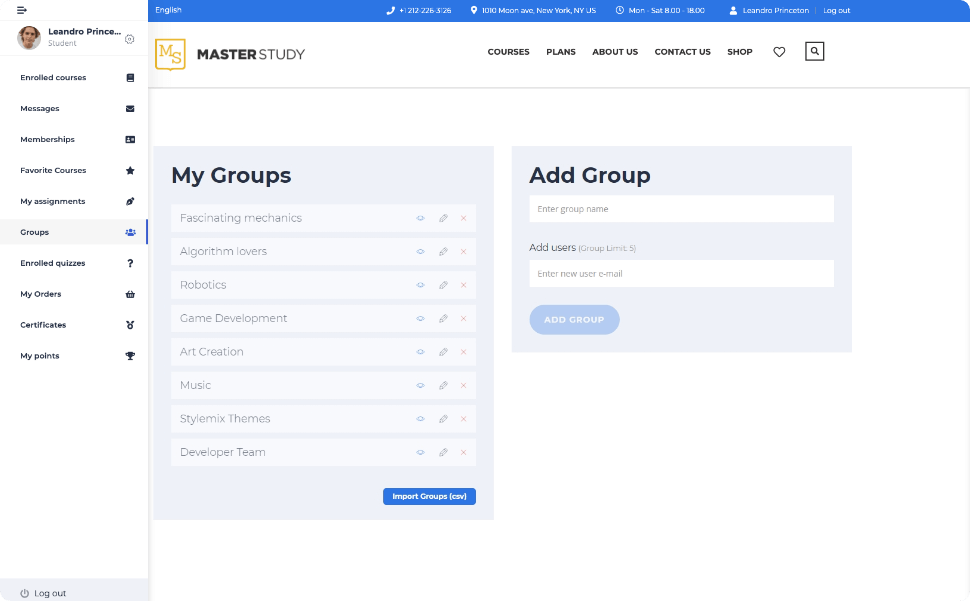
Multi-instructor support allows schools to:
- Give instructors their own dashboards
- Track performance
- Manage assignments
- Communicate with students
Students have access to their progress, certificates, and enrolled courses.
Performance and Stability
MasterStudy LMS is feature-rich and may require strong hosting for large sites. Performance is stable with caching. The front-end builder is responsive and user-friendly.
Large installations with many instructors benefit from stronger hosting and a clear structure.
Integrations
MasterStudy LMS integrates with:
- WooCommerce
- Stripe / PayPal
- Zoom
- Elementor
- Paid Memberships Pro
- Mailchimp
This makes it adaptable for both small and large education teams.
Total Cost of Ownership
The free version offers many features, but the Pro plan unlocks:
- Zoom integration
- Assignments
- Gradebooks
- Drip content
- Certificates
- Additional question types
- Group courses
- More reporting tools
For schools or multi-instructor setups, the Pro plan is usually necessary.
Pros
- Strong classroom-style tools
- Front-end instructor builder
- Zoom integration
- Good reporting
- Flexible payments
Cons
- Advanced features require Pro
- Can feel heavy on smaller hosting plans
Best For
Schools, teams, and education organisations that need structured, instructor-led learning and a front-end builder.
WP Courseware
WP Courseware is one of the earliest WordPress LMS plugins and focuses on a simple, structured approach to course building. It offers a drag-and-drop builder, quizzes, certificates, assignments, and integrations with popular membership plugins. WP Courseware suits creators who want a straightforward LMS without the complexity of larger platforms.
The plugin is designed to make course creation fast. Its clear layout appeals to teachers, coaches, and small businesses that want to publish lessons without navigating a steep learning curve.

Course Builder
The course builder uses a drag-and-drop interface. You can add modules, lessons, and quizzes, then rearrange them quickly, making setup simple – especially for creators building multi-lesson courses.
The builder covers:
- Structured modules
- Lessons with media
- Drip content
- Prerequisites
- Completion requirements
While the builder is intuitive, it does lack some of the advanced conditional logic found in larger LMS tools.
Quizzes and Assessments
WP Courseware supports a wide range of quiz features:
- Multiple question types
- Timers
- Attempts
- Gradebooks
- Randomised questions
- Survey-style quizzes
Assignments enable file uploads or written submissions, and instructors can review and respond directly inside WordPress.
Certificates can be automated or issued based on specific requirements.
Memberships and Access Control
WP Courseware doesn’t include full membership tools. Instead, it integrates with popular membership and e-commerce plugins such as MemberPress, WooCommerce, Paid Memberships Pro, Easy Digital Downloads, and Restrict Content Pro.
This modular approach gives you flexibility – but does add configuration time.
Payments and Checkout
Payments depend on the e-commerce or membership plugin you pair with WP Courseware. Using MemberPress or WooCommerce gives you access to many gateways.
This setup works well if you already run a membership site or sell digital products. For new users, the added configuration may feel more complex than using an LMS with native payments.
Reporting and Analytics
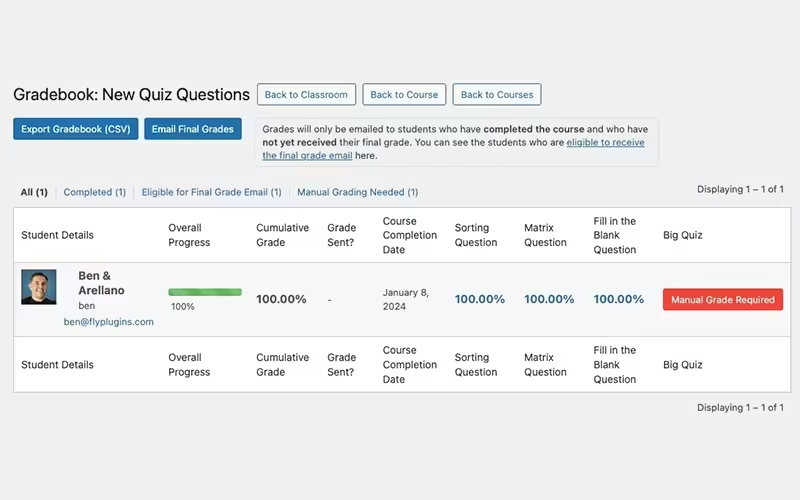
WP Courseware provides reporting tools for:
- Student progress
- Course completion rates
- Quiz performance
- Assignment submissions
Reports are clear and easy to export, but do lack the depth of enterprise LMS systems. However, they serve most small-to-medium-sized course businesses well.
Instructor and Student Management
Multiple instructors can create and manage their own courses. This makes WP Courseware a workable option for small teams or schools with several teachers.
Students can view progress, download certificates, and revisit completed lessons.
Performance and Stability
WP Courseware is efficient and avoids heavy scripts, and performance remains solid on most hosting plans. Large installations with many quizzes and assignments may need stronger hosting, but the plugin doesn’t impose significant overhead.
Integrations
WP Courseware integrates with:
- MemberPress
- WooCommerce
- Paid Memberships Pro
- Easy Digital Downloads
- Mailchimp
- ConvertKit
- BuddyPress
- bbPress
These integrations make it adaptable for membership sites and community-focused education models.
Total Cost of Ownership
WP Courseware is a paid plugin. Because it relies on membership or e-commerce plugins for access control and payments, your total cost depends on your chosen tools.
For sites that already use MemberPress or WooCommerce, WP Courseware remains cost-effective. For brand new sites, the combined cost of memberships + LMS may be higher than using a unified system.
Pros
- Simple drag-and-drop builder
- Good quiz tools
- Strong integration support
- Light and efficient
Cons
- No native membership system
- Requires additional plugins for payments
- Lacks advanced LMS depth
Best For
Coaches, teachers, and small teams that want a simple, clear LMS with flexible integration options.
AccessAlly
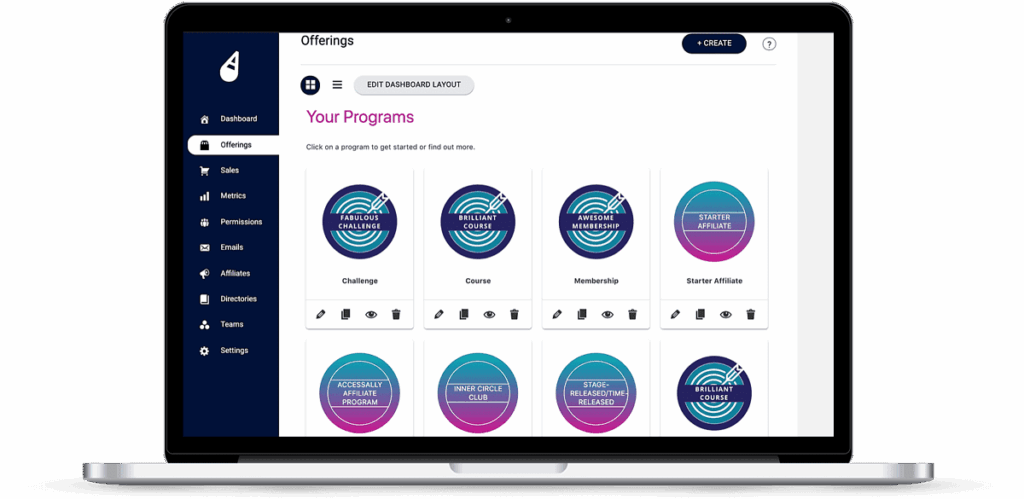
AccessAlly is an LMS and membership system built for creators who need powerful automation and CRM-driven logic. Instead of relying on WordPress to handle enrollment, AccessAlly turns the LMS into an extension of your marketing automation platform. It syncs very well with CRMs like ActiveCampaign, Keap, Ontraport, and ConvertKit.
This design makes AccessAlly ideal for high-ticket programmes, complex customer journeys, behavioural tagging, and personalised learning paths. It is one of the most flexible systems for automation-heavy businesses, but it comes with a steeper learning curve and higher cost.
Course Builder
AccessAlly includes a straightforward builder for creating courses, modules, and lessons. Its structure is clear and covers media, downloads, and progress tracking.
The builder is less visually focused than some LMS tools, but its strength lies in the logic behind the scenes. You can connect course steps, lessons, and access rules directly to your CRM’s tags and sequences.
This approach makes AccessAlly suitable for:
- Drip campaigns
- Personalised lesson paths
- Tiered unlocks
- Points-based learning
- Advanced onboarding flows
Quizzes, Assessments, and Gamification
AccessAlly includes quizzes with multiple question types and grading logic. You can award points, badges, or rewards based on quiz results. These points can trigger CRM tags that personalise the student experience.
For example:
- Passing a quiz can unlock new modules
- Failing a quiz can trigger an email sequence
- Earning points can grant access to bonuses
This behaviour-driven model helps creators build interactive and personalised courses.
Memberships and Access Rules
Memberships in AccessAlly are controlled by CRM tags. This makes access rules extremely flexible.
You can:
- Unlock lessons when a tag is applied
- Remove access when subscriptions lapse
- Create tiered memberships based on engagement
- Build multi-step onboarding journeys
This level of automation is ideal for businesses with complex sales funnels.
Payments and Checkout
AccessAlly supports:
- Stripe
- PayPal
- Order bumps
- Upsells
- Subscription plans
Payments can trigger CRM sequences, grant access to multiple courses at once, or move users through pipelines.
The checkout system is designed to support upsells, order bumps, and subscriptions.
Reporting and Analytics
AccessAlly includes detailed reporting tools for:
- Student progress
- Quiz scores
- Revenue
- Lifetime customer value
- Membership retention
Data can be viewed inside WordPress and tied into CRM dashboards. For businesses that rely on metrics to guide marketing, this integration is valuable.
Automation and CRM Integration
This is AccessAlly’s main strength. It offers:
- Behaviour-based tagging
- Automatic enrolment
- Dynamic access rules
- CRM-synced progress data
- Personalised content paths
Few WordPress LMS plugins provide this level of automation. It is ideal for programme creators who want a more adaptive course experience.
Performance and Stability
AccessAlly handles most logic through your CRM, reducing the load on your WordPress site. Performance is stable on capable hosting.
The plugin includes caching recommendations and guidance for large sites.
Integrations
AccessAlly integrates with:
- ActiveCampaign
- Ontraport
- Keap
- ConvertKit
- Stripe
- PayPal
- Zapier
It is ideal for creators already invested in these tools.
Total Cost of Ownership
AccessAlly is one of the more expensive LMS options, with its pricing reflecting its advanced automation and CRM integration.
For simple courses, the cost outweighs the benefits, but for high-ticket coaching, advanced funnels, or multi-step programmes, it can be a strong investment.
Pros
- Powerful automation
- Deep CRM integration
- Flexible access rules
- Behaviour-driven learning paths
Cons
- High cost
- Steep learning curve
- Too complex for simple courses
Best For
Creators with automation-heavy businesses, high-ticket programmes, or complex CRM-driven workflows.
Namaste! LMS
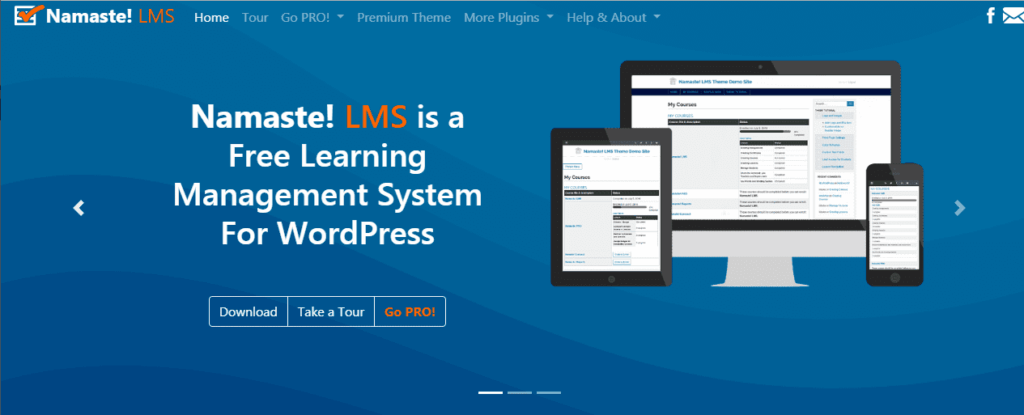
Namaste! LMS is a lightweight learning management plugin built for simplicity. It provides essential LMS features without relying on complex builders or large extension ecosystems, making it a strong option for creators who want to deliver structured lessons without investing in more advanced or expensive systems.
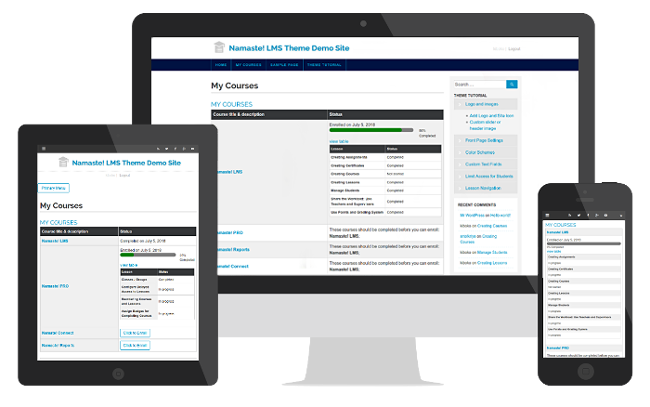
Namaste! LMS covers lessons, assignments, certificates, basic quizzes, and progress tracking. Its interface feels plain compared to more modern LMS tools, but it remains functional and reliable for small or straightforward courses.
Course Builder
The course builder focuses on clarity rather than visual design, allowing you to create courses, add lessons, attach files, and organise content without needing a visual editor.
The workflow suits creators who prefer a minimal approach or those who want a system that mirrors older, traditional LMS tools. While the builder does not include drag-and-drop features or front-end editing, it remains easy to learn.
Lesson content is added using the standard WordPress editor, keeping the process familiar.
Quizzes and Assessments
Namaste! LMS includes a basic quiz system that lets you add simple questions, set passing scores, and track quiz results. The quiz tools focus on essentials rather than depth.
For more complex assessments, Namaste! LMS integrates with its companion plugin, Watu Quiz, which adds:
- More question types
- Timers
- Detailed grading
- Multiple quiz formats
Assignments allow students to upload files or submit written responses, and instructors can review submissions and assign grades.
Memberships and Access Control
Namaste! LMS includes basic access control features. You can:
- Protect lessons and courses
- Require quiz or assignment completion before advancing
- Set prerequisites
If you want memberships or multi-tier access, you will need to integrate with a membership plugin like Paid Memberships Pro. This keeps the plugin light but adds configuration steps for more advanced setups.
Payments and Checkout
Namaste! LMS does not include native payments. You can sell courses through membership/e-commerce plugins such as WooCommerce or Paid Memberships Pro.
This approach keeps the core LMS simple but means all payment logic depends on external systems.
Reporting and Analytics
Reporting covers:
- Course progress
- Quiz scores
- Assignment completion
- Certificates earned
The reporting tools are basic but enough for simple courses, but they lack deep analytics or group-level reporting.
Certificates
Namaste! LMS does include certificate templates. These certificates can be awarded based on quiz performance, course completion, or instructor approval. The designs are straightforward and can be customized through regular WordPress editing tools.
Performance and Stability
Namaste! LMS is lightweight compared to many LMS plugins and avoids heavy scripts or complex builders. It loads quickly and avoids heavy scripts or complex database queries.
This makes it a solid choice for older hosting plans, small websites, or straightforward setups.
Integrations
Namaste! LMS integrates with:
- Watu Quiz
- WooCommerce
- Paid Memberships Pro
- Various notification plugins
Its integration ecosystem is smaller than that of large LMS tools, but it covers the basics.
Total Cost of Ownership
The free core keeps the cost low. Additional features may require:
- Namaste! Pro
- Watu Pro (for quizzes)
- A membership plugin (for paid access)
Even with add-ons, Namaste! LMS often remains cheaper than most paid LMS systems.
Pros
- Lightweight and fast
- Simple to learn
- Low-cost setup
- Good for small sites
Cons
- Limited LMS depth
- No native payments
- Basic quiz features without add-ons
Best For
Creators who want a simple, lightweight LMS without advanced requirements. Ideal for small training sites, hobby courses, and straightforward learning programmes.
Performance and Hosting Considerations
Running an LMS on WordPress places heavier demands on your hosting than running a standard blog or marketing site. Logged‑in users, video streaming, quizzes, assignments, and membership checks all contribute to higher resource usage. Understanding how different LMS plugins behave under load helps you plan a stable, fast site.
These are the top web hosting companies we recommend using with LifterLMS.
Why LMS Sites Are More Demanding
An LMS environment generates more server work because:
- Most lessons and dashboards load for logged‑in users.
- Caching is less effective for personalised pages.
- Quizzes and assignments create repeated database queries.
- Video content increases bandwidth demand.
- Membership checks run on every protected page.
Even the most efficient LMS plugin performs best on hosting designed to handle dynamic workloads.
How Plugins Differ in Performance
Not all LMS plugins have the same footprint. Some are designed to be lightweight. Others offer advanced features that require more server resources.
These weight categories reflect general experience across common hosting setups. Actual performance depends on your theme, plugin stack, and hosting environment.
Lighter LMS Plugins
These plugins keep overhead low and work well on mid‑range hosting:
- Sensei LMS – Minimal LMS logic; main load depends on WooCommerce.
- LearnPress – Lightweight core; performance depends on theme and add-ons.
- Namaste! LMS – One of the lightest LMS tools available.
They suit small sites and simple structures.
Mid‑Weight LMS Plugins
These deliver more features without adding a heavy load:
- LifterLMS – Balanced performance with many built‑in tools.
- Tutor LMS – Efficient for small and mid‑sized sites.
- WP Courseware – Light, but adding membership integrations increases load.
These plugins perform well on quality shared hosting or entry‑level VPS plans.
Heavy LMS Plugins
These plugins include deeper logic and benefit from stronger hosting:
- LearnDash – LearnPress itself is light, but many add-ons or theme-bundled extensions can increase load.
- AccessAlly – Relies on CRM logic, so most processing happens outside WordPress, but large sites still benefit from strong hosting.
- MasterStudy LMS – Live lessons, assignments, and multi‑instructor tools add load.
These are best used with managed WordPress hosting or cloud environments.
Hosting Requirements for LMS Sites
To maintain a fast site, focus on:
- Good CPU performance – Handles logged‑in user activity.
- Sufficient memory – Supports quizzes, reports, and plugin logic.
- Strong database performance – Reduces slow queries.
- Object caching – Improves logged‑in performance.
- Optimised PHP workers – Prevents bottlenecks during peak use.
For busy LMS sites, choose hosting that offers dedicated resources or scalable plans.
Video Hosting Considerations
Hosting videos directly on WordPress creates bandwidth strain and slow playback. Use external services such as:
- Vimeo
- YouTube (unlisted)
- Wistia
- Bunny Stream
- VdoCipher
These platforms reduce server load and improve the student experience.
Caching and Optimization
Caching must be configured carefully:
- Avoid caching dashboards, quizzes, and pages with personalised data.
- Cache lesson pages for guests, but not for logged‑in learners.
- Use server‑level caching if available.
- Enable object caching (Redis or Memcached).
Other optimisation tips:
- Minify CSS and JS files.
- Serve images in modern formats.
- Use a CDN for static files.
- Limit heavy page builders inside lessons.
Scaling an LMS
If your site grows:
- Upgrade hosting as enrolments rise.
- Use dedicated database resources.
- Introduce queue systems for notifications.
- Optimise plugin stack to reduce load.
LMS sites often experience growth in waves. Planning ahead ensures students get a smooth experience even during busy periods.
Summary
A fast LMS site depends on the right mix of plugin efficiency, caching, hosting quality, and video offloading. Choosing a plugin that matches your site’s scale helps keep performance stable as your audience grows.
Pricing and Total Cost of Ownership
Pricing is one of the hardest parts of choosing an LMS plugin. Many tools look affordable at first, but become more expensive once you add the features you need. Others appear costly upfront but include tools that replace several plugins. Understanding the long-term cost helps you avoid surprises.
Why LMS Pricing Is Hard to Compare
LMS plugins use different pricing models:
- Free core + paid add-ons
- Annual licences
- Bundled packages
- Optional integrations
- Third-party dependencies
Two plugins with the same initial price can end up costing very different amounts once you consider payment gateways, reporting tools, memberships, or certificates.
Below is a breakdown of how each plugin handles pricing.
LifterLMS Pricing Structure
LifterLMS uses a free core plugin. You can build and sell courses using manual/offline payments in the core plugin. Card payments, such as Stripe or PayPal, require official paid gateway add-ons.
- Groups
- Additional quiz tools (e.g., advanced question types and video-based progression)
- Private coaching
- Marketing tools
- Additional payment gateways
For many users, the free core covers everything needed to start.
This keeps the early cost low.
LearnDash Pricing Structure
LearnDash is paid-only. The licence unlocks the main LMS features. Additional costs often include:
- WooCommerce integrations
- Membership plugins
- Quiz add-ons
If you need complex access rules or advanced marketing tools, expect to buy several extra plugins. The initial price is fixed each year.
Sensei LMS Pricing Structure
The core plugin is free, but many essential LMS features require paid extensions:
- Certificates
- Content drip
- Interactive videos
- Advanced features such as content drip, interactive videos, and deeper quiz tools are part of Sensei Pro.
WooCommerce may require further paid extensions if you want subscriptions or local gateways.
Tutor LMS Pricing Structure
Tutor LMS has a strong free version. The Pro version unlocks:
- Advanced quizzes
- Assignments
- Certificates
- Reporting
- Email notifications
WooCommerce extensions may add more cost if you need subscriptions or bundled products.
MemberPress Courses Pricing Structure
MemberPress Courses is included with MemberPress licences. You pay for MemberPress, not the LMS specifically.
If you run a membership-focused site, this is cost-effective. If you want courses without memberships, this can feel expensive.
Thrive Apprentice Pricing Structure
Thrive Apprentice is part of Thrive Suite. The suite includes many tools:
- Page builder
- Theme builder
- Quiz builder
- Landing page templates
This is cost-effective if you want marketing and design tools. If you only need an LMS, the suite price is higher than standalone plugins.
LearnPress Pricing Structure
The core plugin is free, but many features require paid add-ons:
- Certificates
- Gradebooks
- Payment gateways
- Content drip
Costs scale with the number of add-ons you need.
MasterStudy LMS Pricing Structure
The free version includes many features. Pro plans add:
- Zoom integration
- Drip content
- Advanced quizzes
- Assignments
- Gradebooks
Education teams usually need the Pro plan for multi-instructor setups.
WP Courseware Pricing Structure
WP Courseware is a paid plugin. Access control and payments depend on membership or e-commerce plugins, which may add cost.
AccessAlly Pricing Structure
AccessAlly is one of the most expensive LMS tools. Its pricing reflects advanced automation and CRM integration. Most sites using AccessAlly already rely on a CRM platform.
Namaste! LMS Pricing Structure
Namaste! LMS is free. Add-ons such as Namaste! Pro or Watu Pro may be needed for:
- Advanced quizzes
- More detailed reporting
- Payment integration
Even with add-ons, it remains one of the cheapest LMS solutions.
Cost Comparison Summary
To estimate long-term cost, consider:
- How many users you expect
- Whether you need memberships
- How often you run live classes
- How advanced your assessments must be
- Whether you need CRM automation
A plugin that looks affordable today may cost more as your needs grow. Choosing a tool with built-in features can reduce your reliance on third-party extensions.
In general:
- Lowest cost: LearnPress, Namaste! LMS, Tutor LMS Free
- Mid-range: LifterLMS bundles, WP Courseware, MasterStudy Pro
- Highest cost: LearnDash + add-ons, AccessAlly, Thrive Suite
Side-by-Side Feature Comparison
If you prefer more detail than a summary table can offer, this section walks you through how the features compare in real use.
Core Teaching Features
Most plugins cover basic course delivery, but with different depth.
- LifterLMS – Full course builder, quizzes, assignments, certificates, memberships, and payments in one system.
- LearnDash – Strong course and quiz tools, gradebooks, and groups. Course delivery sits at the centre.
- Sensei LMS – Lessons and basic quizzes on top of WooCommerce. Good for simple teaching.
- Tutor LMS – Visual builder and quizzes, plus certificates and assignments in the paid version.
- MemberPress Courses – Solid course layout inside a membership product, but light on LMS features.
- Thrive Apprentice – Flexible content flows and drip tools; quizzes require Thrive Quiz Builder. Teaching sits alongside marketing.
- LearnPress – Core LMS features in the free plugin, with extras sold as add-ons.
- MasterStudy LMS – Classroom-style features with assignments, quizzes, and live lessons.
- WP Courseware – Clear structure, drag-and-drop course flows, and practical quizzes.
- AccessAlly – Learning paths sit on top of CRM logic. Strong for behaviour-based course flows.
- Namaste! LMS – Simple courses and quizzes without heavy extras.
Memberships and Access Control
This is where plugin design choices show clearly.
- Full membership and access tools built in – LifterLMS, MemberPress Courses, AccessAlly (through CRM tags), Thrive Apprentice.
- Relies on separate membership plugins – LearnDash, Tutor LMS, LearnPress, WP Courseware, Namaste! LMS, MasterStudy LMS (for advanced models), Sensei LMS (through WooCommerce and add-ons).
If you want recurring revenue and multiple tiers with minimal setup, tools that include memberships directly often have an edge.
Payments and Checkout
How payments are handled shapes your workflow, so this part matters more than people expect.
- Native payments – LifterLMS, AccessAlly, MemberPress, Thrive (through its own tools).
- WooCommerce-first – Sensei LMS, LearnPress, Tutor LMS, MasterStudy LMS, WP Courseware.
- Flexible but add-on heavy – LearnDash often ends up paired with WooCommerce or membership plugins.
Native payments keep the stack smaller. WooCommerce gives more gateways and tax handling, but adds setup time and more moving parts.
Reporting Depth
You may not need advanced reporting, but if you do, the differences between plugins are big.
- Deeper reporting – LifterLMS, LearnDash, AccessAlly, MasterStudy LMS, WP Courseware.
- Basic reporting – Tutor LMS (free), LearnPress, MemberPress Courses, Sensei LMS, Thrive Apprentice, Namaste! LMS.
If you train teams, sell to companies, or run compliance courses, reporting strength matters more than visual flair.
Which WordPress LMS Plugin Should You Choose?
Different situations call for different tools. Use this section as a practical shortcut.
Solo Course Creator Launching a First Course
You likely want something you can install, understand, and start using without a long setup.
You care about:
- Simple builder
- Reasonable cost
- Direct payments
- Clear student experience
Good fits:
- LifterLMS (free core) – Build a full course and accept payments without extra plugins.
- Tutor LMS Free – Friendly visual builder and fast setup.
- LearnPress – Good option if your theme supports it and the budget is tight.
If you plan to grow into memberships or multiple programmes, LifterLMS offers the clearest path without changing tools later.
Creator Selling Courses and Memberships
You want to sell courses, bundles, and a membership community under one roof.
You care about:
- Strong access rules
- Recurring payments
- Simple bundle creation
- Room for upsells later
Good fits:
- LifterLMS – Courses, memberships, and payments in one system.
- MemberPress Courses – Membership-first with courses as part of the package.
- Thrive Apprentice – Great when content sits inside a wider marketing funnel.
If courses are the core product, LifterLMS tends to work better. If a membership is the main product and courses sit around it, MemberPress Courses is often a better match.
Training Company or Corporate Learning Team
You work with groups, cohorts, or internal training. You need reporting and structure.
You care about:
- Group enrolment
- Progress reporting
- Assignments
- Certificates
- Reliable user management
Good fits:
- LifterLMS – Good balance of group tools, reporting, and membership options.
- LearnDash – Strong choice for formal training, especially with groups.
- MasterStudy LMS – Works well for classroom-style and blended learning.
For heavy assessments and exams, LearnDash is hard to beat. For long-term membership-based training across teams, LifterLMS can be more flexible.
WooCommerce Store Adding Courses
You already run a WooCommerce shop and want courses to feel like a natural part of it.
You care about:
- Using existing WooCommerce products
- Simple course purchase flows
- Shared coupons and gateways
Good fits:
- LifterLMS – Fully integrates with WooCommerce but gives you the freedom to detach from WooCommerce if you ever choose to do so.
- Sensei LMS – Built around WooCommerce.
- Tutor LMS – Pairs well with WooCommerce.
- LearnPress – Works with WooCommerce and many education themes.
Sensei LMS is often the most natural if WooCommerce is central to your business.
Design-Driven, Marketing-Heavy Creator
Your site is built around landing pages, funnels, and branding.
You care about:
- Custom layouts
- On-brand lesson pages
- Tight links to opt-ins and funnels
- A/B testing and conversion tweaks
Good fits:
- LifterLMS – Pairs well with page builders and still handles LMS logic natively (we are also the creators of the Sky Pilot theme specifically built for course creators).
- Thrive Apprentice – Works closely with Thrive Architect and the rest of the suite.
If front-end design is almost as important as the content itself, Thrive Apprentice is a strong match. If you want strong LMS depth with good design support, LifterLMS gives you both.
High-Ticket Coaching and Automation-First Programmes
You rely on a CRM and automation logic. You want learning paths that change based on behaviour.
You care about:
- Deep tag-based access rules
- CRM-driven funnels
- Personalised content delivery
- Points, badges, and unlocks
Good fits:
- AccessAlly – Built for tag-based logic and complex journeys.
- LifterLMS – Can work well with marketing automation tools while keeping LMS features native.
For very advanced CRM-driven programmes, AccessAlly stands out, as long as budget and complexity are acceptable.
Small, Simple, Budget-Sensitive Sites
You want to spend as little as possible while still delivering reasonable courses.
You care about:
- Low or no licence fees
- Straightforward flows
- Minimal technical setup
Good fits:
- LearnPress – Free core, paid add-ons only if needed.
- Namaste! LMS – Lightweight and cheap, even with add-ons.
- Tutor LMS Free – Plenty of capability without paying upfront.
A Balanced All-Round Choice
You want something that works for many cases and will not box you in later.
You care about:
- Strong LMS core
- Membership and payments covered
- Growth path for teams
- Good reporting
The most balanced option for many use cases:
- LifterLMS – Strong across teaching tools, memberships, payments, reporting, and growth to groups and coaching.
Migration Considerations
Switching LMS plugins needs planning, and it’s worth thinking through the process before you begin. It is rarely as simple as clicking “export” in one tool and “import” in another.
What Migrates Cleanly
These items usually move across with less friction:
- Lesson text and basic content
- Course titles and structures
- Simple quiz questions in CSV or similar formats
- Downloadable files, if stored in the media library
You may still need to recreate links between pieces, but the content itself is easy to move.
What Needs Careful Handling
These areas often require manual work:
- Complex quizzes and question banks
- Assignments and submissions
- Certificates and issued records
- Student progress and completion data
- Membership history and access logs
- Bundles, special offers, and coupons
For some items, you will not move historic data at all. Instead, you may treat the new LMS as a clean slate and keep past records in exports from the old system.
Minimising Disruption for Students
To keep your student experience smooth:
- Pick a low-traffic period for the switch.
- Freeze new course creation while you migrate.
- Map old course URLs to new ones using redirects.
- Email students with a clear timeline and what will change.
- Test logins, access rules, and progress flows on a staging site first.
For long-running programmes, consider running both systems in parallel for a short time and migrating cohort by cohort.
LMS-Specific Migration Tools
Some plugins provide importers for:
- Courses and lessons from CSV
- Users and enrolments
- Basic quiz data
LifterLMS offers import tools and clear guidance on moving from other WordPress LMS plugins. LearnDash and Tutor LMS also offer import tools for course content, though complex setups still require manual work.
For large migrations, many teams bring in a developer or agency to script part of the process.
Frequently Asked Questions About WordPress LMS Plugins
You can build simple course flows using standard pages and posts, but you lose progress tracking, structured assessments, certificates, and central management. An LMS plugin saves time once you move beyond a very small course.
Yes. Many sites start with a free core like LifterLMS, Tutor LMS, LearnPress, or Namaste! LMS, then move to paid plans once revenue justifies it. The key is choosing a plugin with a clear upgrade path, rather than a dead-end tool.
With the right hosting and caching in place, WordPress can support thousands of learners without struggling. The main limit is hardware and database performance rather than the LMS plugin itself. Sites that expect heavy traffic should plan for managed or cloud hosting from day one.
Not always. LifterLMS, AccessAlly, MemberPress, and Thrive Apprentice can take payments without WooCommerce. WooCommerce is useful if you want to sell many product types or use its ecosystem of gateways and extensions.
Any plugin works well with external video hosting. Pair your LMS with platforms such as Vimeo, Wistia, or Bunny Stream. This keeps page load times fast and reduces bandwidth demands on your WordPress host.
Yes. LifterLMS, MemberPress Courses, Thrive Apprentice, and several others support both single products and bundles. When comparing options, check how easy it is to build bundle offers and manage access for them.
Tutor LMS, MasterStudy LMS, and WP Courseware support multi-instructor setups. AccessAlly can also work in this space when you want heavy automation. For large marketplaces, you may want a developer to fine-tune the experience.
Refunds usually happen through your payment gateway, not the LMS itself. The LMS then needs to remove course access. Tools with native payments often handle this in a more direct way. WooCommerce-based setups follow WooCommerce’s usual refund process.
Yes. Many LMS sites use BuddyBoss, bbPress, BuddyPress, or private communities in tools like Circle or Discord. The LMS handles teaching, and the forum handles discussion and peer support.
Yes, as long as the site is well-maintained. Keep plugins updated, use strong passwords and two-factor authentication, and select a reliable hosting provider. Some teams prefer to split marketing and LMS into two sites for clarity, but it is not required.
Changing tools always takes work. Switching early is easier than switching after you have many courses and thousands of learners. Picking a mature LMS with a clear growth path reduces the chance that you will feel forced to move later.
Look for plugins with strong cores. LifterLMS, AccessAlly, and Thrive Apprentice cover many tasks without needing dozens of extra plugins. LearnPress and Sensei LMS often need more add-ons to reach the same level of depth.
You can, but it often leads to confusion and conflicts. Each LMS expects to control course flows and student data. It is far better to standardise on one main LMS and build around it.
After Action Report – Final Thoughts & Next Steps
Depending on how much time you want to spend personally evaluating various options beyond reading this guide, here are two ideal places to start:
#1 – Install the free LifterLMS plugin on your WordPress site
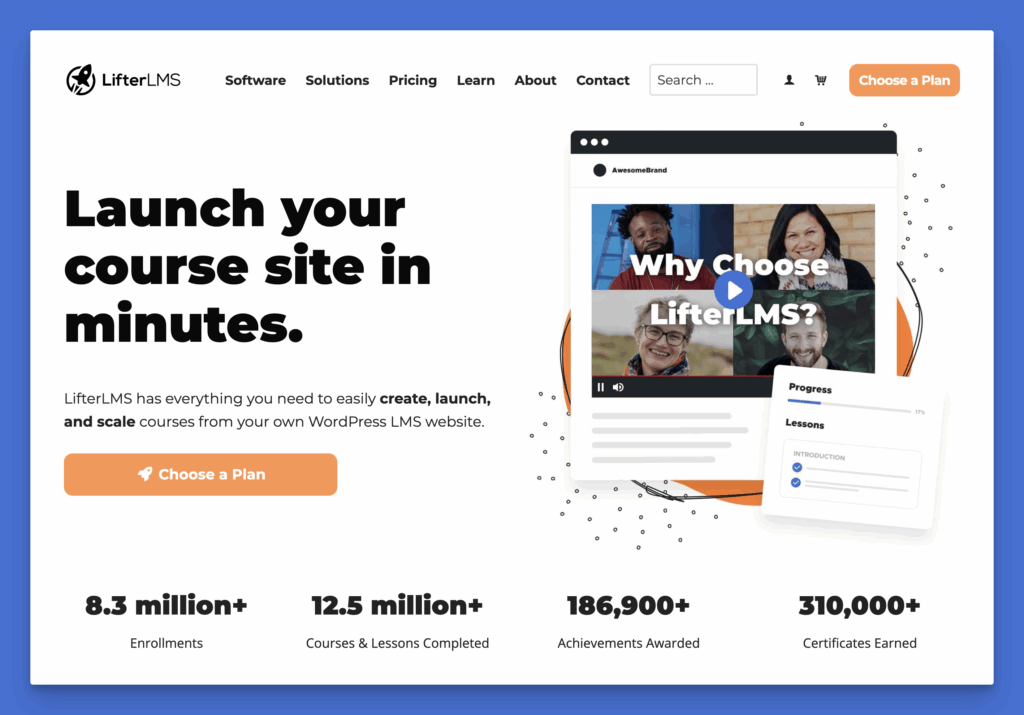
LifterLMS has everything you need to create, launch, and scale courses from your WordPress LMS website. It’s reliable, customizable, and scalable.
Get started with the best WordPress LMS plugin, choose your plan.
#2 – Set up multiple demo environments with multiple LMS plugins
If you’re willing to invest additional time and are the type of person who enjoys testing software, you can set up multiple demo environments, each with a different LMS plugin (at least for the ones that are freely available, as mentioned in this post).
Create the same small sample course in each, then add a quiz, a certificate, and a simple payment flow. Next, log in as a student and move through the lessons. The right choice often becomes obvious once you feel the day-to-day workflow.
If you want a system that can support you from the first course through to a full training business, start by installing the free LifterLMS core plugin. Easily build a pilot course, invite a small group of learners, and learn from real-world use before launching your course to the public.