

Last week, we shared a first look at what was coming.
Today, LifterLMS 10.0 is officially here.
Version 10.0 marks a major new chapter for the leading WordPress LMS for course creators, coaches, training companies, schools, and membership sites.
So, without further ado, let’s dive in…
Here’s what’s new:
Introducing Focus Mode: A More Focused Learner Experience
Meet Focus Mode. A stronger, more streamlined learning experience designed to:
- Help your students stay engaged
- Eliminate distractions
- Improve course completion rates
Focus Mode strips away the noise and puts your lesson content front and center. Your students will be less distracted, more focused, and more likely to finish what they start.
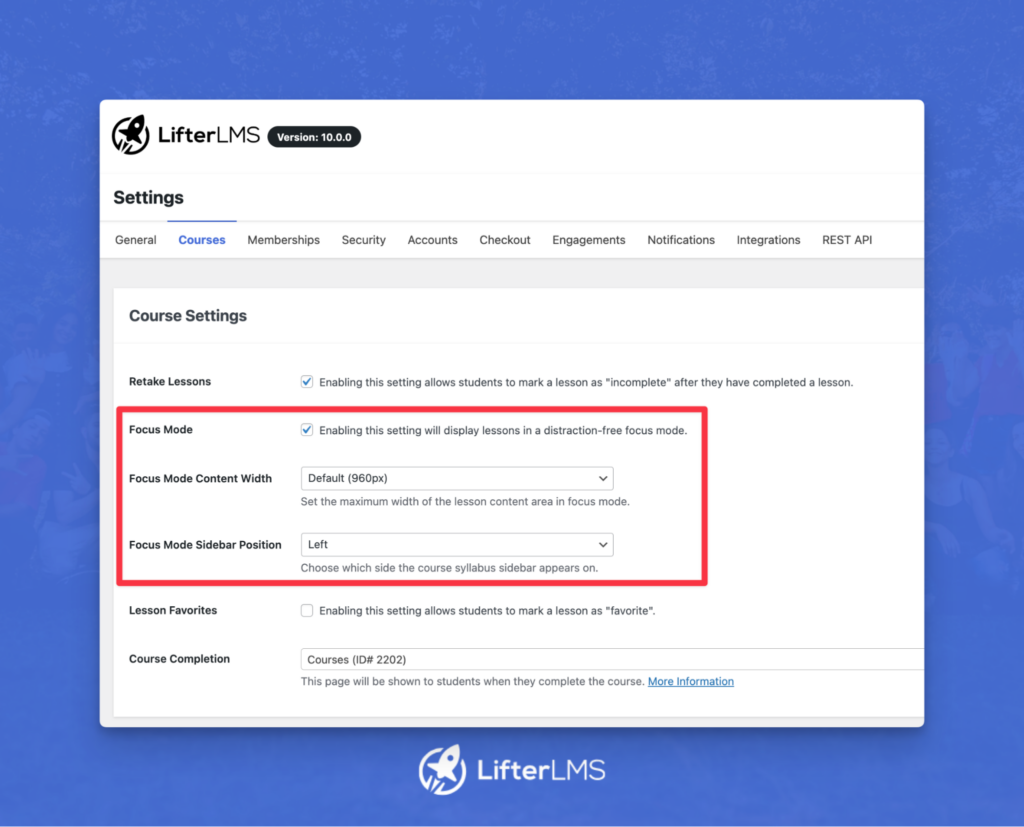
You can enable Focus Mode as a default for all courses in your settings under Courses:
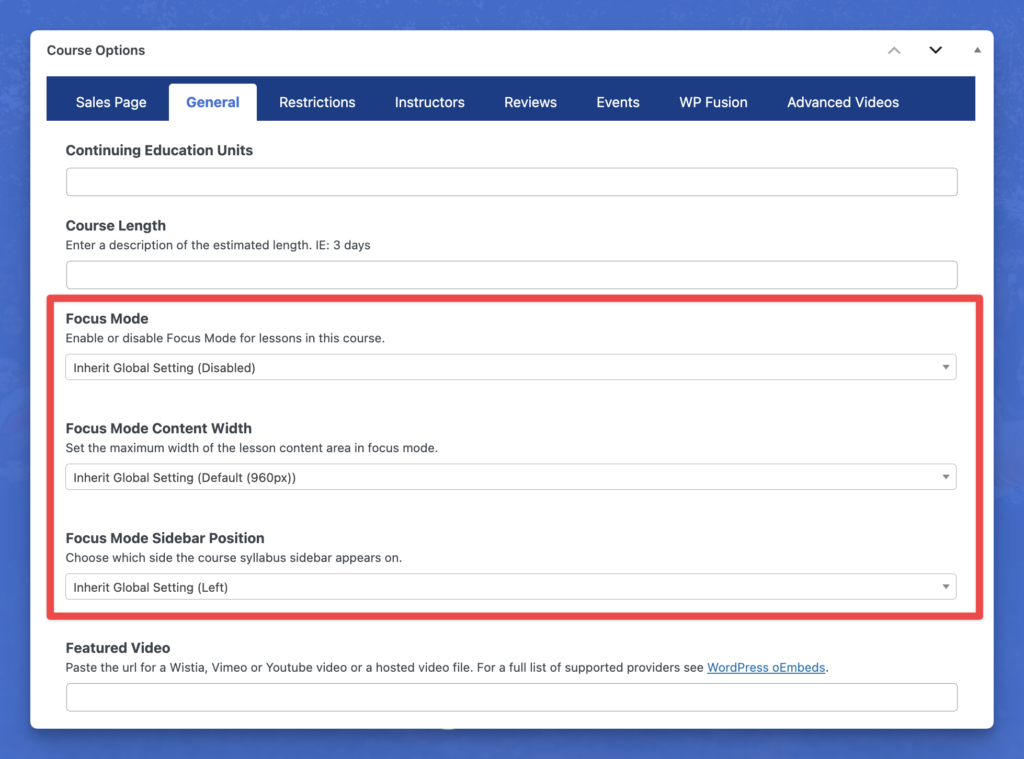
Or, you can selectively enable it for specific courses in your Course Options in the General tab, as shown below:
Focus Mode looks fantastic on LifterLMS’s Sky Pilot theme, and is also designed to work with any WordPress theme or page builder setup. If you have any issues with your setup, just reach out.
Introducing Cart Abandonment Recovery: Automatically Recover Lost Revenue 24/7
Every missed checkout is a missed opportunity.
With the all-new Cart Abandonment Recovery add-on for LifterLMS, you can now recover lost revenue around the clock with smart, unobtrusive, personalized follow-ups.
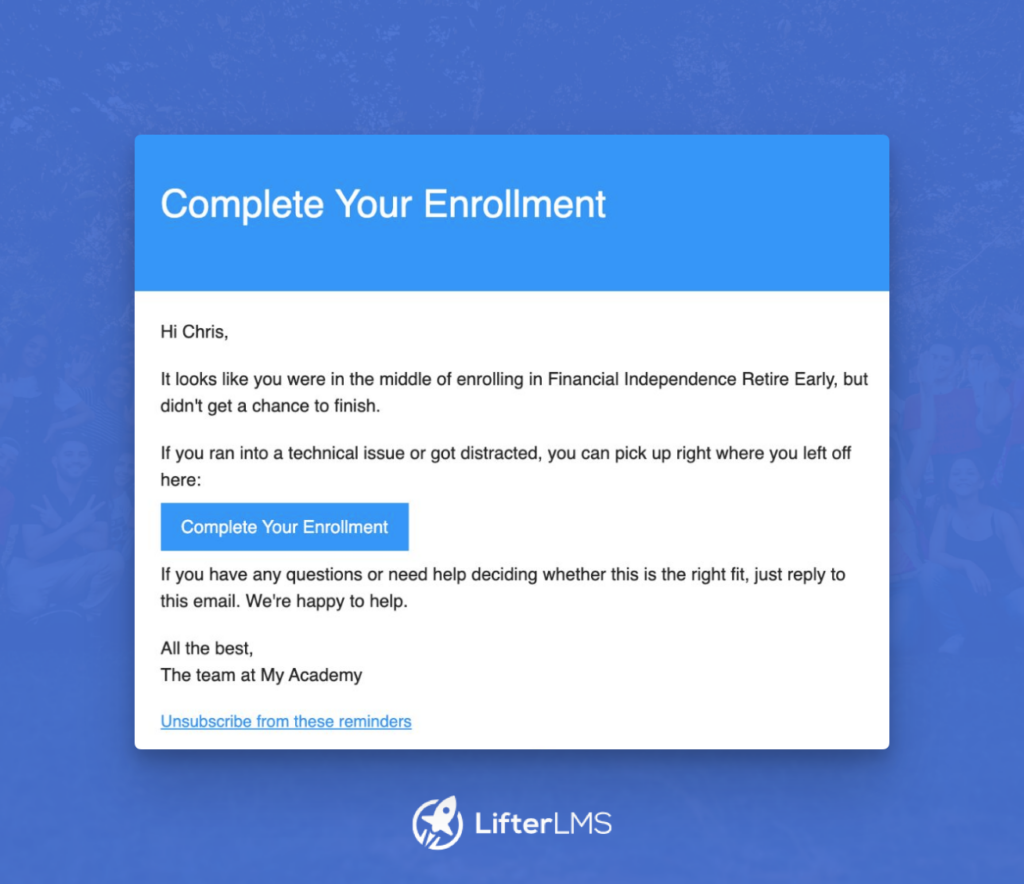
This is now supported as a part of the LifterLMS checkout experience without you having to install and configure third-party tools.
Once installed and activated, our Cart Abandonment Recovery add-on silently runs in the background to bring potential learners back to complete their purchase and start your course.
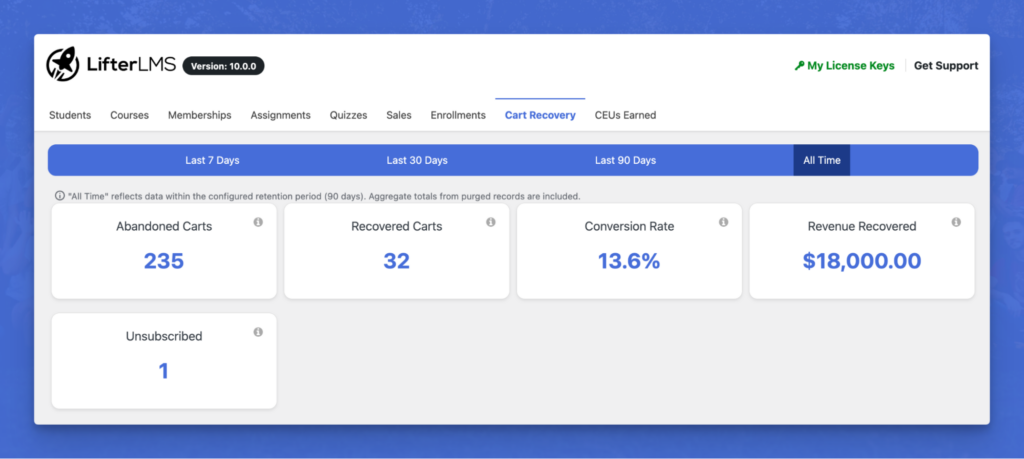
Cart Abandonment Recovery is enabled by default when the add-on is installed and activated on your LifterLMS-powered site.
To manage settings, simply head to LifterLMS > Settings > Integrations > Cart Abandonment Recovery, as shown below:
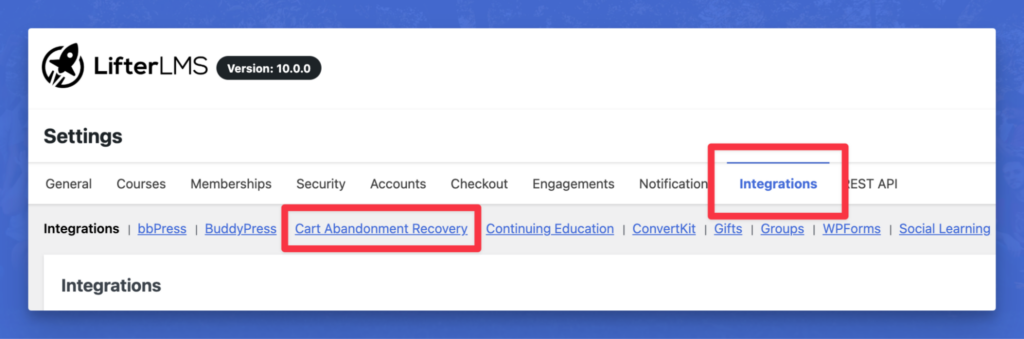
Here you can enable (and disable) the Cart Abandonment Recovery feature, as well as…
Configure the time delay for each of the three emails
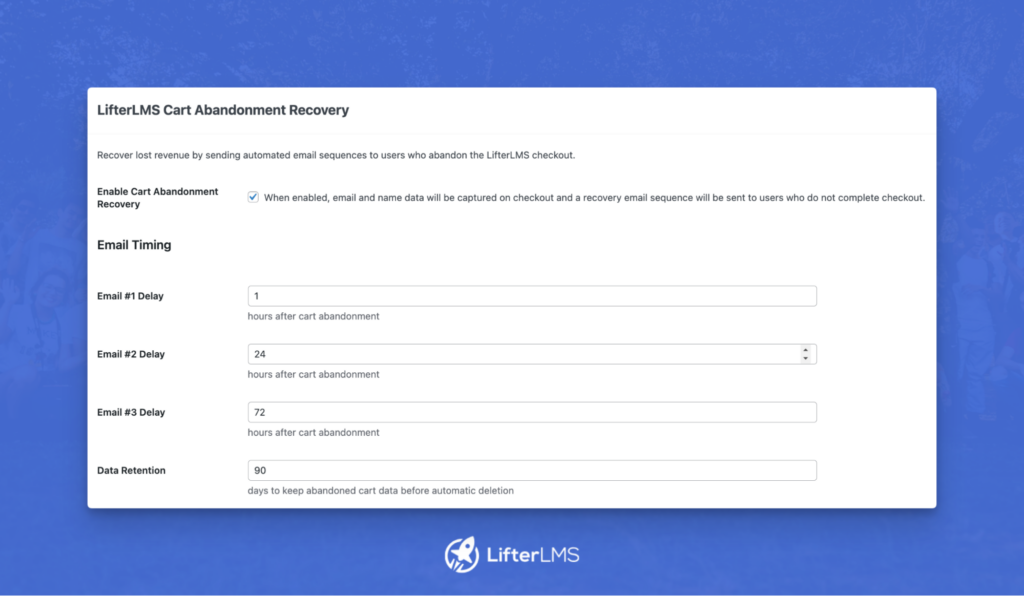
The follow-up sequence consists of three emails, each with a configurable delay.
You control the timing between when a learner abandons their cart and when each follow-up lands in their inbox, so you can find the cadence that works best for your audience.
Configure Your Cart Abandonment Recovery Coupon Settings
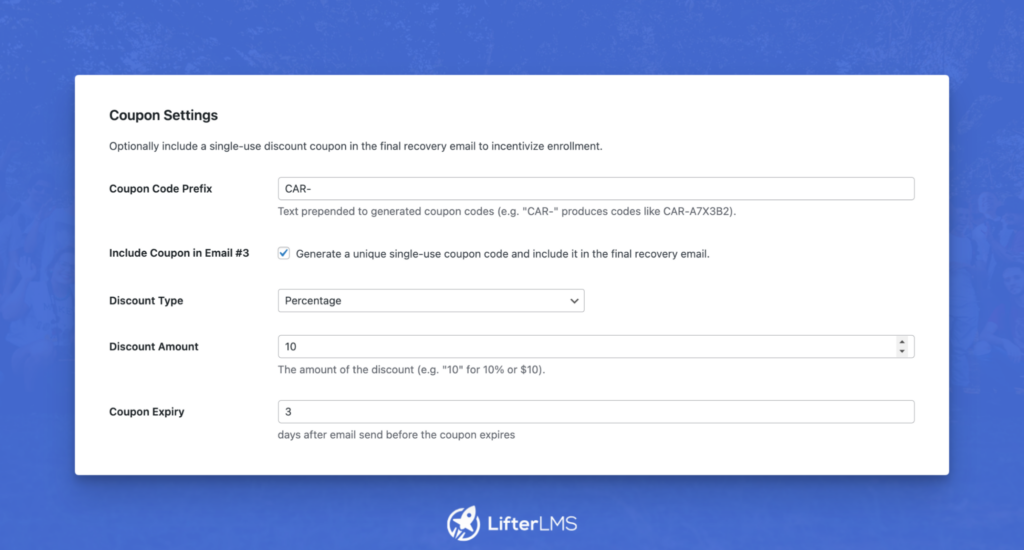
Incentivize return visits with a built-in coupon system.
From the settings screen, you can:
- Set a custom coupon code prefix for easy tracking
- Control whether to include a discount in the third follow-up email or other emails
- Choose between a percentage or a fixed amount discount
- Set how long the coupon remains valid after it is issued
Enable/Disable a Weekly Report with Cart Abandonment Recovery Statistics
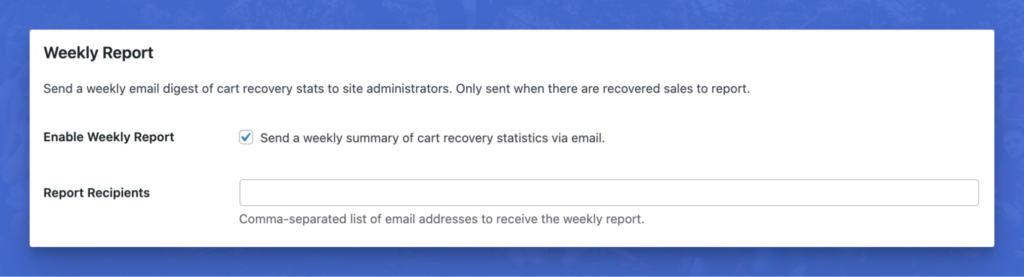
Turn on the weekly report to receive a summary of cart abandonment activity directly in your inbox.
Track how many carts were abandoned, how many were recovered, and which emails in the sequence are performing best.
Use this data to fine-tune your timing and coupon strategy over time.
Customize the Contents of the Follow-Up Emails
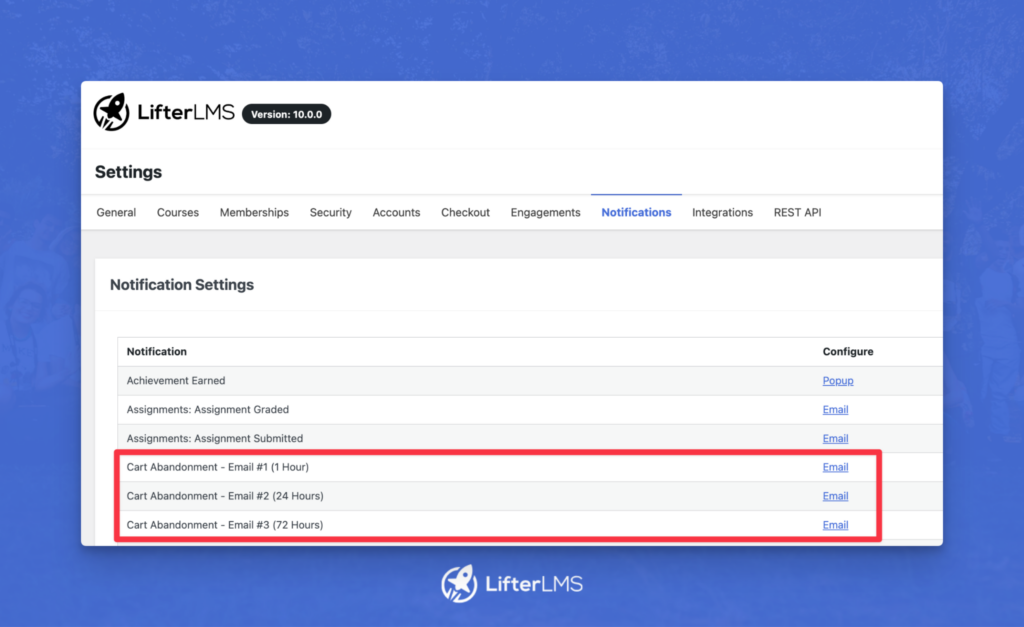
Each of the three follow-up emails is fully customizable.
Easily edit the subject line, body copy, and call to action to match your brand voice. Whether you want a casual nudge or a more formal follow-up, you have complete control over the messaging your future learners receive.
Introducing Events: Deliver Live, Instructor-Led Training Directly In LifterLMS

The all-new Events add-on for LifterLMS gives creators and teams the power to deliver live, virtual, and instructor-led learning (ILT) directly from their WordPress site.
This is ideal for:
- Coaching
- Workshops
- Training sessions
- Schools
- Webinars
- Conferences
- Live Continuing Education
- And much, much more…
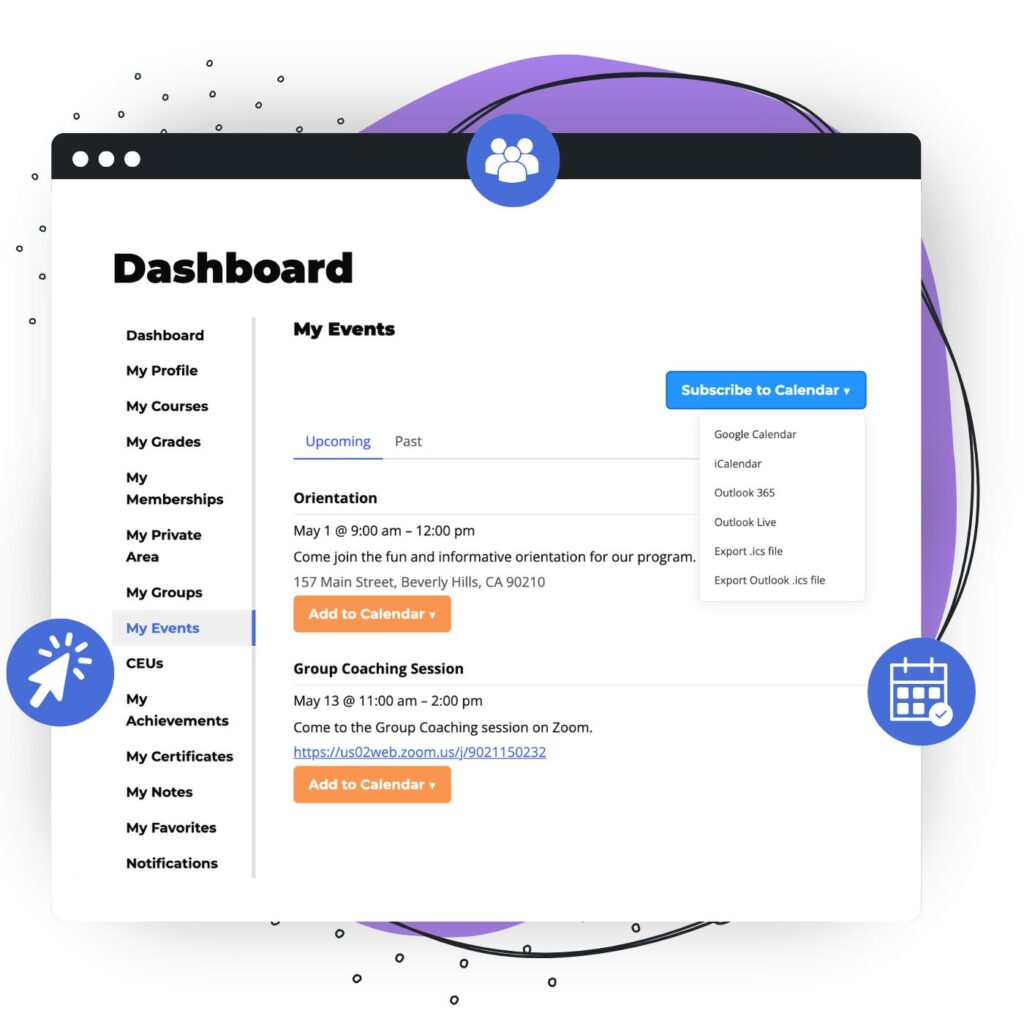
Once installed and activated, LifterLMS Events integrates directly into your LifterLMS courses and lessons, letting you add live sessions alongside your existing content.
Learn more about the LifterLMS Events add-on in our documentation →
Course Builder Improvements (and Less Switching Tabs)
LifterLMS 10.0 ships various improvements to the Course Builder.
Most notably, you can now edit course content directly from the Course Builder.
This means you can now create, edit, and manage your courses all without switching tabs.
Note: This only applies to courses with no prior content. Upon editing the lesson using the WordPress block editor, you will no longer be able to manage content in the Course Builder.
New “Any” Engagement Trigger
You can now create engagements using our new “Any” trigger, allowing a single engagement to apply across all matching courses, memberships, lessons, quizzes, sections, access plans, or tracks.
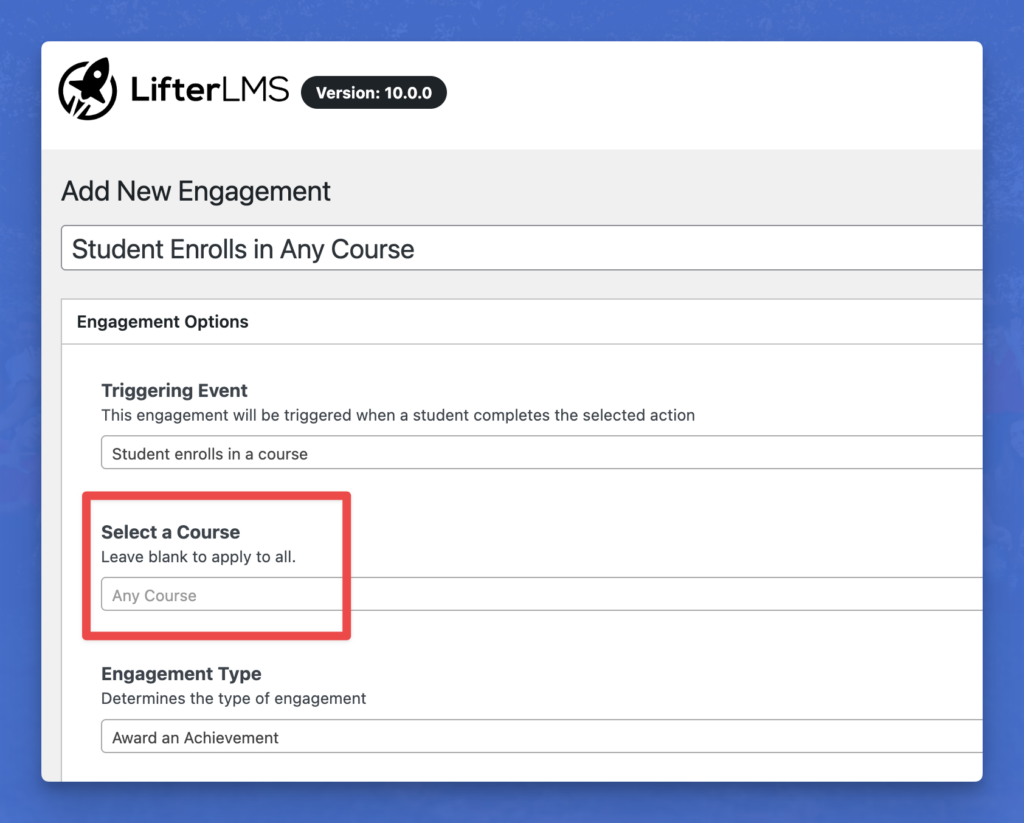
This eliminates the need to create multiple engagements when you want the same action to fire (i.e., Award an Achievement, Award a Certificate, or Send an Email) across all courses, lessons, quizzes, etc.
Other Improvements
Beyond the headline features, LifterLMS 10.0 includes a range of updates and fixes:
- Course capacity checks are now enforced on the checkout page, preventing learners from purchasing a course that has already reached its seat limit
- Quiz UI now scrolls to the top when a new question loads, improving the test-taking experience
- The “Mark Complete” button now appears correctly when quiz requirements have already been met
- Formatting is automatically stripped when pasting into Course Builder title fields, keeping things clean
- Quizzes are now published by default in the Course Builder
- Standard WordPress nonce functions replace the previous custom implementation, improving compatibility and security
- SQL_CALC_FOUND_ROWS has been removed in favor of more reliable count methods, aligned with MySQL deprecations
- Various Course Builder fixes addressing edge cases with orphaned lessons, trashed lessons, and loop column styling
Updates to LifterLMS Add-Ons
Several LifterLMS add-ons have also been updated alongside 10.0:
- LifterLMS Groups (1.4.0): New course-level reporting for groups assigned to a membership, plus a fix for group creation on recurring orders
- LifterLMS Private Areas (2.1.1): “Basic” notification type renamed to “Popup” for clarity
- LifterLMS Assignments (2.6.1): Focus Mode is now always shown for LMS Manager roles and above when enabled
What’s Next
Version 10.0 is a milestone, not a finish line.
We have spent years (in fact, more than 13 of them!) building the most capable, secure WordPress LMS on the market, and we remain relentlessly committed to our original vision:
Helping course creators lift up others through education.
Right now, the consensus increasingly seems to be that AI will replace the teacher.
We believe real learning doesn’t come from automation. It comes from experience, from guidance, and from people. In an AI world, human expertise becomes the product.
So, as you might imagine, a big part of what’s next is exploring what AI means for education. And, in turn, how we can bring that to you as practical, open, and responsible tools that make both teaching and learning better.
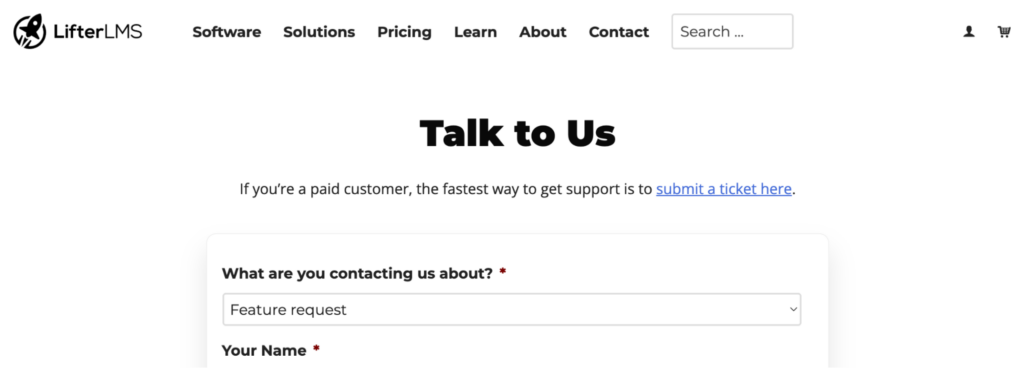
If you have any questions, suggestions, or feedback, please get in touch.
- For feature requests, please use this form.
- For support as a customer, please get in touch here.
- For any questions about getting started with LifterLMS, reach out to us at team@lifterlms.com or by submitting the form here.
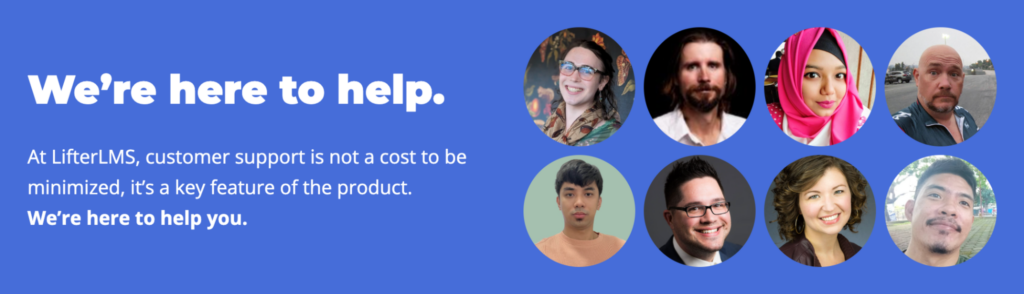
We are here and always happy to help.
The New Standard for Modern eLearning on WordPress
This release marks our commitment to continuing to raise the standard for what a WordPress LMS should be. Built by a team that has never been more excited about the future of education, remains fiercely independent and still builds for education entrepreneurs who refuse to compromise on ownership or outcomes.
We exist to remove every obstacle between your expertise and the people you’re trying to reach, without trading away control of your business to do it.
Ready to upgrade?
Update LifterLMS to version 10.0 today.
If you’re not using LifterLMS yet, choose your plan and get started today.
One more thing…
Get Ready for the 10.0 Launch Party 🎉
Register here for the LifterLMS 10.0 launch party event on May 25, 2026, to see what’s new, view new product demos, and more.
Bonus: Enter Our Infinity Bundle Giveaway 🎁
To celebrate LifterLMS 10.0, we are running a giveaway where 1 lucky winner will receive a free LifterLMS Infinity Bundle Lifetime license ($10,000 value).
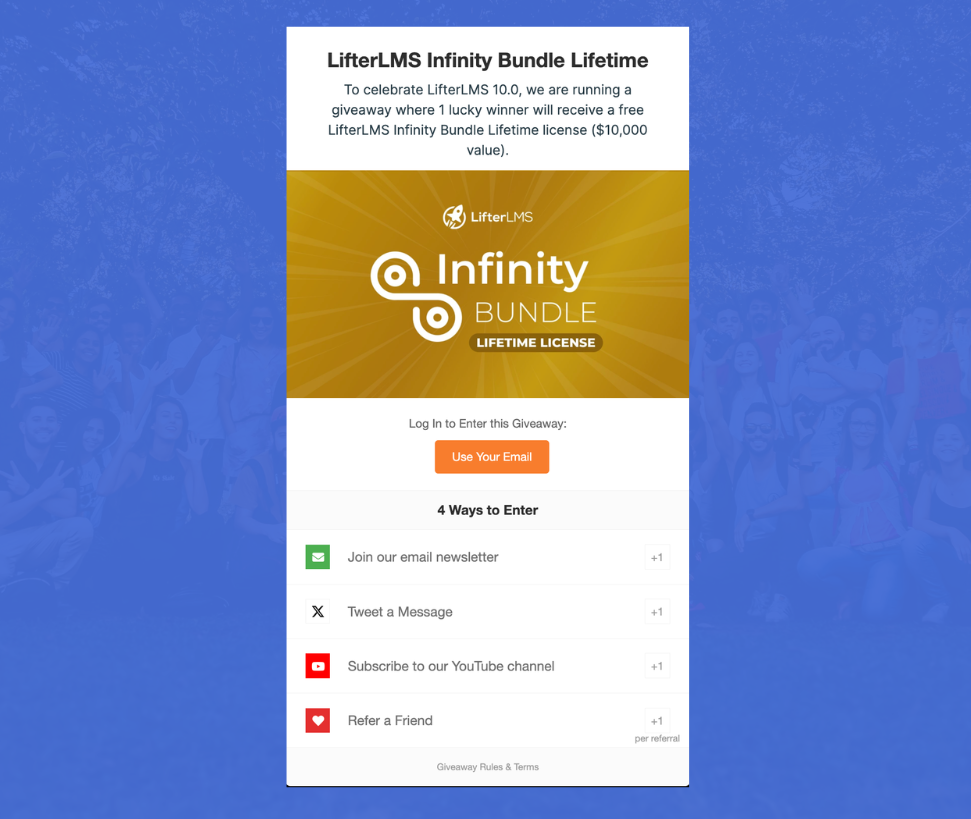
Enter here and share the giveaway to increase your odds of winning.
It’s great to be with you on the journey.
Together, we build the future of online education.
– Chris Badgett
Founder & CEO of LifterLMS



