

How to create a lesson template for a specific course using the Sky Pilot theme
This tutorial teaches you how to create a lesson template that only applies to all the lessons of a specific LifterLMS course, instead of all the lessons inside the website. This tutorial uses the Sky Pilot theme, but all the steps provided here will work for any full-site editing theme.
The core idea is to:
- Create a template.
- Filter the lessons in Courses > Lessons by course.
- Bulk edit the lessons by setting the Template to be the template created in Step 1.
Step 1. From the WordPress administration dashboard, navigate to Appearance > Editor.
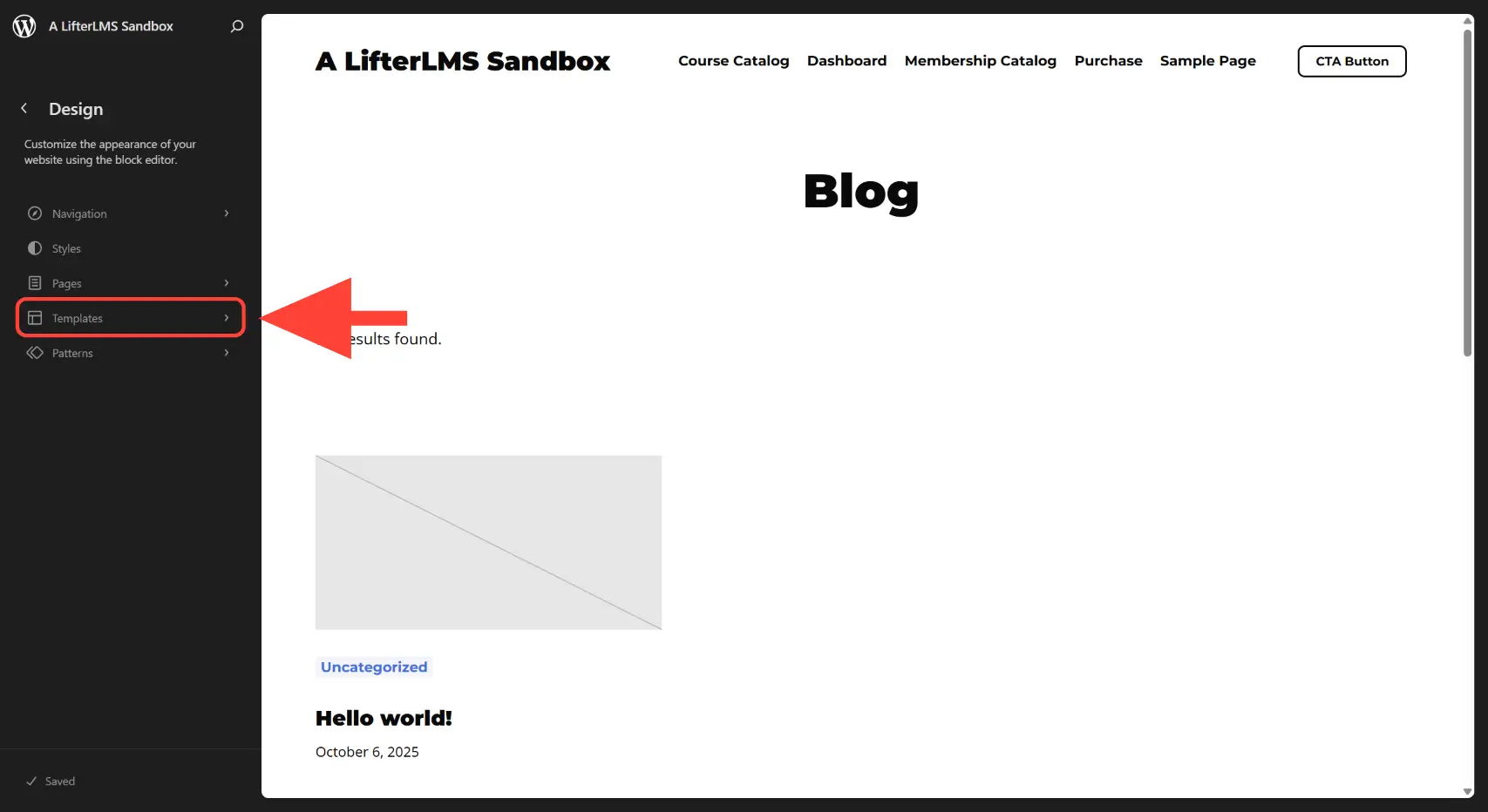
Step 2. Click on Templates.
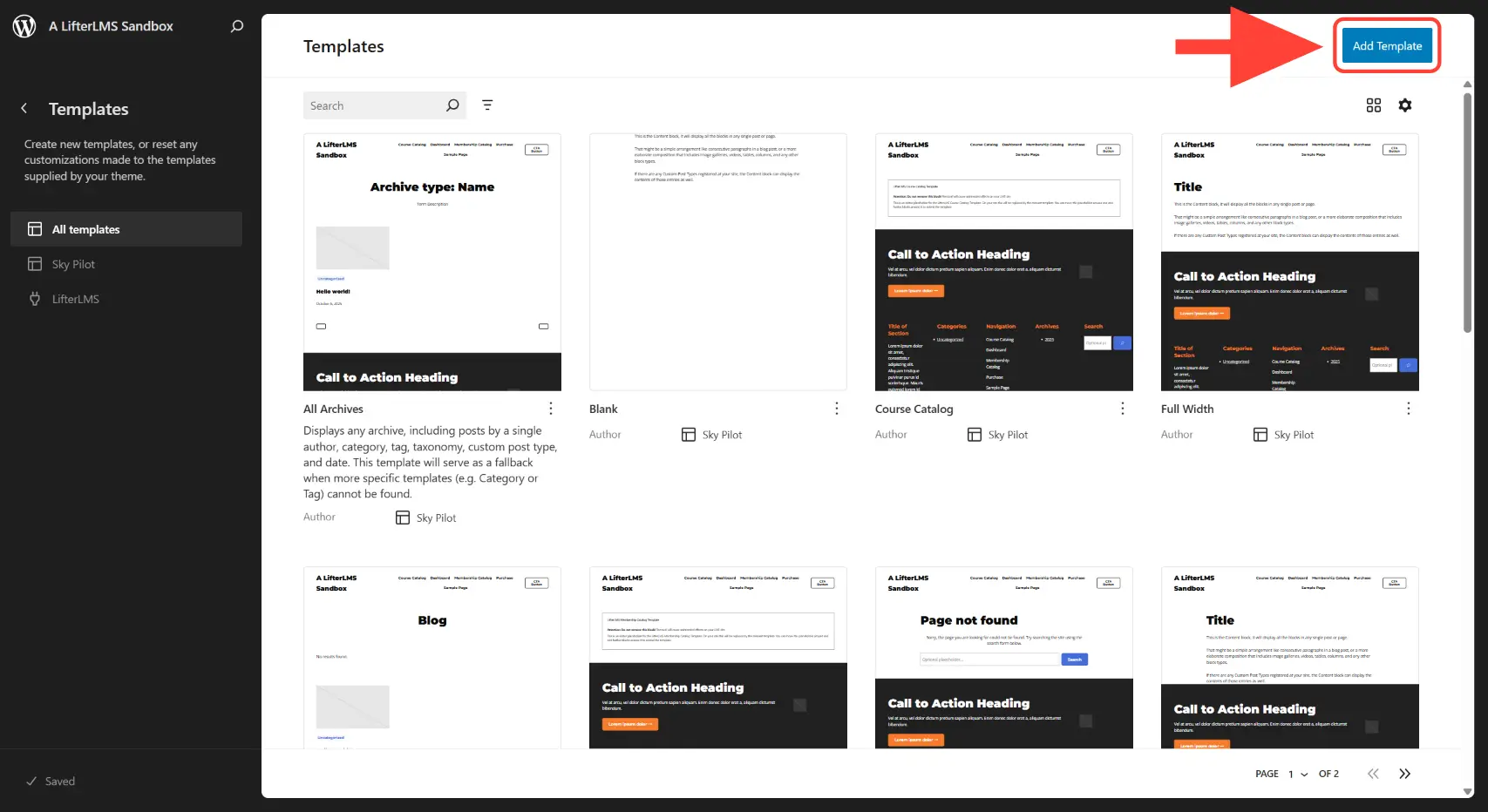
Step 3. Click on the Add Template button.
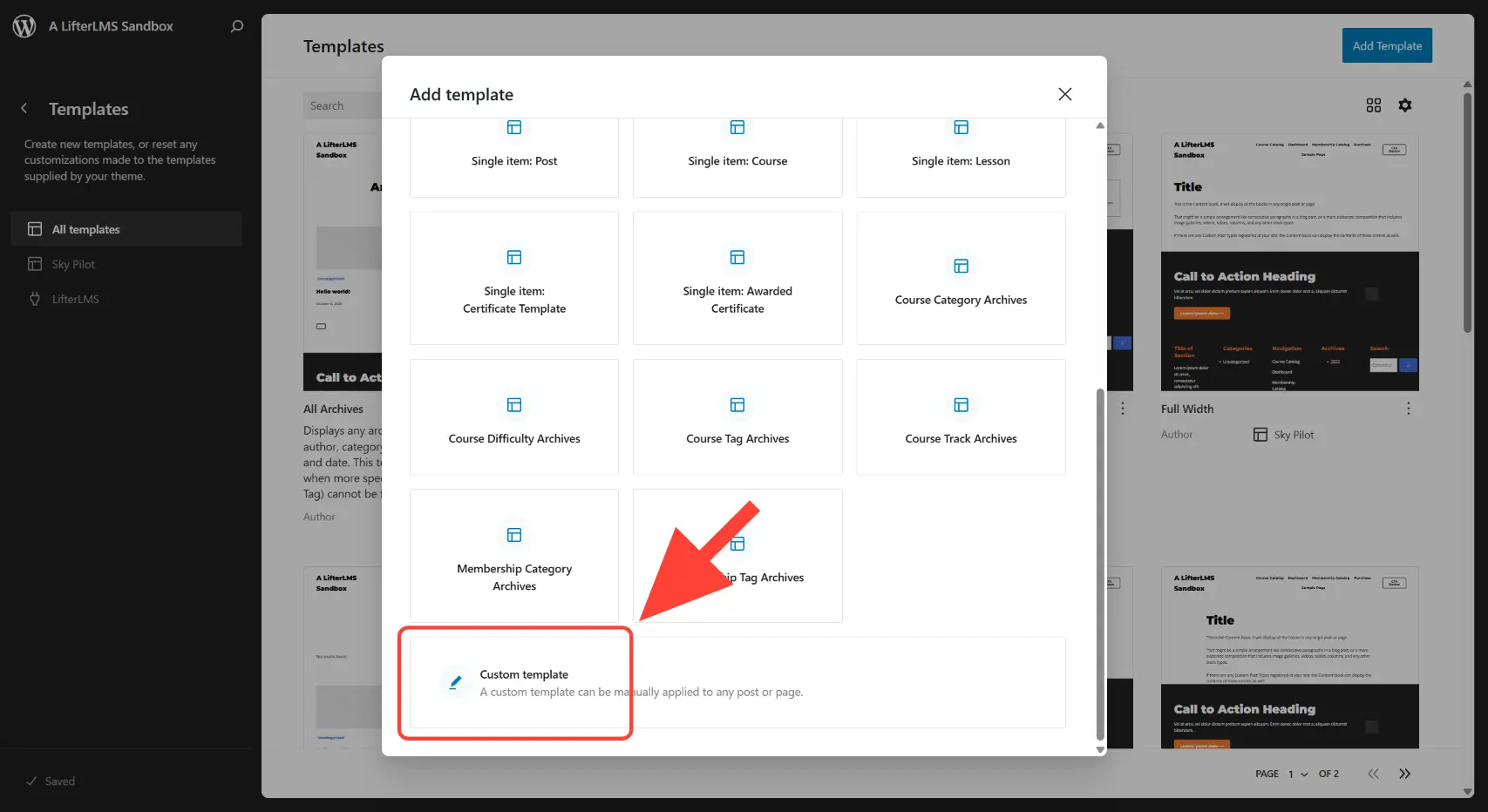
Step 4. On the “Add template” pop up box that appears, scroll down and click on Custom template.
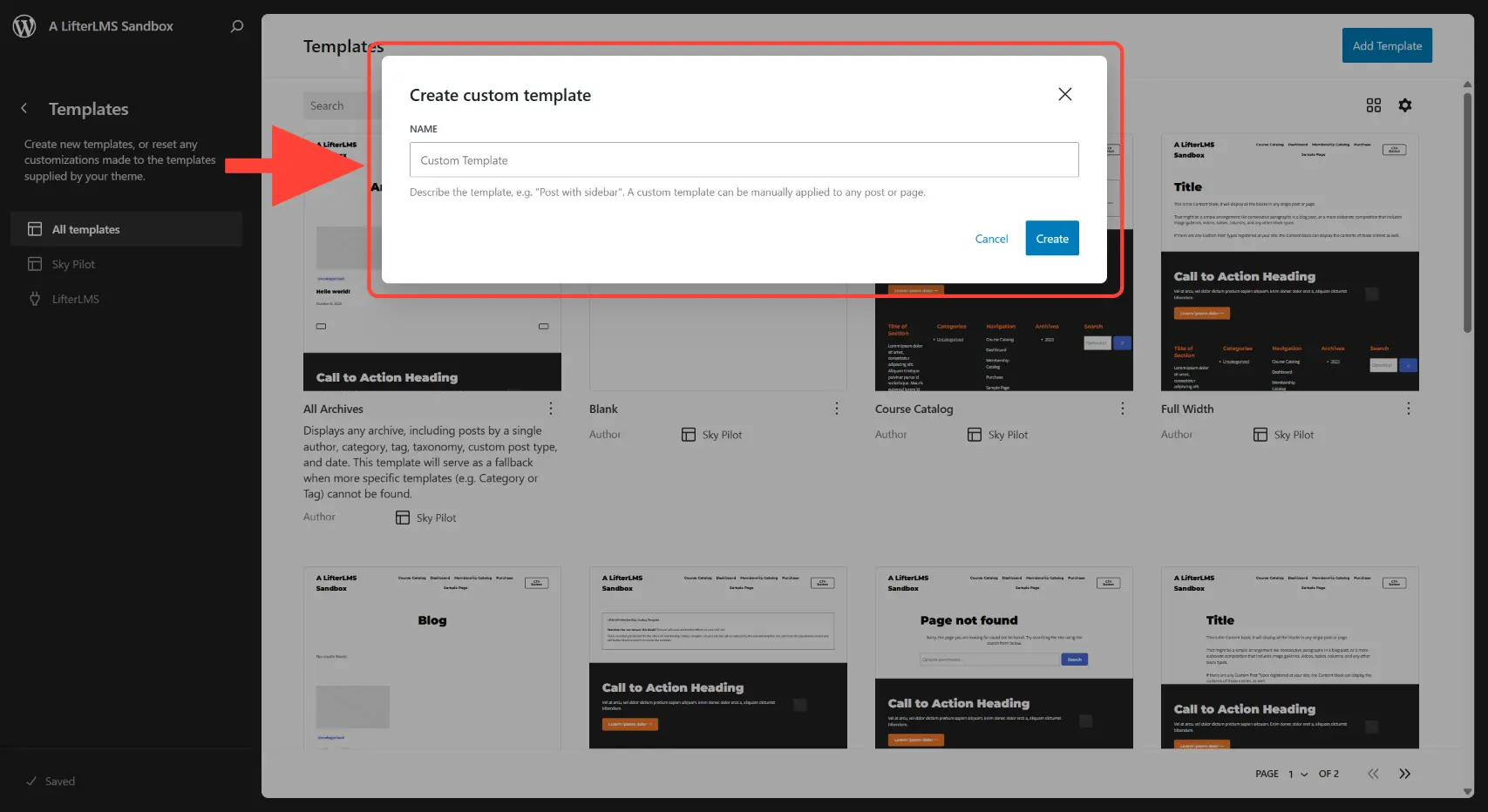
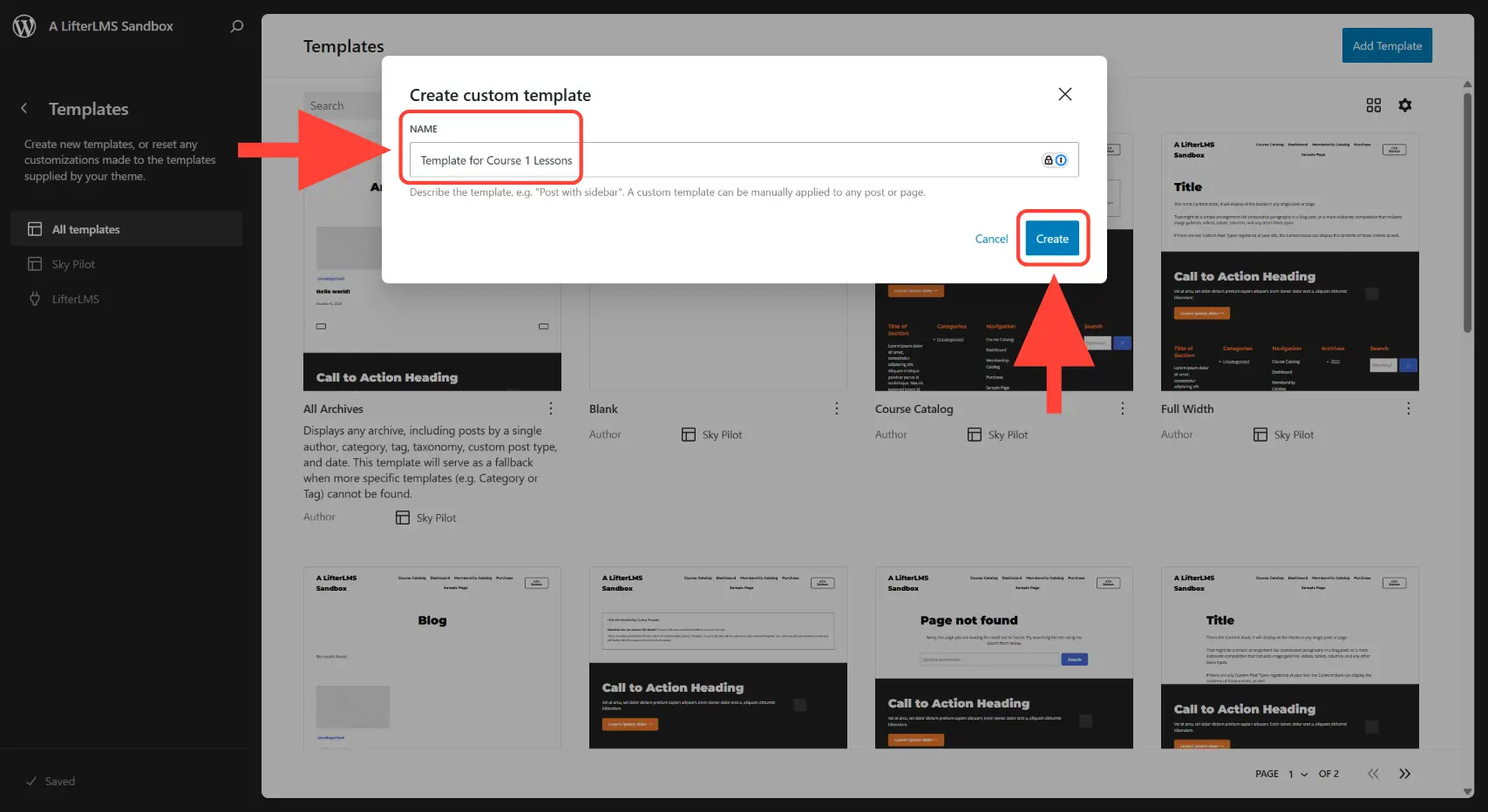
Step 5. On the “Create custom template” pop up box that appears, type a template name and click on the Create button.
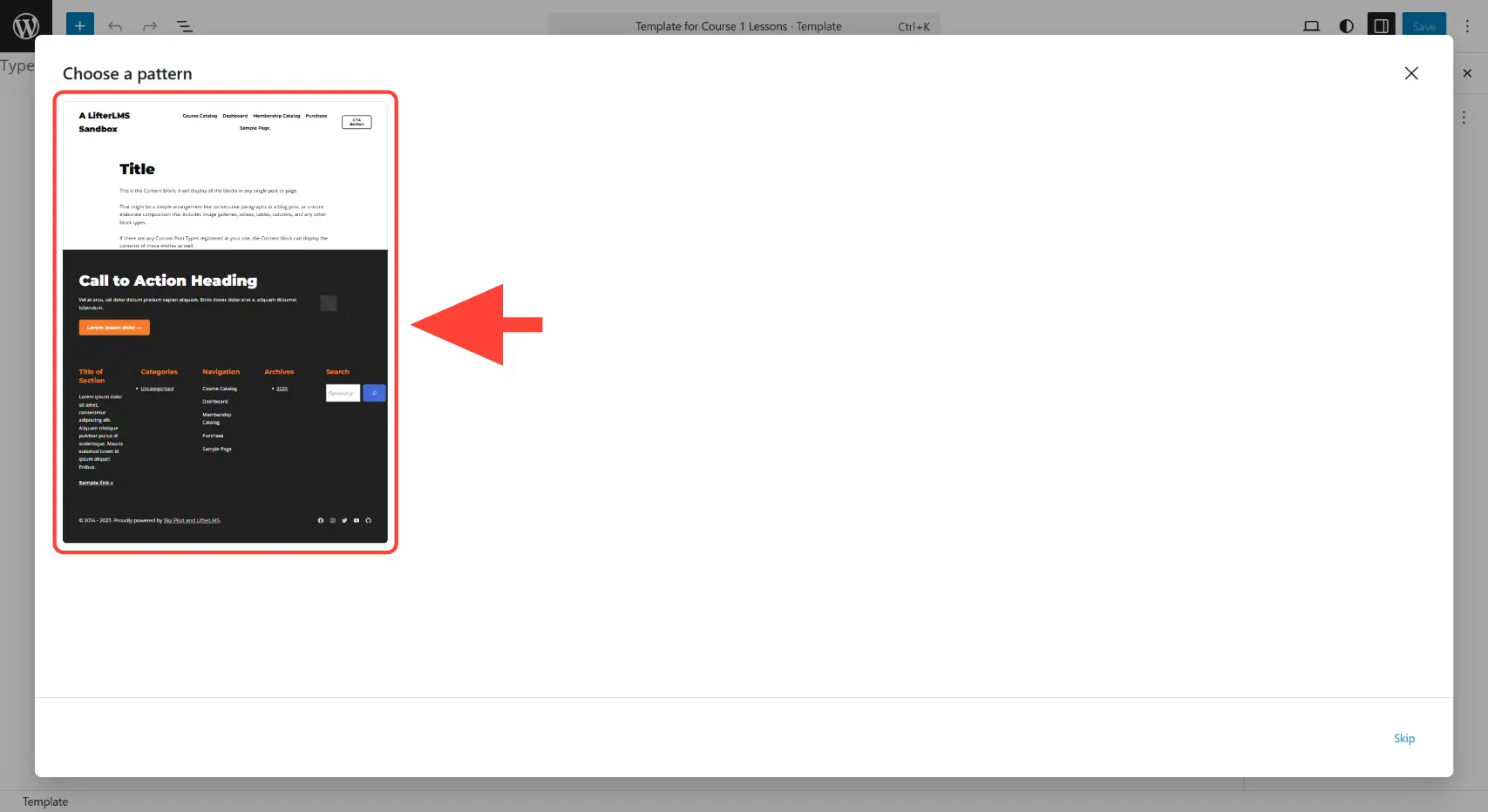
Step 6. On the “Choose a pattern” pop up box that appears, click any existing template to use as a boiler template.
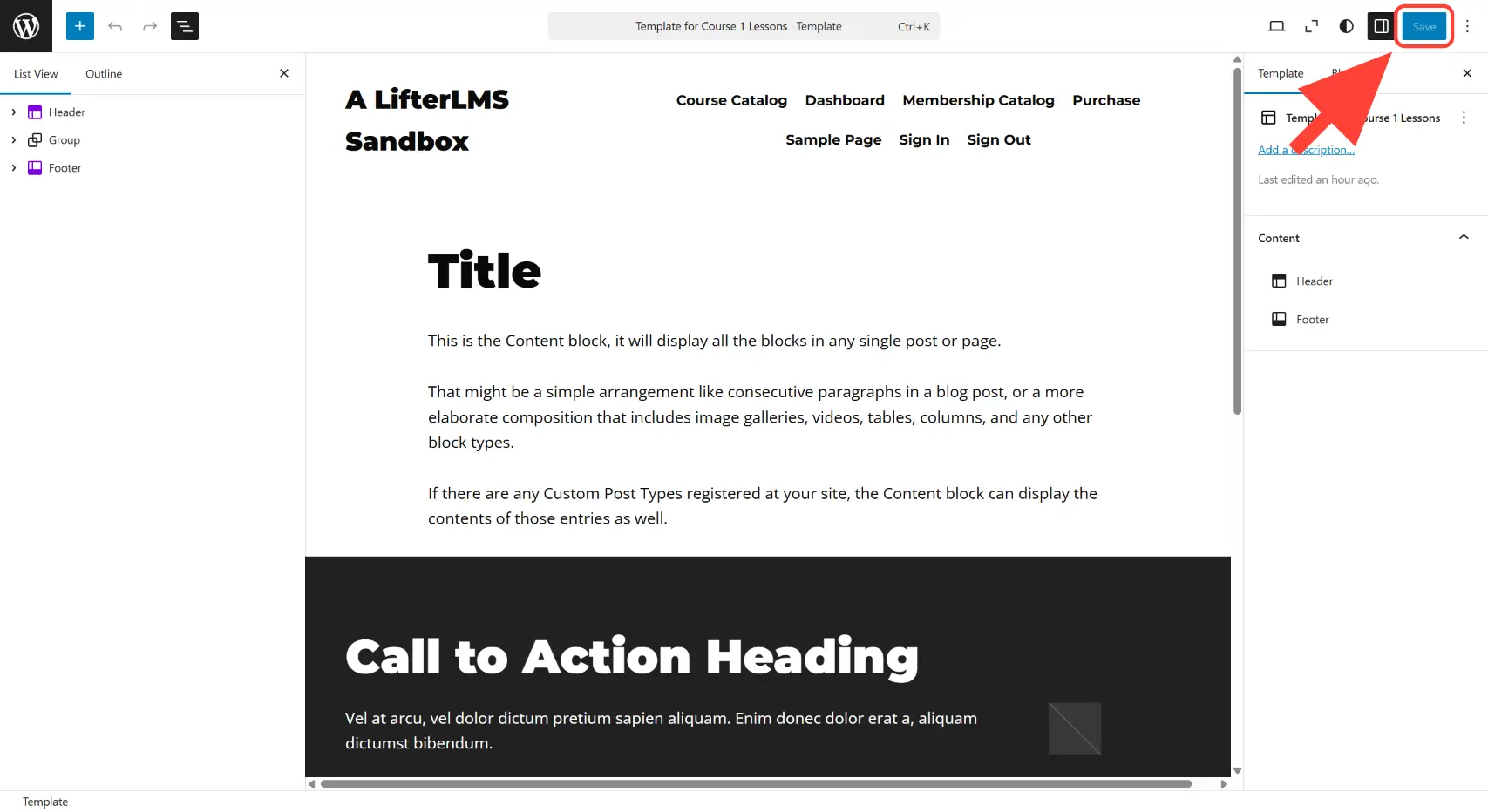
Step 7. Modify the design of this template as much as you want. Then save the changes using the Save button.
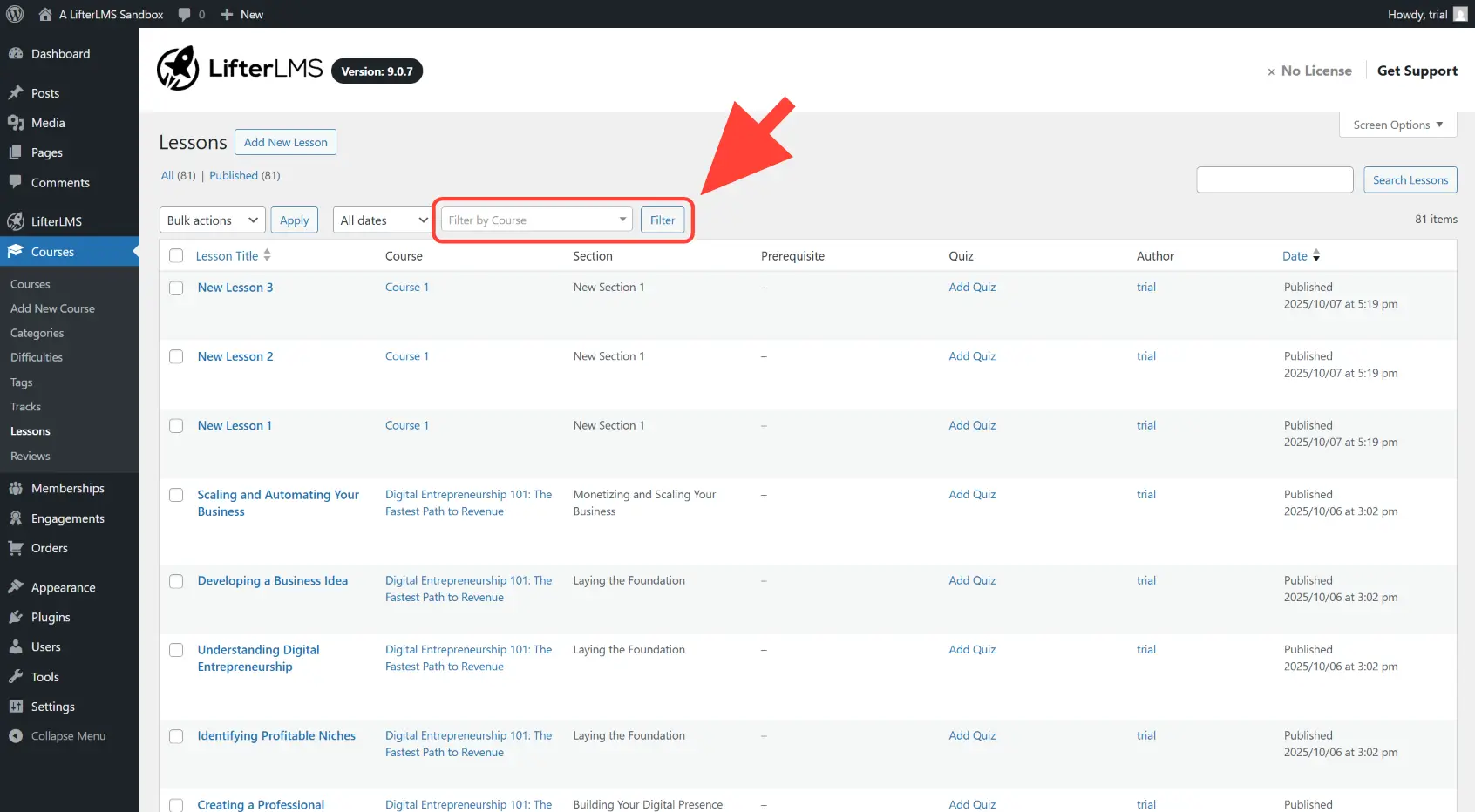
Step 8. From the WordPress administration dashboard, navigate to Courses > Lessons.
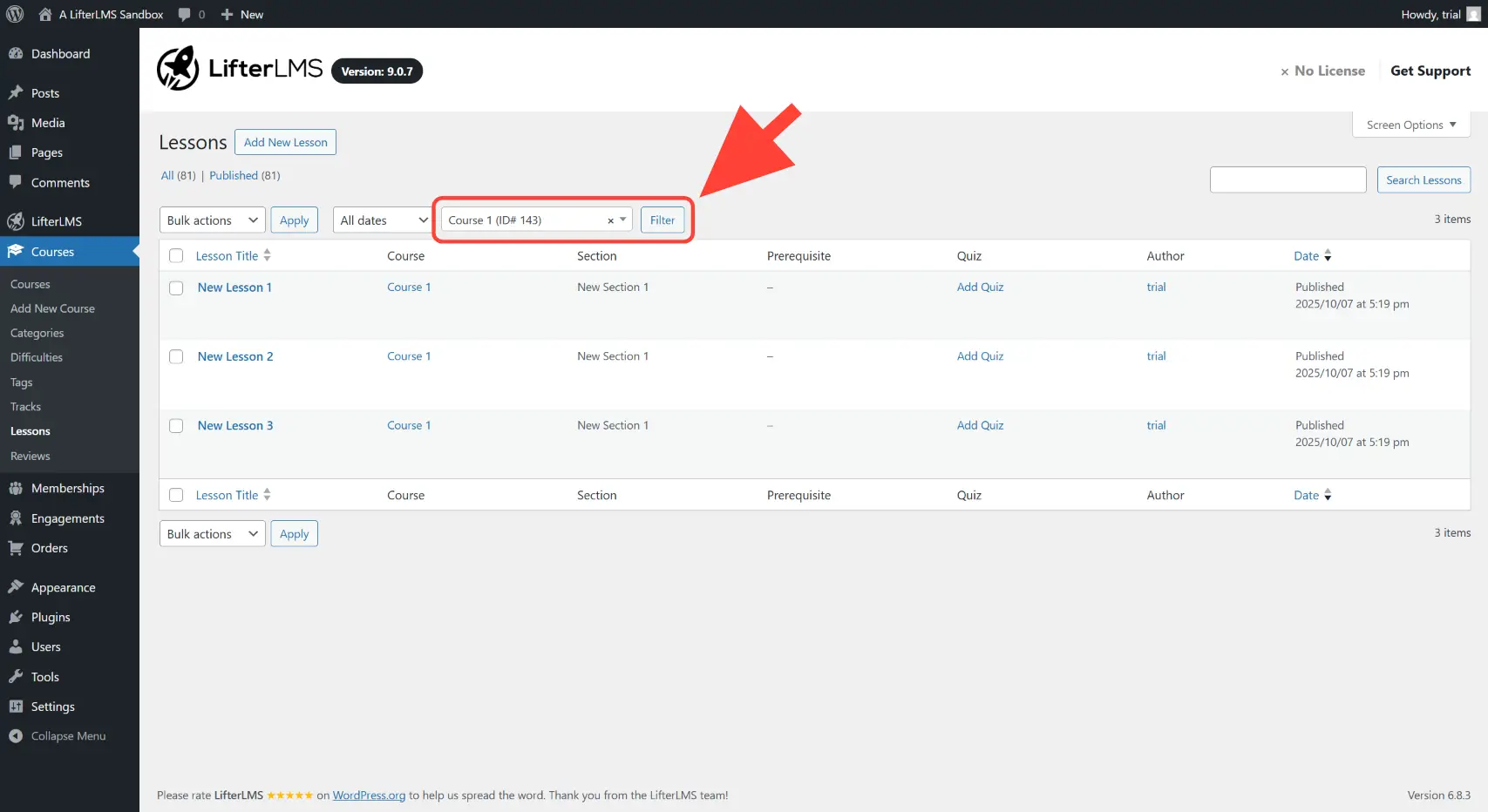
Step 9. Filter the lessons by course.
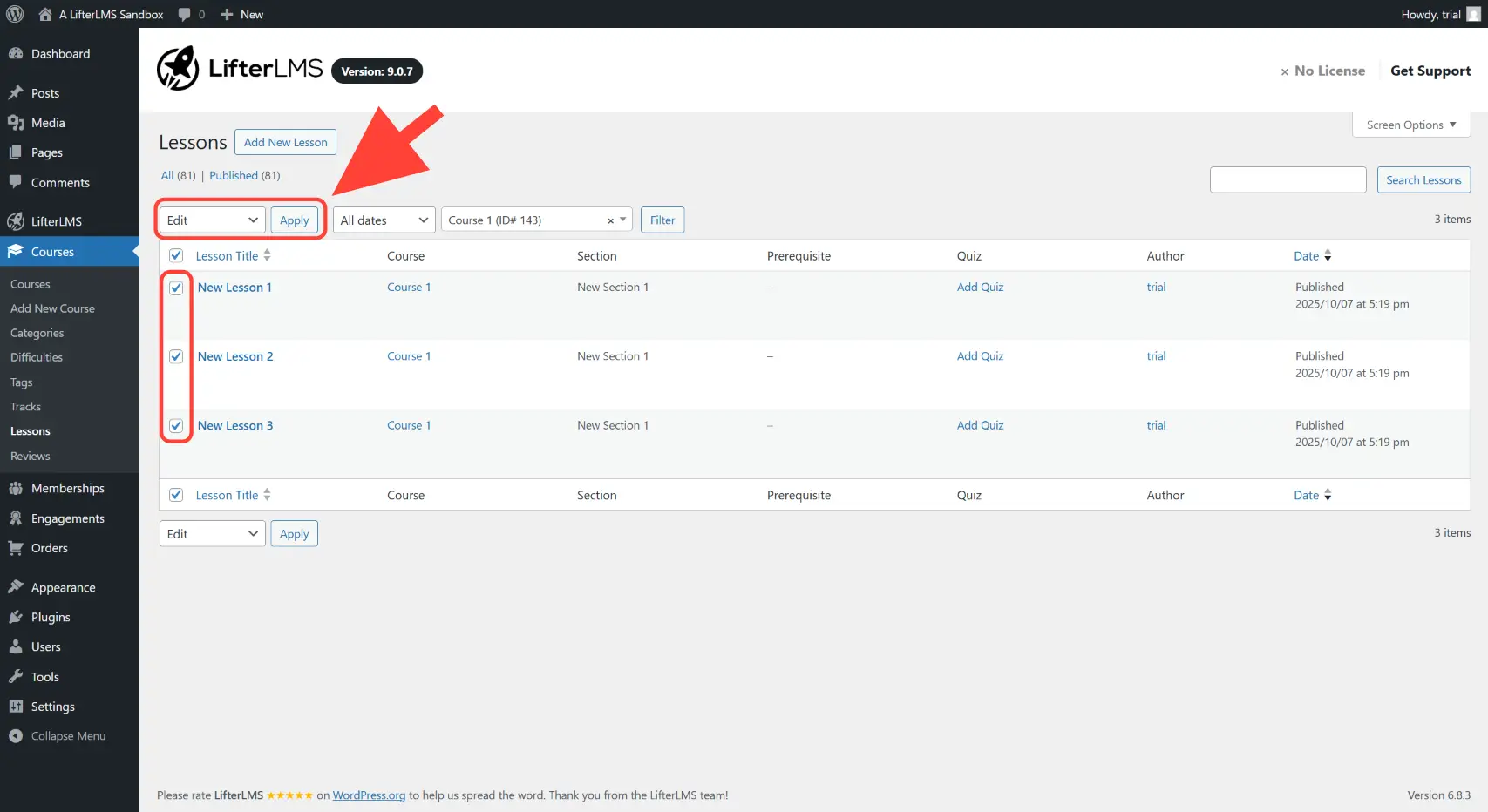
Step 10. Bulk edit the lessons by selecting “Edit” in the dropdown and then clicking Apply.
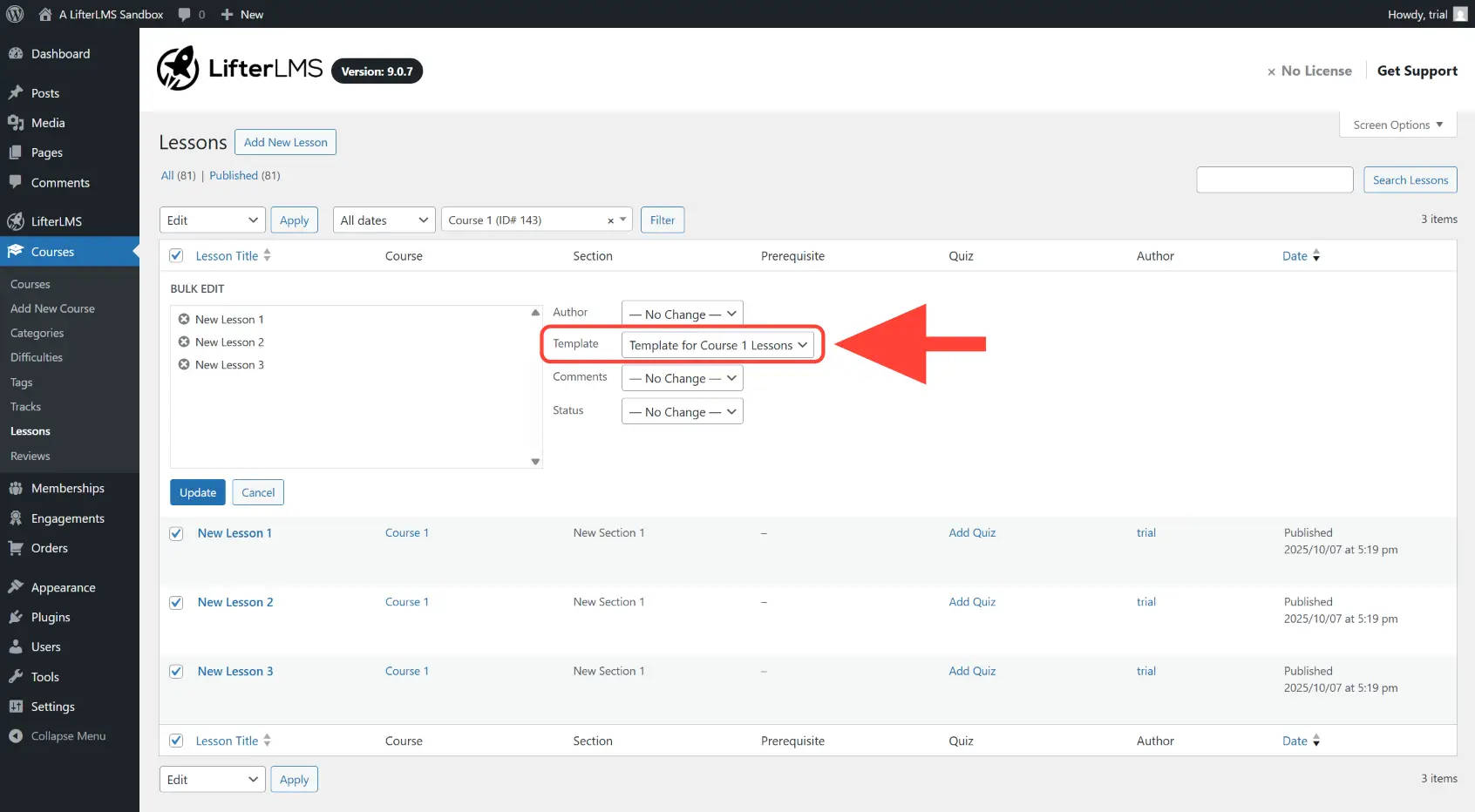
Step 11. Set the “Template” to be the template created in the previous steps.
Step 12. Save the changes by clicking on the Update button.
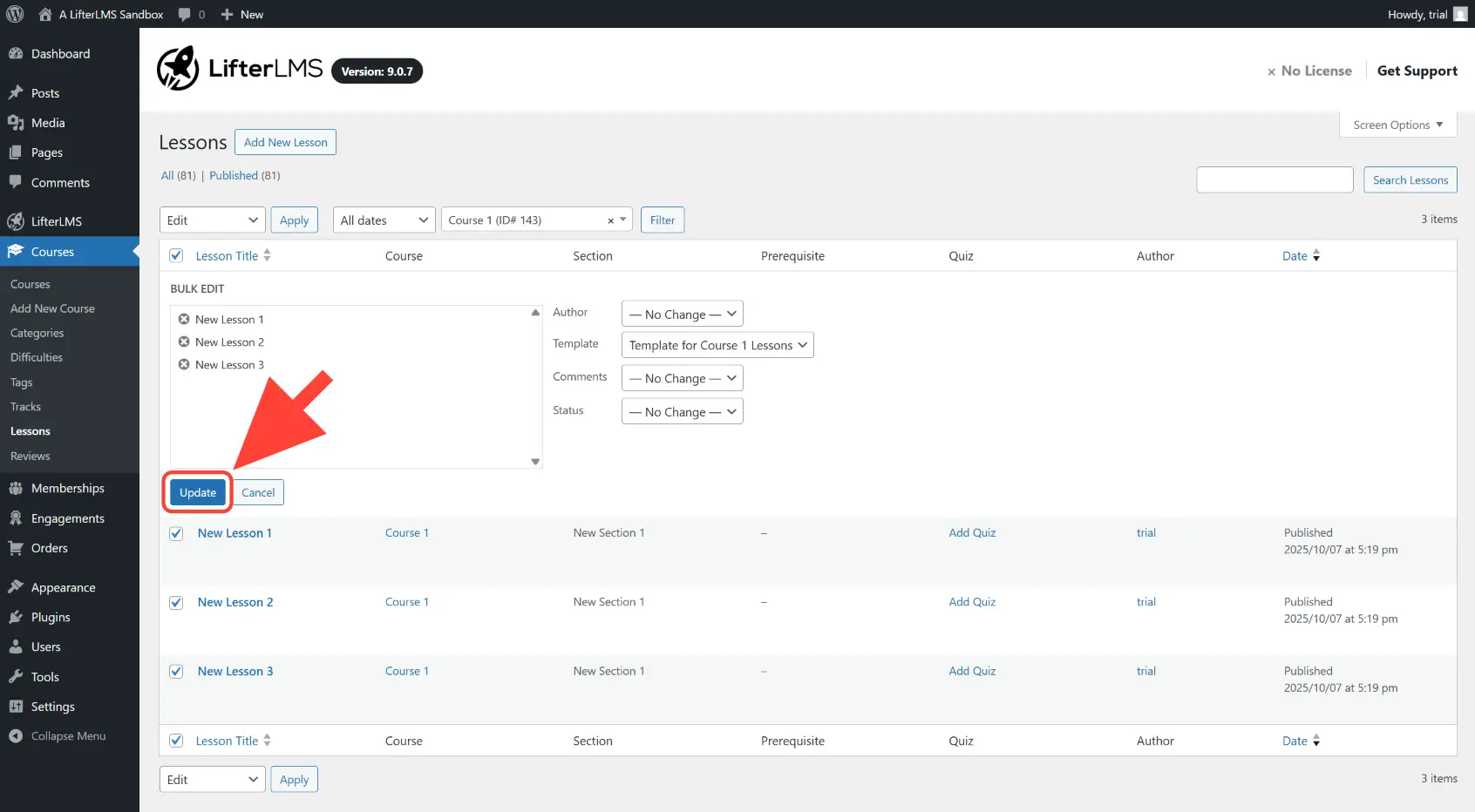
Once the changes are saved, all the lessons of that specific course will now use the lesson template you specified.


