

How to Upgrade Your LifterLMS License
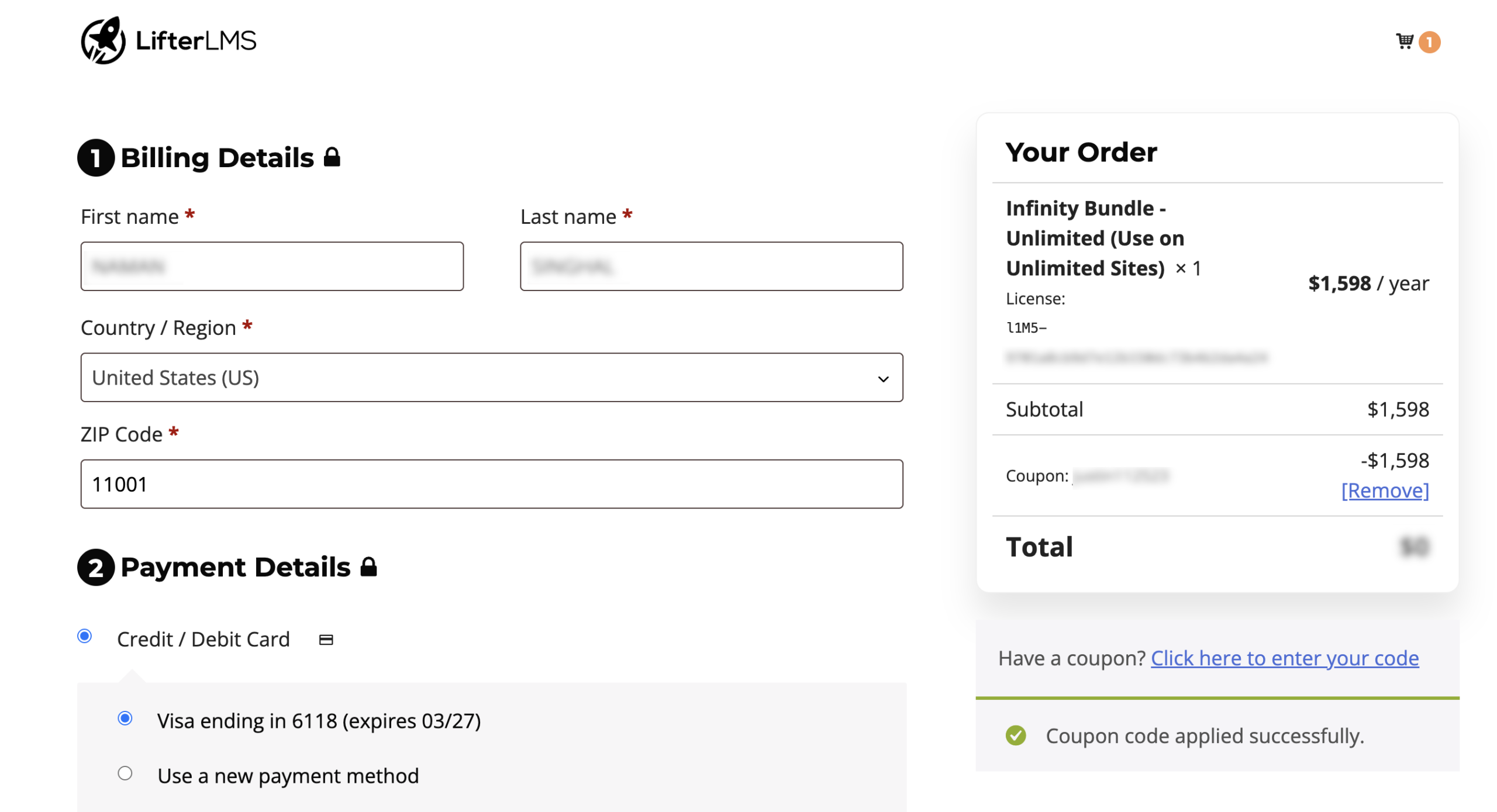
You can upgrade your existing LifterLMS license to a higher bundle at any time. When you upgrade, our system automatically calculates a prorated discount based on the remaining value of your current license. This ensures you only pay the difference for the time left on your subscription.
How Proration Works
When you upgrade your license or bundle:
- The remaining value of your current subscription is calculated.
- That amount is applied as a credit toward the new purchase.
- You pay only the difference between the two plans.
Your renewal date normally remains the same, but the renewal price will reflect the new license or bundle.
For example, if you are halfway through a one-year Earth Bundle subscription and decide to upgrade to the Infinity Bundle, you’ll receive credit for the remaining six months of your Earth Bundle.
Follow these steps to upgrade your account.
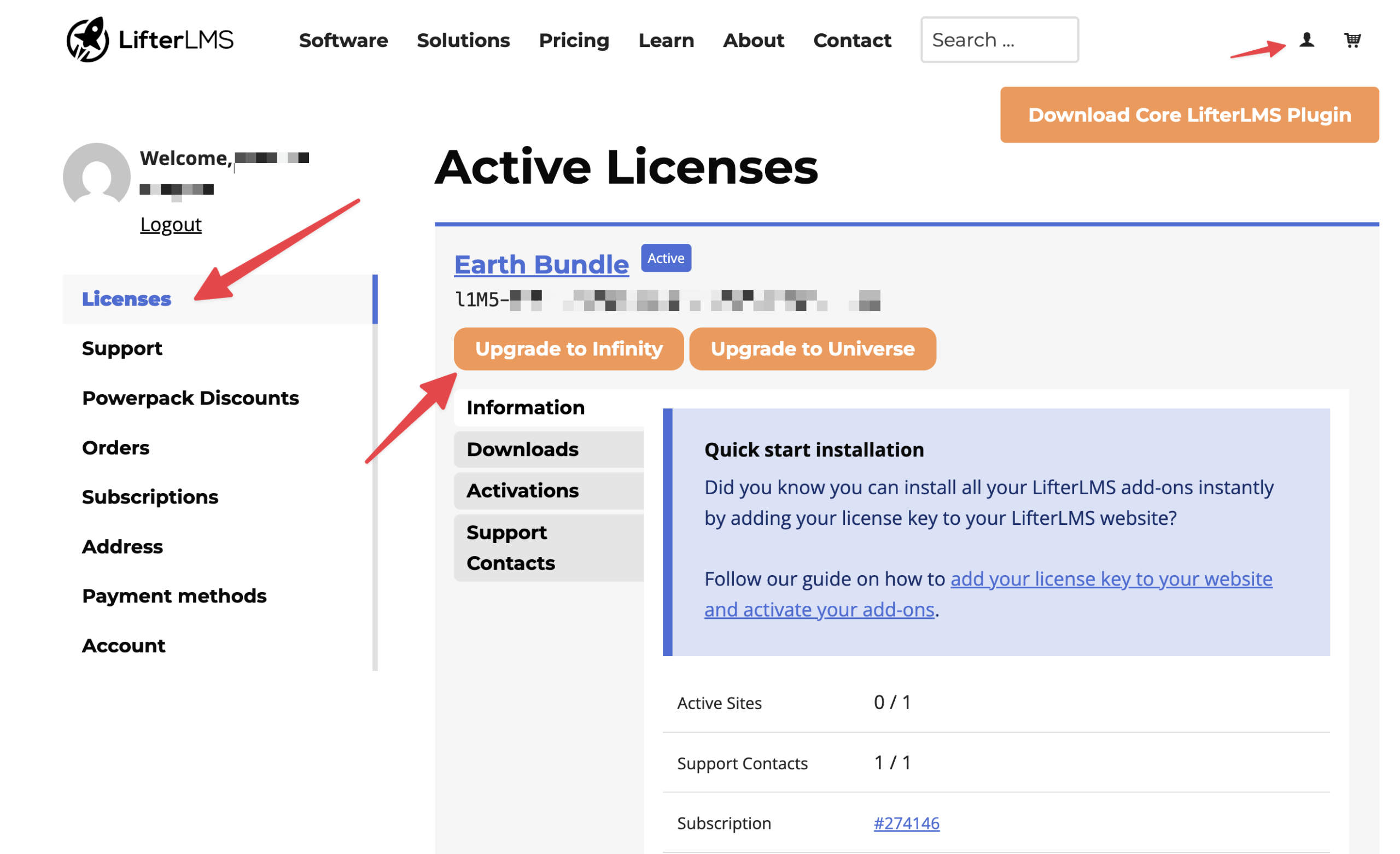
- Visit the LifterLMS website and click on the person icon in the top right corner of the header.
- Select My Account from the menu.
- Click on the Licenses tab in the left-hand navigation menu.
- Locate the active license you wish to change under the “Active Licenses” section.
- Click the Upgrade to Infinity button or the Upgrade to Universe button, depending on your needs.
- Review the prorated total on the checkout page.
- Enter your payment details and click Place Order to complete the upgrade.
Bundle Upgrades are currently only self-served if you have only purchased a bundle on your subscription. If you have a subscription with multiple bundles and/or products, or do not see the prorated discount applied, please reach out to our team:
- Navigate to the Support tab in your My Account area.
- Click on the Create a Ticket button.
- Provide your order details and explain that you are trying to upgrade your license.
You can also contact us through our general contact page if you have questions before you purchase. We are happy to help you find the best plan for your LMS project.


