How to Find Meta Boxes and Course Settings in WordPress
The WordPress editor sometimes hides important settings panels, known as “meta boxes,” which LifterLMS uses for “Course Options” and “Access Plans.” If you can’t see these settings while editing a course, they’re likely to either be located at the very bottom of your screen or disabled in your editor preferences.
This guide helps you locate these panels so you can manage your course settings and pricing.
If you scroll to the bottom of the page and don’t see the LifterLMS panels, they may be turned off in your editor settings. Follow these steps to make them visible:
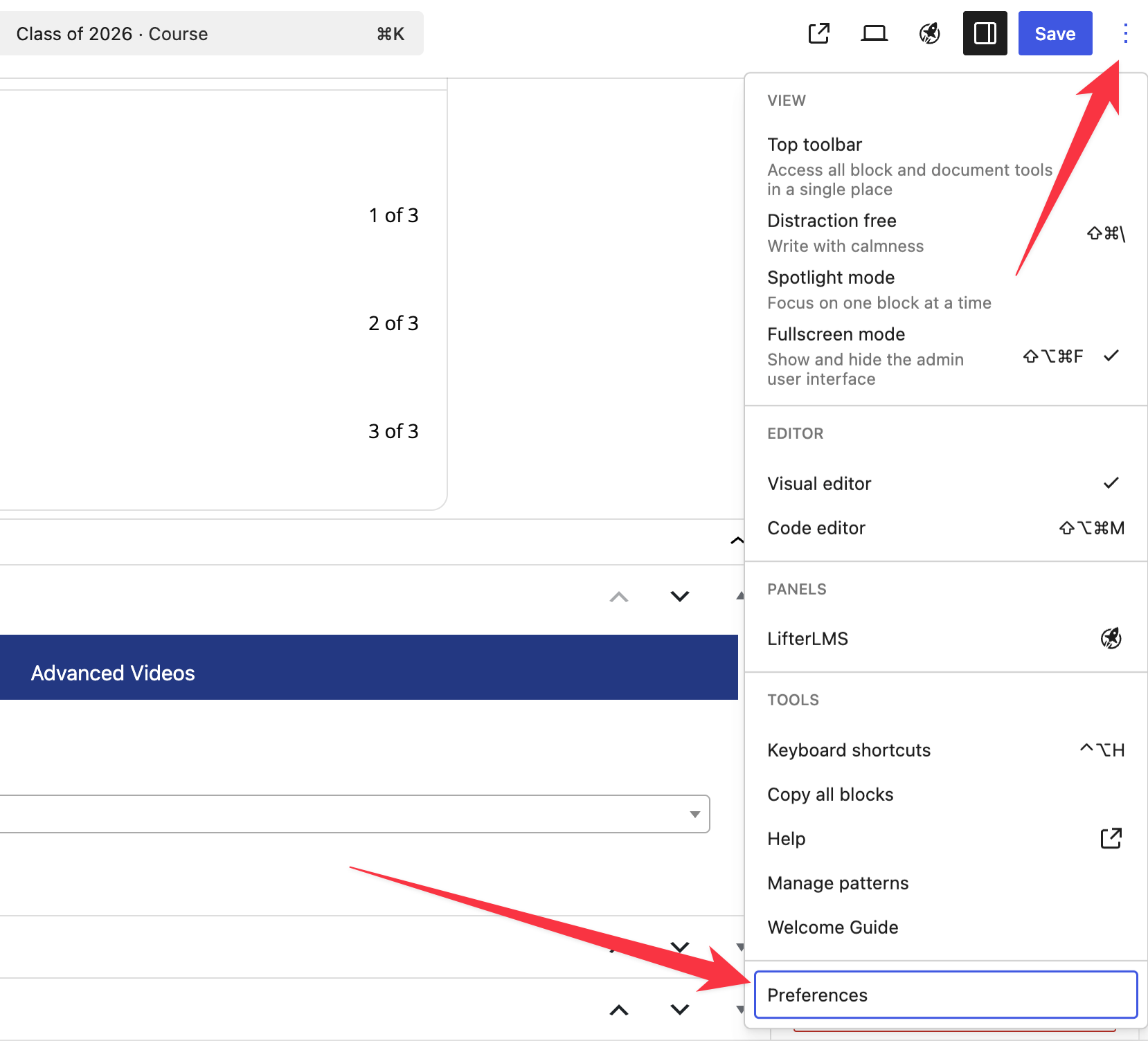
- Look at the top right corner of the editor screen.
- Click on the Options icon, which looks like three vertical dots.
- Move to the bottom of the dropdown menu and click on Preferences.
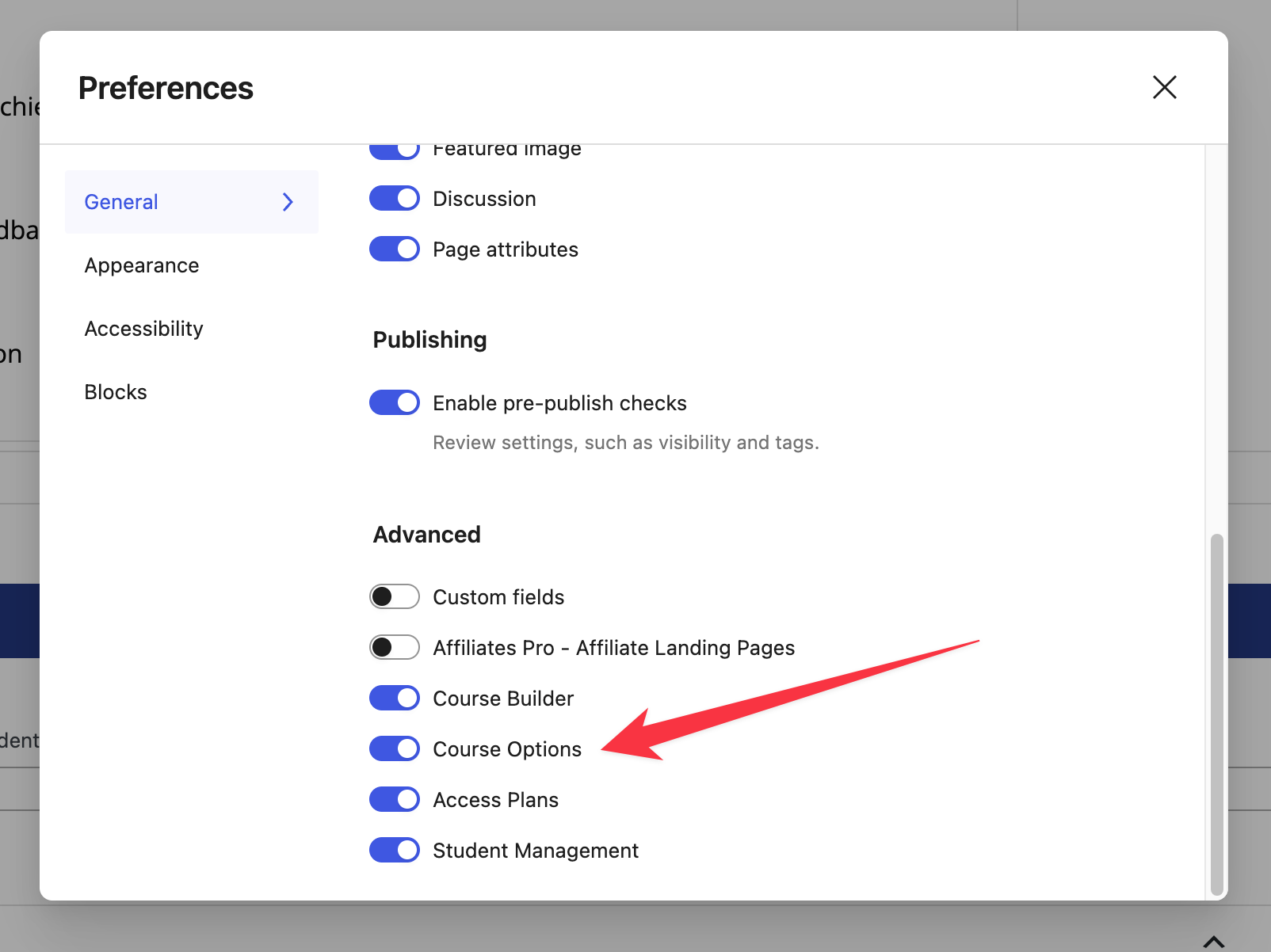
- Click on the General tab on the left side of the “Preferences” window.
- Find the “Advanced” section in the list of panels.
- Toggle the switches to the “on” position for “Course Options” and “Access Plans.”
- Click the X in the top right corner to close the “Preferences” window.
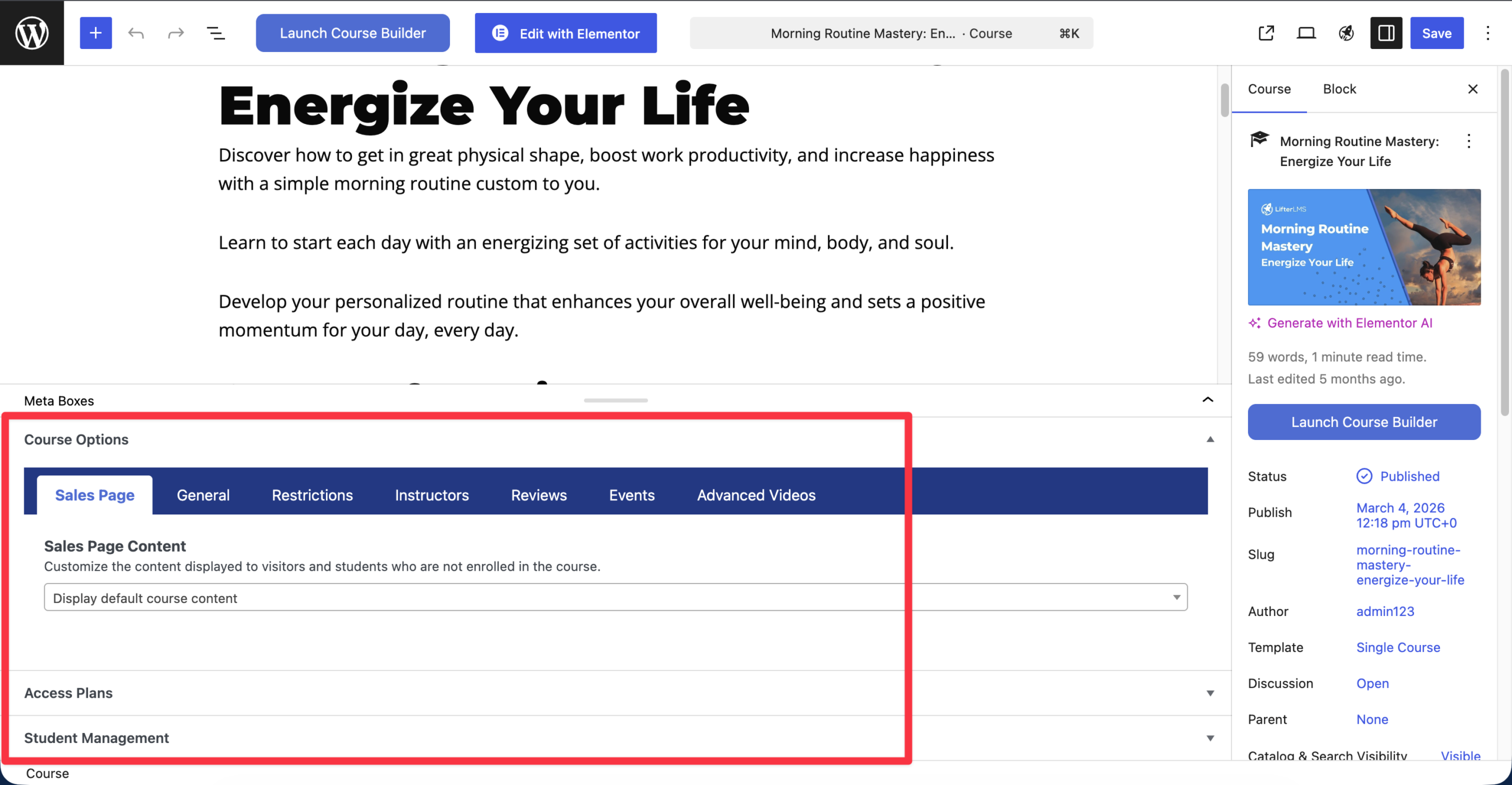
The meta boxes will now appear at the bottom of your editor page.
The main content area of the Block Editor is where you write your course description. The LifterLMS settings panels live below this area.
- Navigate to your course by clicking on Courses.
- Hover over the title of your course and click the Edit button.
- Scroll down past the main content area where you type your text.
- Continue scrolling until you reach the very bottom of the page.
- Look for sections titled “Course Options” and “Access Plans”.
If you still don’t see the LifterLMS meta boxes after following these steps, ensure that the LifterLMS plugin is active on your site.
Using the Settings Sidebar
In addition to the meta boxes at the bottom of the page, some LifterLMS settings appear in the sidebar on the right side of the screen.
- Click the Settings icon at the top right of the screen. This icon looks like a square with a small column on the right.
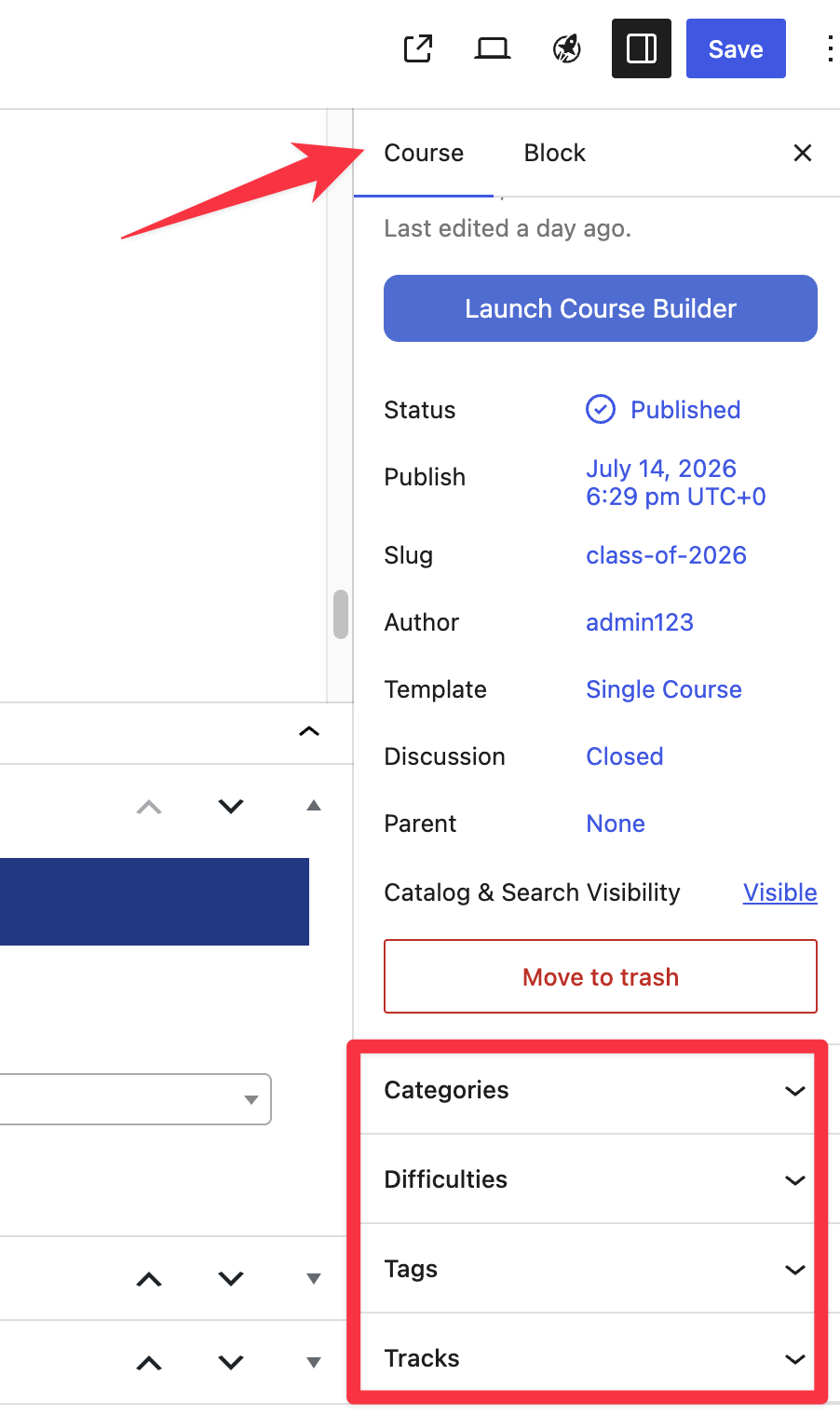
- Ensure the Course tab is selected at the top of the sidebar, not the Block tab.
- Review the “Course” tab for settings like “Course Categories”, “Difficulties”, and “Tracks”.