

How a Student Can Reset their Password
A student can reset their password on the My Courses page.
Video Demo
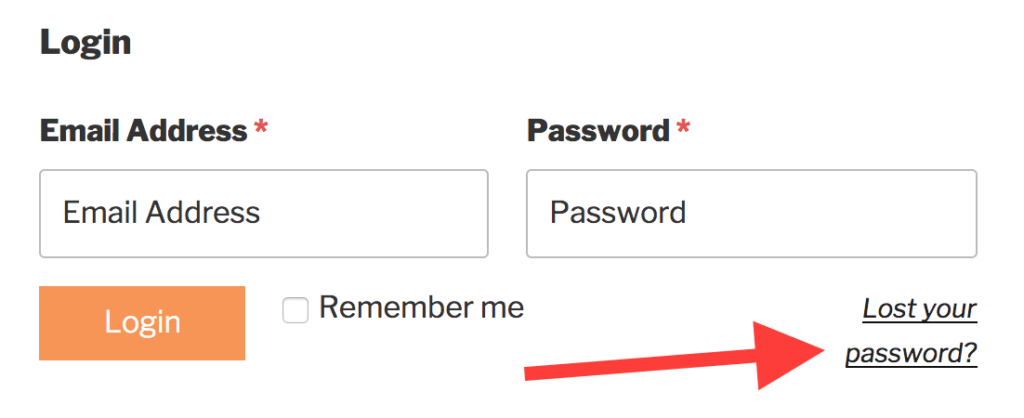
- Navigate to the My Courses page.
- Click the Lost your password? link.
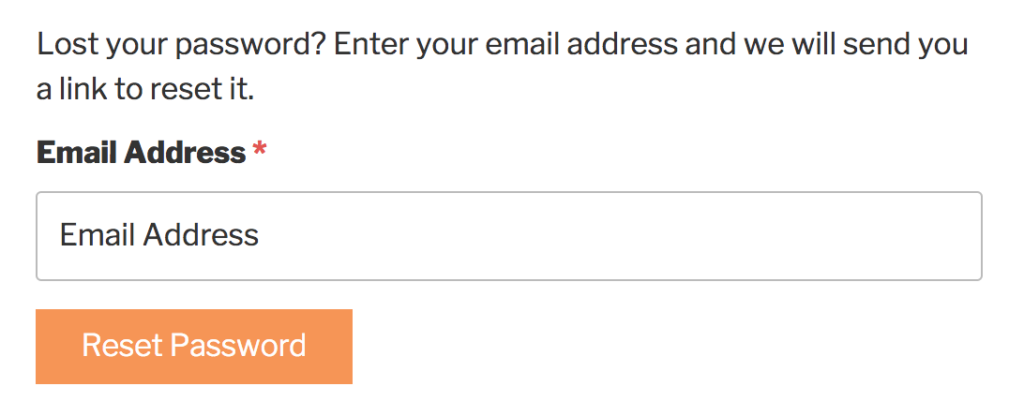
- Enter your email address.
- Click the Reset Password button.
A student can reset their password on the My Courses page.
You’re Almost There…
For free instant access to your LifterLMS video demo made exclusively for people looking to switch from another LMS they are not happy with, enter your first name and email below…

You’re Almost There…
For free instant access to your LifterLMS video demo made exclusively for agencies and WordPress professionals, enter your first name and email below…

You’re Almost There…
For free instant access to your LifterLMS video demo made exclusively for do-it-yourself course creators, enter your first name and email below…
