

“Teachable vs WordPress” is one of the first comparisons many new course creators make (and considering you’re reading this, you are too – so, we’re in good company).
- Teachable looks simple.
- WordPress looks flexible.
Both can help you teach online.
But only one gives you full control over your content, your students, and your future.This guide breaks down how Teachable and WordPress really compare. You’ll see what Teachable does well, where it holds you back, and why more creators are switching to WordPress + LifterLMS to build online course businesses that last.
Table of contents
The Core Differences: What are Teachable & WordPress?
Teachable is a hosted course platform. You sign up, upload videos, build lessons, and publish. The company handles hosting, checkout, and student access for you.
It’s ideal for getting started quickly – but that simplicity comes with limits. You pay monthly, work inside fixed templates, and depend on Teachable’s roadmap.
WordPress, on the other hand, is open-source software powering more than 40% of the web. When you combine it with a learning management plugin like LifterLMS, you get a full-featured teaching platform you own entirely.
It goes far beyond courses. You can host memberships, coaching programs, and even full online communities – all under your own brand, on your own domain.
Think of Teachable as renting a classroom. WordPress is buying the whole building.
Why (Some) People Start with Teachable
Most creators start with Teachable because it looks easy. There’s little to configure, no plugins to install, and no hosting decisions to make.
You can focus on teaching instead of the tech.
And, to some, that convenience matters in the beginning.
You’re experimenting, validating an idea, and building your first audience.
But at some point, every creator outgrows “easy.”
You want to customize the experience, own your email list, or bundle coaching with your course – and suddenly, you can’t.
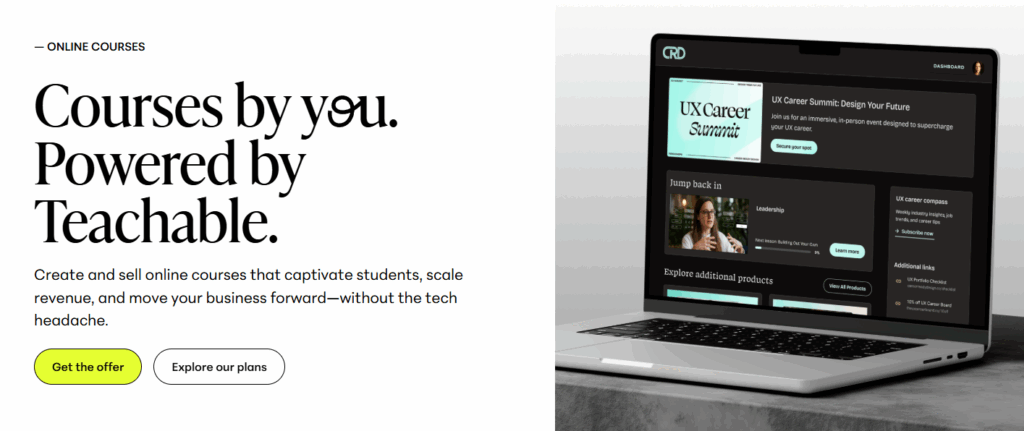
Teachable’s convenience turns into confinement.
- You can’t design freely or add complex pricing options.
- You pay significant transaction fees.
- You’re tied to their payout system and refund rules.
That’s when creators begin to explore WordPress.
They want more than a course. They want a business.
So, What Kind of Business Are You Building?
This is the real question – and it’s one few people ask early enough.
If your goal is to host one simple course and walk away, Teachable might be fine. But if your vision includes coaching, communities, memberships, or a growing library of content, you’ll hit its ceiling fast.
Successful education entrepreneurs think differently. They ask:
- How can I build a brand that lasts?
- What happens when I want to scale beyond a single course?
- How do I keep ownership of everything I create?
Those questions lead to a more sustainable answer – one built on a foundation you control.
With WordPress + LifterLMS, you can evolve from one course to an entire ecosystem:
- Courses that feed into memberships
- Coaching that upsells to premium learning paths
- Communities where students stay long after checkout
That’s not just running an online course. That’s building an education business.

Ownership as Business Equity
As a course creator, the goal isn’t simply to teach. It’s to build something of value.
If your entire business lives inside Teachable, you’re renting the one thing that powers your entire business. They own the framework, the checkout system, and ultimately, the relationship with your students.
When you leave, you lose the storefront.
Running your courses on WordPress flips that entirely. You own your site, your data, your content, and your audience. You control your refund policy and your student experience.
The long-term view
When you own your platform, it becomes part of your business’s value. You can expand it, rebrand it, or even sell it. As well as earning revenue, you’re also building digital real estate that grows in worth.
No third-party platform can offer that.
Where Teachable Hits Its Limits
Teachable is simple, but it’s also closed.
There are entire categories of things you simply can’t do.
On Teachable, you can’t:
- Sell bundled coaching and course offers in a single checkout
- Build a real community without adding another external tool
- Customise dashboards or student progress tracking
- Run an affiliate system that integrates deeply with your CRM
- Optimize SEO beyond basic titles and descriptions
These are not “advanced” requests and they will come up before you know it.
Creators who want flexibility, automation, and brand consistency eventually move to WordPress because it allows them to deliver the experience they – and their learners – want.
Teachable vs. WordPress – Side-by-Side Comparison
Website builder & design
Teachable gives you a drag-and-drop builder with predesigned blocks. You can tweak colours and fonts, but every Teachable site looks roughly the same.
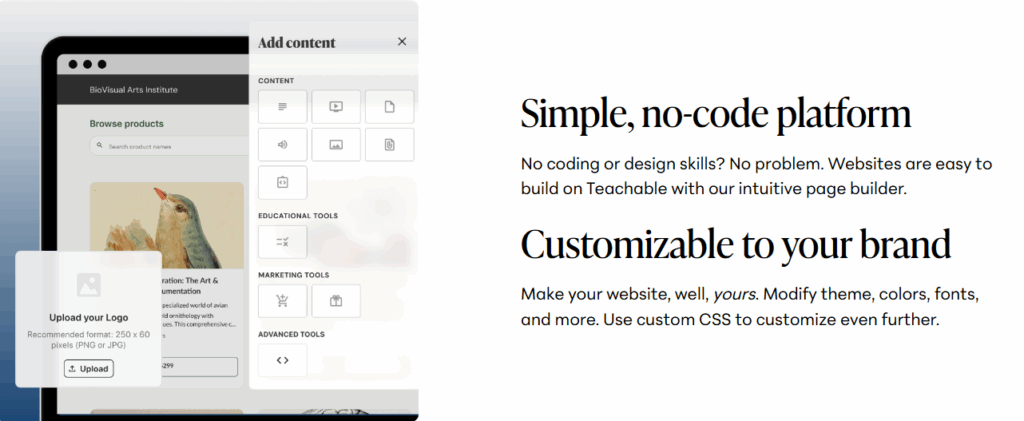
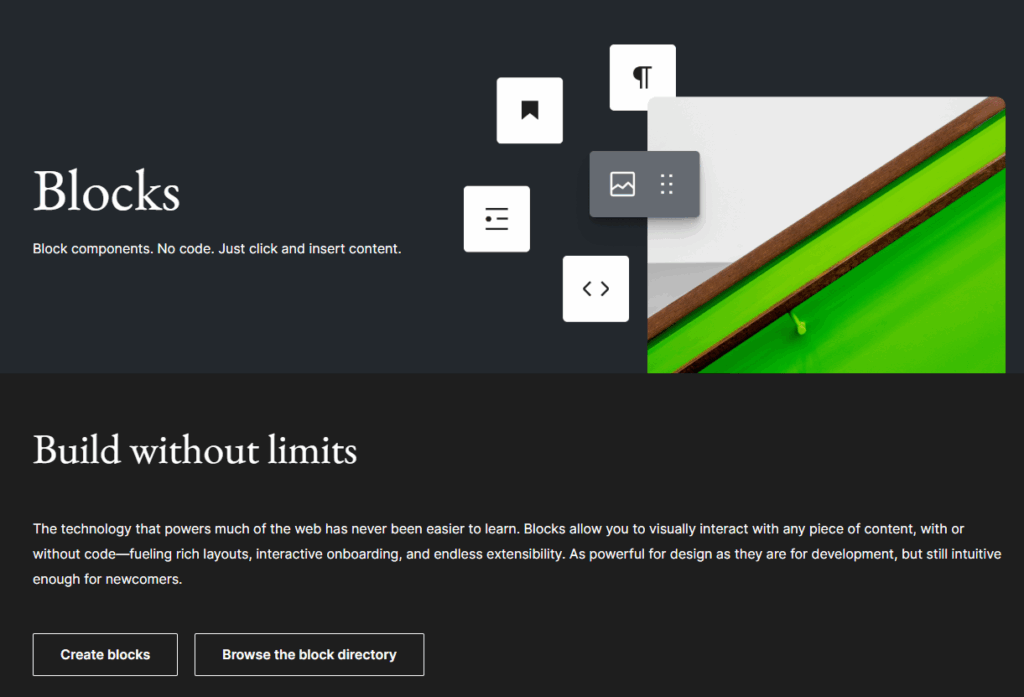
WordPress lets you create from scratch.
Use the native Block Editor or builders like Elementor, Divi, or Bricks.
Then, add LifterLMS and you’ll design a complete learning environment – courses, quizzes, certificates, and member dashboards – that fits your brand perfectly.
Verdict: Teachable gives you a quick template. WordPress gives you creative freedom.
Pricing
| Plan | Annual price | Transaction fee | Course limit |
| Free | $0 | $1 + 10 % | 1 |
| Basic | $468 / yr | 5 % | 5 |
| Pro | $1,428 / yr | 0 % | 50 |
| Business | $2,988 / yr | 0 % | 200 |
| Enterprise | Custom | Custom | Unlimited |
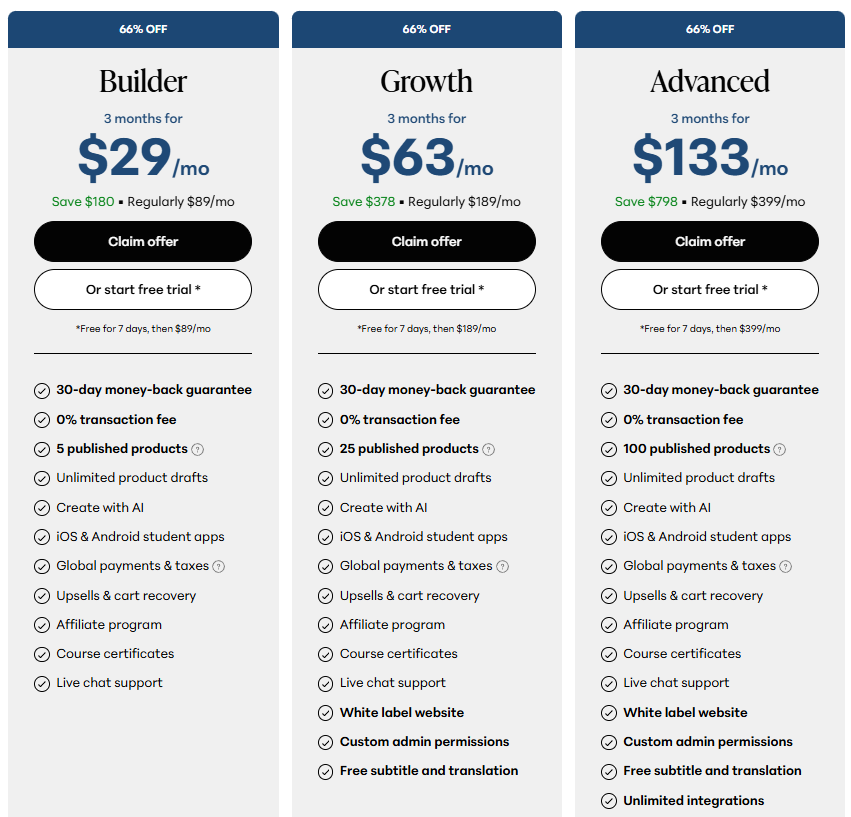
Teachable also charges standard payment-processing fees (around 2.9 % + 30¢ per transaction).
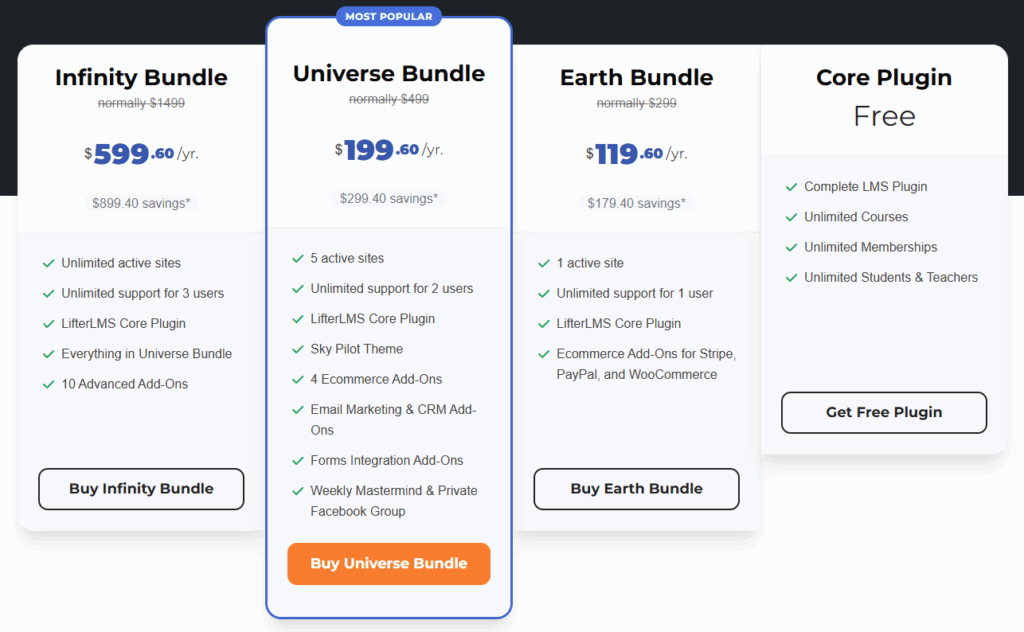
WordPress + LifterLMS:
- WordPress software – free
- Hosting – around $5–$20 / month
- LifterLMS core – free
- Add-on bundles – from $199 / year
There are no transaction fees, no forced upgrades, and no course limits.
Verdict: Teachable is cheaper up front. WordPress is cheaper long-term.
Integrations
Teachable works with a short list of integrations – Zapier, Mailchimp, ConvertKit, and Google Analytics.
WordPress works with nearly everything. CRM, email, payments, analytics, automation – all directly or via plugins.
Verdict: Teachable connects where allowed. WordPress connects anywhere.
Marketing tools
Teachable offers coupons, affiliate tracking, and basic email. That’s it.
WordPress gives you a full marketing stack:
- SEO for organic growth
- Email automation
- Retargeting and A/B testing
- Advanced checkout flows with WooCommerce
- Complete content marketing integration through your blog
If marketing drives your growth, WordPress wins every time.
Checkout & payments
Teachable handles payments through Teachable Payments, holding funds until disbursement.
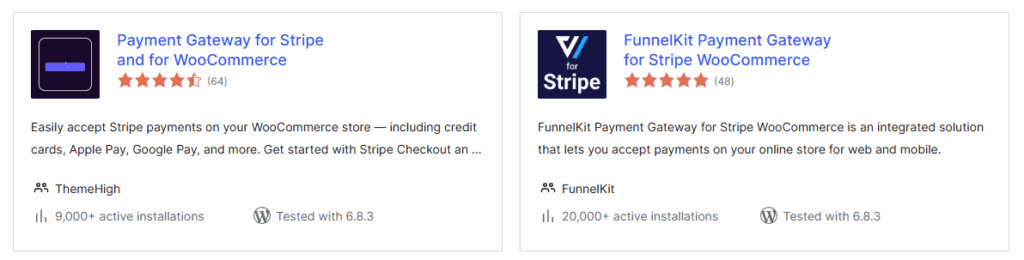
WordPress routes payments directly to your Stripe or PayPal account. You set policies, currencies, and refunds. Add LifterLMS or WooCommerce for subscriptions, bundles, and order bumps.
Verdict: Teachable manages your revenue. WordPress gives it straight to you, including third-party options outside of the learning management solution you choose.
Ease of use
Teachable is the fastest way to publish a course today. No setup, no tech, no confusion.
WordPress takes an extra step – but modern managed hosts do most of it for you. LifterLMS has a guided setup wizard, and certified LifterLMS Experts can launch your site in a few hours.
Once it’s live, you own it – no platform lock-in.
Verdict: Teachable wins day one. WordPress wins year one and beyond.
SEO
Teachable’s SEO is minimal. You can edit page titles and meta descriptions, but not schema, sitemaps, or blog categories.
WordPress was built for search. Plugins like Rank Math and Yoast SEO let you control every aspect of optimisation. That’s why WordPress dominates organic discovery for online education brands.
Support & community
Teachable support depends on your plan. WordPress and LifterLMS offer documentation, tutorials, and responsive ticket support.
More importantly, they have people. Thousands of creators, developers, and coaches share advice every day in the LifterLMS Academy and Facebook groups.
This isn’t just support – it’s mentorship.
Verdict: Teachable answers tickets. WordPress builds relationships.
Real-World Example: Why Frank Kane Built on WordPress
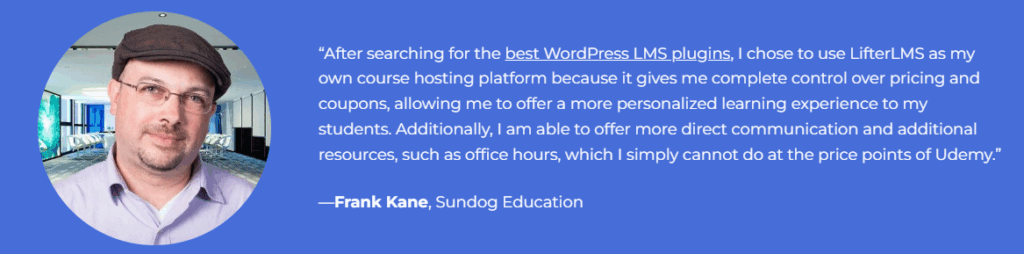
Frank Kane taught on a third-party platform for years and reached a significant scale. When it came time to build a platform he fully controlled, he moved his course to WordPress + LifterLMS – and kept growing. The results speak for themselves: over 600,000 students and $2M+ in revenue across his education business. On his LifterLMS site, Frank controls pricing, bundling, and the entire student experience. He can add products without plan ceilings, connect the tools he wants, and keep the customer relationship end-to-end.
That’s the difference ownership makes when your content becomes a real business.
Read Frank’s full success story →
How to Set Up WordPress + LifterLMS
It’s easier than you think.
- Choose a managed WordPress host – refer to our list of recommendations here.
- Install WordPress – fully automated by most hosting providers.
- Install LifterLMS – install from the plugin directory.
- Create your first course – use the drag-and-drop builder.
- Connect payments – Stripe or PayPal in minutes.
- Launch.
Watch Chris build an online course website from scratch with LifterLMS:
With WordPress, you’re not locked in. You can change hosts, update plugins, and grow freely – your data always stays yours.
Pros and Cons – Summary
Teachable Pros
- Fastest to launch
- Hosting and payments included
- Clean interface
- Great for testing a small course
Teachable Cons
- High fees and upgrade prompts
- Limited design
- Restricted features
- No platform ownership
- Hard to grow past a few courses
WordPress + LifterLMS Pros
- Total ownership and control
- Unlimited courses and users
- Lower long-term cost
- Huge ecosystem of plugins
- Marketing and SEO flexibility
- Backed by an open-source community
WordPress + LifterLMS Cons
- It will take slightly longer to set everything up initially
Community, Longevity, and Peace of Mind
Remember: Teachable is a company.
If they change their pricing, policies, or platform direction, you adapt.
WordPress is a global open source ecosystem.
It’s been around for two decades, maintained by thousands of contributors. LifterLMS thrives within that system, improving constantly through user feedback. That kind of consistency is what keeps your business running year after year. You can switch hosts, redesign your site, or integrate new tools – without losing your foundation. When you build on WordPress, you build something that outlasts trends and product decisions.
Which One Wins?
Both platforms serve a purpose. Teachable helps you start. WordPress helps you stay.
For a quick first launch, Teachable does the job. If you want full control – over your brand, your data, your payments, and your student experience – WordPress + LifterLMS wins.
Teachable is the training wheels. WordPress is the bike that takes you anywhere.
After Action Report – Getting Started & Next Steps
Start Free with LifterLMS
Build your first course and experience the platform that grows with you.
Start Now →
Watch the Demo
See exactly how LifterLMS handles courses, memberships, and payments.
Watch Now →
Download the WordPress LMS Buyer’s Guide
Stop guessing. Compare features clearly and choose what fits your goals.
Get the Guide →
Organize Your Course Idea
Plan lessons, pricing, and structure with free printable worksheets.
Download Worksheets →
Learn from Real Creators
Join the LifterLMS Academy to see how real teachers, coaches, and entrepreneurs built their businesses on WordPress.
Visit the Academy →
Frequently Asked Questions
Teachable is easier on day one. WordPress takes a bit more setup but gives you freedom long-term.
WordPress. You avoid transaction fees and platform lock-in.
Yes, although it does require a bit of upfront work, you can migrate to WordPress + LifterLMS.
Yes – import them easily using the built-in tool.
Yes. Lower plans include transaction fees plus payment processing costs.
Your subscription increases. WordPress pricing remains stable.
Only partially, through Zapier or embeds. It’s limited.
Yes – it’s built for memberships, bundles, and coaching.
Only on paid plans. WordPress includes it from day one.
No. Managed hosts and LifterLMS onboarding & support make it simple.
Teachable hosts your videos. On WordPress, you choose – Vimeo, YouTube, or your host.
On Teachable, they do. On WordPress, you do.
Yes. Keep your Teachable course live while you build WordPress in the background.
Most creators get their WordPress + LifterLMS site live in under a day with modern hosts.
Final Thoughts From LifterLMS Founder & CEO, Chris
I’ve helped hundreds of creators make this transition. Most start on hosted platforms because they just want to get going. That’s smart. But every one of them eventually faces the same choice – keep renting or start owning.
When you move to WordPress, something changes. You stop playing by someone else’s rules and start shaping your own. You can build a brand that’s independent, resilient, and entirely yours.
I’ve watched creators double their revenue, grow communities, and find new confidence simply by taking back ownership.
You don’t need to be a developer – just determined to control your future. Start small, grow steady, and own what you build.
Ready to Build Something That Lasts?
You’ve seen how Teachable and WordPress compare – now it’s time to act. If you’re ready to own your platform, control your revenue, and create a learning experience that’s truly yours, LifterLMS is the next step.
You can start for free, see how it works, and grow at your own pace. No commitments, no pressure – just the freedom to build your business on your terms.
Own your platform. Grow your impact. Your students – and your future self – will thank you.



