

How do I autogenerate username and password from email address collected at checkout?
When selling courses or memberships through WooCommerce, you can control how student accounts are created during checkout.
Depending on your WooCommerce settings, students may:
- Create an account during checkout by setting a password, or
- Complete checkout first and set their password later via email
When using WooCommerce, this behaviour is controlled by WooCommerce, not LifterLMS.
LifterLMS follows the account creation rules defined in WooCommerce.
Before configuring account creation, make sure:
- WooCommerce is installed and active
- The LifterLMS WooCommerce Add-On is installed and active
- Your courses or memberships use WooCommerce checkout
If WooCommerce is not used for checkout, the options below do not apply.
LifterLMS does not manage user account rules, WooCommerce does.
When a logged-out user reaches checkout, WooCommerce decides whether:
- The user must create an account during checkout, or
- The account is created after checkout, with password setup handled separately
What the student sees depends entirely on your WooCommerce settings.
In your WordPress admin:
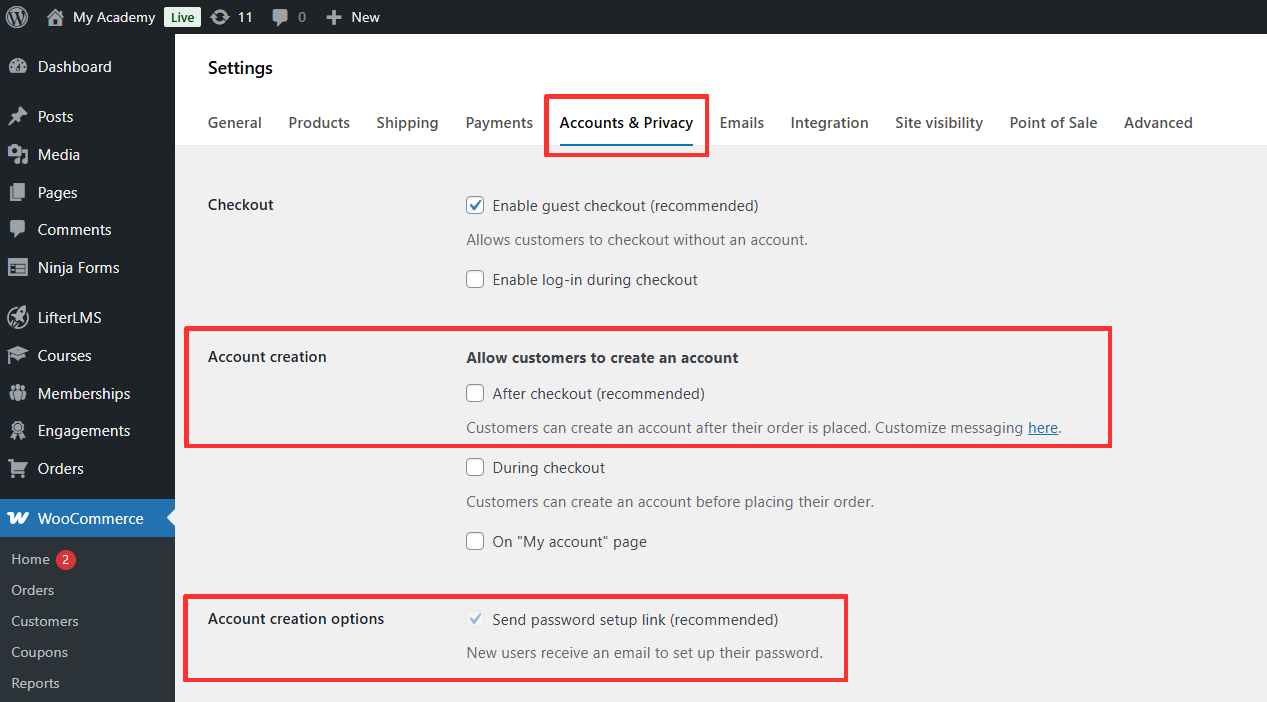
- Go to WooCommerce > Settings > Accounts & Privacy
- Scroll to the Account creation section
Key options to review:
- Allow customers to create an account
- After checkout
Then review Account creation options:
- Send password setup link
These settings determine when the account is created and how the password is set.
Logged-out students with password fields visible
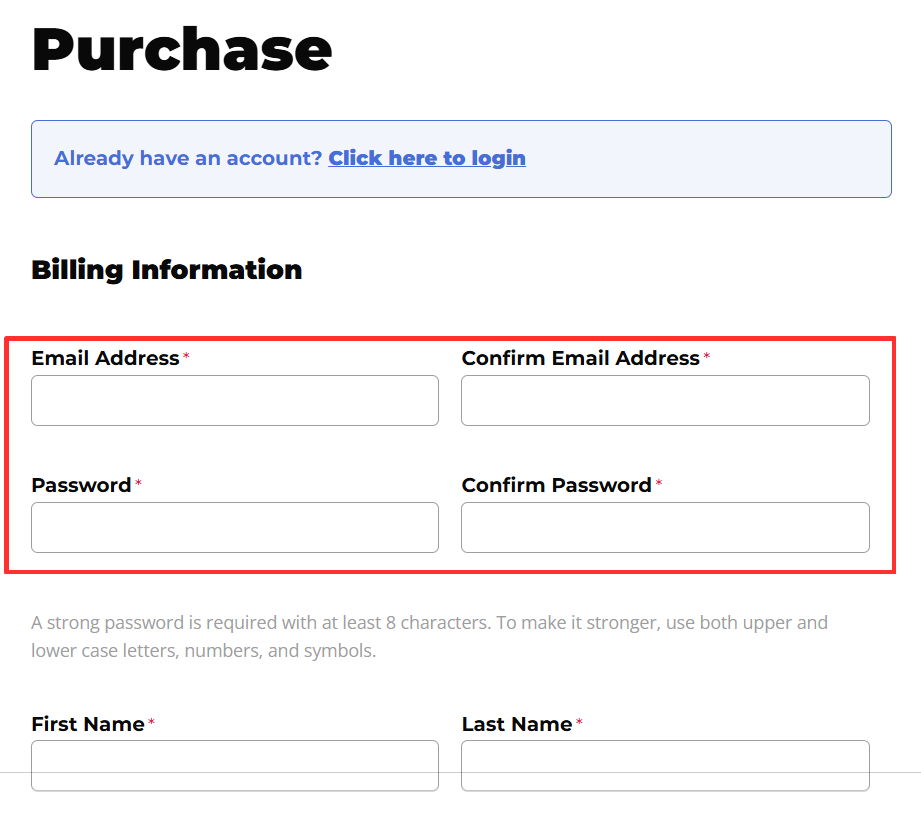
If WooCommerce is configured to require password setup during checkout:
- Email address fields are shown
- Password and confirm password fields are shown
- The student creates their account before completing payment
This is expected behaviour.
Logged-out students without password fields
If WooCommerce is configured to send a password setup link:
- Password fields are removed from checkout
- The student completes checkout using their email address
- The account is created automatically
Password setup happens after checkout. This behaviour depends entirely on WooCommerce configuration.
When WooCommerce creates the account automatically:
- The student account is created after purchase
- WooCommerce sends an email prompting the user to set their password
- The student sets their password and logs in
Email content and timing are controlled by WooCommerce and may vary by configuration.
LifterLMS does not send or customise these emails.
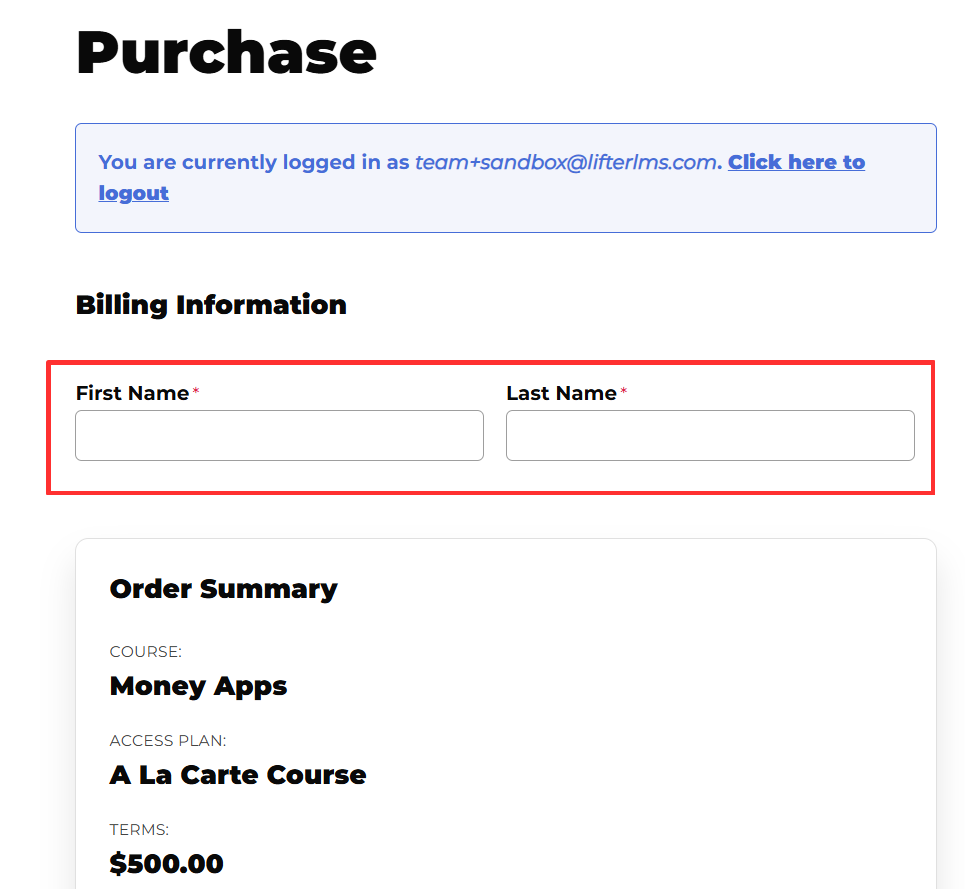
If a student is already logged in:
- Account fields are not shown
- Checkout only collects billing and payment details
This behaviour is independent of account creation settings.
It does not require configuration.
If password fields appear and you were expecting them to be hidden:
- Check WooCommerce > Settings > Accounts & Privacy
- Confirm whether password setup is required during checkout
- Confirm you are testing as a logged-out user
If WooCommerce requires a password, LifterLMS will not override that behaviour.
- Account creation is controlled by WooCommerce
- LifterLMS follows WooCommerce rules
- Password fields at checkout are not an error
- Passwordless checkout requires specific WooCommerce settings
Understanding this distinction helps avoid confusion for both site owners and students.


