

We’re thrilled to introduce LifterLMS 7.2. This release brings exciting new features and improvements, making your LMS experience even more seamless, intuitive, and efficient.
What’s new in 7.2?
Here are some of the top new feature highlights of LifterLMS 7.2…
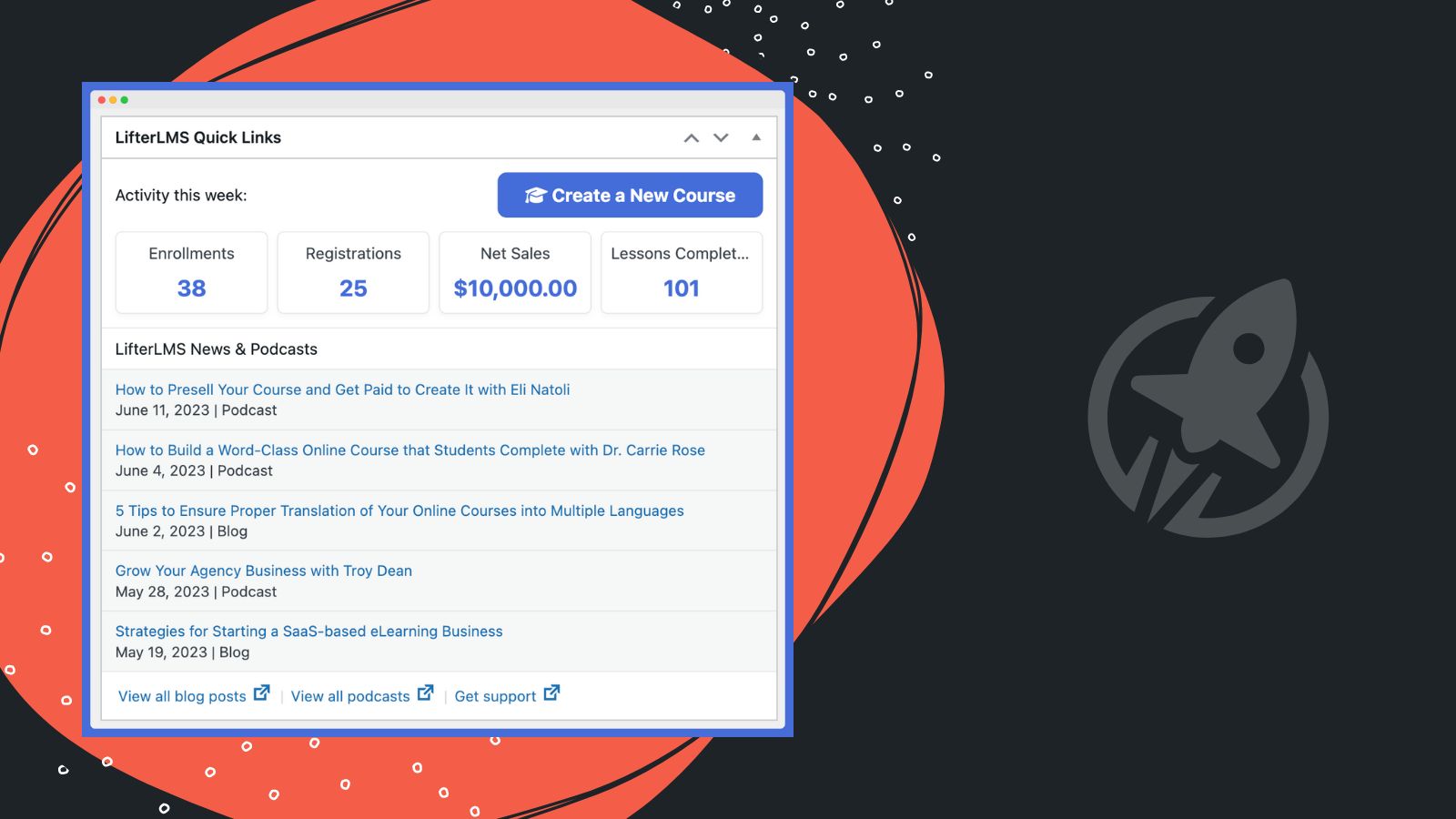
New WordPress Admin Dashboard Widget
We’ve introduced a new WordPress admin dashboard widget that not only offers you a snapshot of your key LMS stats at a glance but also keeps you up-to-date with our recently published blogs and podcasts.
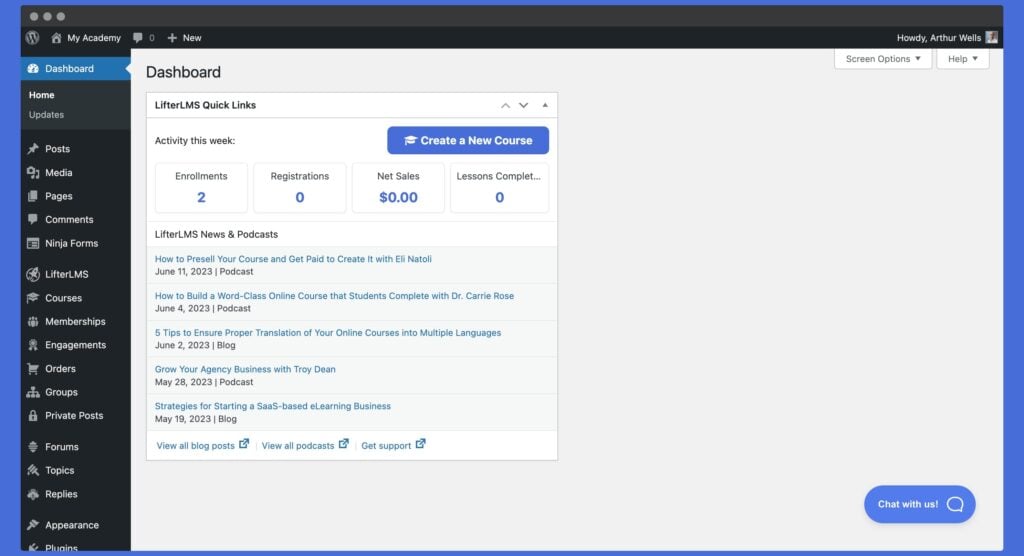
In the widget, we’ve added a shortcut to launch a new course directly from your dashboard, making course creation even more effortless.
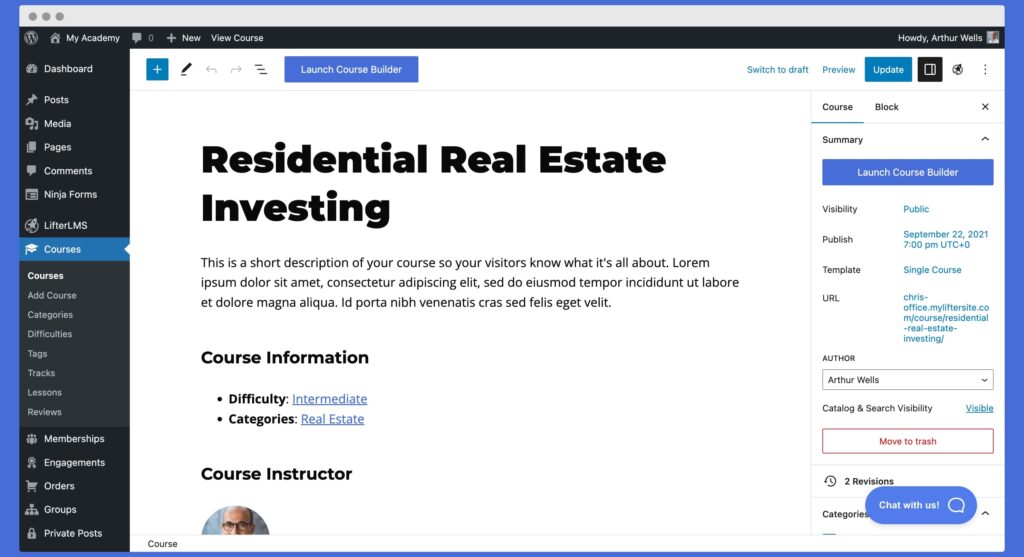
Enhanced Course Builder Access
We listened to your feedback and improved course builder access from individual course admin screens. You’ll now find updated buttons at the top of your course admin screen and in the sidebar, making it even easier to access the course builder.
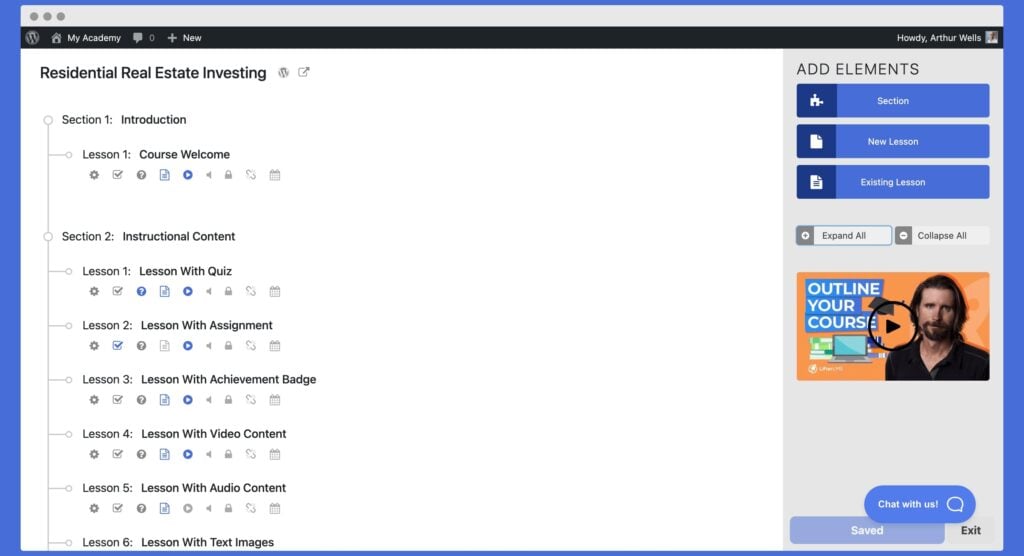
We also know that complex features like the LifterLMS course builder can sometimes be overwhelming, so we’ve added a new explainer video right in the course builder. This contextual help video helps guide new users in navigating the course builder and making the most of its features.
Dynamic LifterLMS Navigation Link Block
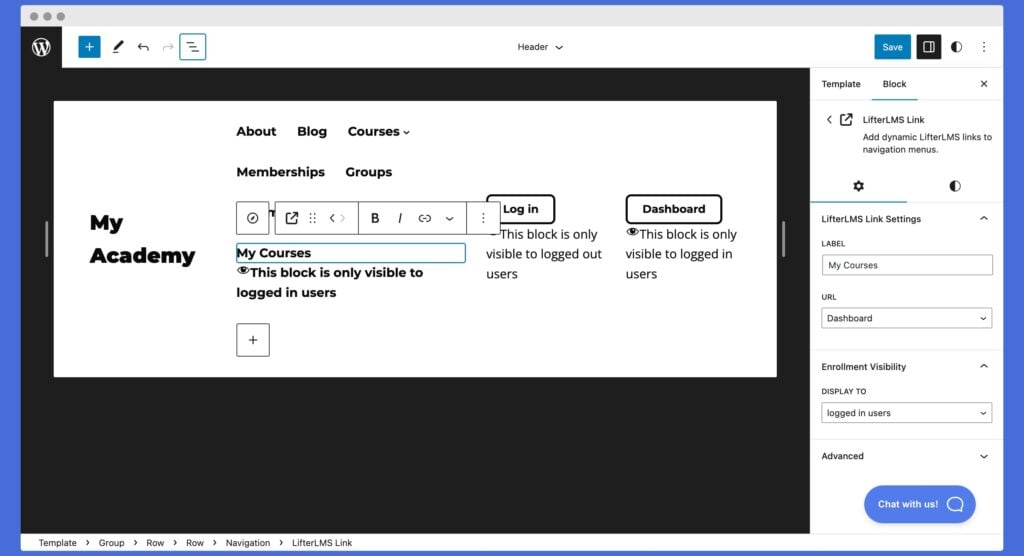
The 7.2 release also introduces a new navigation link block. This allows you to for example add a dynamic “My Courses” link to your navigation menu that only logged in users can see.
15 New LifterLMS Blocks
With modern WordPress, anything you can do with a shortcode should be possible with blocks.
LifterLMS shortcodes are now also blocks.
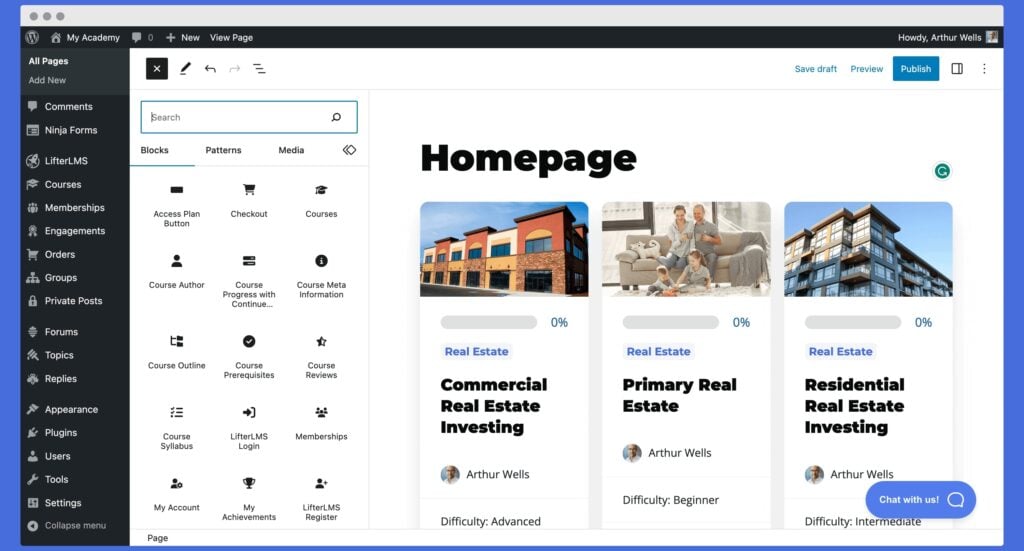
LifterLMS 7.2 Introduces these 15 new LifterLMS related blocks that you can use anywhere on your website:
- Access Plan Button
- Checkout
- Courses
- Course Author
- Course Progress with Continue Button
- Course Meta Information
- Course Outline
- Course Prerequisites
- Course Reviews
- Course Syllabus
- LifterLMS Login
- Memberships
- My Account
- My Achievements
- LifterLMS Register
Each block has its own settings to explore to customize the output to your liking.
The Best WordPress LMS Keeps Getting Better
Check out what else was in the LifterLMS 7.2 release here in the changelog.
And stand by for more great new features and add-ons coming from LifterLMS.



