

Thinkific offers course creators a hosted platform to build, sell, and manage online learning products without having to handle their own hosting or technical setup. It supports courses, communities, memberships, payments, reporting, and a growing app ecosystem, all within one managed platform.
That model works well for many businesses. You don’t need to maintain WordPress, configure a separate checkout, or piece together several services before launching your first course.
But a platform that suited you at launch may not suit you three years later.
You may want more control over your website and data, stronger marketing or community tools, deeper learning features, or better support for organizational training. You may also find that the plan containing the features you need costs more than expected.
Some alternatives simply replace Thinkific with another hosted platform. Others give you more control over how your courses, website, payments, and data work together.
For most course businesses that want that greater control without giving up a full LMS feature set, LifterLMS is our top recommendation. Other platforms can still make more sense when you have a narrower priority, such as corporate training, community, or built-in marketing.
Now, as is self-evident based on the site you’re reading this comparison on, we are the creators of LifterLMS. LifterLMS is one of the options we compare in this guide. In fact, we believe (as do many others) that it is the best WordPress LMS plugin in this detailed comparison. However, that is not the point of this comparison.
Our evaluation combines hands-on use with each LMS in this comparison with official documentation and recent independent reviews. Our only goals here are to:
- Give you a clear picture of the available options without needing to test everything yourself.
- Help you make the right decision to launch your course (or migrate an existing course).
Quick Verdict: The Best Thinkific Alternatives
LifterLMS is our top Thinkific alternative overall because it combines a full LMS with WordPress ownership, flexible ecommerce, memberships, and control over your site and data. The table below shows where the other alternatives may still be a better fit for more specific requirements.
Thinkific Alternatives Comparison Table
| Platform | Best for | Platform type | Free option | Main strength | Main limitation |
| LifterLMS | Best Overall Thinkific Alternative | WordPress LMS plugin | Free core plugin | Control over hosting, design, data, ecommerce, and extensions | You manage WordPress hosting, maintenance, and security |
| LearnDash | Best for Structured WordPress Courses | WordPress LMS plugin | No permanent free plan | Structured courses, quizzes, learning paths, groups, and add-ons | Costs and complexity can grow as you add more tools |
| Teachable | Best for Hosted Creator Simplicity | Hosted creator platform | Trial or limited entry options vary | Simple setup for courses, coaching, downloads, and memberships | Hosted limits, plan restrictions, and weaker portability |
| Kajabi | Best for Marketing and Knowledge Businesses | Hosted all-in-one platform | Trial rather than a permanent free plan | Courses, email, funnels, websites, coaching, and communities in one system | Higher pricing and plan-based business limits |
| LearnWorlds | Best for Interactive Courses and Branded Academies | Hosted learning platform | Trial available | Interactive video, assessments, certificates, and academy design | More setup complexity than simpler creator platforms |
| Podia | Best for Simple Digital Products and Communities | Hosted creator platform | Trial available | Courses, downloads, coaching, email, checkout, and community | Limited advanced assessment and training administration |
| Kartra | Best for Funnels and Marketing Automation | Hosted marketing platform | Trial available | Funnels, automation, checkout, affiliates, email, and memberships | Course delivery is less advanced than a specialist LMS |
| TalentLMS | Best for Corporate Training | Hosted corporate LMS | Free plan available | Branches, groups, reporting, certifications, and organizational control | Less suitable for creator marketing and public course businesses |
| Mighty Networks | Best for Community-Led Learning | Hosted community platform | Trial available | Courses, events, chats, challenges, and memberships built around the community | Formal assessment and LMS features are less developed |
| Systeme.io | Best Budget All-in-One Alternative | Hosted all-in-one platform | Free plan available | Low-cost funnels, email, automation, courses, communities, and affiliates | Limited evidence of advanced assessments and learning analytics |
Why Look for an Alternative to Thinkific?
Thinkific manages the hosting, updates, and much of the technical work. That’s useful when you’d rather build courses than troubleshoot your website.
But that same structure can become restrictive when you need more control or specialist tools.
You Want More Control Over Your Website and Hosting
Thinkific gives you a hosted website and course platform, but you still work within its system.
You can change branding, build pages, connect a custom domain, add apps, and configure your learning products. You can’t choose the underlying hosting environment, access the platform database directly, or replace core parts of the system in the same way you can with WordPress.
This matters if you want to choose your own hosting, theme, page builder, ecommerce tools, SEO setup, custom functions, or data-management process.
Those limits won’t matter to every business. A managed platform reduces maintenance and technical decisions. They become more restrictive when you need custom workflows, unusual access rules, additional payment gateways, or a website that does more than sell courses.
This is where WordPress-based LMSs have a fundamental advantage over other hosted Thinkific competitors. LifterLMS, in particular, lets you keep your courses inside a WordPress site you control, with your choice of hosting, design, ecommerce, marketing tools, and wider site functionality. You’ll take on more responsibility for hosting, security, backups, and updates, but you’re not exchanging one closed platform for another.
The Features You Need May Sit on a Higher Plan
Higher Thinkific tiers add commerce, analytics, support, and business features, so the lowest advertised price may not represent the plan you’ll need. Compare platforms using the tier that contains your required features.
These may include advanced analytics, additional communities or admin users, group-selling tools, wider ecommerce options, API access, branded mobile features, or higher usage limits.
The same principle applies to most Thinkific competitors. Kajabi ties plans to products, contacts, websites, and users. Teachable uses plan-based product and business limits. LearnWorlds reserves some advanced learning tools for higher tiers. WordPress LMS plugins may start at a lower license cost but require hosting and paid extensions.
The useful comparison isn’t simply which platform has the lowest starting price. It’s which one includes the features you need at a total cost you’re comfortable maintaining.
Your Business Needs Stronger Tools Outside Course Delivery
Thinkific already supports communities, memberships, payments, reporting, websites, and apps. Other platforms specialize more heavily: Kajabi and Kartra in marketing, Mighty Networks in community, LearnWorlds in interactive learning, and TalentLMS in organizational training. Podia and Systeme.io offer simpler course tools alongside broader creator-business features.
The right alternative depends on the direction your business is moving. Switching only makes sense when another platform solves a real problem rather than offering a longer feature list.
You’re Concerned About Course Portability
Course portability becomes more important once you’ve built a large library of lessons, assessments, files, and learner data.
Thinkific doesn’t offer a complete one-file export of an entire course. It does allow you to retrieve several types of content separately. Videos can be downloaded from the video library, while PDFs, audio files, lesson downloads, text, quiz content, and survey content can be saved or copied through different processes.
That means your content isn’t trapped, but leaving Thinkific may require more work than importing a single portable course package elsewhere.
Depending on the destination platform, you may need to rebuild the course structure, lesson order, assessments, drip and completion rules, pricing, certificates, memberships, and enrollment settings.
You may also need separate exports for learner, order, progress, quiz, and survey data. Thinkific provides reporting and CSV exports for several of these areas, but they don’t automatically recreate the full course experience on another system.
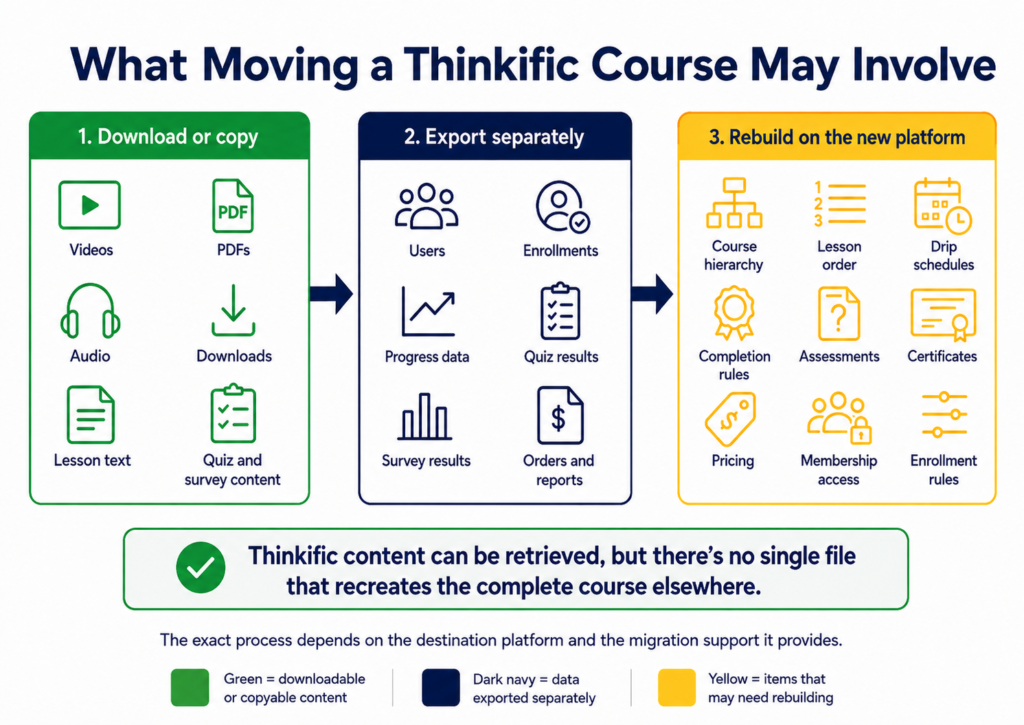
Migration is possible, but it requires planning.
Thinkific still suits users who value managed hosting and a controlled setup. An alternative becomes more attractive when control, specialist features, pricing, or portability matter more.
What to Look for in a Thinkific Alternative
Compare each platform against the requirements that will affect your daily work, costs, and long-term control.
Hosted, WordPress-Based, or Self-Managed
The first decision is where the platform runs and who manages it.
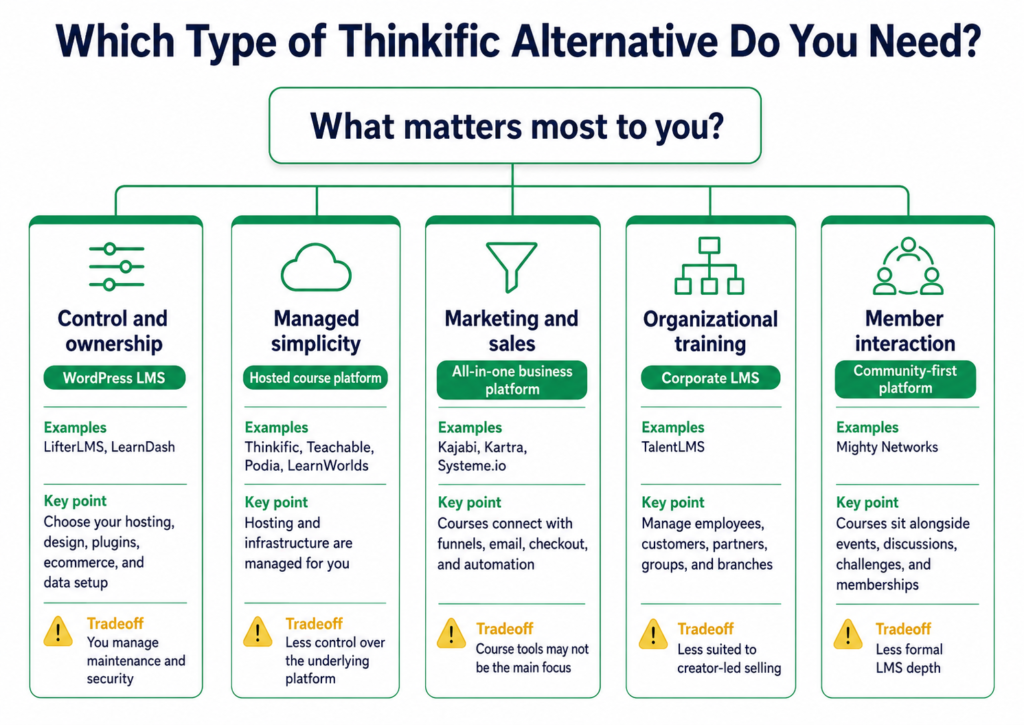
A hosted SaaS platform gives you one managed system. The provider handles hosting, updates, infrastructure, and much of the security work. Thinkific, Teachable, Kajabi, LearnWorlds, Podia, and several other options in this guide follow this model.
Hosted platforms can reduce setup time. You don’t need to choose a hosting company, maintain a WordPress site, or test whether several plugins work together. You’ll usually pay a recurring subscription fee and work within the platform’s available plans, features, and limits.
LifterLMS and LearnDash run on your own WordPress site, giving you control over hosting, design, ecommerce, plugins, SEO, data, and custom development.
You’ll also manage updates, backups, security, performance, and compatibility. The total cost may include hosting, extensions, email services, community tools, and developer support.
For a closer look at this category, see our guide to the best WordPress LMS plugins.
Other platforms sit outside this simple hosted-versus-WordPress split.
Marketing-led platforms such as Kajabi, Kartra, and Systeme.io combine courses with funnels, email, checkout, and automation. TalentLMS focuses on corporate administration and reporting, while Mighty Networks builds learning around community activity.
This basic platform model affects the setup, cost, and control you’ll have later.
Course Structure and Assessment Tools
Course builders can look similar at first glance. Most let you create courses, divide them into sections, and add lessons.
The differences become clearer once you look at how the platform handles more complex learning.
Check whether you need prerequisites, drip schedules, learning paths, assignments, advanced quizzes, certificates, compliance controls, live sessions, SCORM support, or interactive video.
A solo creator selling a short video course may not need advanced assessments. A training company delivering professional education may depend on them.
You should also check whether key tools are included in the main plan or sold separately. A platform may advertise quizzes, certificates, or reporting while reserving the version you actually need for a higher tier or paid extension.
Ecommerce and Pricing Options
Course delivery is only half the job if you plan to sell access.
Check its support for one-time payments, subscriptions, payment plans, trials, bundles, coupons, upsells, affiliates, group sales, currencies, taxes, and refunds.
Look beyond the phrase ‘no transaction fees’.
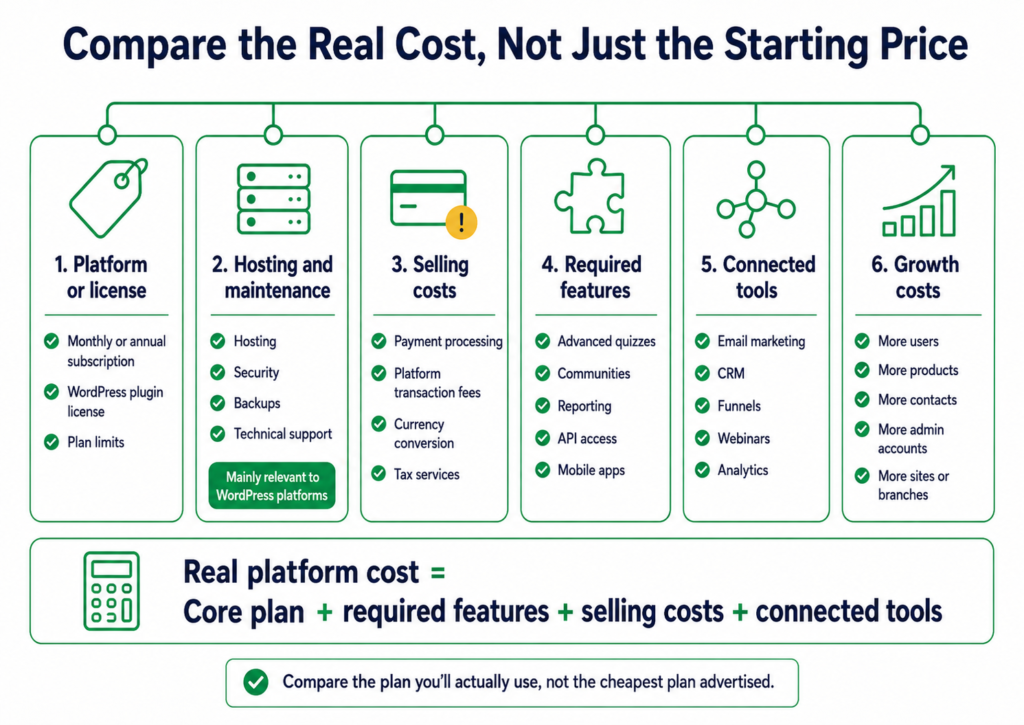
You may still pay payment-processing charges, currency-conversion fees, tax-service fees, or extra charges for using an external gateway. Some platforms charge their own fee only on lower plans, while others remove it once you upgrade.
WordPress plugins may avoid platform-based revenue fees, but you’ll still pay for payment gateways, hosting, and any required extensions.
The best comparison uses the full selling setup you need rather than the cheapest listed plan.
Communities and Memberships
A discussion area supports conversation around a course. A community may add feeds, profiles, events, spaces, direct messages, and challenges. A membership controls recurring access to courses, communities, coaching, downloads, or other protected content.
Check whether these are core features or secondary additions.
Also, check whether you can sell community access, bundle it with courses, create paid tiers, restrict spaces, run groups or cohorts, host events, message members, and manage teams.
A community-led business will judge these tools very differently from a company delivering compliance training.
Website and Marketing Tools
Some LMS platforms focus mainly on learning. Others try to replace much of your business software.
Decide whether you need a full site builder, landing pages, blogging, email automation, funnels, lead capture, CRM features, affiliates, appointments, webinars, or external analytics.
A platform with built-in marketing tools can reduce the number of services you pay for. It can also make it harder to replace one part of the system later.
WordPress takes the opposite approach. You choose separate tools and connect them. That gives you more freedom, but it also gives you more opportunities to spend an afternoon checking why two settings disagree.
The better route depends on whether you value consolidation or replaceability.
Reporting, Data Access, and Portability
Reporting needs range from basic sales and completion data to assessments, certificates, compliance, video engagement, subscriptions, communities, groups, and branches. Check both what the platform reports and what it lets you export.
Data access matters when you want to connect business systems, run your own analysis, or leave the platform later. A CSV export of users is useful, but it isn’t the same as a complete export of courses, settings, progress, payments, and community data.
Migration Support
Migration support ranges from general help articles to managed transfer services.
Ask whether the service moves course files, lesson structure, quizzes, users, enrollments, progress, communities, emails, pages, and subscriptions. Check the exclusions as carefully as the inclusions.
Some services move content but exclude quizzes, site pages, automations, or progress records. Others require you to qualify for migration help through a higher plan.
A platform should be judged on both arrival and departure. Moving in matters now. Being able to move out may matter later.
Against these criteria, LifterLMS offers the strongest all-around alternative for businesses that want to move beyond Thinkific’s hosted model. The other options remain worth considering where a particular requirement, such as corporate training, community, or built-in marketing, outweighs platform ownership and flexibility.
LifterLMS – Best Overall Thinkific Alternative for WordPress
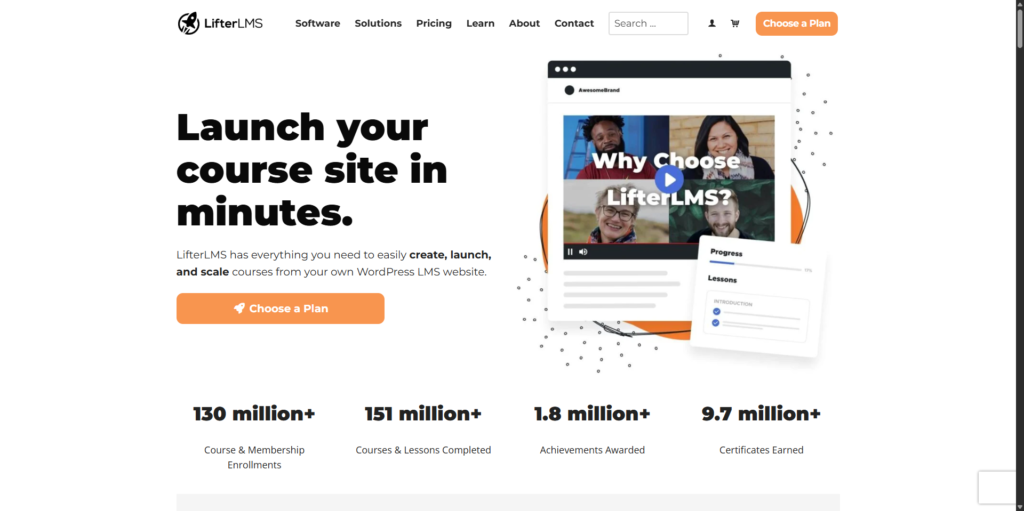
LifterLMS takes a different approach from Thinkific. Instead of placing your courses inside a hosted service, it adds learning management features to a WordPress website you control.
The core LifterLMS plugin is open source and free to install. It includes the main tools needed to create and deliver online learning, including courses, sections, lessons, quizzes, memberships, certificates, achievements, student dashboards, and reporting. The core plugin doesn’t impose limits on the number of courses you can publish or learners you can enroll.
You can begin with the core LMS and add specialist tools later.
Paid extensions and bundles expand the platform with features such as:
- Advanced quizzes
- Assignments
- Private coaching
- Groups and team training
- Social learning
- Advanced reporting
- Ecommerce gateways
- CRM and email marketing connections
You can add only the extensions your project needs. The LifterLMS features and pricing pages show what’s included in the core plugin and each paid package.
You can attach several access plans to one course or membership, including free, one-time, recurring, and installment options.
Payment options include Stripe, PayPal, and Authorize.net through LifterLMS extensions. A WooCommerce connection opens the door to WooCommerce gateways, tax tools, subscriptions, coupons, and wider store features.
You choose the hosting provider, WordPress theme, page builder, SEO plugin, checkout system, community tools, analytics service, and other parts of the site. You can change those components without waiting for the LMS provider to add a requested feature or integration.
Courses can sit alongside your blog, sales pages, memberships, and other site content, making LifterLMS useful when learning is only one part of the website.
You can access the WordPress database, media library, files, hosting account, and plugin settings rather than relying on a hosted platform’s export format. Moving users, enrollments, courses, and membership rules still requires planning.
You’ll need suitable WordPress hosting and will need to manage updates, backups, security, performance, compatibility, and troubleshooting.
Costs can also extend beyond the LMS itself. Hosting, premium extensions, design tools, email services, and professional help may all form part of the final setup.
For most course businesses willing to use WordPress, LifterLMS offers the strongest overall case for moving away from Thinkific. You keep control over the website, data, ecommerce setup, and wider technology stack while retaining the course, membership, assessment, engagement, and reporting tools expected from a full LMS.
The main exception is straightforward: if you specifically want another company to manage the entire platform for you, a hosted alternative may be a better fit. Otherwise, LifterLMS gives you considerably more room to shape the learning business around your own requirements.
LearnDash – Best for Structured WordPress Courses
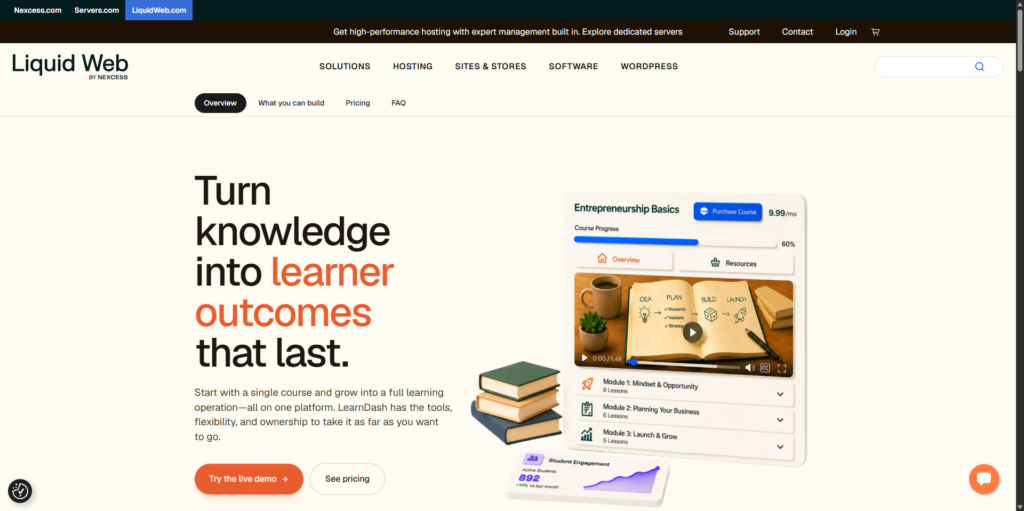
LearnDash is another WordPress-based alternative that lets you run courses on a website you control.
Its course structure is built around courses, lessons, topics, and quizzes. You can use prerequisites, scheduled content, progression rules, certificates, and learning paths to control how learners move through material. This makes LearnDash well-suited to structured programs where lesson order, assessments, and course completion matter.
LearnDash also supports groups. Group leaders can manage assigned learners and review progress, while organizational extensions add more advanced options for team enrollment and group-based course sales. These tools can support schools, training providers, employers, and businesses selling access to teams rather than individual learners.
For course sales, LearnDash includes payment features and connects with services such as Stripe, PayPal, and WooCommerce. The exact setup depends on whether you’re selling individual courses, subscriptions, memberships, bundles, or group access.
LearnDash’s add-on ecosystem expands its core course functions. Official and third-party add-ons cover areas such as reporting, ecommerce, memberships, assignments, forms, integrations, and learner management. This gives you room to build a tailored system, but it also means some requirements may involve several products from different providers.
Migration tools are available for supported LMS platforms, though they shouldn’t be treated as a universal one-click transfer. Course structures, user records, quiz data, and other content may still need checking or rebuilding, depending on the source system.
LearnDash is more firmly course-led, with a traditional structure based on lessons, topics, quizzes, progression, and groups. LifterLMS combines courses with memberships, engagement tools, and access plans within a broader free core.
Teachable – Best for Hosted Creator Simplicity
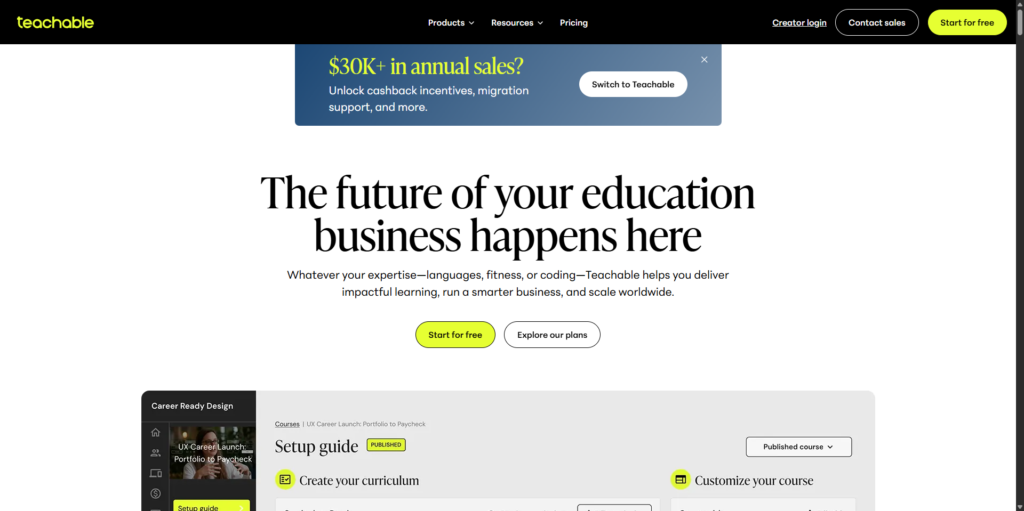
Teachable is one of the closest alternatives to Thinkific among hosted creator platforms.
It lets you build and sell more than courses. The current product system also supports coaching, digital downloads, bundles, and memberships, so you can run several product types from one account without managing your own hosting or WordPress setup.
That makes Teachable appealing when speed and simplicity matter more than deep control.
You can upload the content, set a price, connect payments, and begin selling without building a separate website stack. Products can use free access, one-time payments, payment plans, subscriptions, trials, enrollment caps, and multiple pricing options.
Teachable also includes built-in tools for payments, taxes, affiliates, reporting, checkout, refunds, and other sales functions.
Both are hosted platforms, but Thinkific offers broader learning-business tools. Teachable favors a simpler route from product creation to sale.
Teachable plans restrict the number of products, admin users, and other account resources. Some lower plans also charge platform transaction fees in addition to normal payment-processing costs. The exact balance between subscription cost and transaction charges depends on the plan you choose, so the cheapest entry point won’t always remain the cheapest once sales increase.
You also work within Teachable’s hosted environment. You can customize branding and product pages, but you can’t choose the underlying hosting, access the database directly, or replace core parts of the platform in the way you can with WordPress.
Teachable doesn’t provide a single portable export that recreates a full course elsewhere. Course files, videos, customer data, and other records may need to be downloaded or exported separately, while the course structure must often be rebuilt on the destination platform.
Its cancellation guidance also makes clear that closing or downgrading a school affects administrative access, products, and student availability, so leaving the platform requires planning rather than simply switching off the subscription.
Teachable is the best fit for solo creators and small teams who want a managed platform for selling straightforward learning and digital products. It’s less suitable when you need full website ownership, advanced training administration, or easy portability between systems.
Kajabi – Best for Marketing and Knowledge Businesses
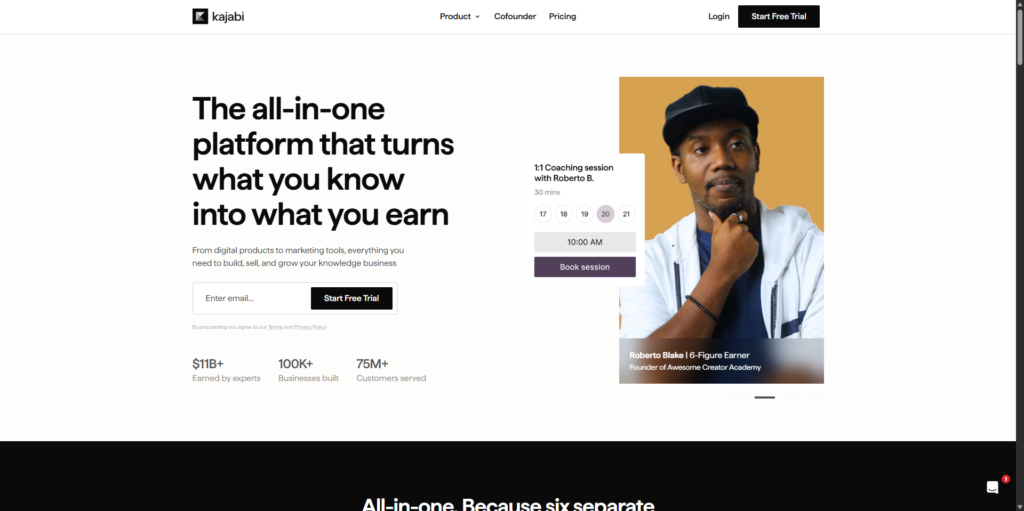
Kajabi goes well beyond course hosting.
It combines courses, coaching, communities, websites, landing pages, email marketing, payments, funnels, automation, and customer management into a single hosted platform.
Kajabi can manage the journey from landing page and email signup to purchase, course access, community participation, and later offers. Its value lies in keeping that customer and purchase data inside one system rather than spreading it across separate sites, emails, checkouts, courses, and affiliate tools.
Thinkific is primarily a learning and course-commerce platform. Kajabi is a broader online business system that also delivers courses.
Kajabi’s course tools cover modules, lessons, quizzes, cohort formats, drip content, certificates, pricing options, mobile access, communities, and payment connections.
Its strongest case rests on what happens around the course: attracting leads, segmenting contacts, automating campaigns, processing sales, and marketing later offers.
Kajabi sits toward the more expensive end of the hosted creator market. Plans also include limits around products, contacts, websites, communities, admin users, and other business resources. As your audience and product range grow, you may need to move to a higher tier even if your course-delivery needs haven’t changed.
Kajabi may replace several subscriptions, but it can be expensive if you only need a basic LMS.
Keeping your website, email, funnels, products, payments, and customer records together can simplify daily work. It also means more of your business depends on one provider. Moving away may involve rebuilding far more than course lessons because the platform may also contain your landing pages, email sequences, forms, automations, communities, and offers.
Kajabi provides switching support and promotes the benefit of consolidating separate systems, but that doesn’t remove the need to plan for long-term portability.
Kajabi is the best fit for established creators, coaches, and knowledge businesses that want marketing, sales, and product delivery under one roof. It’s harder to justify when you mainly need an LMS and don’t plan to use the broader business tools.
LearnWorlds – Best for Interactive Courses and Branded Academies
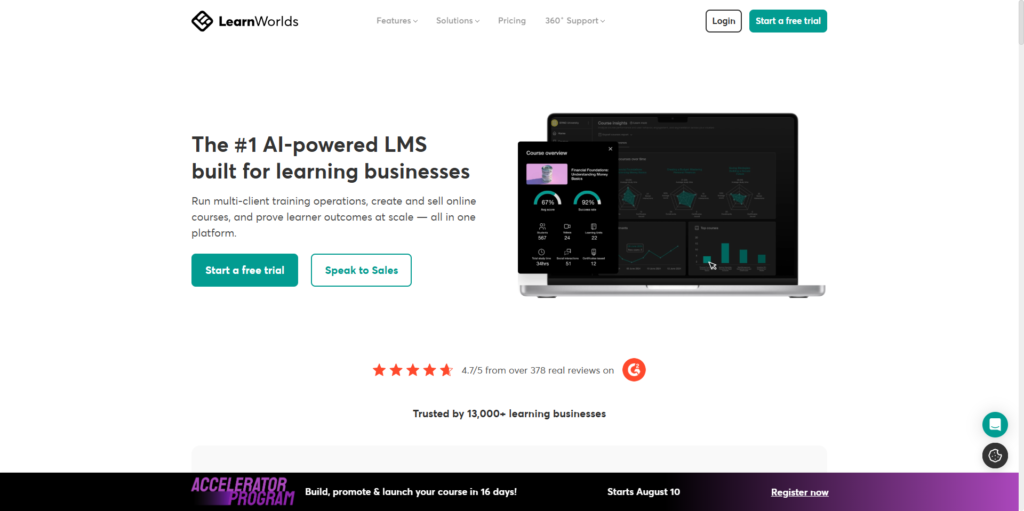
LearnWorlds is one of the strongest Thinkific alternatives for businesses that care deeply about how learning is delivered, not just how courses are sold.
Its main strength is the range of learning activities it supports. Course creators can combine video, audio, text, ebooks, quizzes, assignments, forms, live sessions, certificates, and SCORM content within a branded online academy.
Interactive video is one of its clearest advantages.
Rather than asking learners to watch a standard video from beginning to end, LearnWorlds lets course creators add interactions within the video itself. These can include questions, buttons, links, images, navigation controls, and other elements that turn passive viewing into a more active learning experience.
This suits professional training, certification, customer onboarding, product education, and other skills-based programs.
LearnWorlds also offers more substantial assessment options than many creator-focused platforms, including graded and ungraded assessments, question banks, certificates, forms, and progress controls. These tools make it easier to create programs where learners must demonstrate understanding rather than simply mark lessons as complete.
Built-in ebooks, SCORM support, and connected live-session tools let providers combine authored content, existing e-learning packages, self-paced lessons, and scheduled teaching.
Learning programs provide another layer on top of individual courses. Several courses can be grouped into a structured program with shared pricing, progress tracking, certificates, and a dedicated program page.
Thinkific provides creators with a broad, accessible platform for courses, memberships, communities, payments, and business management. LearnWorlds places more emphasis on interactive delivery, varied learning activities, assessment design, and the academy experience.
LearnWorlds includes a hosted site builder for creating course pages, landing pages, navigation, learner areas, and branded academy content. Theme import and export options also help administrators move design settings between LearnWorlds sites, although that isn’t the same as exporting an entire academy to another platform.
These extra controls take longer to configure.
A creator selling a single short video course may find the available options overwhelming. Setting up assessments, certificates, interactive videos, programs, website sections, and learner rules takes more time than using a simpler course builder.
Some of the most advanced functions also depend on the selected plan. Interactive video allowances, SCORM support, advanced reporting, mobile apps, user groups, and other academy tools vary across the Starter, Pro Trainer, Learning Center, and corporate offerings.
LearnWorlds is the best fit for training businesses, educators, and branded academies that need stronger instructional tools and a more detailed learner experience. It’s less suitable for creators who want the fastest route from a few uploaded videos to a checkout page.
Podia – Best for Simple Digital Products and Communities

Podia focuses on simpler creator products. It combines courses with digital downloads, coaching, bundles, communities, email, websites, and checkout. That makes it suitable for creators whose businesses include several product types, rather than for a large or complex LMS.
Creators can sell self-paced courses, downloads, coaching, bundles, paid communities, and recurring memberships.
Products can use one-time payments, payment plans, or subscriptions. Podia also supports free access, waitlists, email-delivered products, and membership-based offers.
Courses can sit alongside downloads and coaching without requiring a separate system for each product type.
Communities can include spaces, group chats, direct messages, searchable content, member profiles, and free or paid access tiers. Products can be included with membership access, allowing a creator to combine courses and ongoing community participation.
Podia also includes built-in email and checkout tools. This reduces the number of external services needed to launch a small creator business. It won’t replace a more advanced marketing platform in every case, but it covers the basic path from audience communication to product purchase.
A platform transaction fee is included on the Mover plan, while higher plans remove that charge. Payment-processing fees still apply. Other functions, including affiliates, PayPal, additional team access, and wider business tools, also vary by plan.
Podia offers less depth of learning than a specialist LMS. It supports course lessons and basic quizzes, but lacks the wider assessment options, instructional controls, reporting tools, and formal training features available in Thinkific, LearnWorlds, TalentLMS, and leading WordPress LMS platforms.
Podia is simpler than Thinkific, not stronger in every area. That simplicity is useful when you don’t need question banks, advanced certificates, compliance rules, detailed learner reports, or complex course hierarchies. It becomes a weakness when those features form an essential part of the learning product.
Podia offers assisted migration on eligible plans, but the service excludes items such as quizzes, pipelines, and website pages. Some content and settings may therefore still need to be rebuilt manually.
Podia is the best fit for creators who want a straightforward hosted system for selling courses, downloads, coaching, and community access. It’s less suitable for training businesses that need detailed assessment, reporting, or organizational control.
Kartra – Best for Funnels and Marketing Automation
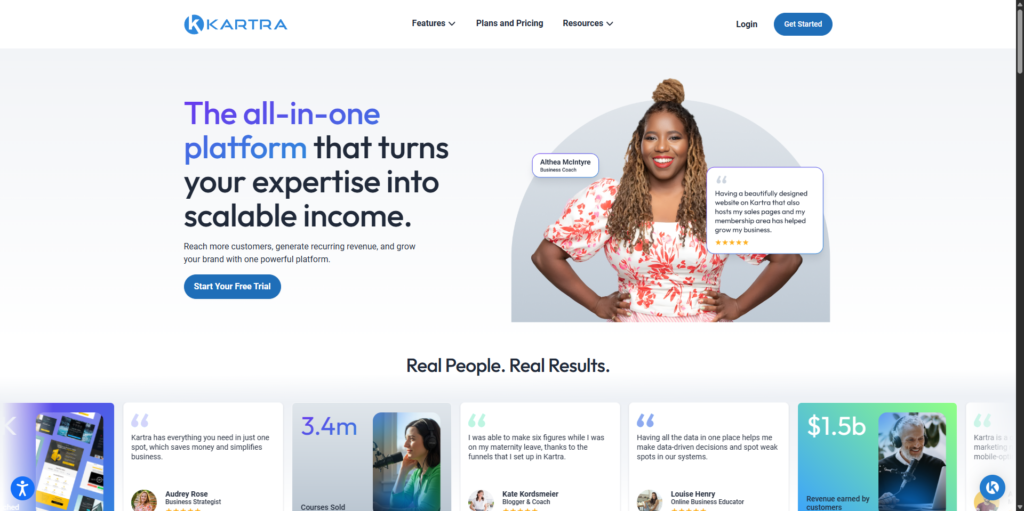
Kartra is a marketing platform that also delivers courses and memberships. It focuses on attracting leads, processing sales, automating follow-up, and managing customers.
Kartra combines funnels, landing pages, email, SMS, checkout, calendars, affiliates, helpdesk tools, membership portals, and automation.
The page builder supports landing pages, sales pages, checkout journeys, and other campaign content. These pages can connect directly to forms, products, email sequences, and automation rules.
Kartra’s checkout tools also support different product arrangements, including subscriptions, payment plans, upsells, and related purchase options. Hosted, pop-up, and embedded checkout formats are available, so businesses can control where the transaction takes place.
You can segment leads and trigger follow-up from form submissions, email activity, purchases, membership access, tags, calendar bookings, webinars, surveys, and affiliate actions.
This gives Kartra more marketing depth than most course platforms. A learner can enter through a lead magnet, receive a sequence, buy a product, gain membership access, and receive later offers based on what they do next.
Other business tools reduce the need for separate services. Calendars can handle bookings. Affiliates can promote products. The helpdesk can manage customer support. Payment, email, webinar, membership, SMS, and calendar services can connect through Kartra’s supported connections and API options.
Courses are delivered through memberships and gated content. Administrators can create access levels, restrict content, and release material on a drip schedule. This suits paid programs, memberships, and structured content libraries.
When comparing Thinkific vs. Kartra, the central question is whether learning or marketing leads the decision.
Thinkific places greater emphasis on course creation, learner progress, assessments, communities, and education-focused reporting. Kartra focuses more on funnels, leads, customer journeys, automation, sales, and retention.
Kartra doesn’t offer the same depth of quizzes, assignments, certificates, learning paths, or assessment reporting as a specialist LMS. It can still deliver courses, but its learning tools support the wider business system rather than define it.
Kartra’s plans vary by the number of contacts, domains, products, memberships, automations, team access, and other business allowances. The entry plan also charges a platform transaction fee, while higher plans remove it.
Kartra is the best fit for businesses that sell courses as part of a wider funnel-led operation. It’s less suitable when advanced assessment, certification, learner reporting, or instructional structure matters more than marketing automation.
TalentLMS – Best for Corporate Training
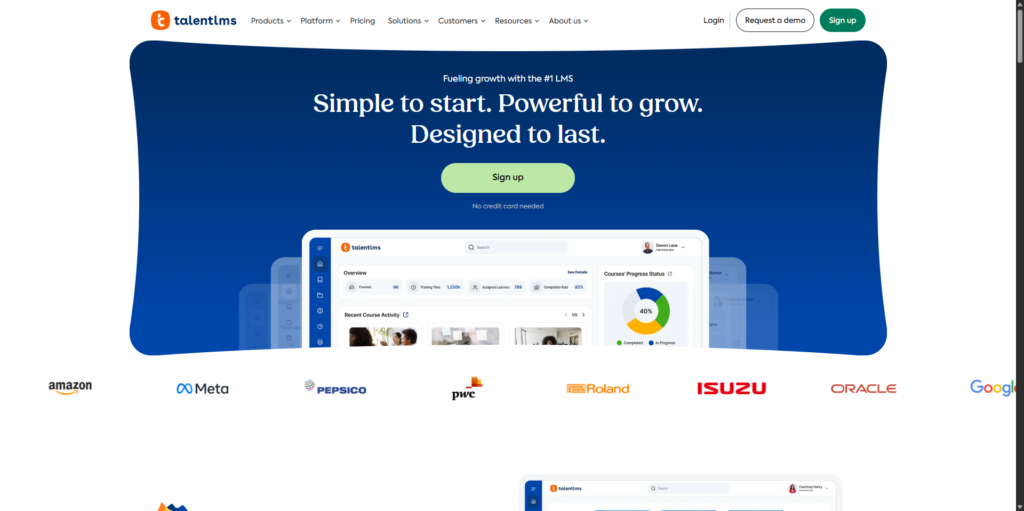
TalentLMS targets organizational training rather than individual creators.
Built for organizations training employees, customers, partners, departments, franchises, or other defined groups, its main strengths are administration, reporting, certifications, and the ability to separate audiences within a single platform.
Groups organize learners within one portal, while branches create separate training environments.
Branches create separate training environments with their own branding, domain, users, courses, administrators, language, catalog, and ecommerce settings. One organization can therefore run distinct portals for employees, customers, partners, regions, departments, or franchises.
That structure is much closer to corporate learning management than the product-based model used by most creator platforms.
TalentLMS also supports tests, surveys, assignments, certifications, learning paths, instructor-led sessions, and completion controls. These features suit training that needs evidence of participation or competence rather than simple access to video lessons.
Certification is particularly useful for compliance, product training, or professional development. Administrators can track completion and renewal requirements rather than relying only on course progress.
The platform supports reporting on learners, courses, groups, branches, completions, and certifications. Custom reports and exports are available on suitable plans, allowing managers to review performance across different audiences.
It suits teams that need to assign courses, monitor completion, and report results across several audiences.
Pricing is largely tied to user allowances and organizational requirements. Plans vary by the number of active users, branches, reporting, support, SSO, and other business features.
That makes direct price comparisons with Thinkific, Teachable, or Podia potentially misleading.
Creator platforms usually price access around products, contacts, websites, or business features. TalentLMS pricing reflects the number of people being trained and the level of organizational control required.
A higher monthly price may support hundreds of employees across several branches, while a lower-priced creator platform may lack the administrative features needed to manage them. The products are solving different problems.
TalentLMS does include ecommerce and course-selling functions, but these aren’t its main strength.
It offers fewer built-in tools for creator branding, sales funnels, audience building, coaching, and digital product marketing. A solo course creator would probably pay for administrative features they didn’t need while still requiring separate marketing tools.
TalentLMS is the best fit for companies and training teams that manage structured learning across multiple audiences. It’s less suitable for individual creators building a public course business around content marketing, community, and personal branding.
Mighty Networks – Best for Community-Led Learning
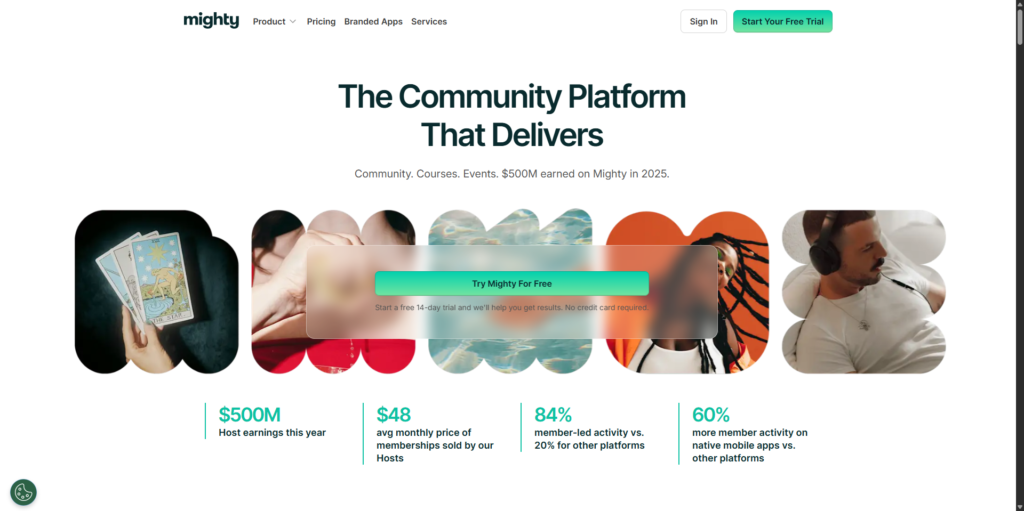
Mighty Networks builds courses around community activity, including profiles, chats, events, challenges, resources, groups, and ongoing discussion.
The platform organizes activities into spaces for courses, discussions, resources, chats, events, challenges, cohorts, and custom member experiences.
Courses can be created within these spaces and integrated with community activities. A self-paced course might include lessons, discussions, live events, and member interaction in one area. A cohort program might use lessons alongside scheduled sessions, group chat, and challenges.
It works best when learner interaction forms part of the product.
Mighty Networks also supports broader community features, such as:
- Member profiles
- Activity feeds
- Direct communication
- Events
- Discovery tools
- Leaderboards
- Challenges
- Resource areas
- Mobile access
The member-facing experience is designed to encourage continued participation across the wider network, not just progress through a lesson sequence.
Paid access can be applied at several levels. A host can charge for access to the full network, individual spaces, or selected combinations of spaces. Plans may use one-time payments or recurring subscriptions, depending on how the membership or program is structured.
It suits paid communities, memberships, cohort courses, professional networks, group coaching, events, and challenge-based programs.
Members can participate via Mighty Networks’ standard mobile apps, while higher-level branded app services allow established businesses to launch under their own name and branding.
The branded app route can support a more controlled customer experience, but it comes with higher costs and a more involved publishing process. It’s unlikely to be the deciding factor for a new community, but it may matter once mobile engagement becomes central to the business.
Its formal learning tools are less developed than those of a specialist LMS. Mighty Networks supports courses, spaces, events, challenges, community activity, and quizzes, but offers less depth in assessment, certification, compliance, reporting, and structured learning administration than Thinkific, LearnWorlds, TalentLMS, LifterLMS, or LearnDash.
Mighty Networks works best when the community is the product, and the course supports it. It’s less convincing when the course is the main product and the community is only an optional discussion area.
Pricing varies by plan, with differences in feature allowances, transaction fees, analytics, automation, integrations, and branded app options.
Migration services are available, but the scope depends on the content, community structure, and selected plan. A move may still require manual work around courses, member data, spaces, events, and payment arrangements.
Mighty Networks is the best fit for businesses built around member relationships, participation, events, and ongoing interaction. It’s less suitable for formal training programs where assessment records, certifications, or detailed instructional controls drive decisions.
Systeme.io – Best Budget All-in-One Alternative
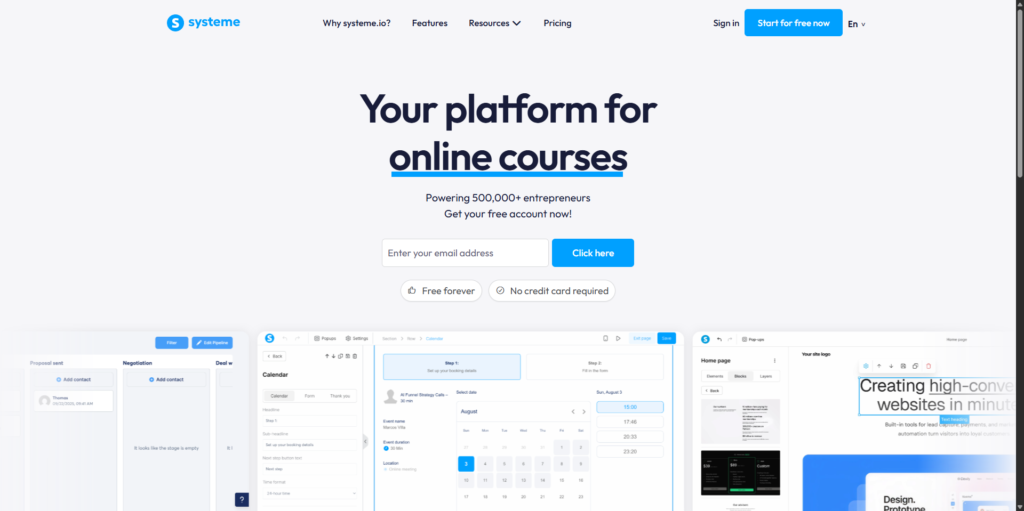
Systeme.io combines basic LMS features with a low-cost business toolkit.
Its free plan gives creators access to a limited version of the platform without requiring an immediate paid subscription. Paid plans increase allowances for contacts, funnels, courses, communities, automation rules, custom domains, webinars, and other business resources.
The platform combines courses, communities, funnels, email, automation, websites, webinars, checkout, and affiliate management.
This can reduce the number of services a new creator needs. Courses connect directly to funnels and payment pages. A visitor can join an email list, receive an automated sequence, buy a course, and gain access without moving between unrelated systems.
Communities can also sit alongside courses and subscriptions, giving creators a way to add ongoing member access without using a separate community platform.
Creators can build campaigns, apply rules, trigger actions, manage contacts, and connect products to follow-up sequences. Webinars and affiliate tools extend the platform beyond simple course delivery, making it more useful for launch-based or funnel-led businesses.
Stripe and PayPal are supported for payments. Systeme.io also provides transaction exports and contact import and export tools, which can help with reporting, migration, and external analysis.
Systeme.io also offers a Thinkific-specific migration service. Qualifying migrations can cover courses, students, communities, email sequences, and site pages. This may reduce the amount of rebuilding required when moving from Thinkific, though you should confirm the exact scope before committing to the service.
Systeme.io’s course tools are less developed than those of a specialist LMS. It supports course creation, communities, funnels, payments, automation, webinars, and affiliate tools, but doesn’t offer the advanced assessments, certificates, detailed learner analytics, compliance reporting, SCORM support, or instructional controls found in more specialized learning platforms.
Its course tools support the wider business system, rather than lead it.
Systeme.io suits newer creators, small digital-product businesses, funnel-led launches, memberships, and anyone trying to reduce software costs.
It’s less suitable for schools, training departments, certification programs, or advanced academies that need detailed learner reporting and assessment.
Systeme.io is the best budget Thinkific alternative when price, funnels, email, and business automation matter more than specialist LMS depth. It offers a broad toolkit, but buyers should judge it as an all-in-one business platform with course features, not as a direct replacement for every part of a mature learning system.
Thinkific vs. Its Closest WordPress-Based Alternatives
Thinkific manages the hosting, platform infrastructure, and software updates for you. LifterLMS and LearnDash run on your own WordPress website, giving you more control over the site, data, design, ecommerce tools, and wider software setup.
That difference affects far more than course creation.
Thinkific vs. LifterLMS
Thinkific suits course creators who want a managed platform and prefer not to handle hosting, security, updates, or plugin compatibility.
LifterLMS gives you greater control over how the learning website is built and managed. Its free core includes courses, quizzes, memberships, certificates, achievements, dashboards, and reporting, with paid extensions available for more advanced teaching, ecommerce, coaching, group, and connection features.
For businesses actively looking beyond Thinkific because they want more ownership or flexibility, LifterLMS addresses the underlying problem rather than replacing one hosted platform with another. You can choose your hosting and connected tools, create flexible course and membership arrangements, and retain direct access to the site’s files and database.
- Thinkific remains the simpler choice if managed hosting is your priority.
- LifterLMS is the stronger choice when you want the platform to adapt around your business rather than the business adapting around the platform.
Thinkific vs. LearnDash
LearnDash also runs on WordPress, but it takes a more traditional course-led approach built around lessons, topics, quizzes, progression rules, learning paths, and groups.
Choose Thinkific when you want a hosted course-business platform with less technical management.
Choose LearnDash when you want structured course delivery inside a WordPress website you control, particularly when lesson progression, quizzes, groups, and organizational learning matter.
LearnDash can integrate with payment, membership, reporting, and other WordPress tools, though the final setup may require several add-ons or products from different providers.
Thinkific vs. Its Closest Hosted Competitors
If you want to retain the convenience of a managed platform, Teachable, Kajabi, LearnWorlds, and Kartra are among Thinkific’s closest hosted competitors.
Thinkific vs. Teachable
Thinkific offers a broader range of learning-business tools, including communities, memberships, reporting, and apps. Teachable provides a simpler workflow for courses, coaching, downloads, bundles, and memberships.
Choose Thinkific for deeper course management. Choose Teachable for a more direct hosted creator setup. Both impose plan limits, and neither offers full control over the infrastructure or a complete portable course export.
Thinkific vs. Kajabi
Thinkific is course-led, while Kajabi combines courses with email, funnels, coaching, automation, and customer management.
Choose Thinkific when learner management matters more than replacing your marketing stack. Choose Kajabi when you want one system to manage leads, purchases, delivery, and later offers. Kajabi costs more and applies limits across products, contacts, sites, communities, and admin users.
Thinkific vs. LearnWorlds
Thinkific balances course creation with communities, memberships, payments, and business tools. LearnWorlds offers greater instructional depth through interactive video, assessments, question banks, certificates, ebooks, SCORM, and learning programs.
Choose Thinkific for a more approachable course-business platform. Choose LearnWorlds when the learning experience justifies additional setup and higher-plan features.
Thinkific vs. Kartra
Thinkific focuses on courses, learner progress, assessments, communities, and education reporting. Kartra focuses on funnels, email, SMS, checkout, affiliates, calendars, helpdesk tools, and automation.
Choose Thinkific when learning is the main product. Choose Kartra when the surrounding sales system matters more than specialist LMS features.
Which Thinkific Alternative Is Right for You?
Start with LifterLMS if you’re leaving Thinkific because you want more control over your platform, website, data, ecommerce, or long-term technology choices. It combines a full WordPress LMS with memberships, flexible access plans, assessments, reporting, and a broad extension ecosystem, making it the strongest all-around option for most course businesses willing to manage WordPress.
There are good reasons to choose something else when your requirements are more specific.
LearnDash is worth considering if you want a more traditional, course-led WordPress LMS built around lessons, topics, quizzes, progression, and groups.
If you specifically want to remain on a fully hosted platform, Teachable offers a simpler creator workflow, while LearnWorlds offers deeper support for interactive learning and assessment.
Kajabi or Kartra may make more sense when marketing automation and funnels matter more than platform ownership. TalentLMS is better suited to formal corporate training, while Mighty Networks is strongest when community participation is the product itself.
Podia and Systeme.io can also work well for simpler creator businesses where ease of use or cost matters more than advanced LMS functionality.
Those are meaningful exceptions. But if you want a Thinkific alternative that removes the restrictions of a hosted platform without limiting what you can build later, LifterLMS is the place we’d start.
What to Expect When Migrating Away From Thinkific
Moving away from Thinkific is possible, but it isn’t usually a one-click transfer.
Start by auditing the course content, learner records, payments, communities, emails, domains, and connected tools in your Thinkific account.
Migration rarely ranks highly on anyone’s list of ideal weekend activities, so it’s worth planning the work before touching the live site.
Audit Everything That Needs to Move
Audit your courses, lessons, media, downloads, assessments, certificates, scheduling rules, communities, memberships, users, progress records, orders, subscriptions, emails, pages, domains, integrations, and analytics.
Separate essential items from outdated pages, products, and automations that don’t need to move.
Thinkific Doesn’t Offer a Complete Course Export
Thinkific doesn’t provide a single export file that recreates an entire course on another platform.
You can retrieve several content types separately. Videos can be downloaded from the video library. PDFs, audio files, downloads, and other uploaded materials can also be saved. Text, quiz, and survey content may need to be copied or exported through separate processes.
The content remains accessible, but the course structure may need to be rebuilt.
You may need to rebuild the course hierarchy, lesson order, assessments, access rules, certificates, pricing, and community or membership connections.
CSV exports can help preserve quiz, survey, user, and reporting data, but they won’t automatically recreate the same learner experience in the destination platform.
Separate Content Migration From Payment Migration
Course content and payments should be treated as separate workstreams.
Moving videos, lessons, and PDFs doesn’t transfer active subscriptions. Payment arrangements may sit across Thinkific, Thinkific Payments, Stripe, PayPal, or another connected service.
Record each active subscription, payment gateway, renewal date, trial, installment plan, failed payment, refund obligation, coupon, and legacy price.
Some subscriptions may need to remain active temporarily. Others may need to be canceled and recreated through the new platform.
Thinkific’s cancellation guidance tells site owners to deal with active recurring payments before closing the account. Canceling the platform subscription doesn’t automatically resolve every learner payment arrangement.
Give learners clear instructions if they need to re-enter payment details. Avoid switching billing systems without explaining what will happen to renewal dates, prices, or remaining installments.
Decide Between Self-Managed and Assisted Migration
A self-managed migration gives you more control, but you’ll handle the exports, downloads, rebuilding, testing, and learner communication yourself.
This route may suit:
- Smaller course libraries
- Simple payment models
- Businesses with technical support
- WordPress migrations
- Teams that want to redesign the course structure
Assisted migration can reduce the manual work, but its scope varies by platform and plan.
LearnWorlds, Podia, Mighty Networks, Systeme.io, and Kajabi offer varying forms of migration support. Coverage depends on the platform and plan, and may exclude quizzes, pages, automations, progress records, subscriptions, or other settings. Ask for a written transfer scope before starting.
Keep the Existing Site Live During the Transition
Don’t close Thinkific before the replacement platform has been tested.
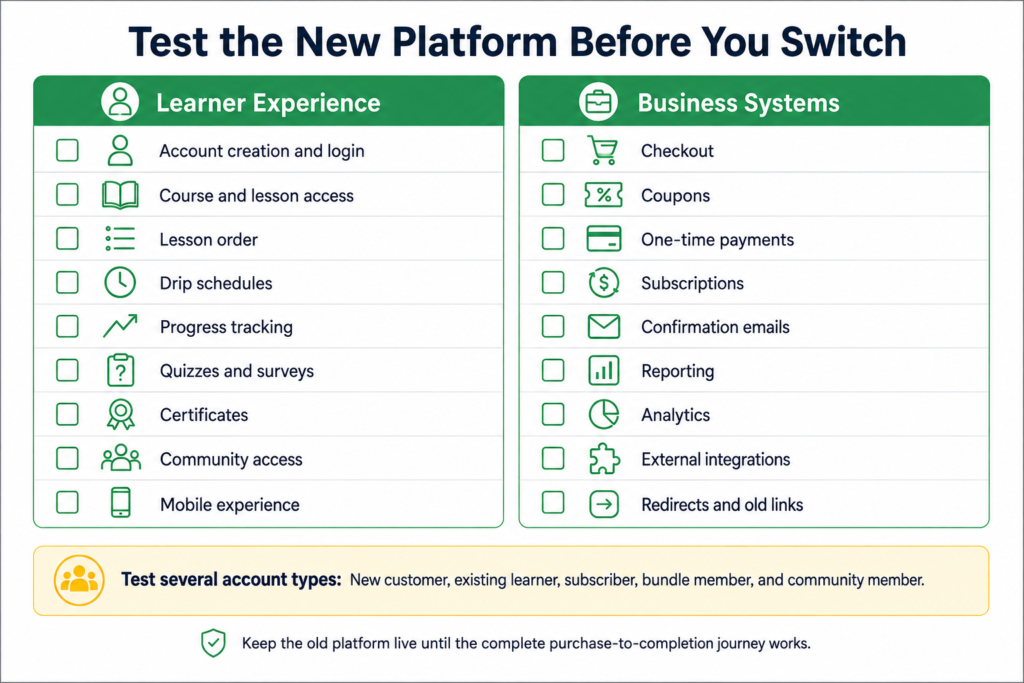
Run both systems in parallel while testing login, course access, lesson order, progress, assessments, certificates, checkout, subscriptions, emails, drip schedules, communities, mobile access, reports, and integrations.
Create test accounts for different learner types. Test a new customer, an existing customer, a subscription member, and anyone with access through a bundle or community.
Check the process from purchase to completion. Admin screens may appear correct while the learner experience still contains missing links, incorrect permissions, or emails that point to the old site.
Plan the Final Switch Carefully
Once testing is complete, set a clear migration date.
Before the switch, notify learners, explain login or payment changes, update sales and checkout links, prepare redirects, move the domain, reconnect email and analytics tools, check integrations, and preserve old reports.
Keep a backup of all downloaded files and exported data.
The safest migration isn’t necessarily the fastest one. It’s the one that protects learner access, payment continuity, and the information you may need after the old account is no longer available.
Frequently Asked Questions About Thinkific Alternatives
LifterLMS is our best overall Thinkific alternative for most course businesses because it combines a full LMS with WordPress ownership, flexible ecommerce and memberships, and control over your website and data. If you specifically want another hosted platform, advanced corporate training, or a community-first product, one of the more specialized alternatives may suit you better.
Yes. LifterLMS provides a free WordPress core with courses, quizzes, memberships, certificates, achievements, dashboards, and reporting, although hosting and some extensions cost extra.
Systeme.io offers a limited free hosted plan, while TalentLMS has a free option for small organizational training setups. Payment processing, hosting, email, extensions, or transaction fees may still apply.
Thinkific offers a broader range of learning-business tools, including communities, memberships, reporting, and apps. Teachable provides a simpler creator workflow for courses, coaching, downloads, and memberships. Both are hosted platforms, and their fees and plan limits differ.
Thinkific is the stronger course-led platform. Kajabi suits businesses that want courses, email, funnels, coaching, communities, and automation in one system, although its plans cost more and impose wider business limits.
Yes, but Thinkific doesn’t provide a single-file export that recreates an entire course on another platform.
You can download or copy several content types separately, including videos, PDFs, audio files, lesson downloads, text, quiz content, and survey content.
You may still need to rebuild the course structure, assessments, schedules, certificates, pricing, memberships, communities, and enrollment rules.
Learner, progress, quiz, survey, and order data may require separate exports. Moving active payment subscriptions also needs its own plan.
Some alternative platforms offer assisted migration, but the coverage varies and rarely includes every setting or data type.
LifterLMS is our top WordPress alternative to Thinkific. Its free core covers courses, quizzes, memberships, certificates, achievements, dashboards, and reporting, while paid extensions add advanced teaching, ecommerce, coaching, group, and connection tools.
LearnDash is the main alternative if you prefer a more traditional course structure centered on lessons, topics, quizzes, progression, learning paths, and groups.
TalentLMS is the strongest dedicated corporate-training alternative in this comparison.
It supports training for employees, customers, partners, and departments through groups and branches. Branches can have separate branding, users, courses, administrators, catalogs, and portal settings.
Its tests, certifications, reports, learning paths, and administrative controls are designed for organizations rather than individual creators.
LifterLMS and LearnDash can also support team and organizational training where WordPress ownership is required, but they’ll usually need more configuration.
Why LifterLMS Is Our Top Thinkific Alternative
Thinkific works well when you want a managed platform and are comfortable building your learning business within its boundaries. But if you’re already looking for an alternative because you want more ownership, flexibility, or room to grow, moving to another hosted platform may only solve part of the problem.
LifterLMS takes a different route. Your courses run on a WordPress site you control, alongside your memberships, content, ecommerce setup, marketing tools, and the rest of your business. You can choose the hosting, design, payment tools, plugins, and integrations that fit your requirements instead of relying on one provider to supply them all.
Its free core also means you’re not starting with an empty framework. Courses, quizzes, memberships, certificates, achievements, dashboards, and reporting are already included, with paid extensions available when you need more advanced teaching, ecommerce, coaching, or organizational features.
Some businesses will still have a good reason to choose another platform. TalentLMS is built more specifically for corporate training, Mighty Networks places community first, and Kajabi may suit businesses that value an all-in-one marketing system above platform ownership.
For most course businesses looking for a genuine step beyond Thinkific rather than another variation of the same hosted model, though, LifterLMS is our first choice.
Explore the LifterLMS features to see what’s included, then compare the available pricing options for the setup you need.



